> ## Documentation Index
> Fetch the complete documentation index at: https://docs.gameball.co/llms.txt
> Use this file to discover all available pages before exploring further.
# How Do I Upload your Stores' Products and Collections through a CSV File?
> Upload, download, or delete your stores' data on Gameball.
## Overview
If you want to create loyalty events that involve specific products or collections, Gameball will need some information about them first. To provide this data, you can easily upload a CSV file containing all the details of your products or collections.
***
## How to Access
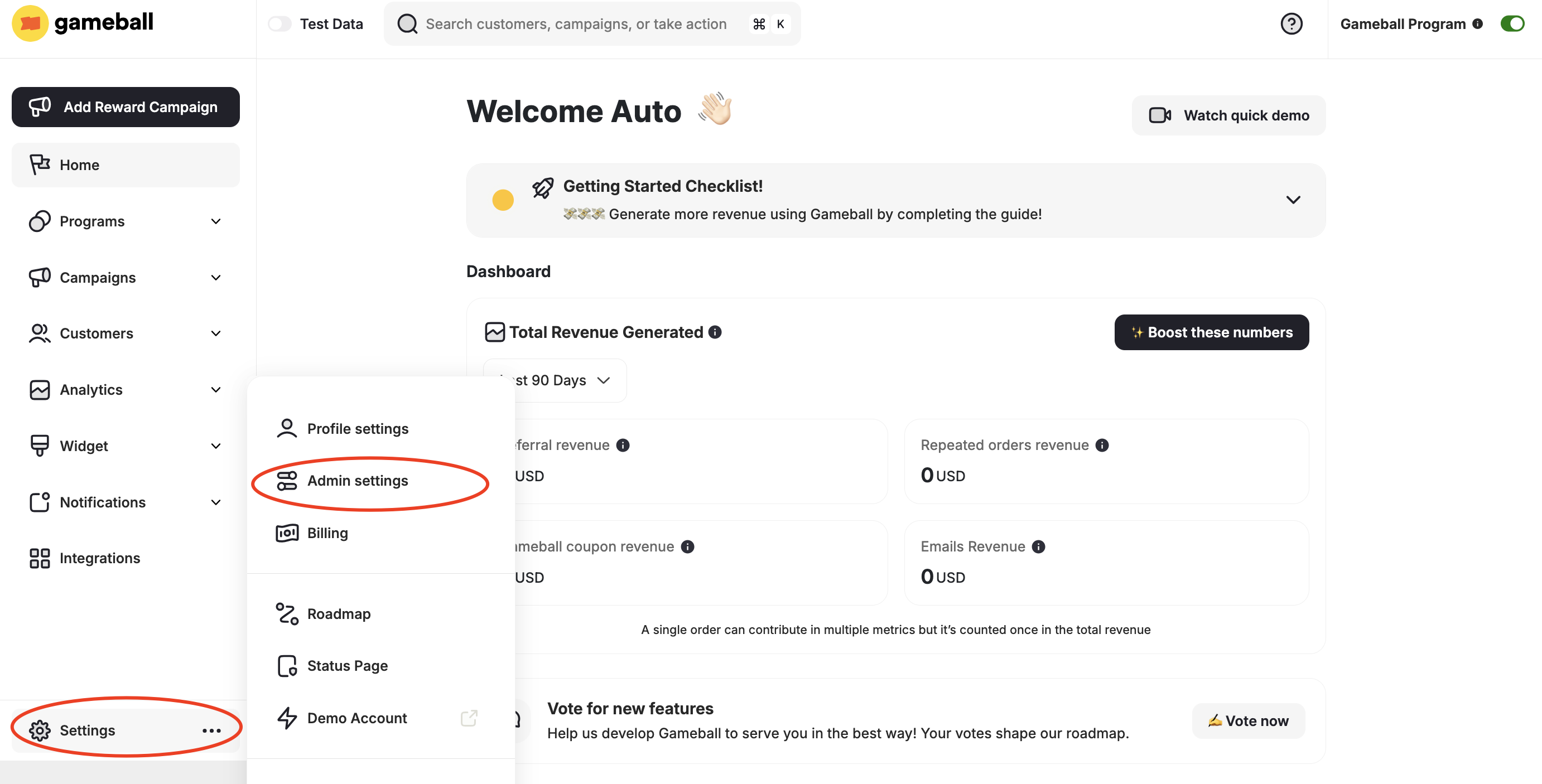
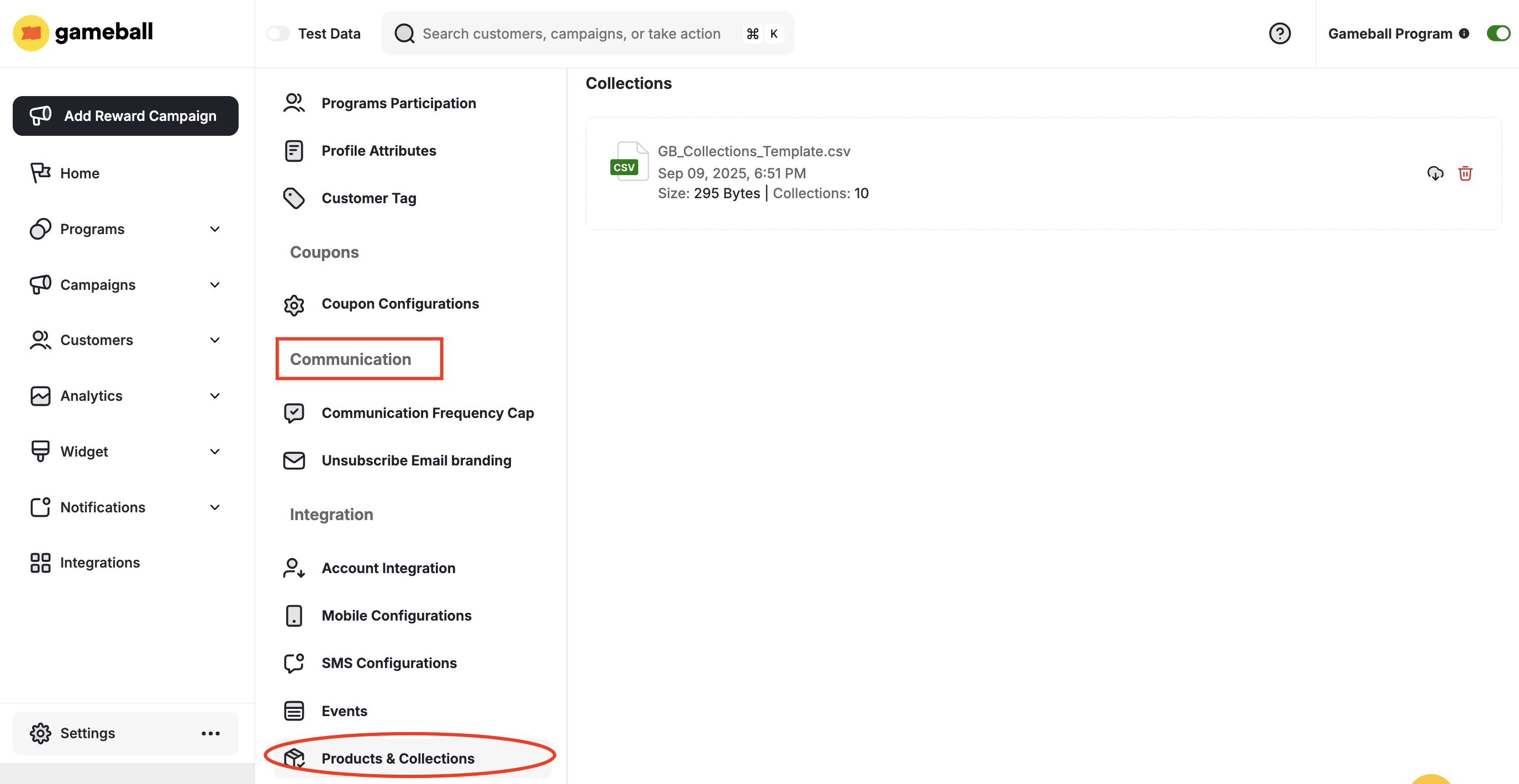
Go to **Dashboard > Settings > Admin Settings > Products and Collections** under **Integrations**.
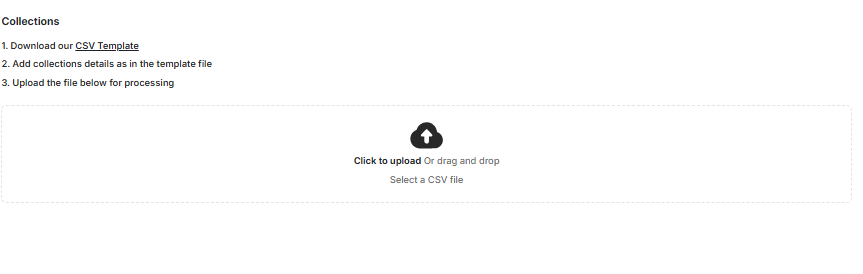
 Under **Products** or under **Collections**, click **"Click to upload"** or drag and drop your file.
 ***
## CSV File Formats
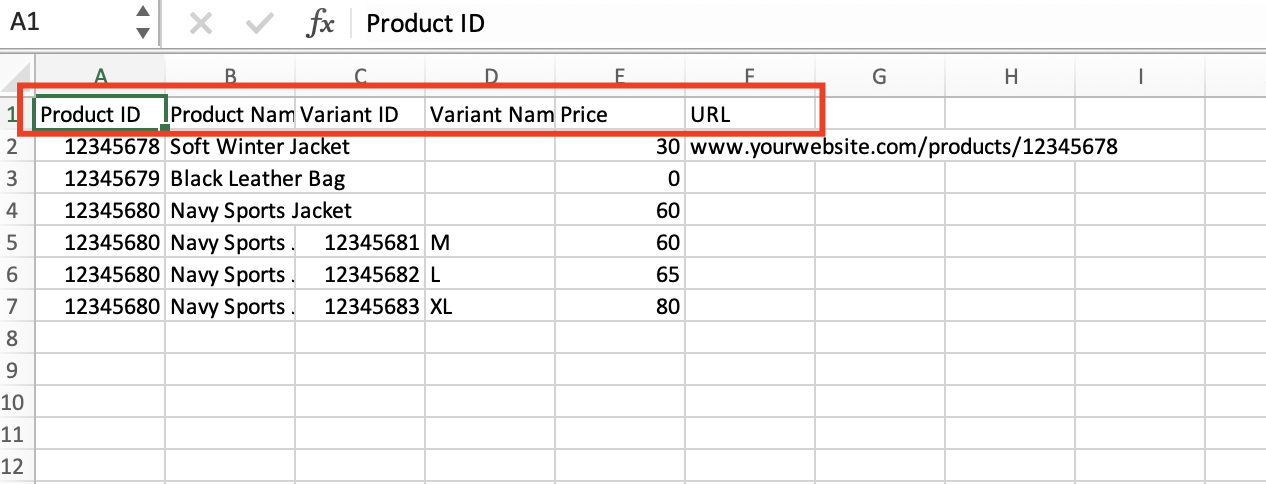
Follow this column format for your **Products** CSV file:
| Column | Field |
| -------- | ------------ |
| Column 1 | Product ID |
| Column 2 | Product Name |
| Column 3 | Variant ID |
| Column 4 | Variant Name |
| Column 5 | Price |
| Column 6 | URL |
***
## CSV File Formats
Follow this column format for your **Products** CSV file:
| Column | Field |
| -------- | ------------ |
| Column 1 | Product ID |
| Column 2 | Product Name |
| Column 3 | Variant ID |
| Column 4 | Variant Name |
| Column 5 | Price |
| Column 6 | URL |
 Follow this column format for your **Collections** CSV file:
| Column | Field |
| -------- | --------------- |
| Column 1 | Collection ID |
| Column 2 | Collection Name |
| Column 3 | URL |
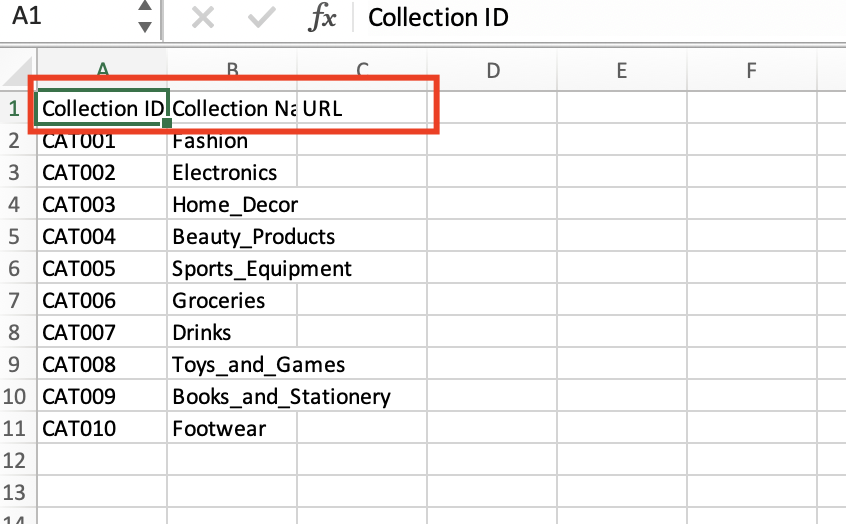
Follow this column format for your **Collections** CSV file:
| Column | Field |
| -------- | --------------- |
| Column 1 | Collection ID |
| Column 2 | Collection Name |
| Column 3 | URL |
 ***
## Manage Uploaded Files
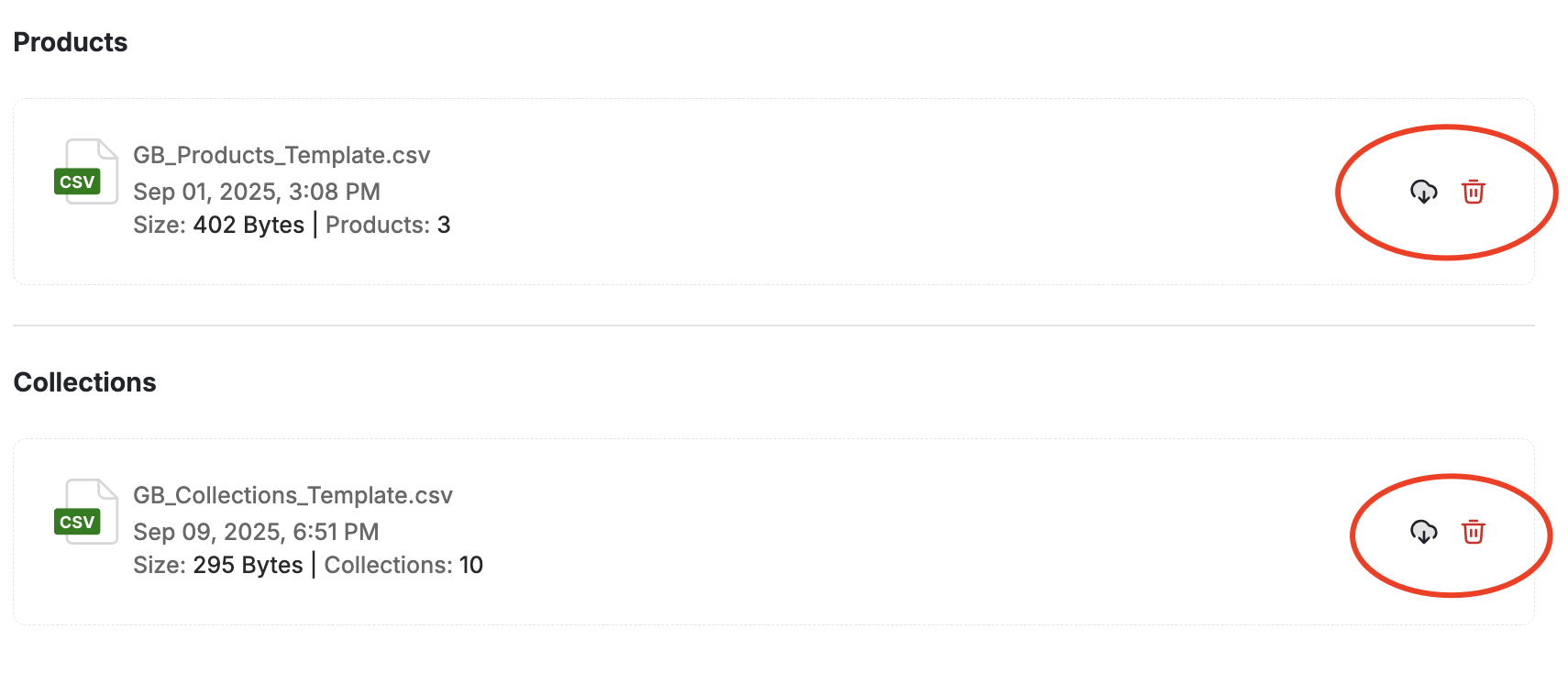
To download or delete the previously uploaded file, click on the **Download Current File** option or the **Delete Icon**. The latest uploaded CSV file will be downloaded instantly.
***
## Manage Uploaded Files
To download or delete the previously uploaded file, click on the **Download Current File** option or the **Delete Icon**. The latest uploaded CSV file will be downloaded instantly.