> ## Documentation Index
> Fetch the complete documentation index at: https://docs.gameball.co/llms.txt
> Use this file to discover all available pages before exploring further.
# How Do I Integrate ActiveCampaign with Gameball?
> Keep your customers in sync across Gameball and ActiveCampaign, and target them based on your loyalty data.
## Why Integrate ActiveCampaign with Gameball?
This integration allows you to target and segment your customers based on how loyal they are to your app. With this integration, you can:
* **Segment your contact lists** based on Gameball customer attributes.
* **Trigger automations** based on Gameball customer attributes.
* **Send personalized emails** by including Gameball customer information in email templates, such as the customer's current tier.
***
## How to Configure ActiveCampaign on Gameball
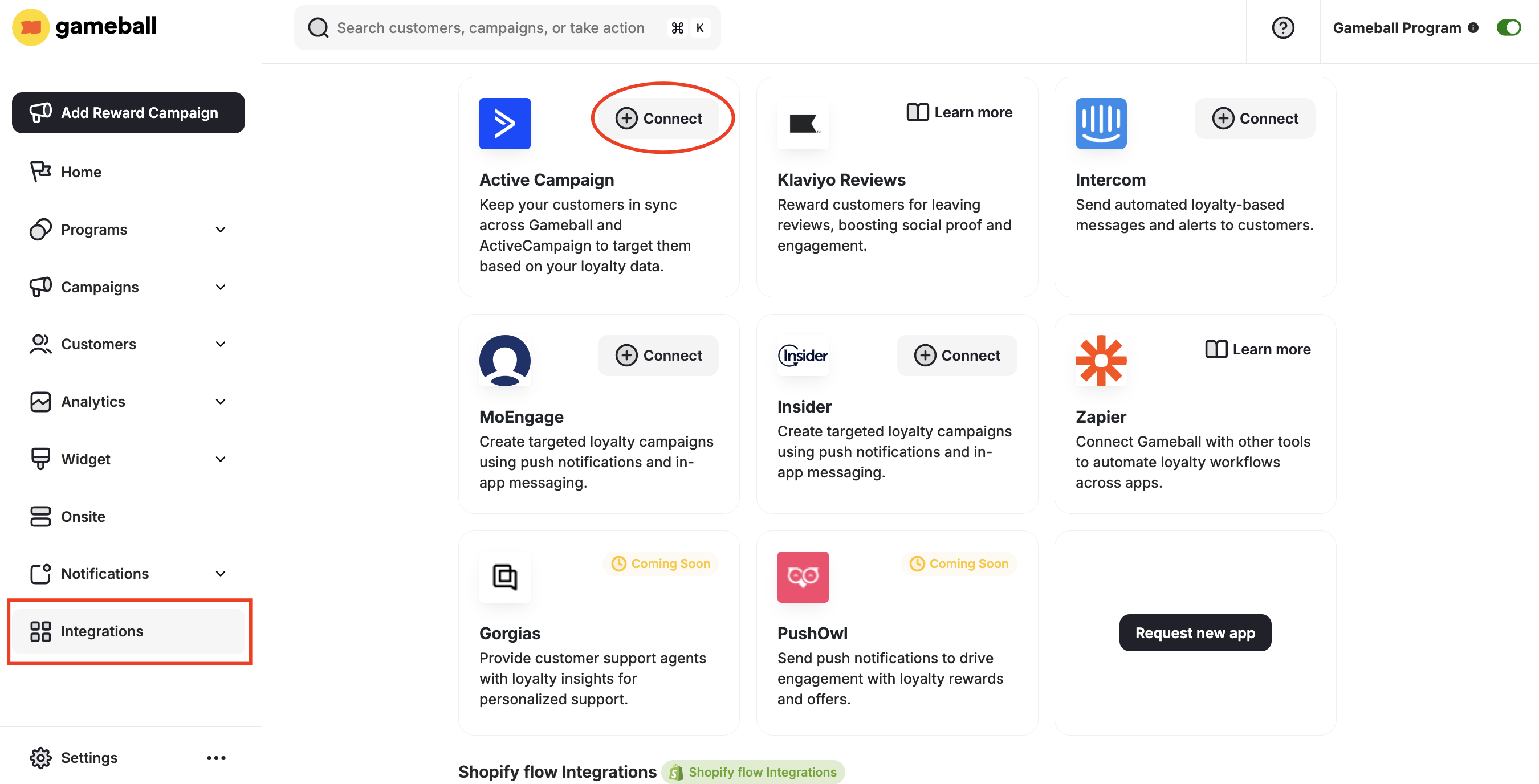
Go to **Integrations** on your **Gameball Admin Dashboard** and click **Connect** under **ActiveCampaign**.
 1. Install ActiveCampaign from the Shopify App Store.
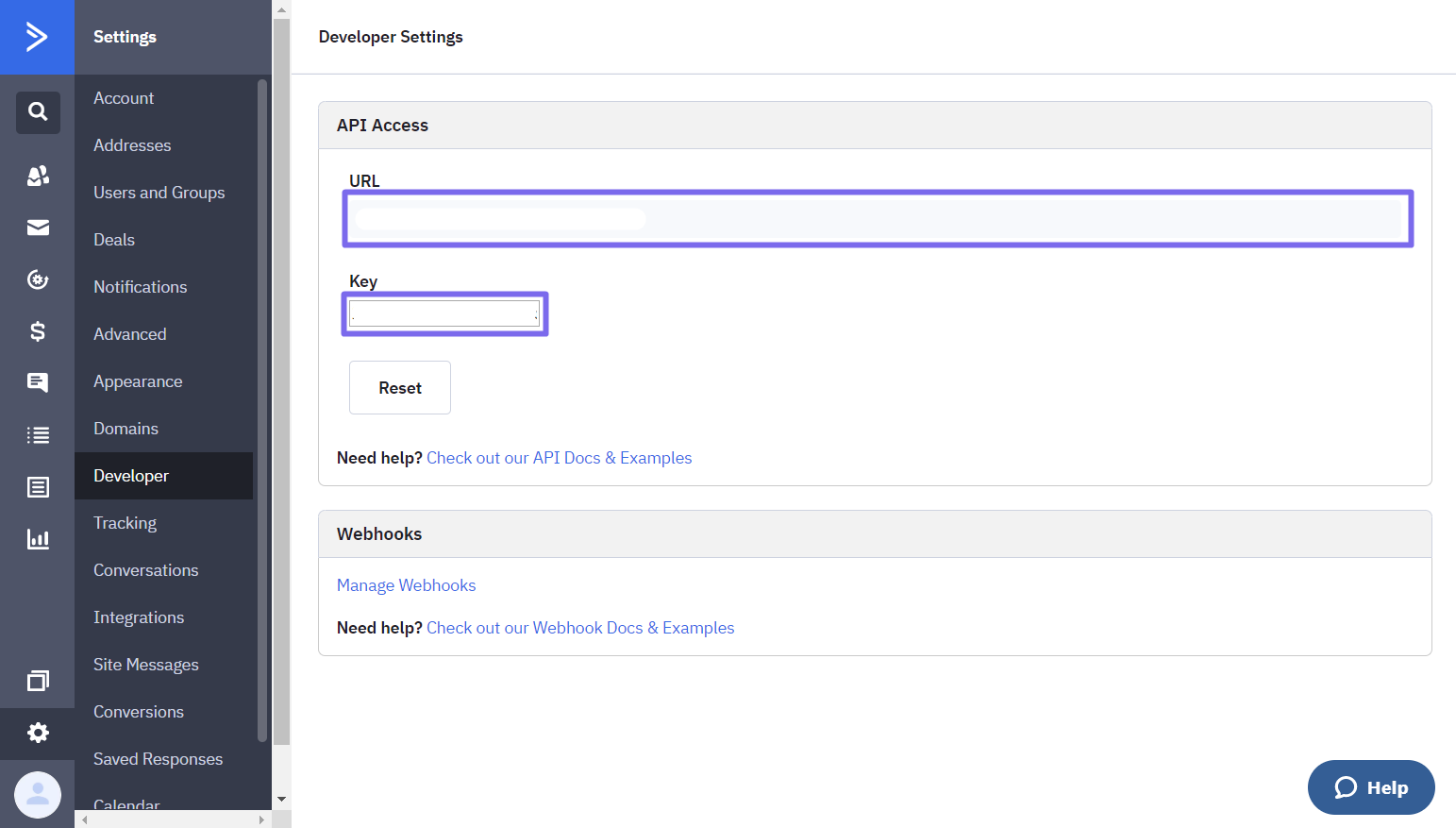
2. In your ActiveCampaign account, go to **Settings > Developer**.
3. Copy the **URL** and **API Key**.
1. Install ActiveCampaign from the Shopify App Store.
2. In your ActiveCampaign account, go to **Settings > Developer**.
3. Copy the **URL** and **API Key**.
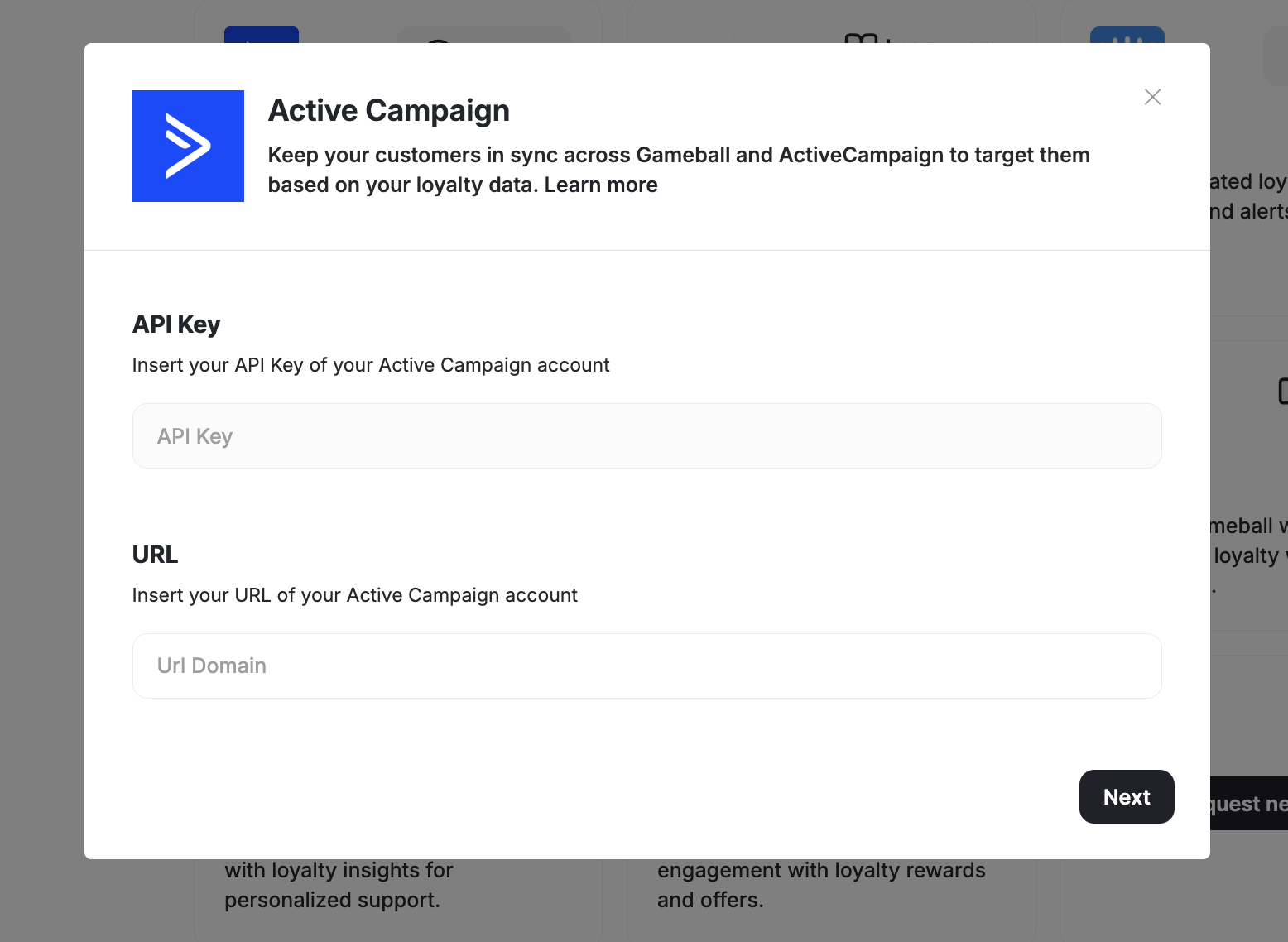
 Paste the URL and API Key into your Gameball account and click **Next**.
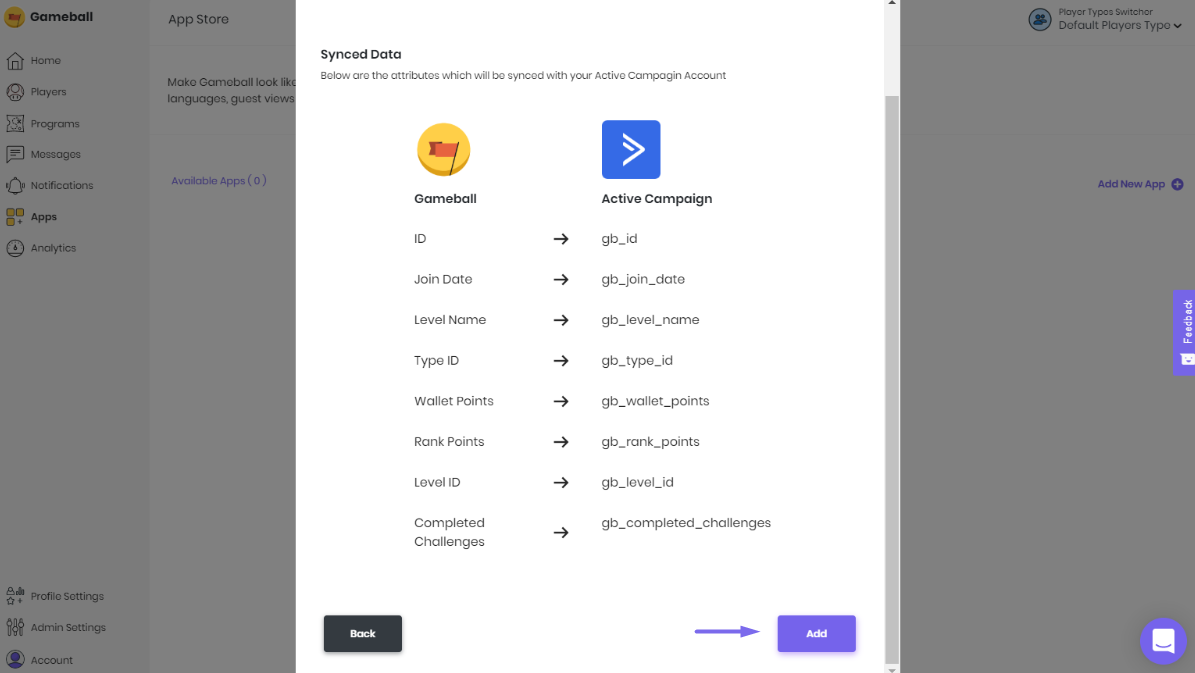
 Click **Add** so the list of customer attributes will be automatically added to your ActiveCampaign account.
Make sure you use these attributes with the notation provided on your Gameball Admin Dashboard, as described below.
Click **Add** so the list of customer attributes will be automatically added to your ActiveCampaign account.
Make sure you use these attributes with the notation provided on your Gameball Admin Dashboard, as described below.
 ***
## Using Gameball Data in ActiveCampaign
Once connected, go to your ActiveCampaign account to leverage Gameball loyalty data in your marketing.
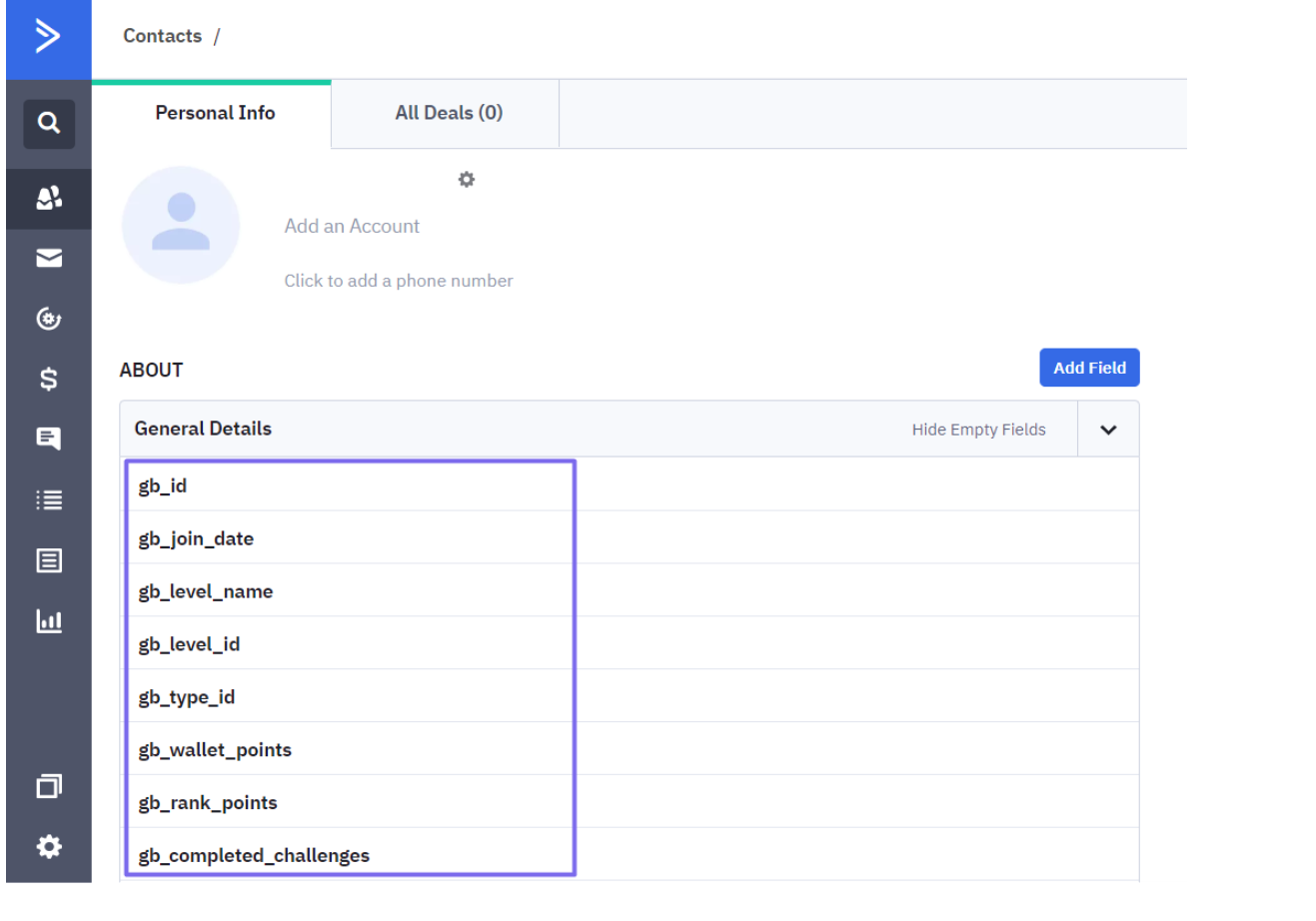
### Check Customer Fields
View Gameball customer profile attributes in a customer's contact details.
***
## Using Gameball Data in ActiveCampaign
Once connected, go to your ActiveCampaign account to leverage Gameball loyalty data in your marketing.
### Check Customer Fields
View Gameball customer profile attributes in a customer's contact details.
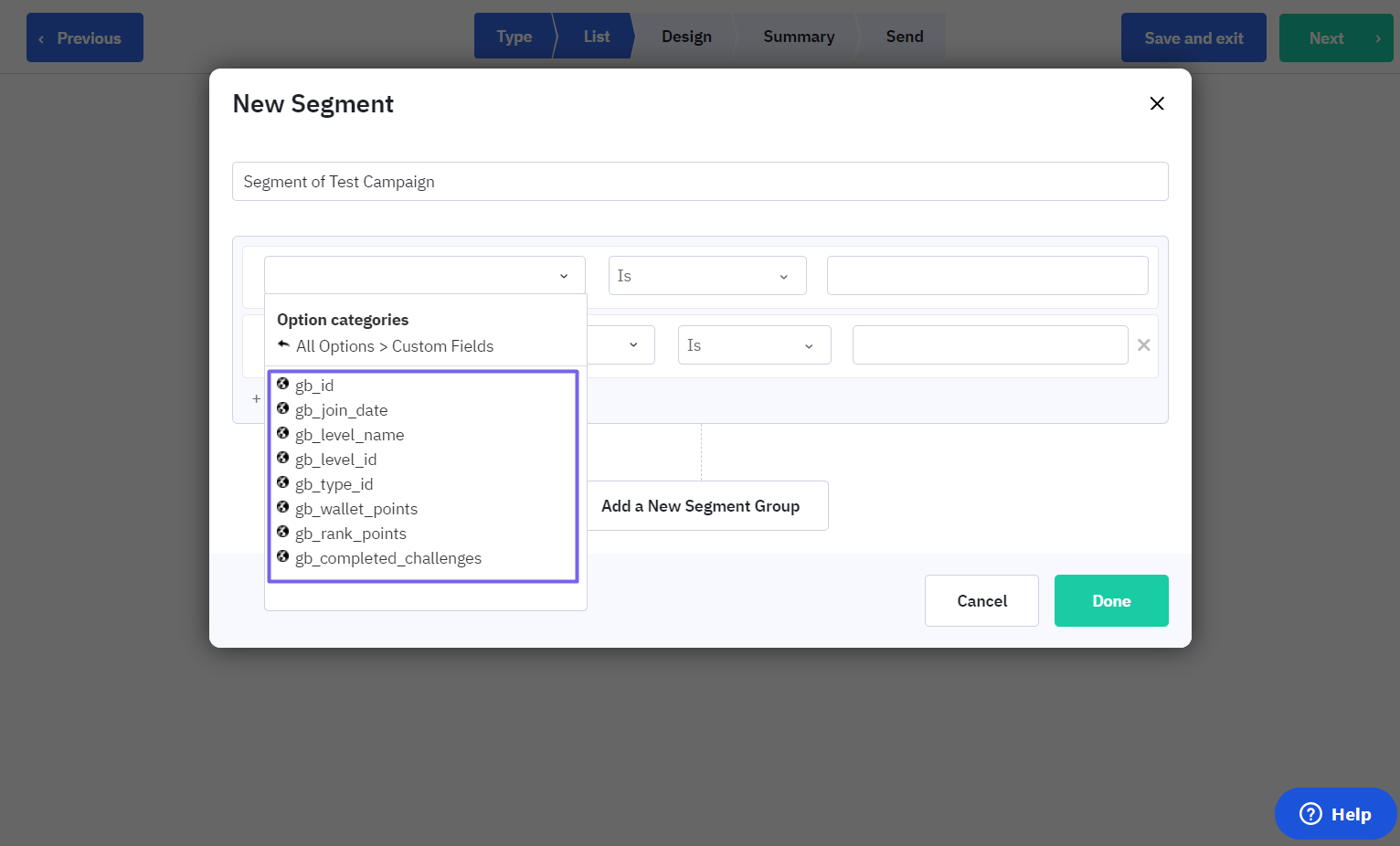
 ### Segment Customers
While creating a campaign, segment customers based on a Gameball customer profile attribute.
### Segment Customers
While creating a campaign, segment customers based on a Gameball customer profile attribute.
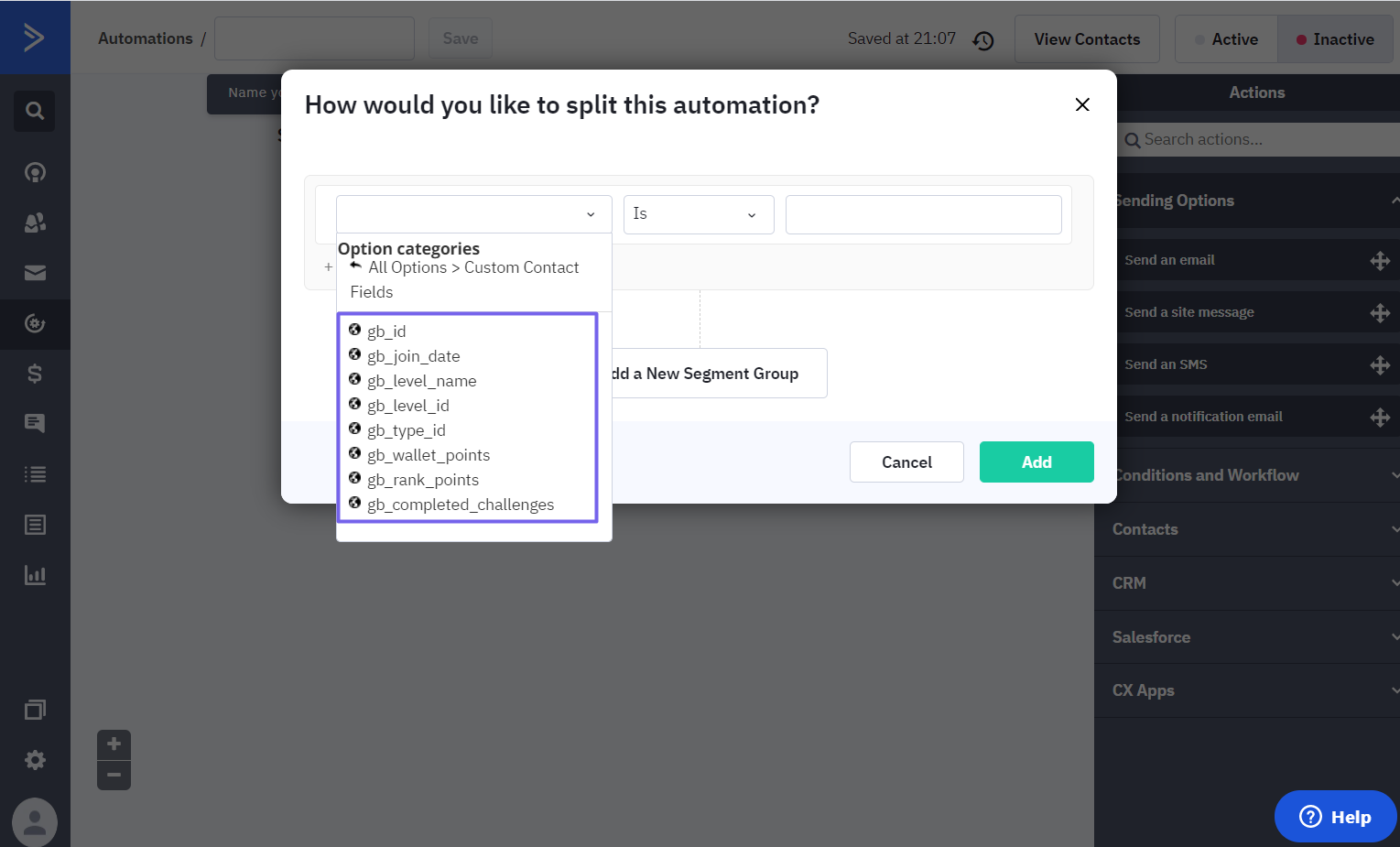
 ### Split Automations
Split an automation based on Gameball customer profile attributes.
### Split Automations
Split an automation based on Gameball customer profile attributes.
 ***
Explore all available Gameball integrations.
Connect Gameball with thousands of apps via Zapier.
***
Explore all available Gameball integrations.
Connect Gameball with thousands of apps via Zapier.