> ## Documentation Index
> Fetch the complete documentation index at: https://docs.gameball.co/llms.txt
> Use this file to discover all available pages before exploring further.
# How Do I Integrate Drip with Gameball?
> Keep your customers in sync across Gameball and Drip, and target them based on your loyalty data.
## Why Integrate Drip with Gameball?
This integration allows you to target and segment your customers based on how loyal they are to your app. With this integration, you can:
* **Check Gameball customer attributes** directly in Drip.
* **Send personalized emails** by including Gameball customer information in email templates, such as the customer's current tier.
***
## How to Configure Drip on Gameball
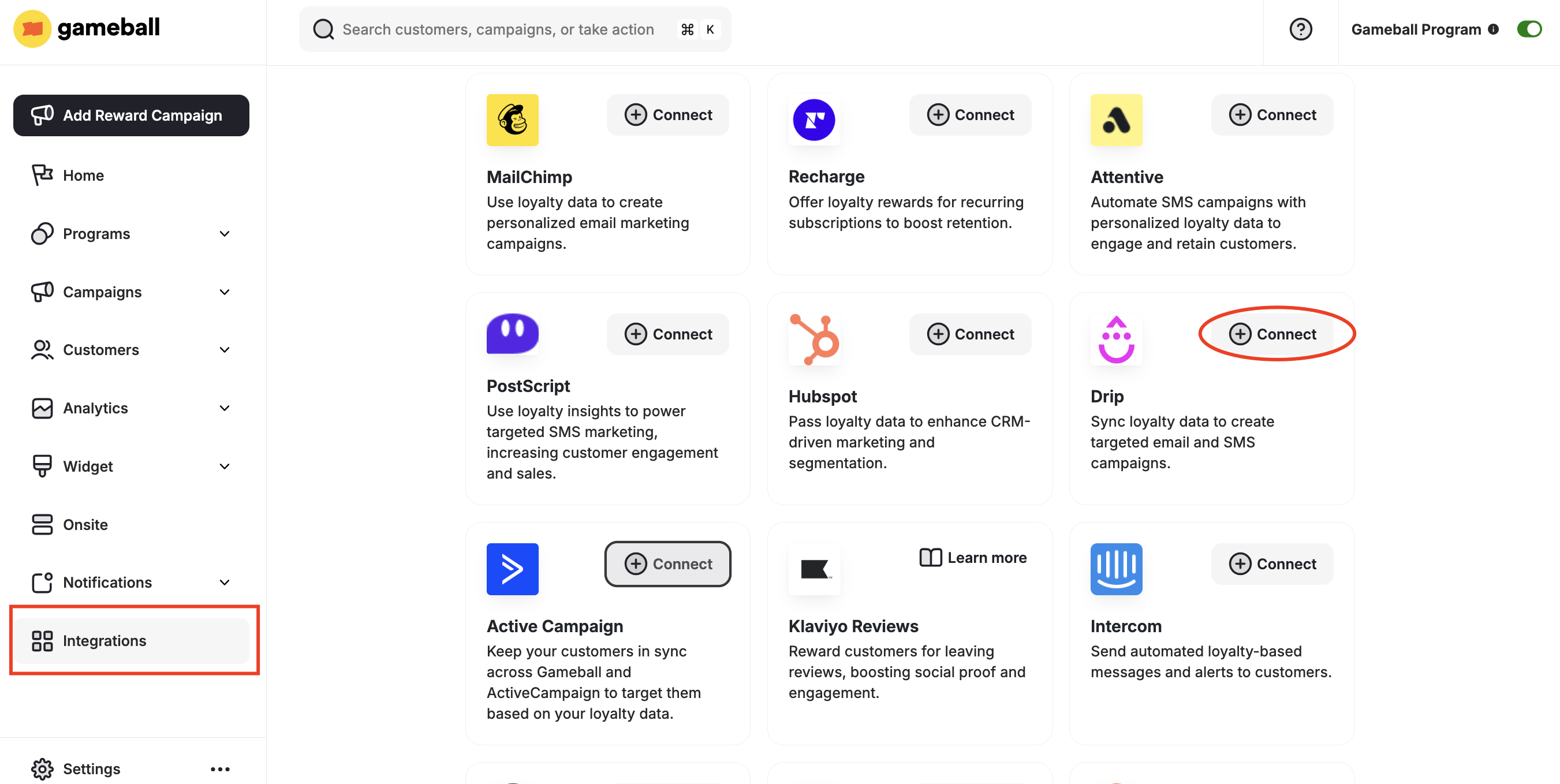
Go to **Integrations** on your **Gameball Admin Dashboard** and click **Connect** under **Drip**.
 1. Install Drip from the Shopify App Store.
2. In your Drip account, go to **Settings > Developer**.
3. Copy the **URL** and **API Key**.
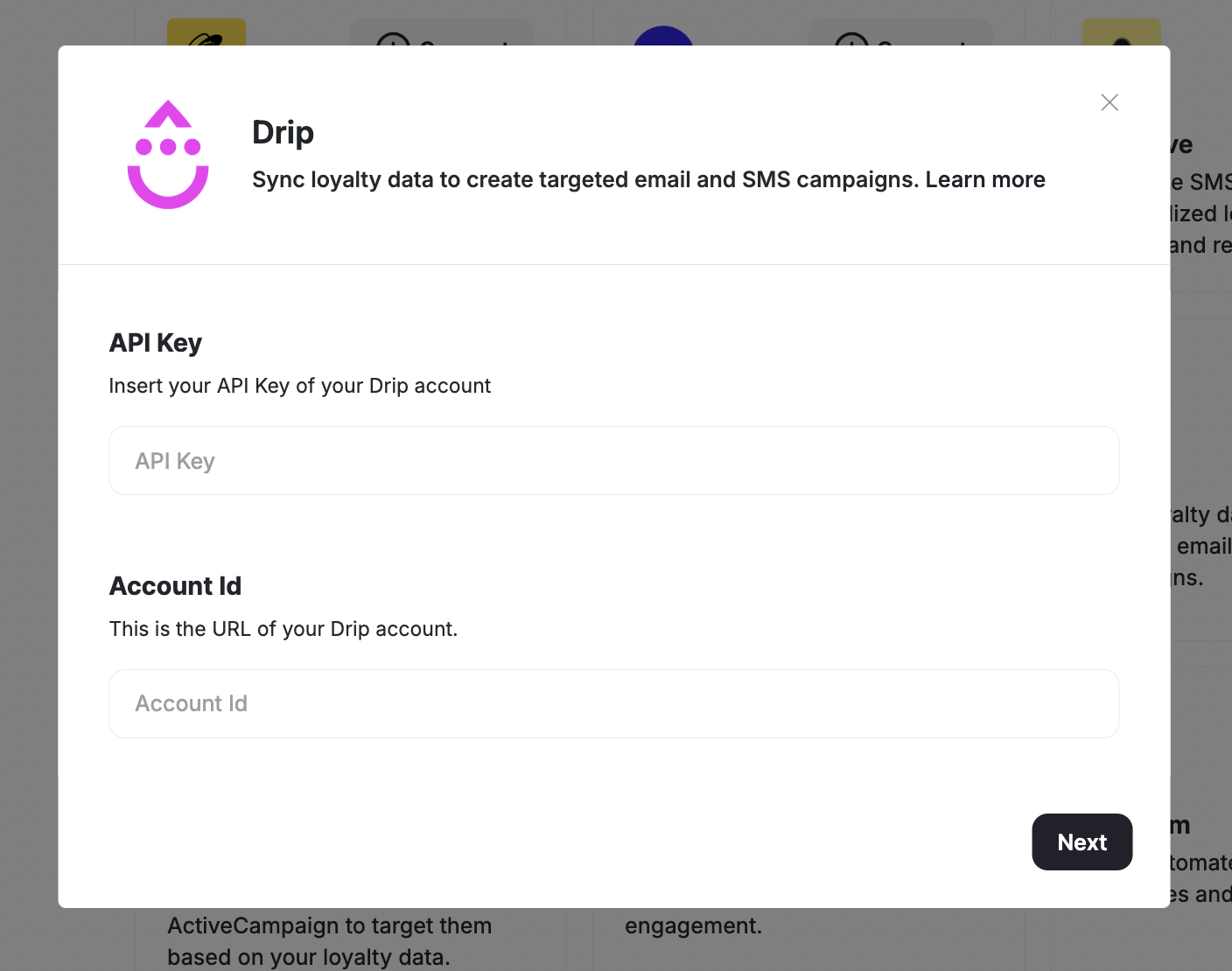
Paste the URL and API Key into your Gameball account and click **Next**.
1. Install Drip from the Shopify App Store.
2. In your Drip account, go to **Settings > Developer**.
3. Copy the **URL** and **API Key**.
Paste the URL and API Key into your Gameball account and click **Next**.
 Click **Add** so the list of customer attributes will be automatically added to your Drip account.
***
## Using Gameball Data in Drip
Once connected, go to your Drip account to leverage Gameball loyalty data.
### Check Customer Tags
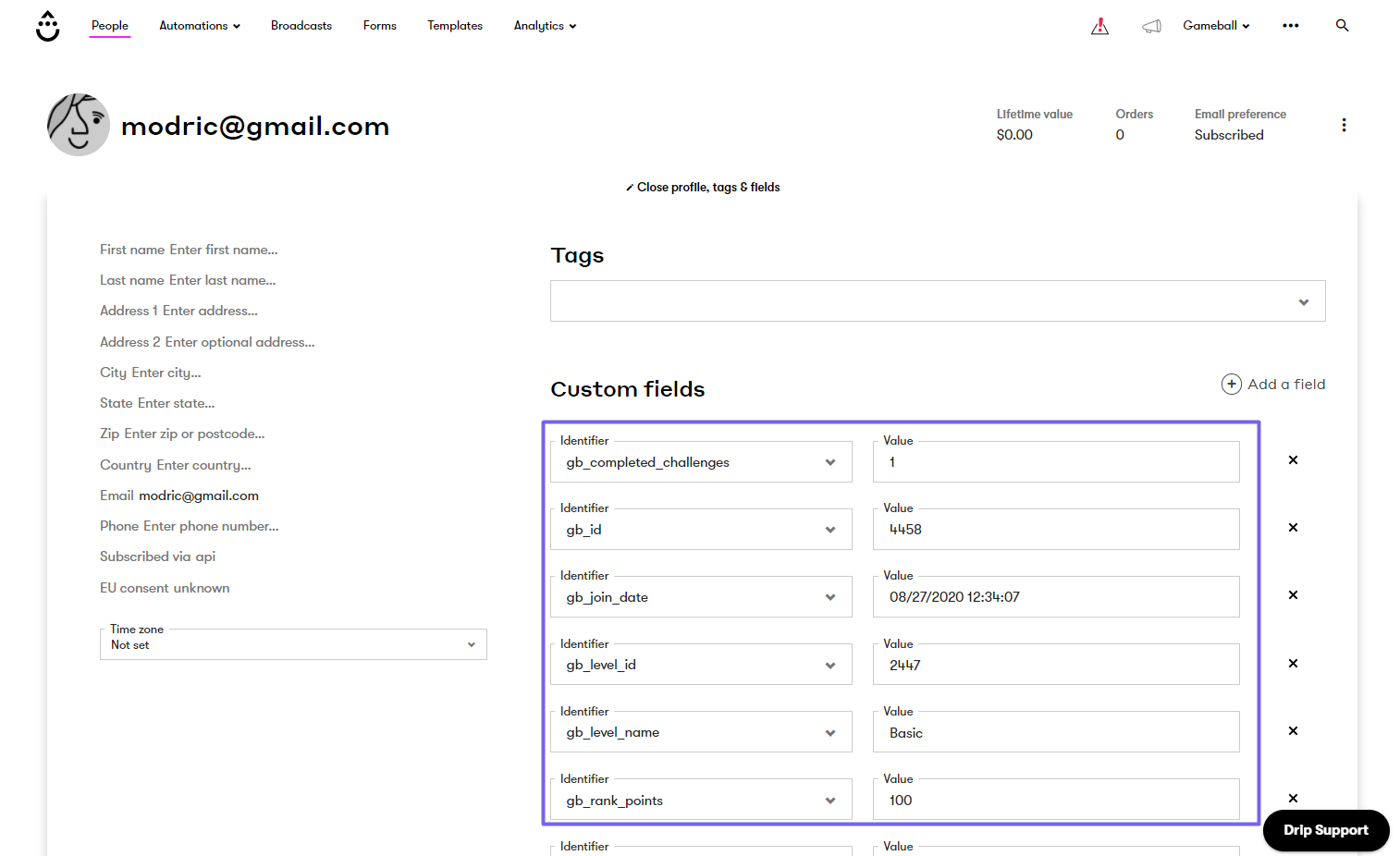
View Gameball customer profile custom tags through **People > Choose customer**.
Click **Add** so the list of customer attributes will be automatically added to your Drip account.
***
## Using Gameball Data in Drip
Once connected, go to your Drip account to leverage Gameball loyalty data.
### Check Customer Tags
View Gameball customer profile custom tags through **People > Choose customer**.
 ### Personalize Email Campaigns
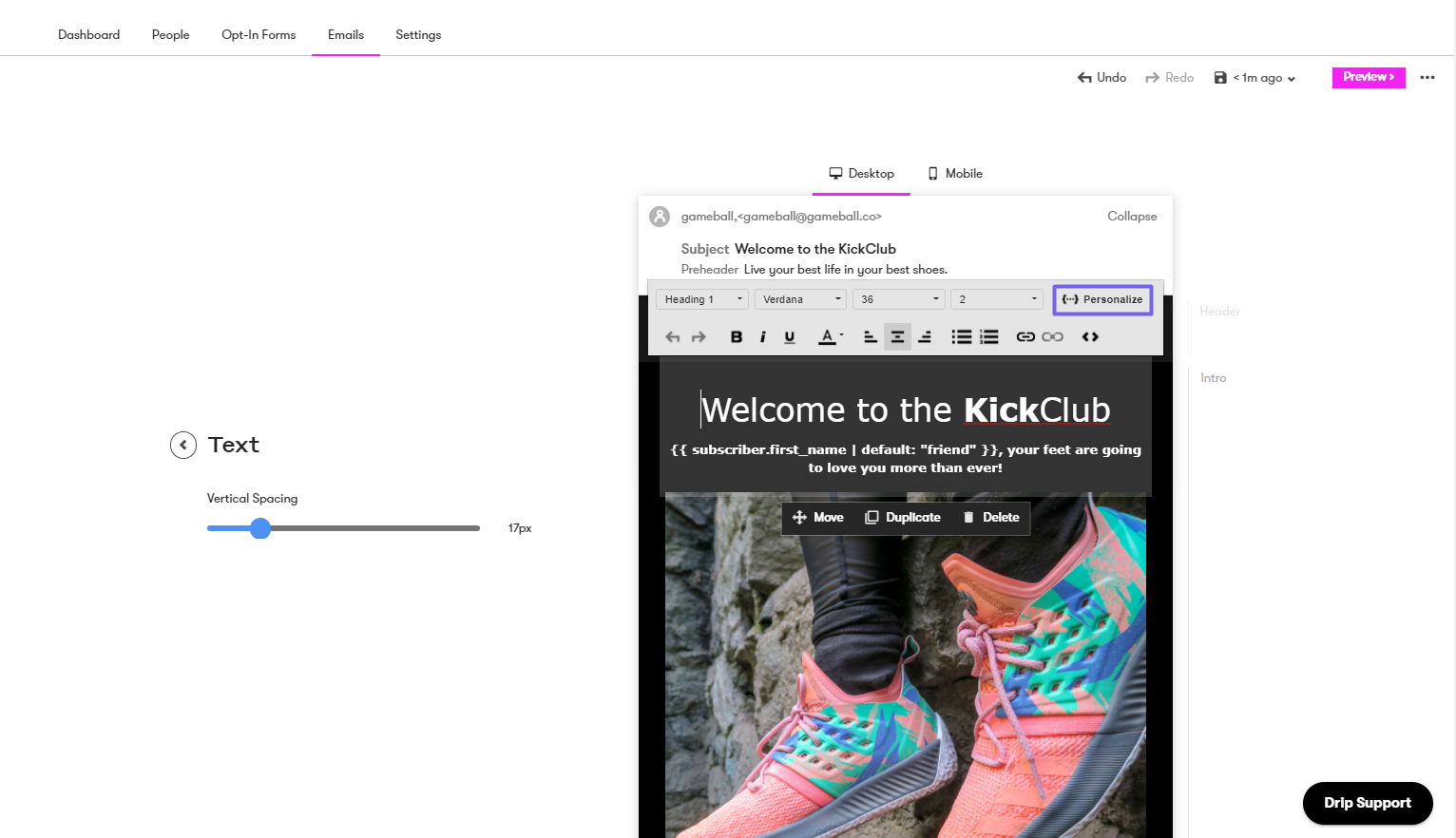
Go to **Personalize** and choose one of Gameball's custom profile attributes.
### Personalize Email Campaigns
Go to **Personalize** and choose one of Gameball's custom profile attributes.