> ## Documentation Index
> Fetch the complete documentation index at: https://docs.gameball.co/llms.txt
> Use this file to discover all available pages before exploring further.
# What Are Automation Controls?
> Learn more about Gameball's Automation Campaigns controls, and how to use them.
Automation controls play a crucial role in orchestrating seamless workflows, allowing businesses to customize and optimize automation campaigns effectively. In this article, we'll delve into the various automation controls offered by Gameball, providing detailed insights into their functionalities and applications.
## Exploring Automation Controls
Automation controls provide businesses with the flexibility to tailor their workflows based on specific conditions or events.
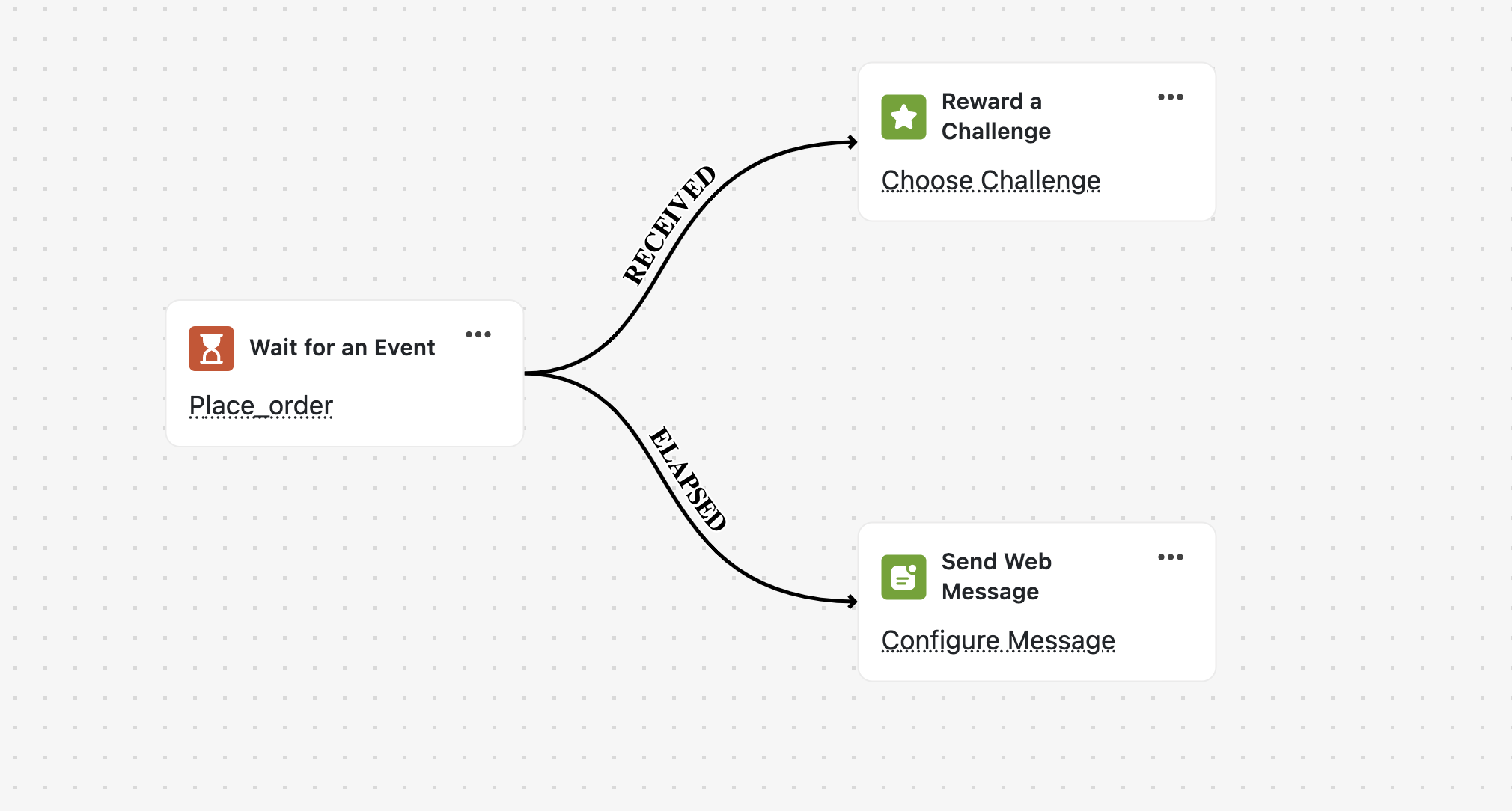
Wait for Event enables you to pause workflow execution until a specific customer action occurs, and a certain amount of time (e.g., wait for a customer to place an order within the upcoming 7 days). This control allows for the creation of two action paths:
* **Received**: The expected event occurs within the specified timeframe, triggering the subsequent action.
* **Elapsed**: The specified event does not occur within the timeframe, prompting an alternative action.
 Time Delay introduces a specified period of time before executing the next action in the workflow. This control is ideal for scheduling actions to occur after a certain delay, enabling businesses to sequence tasks effectively.
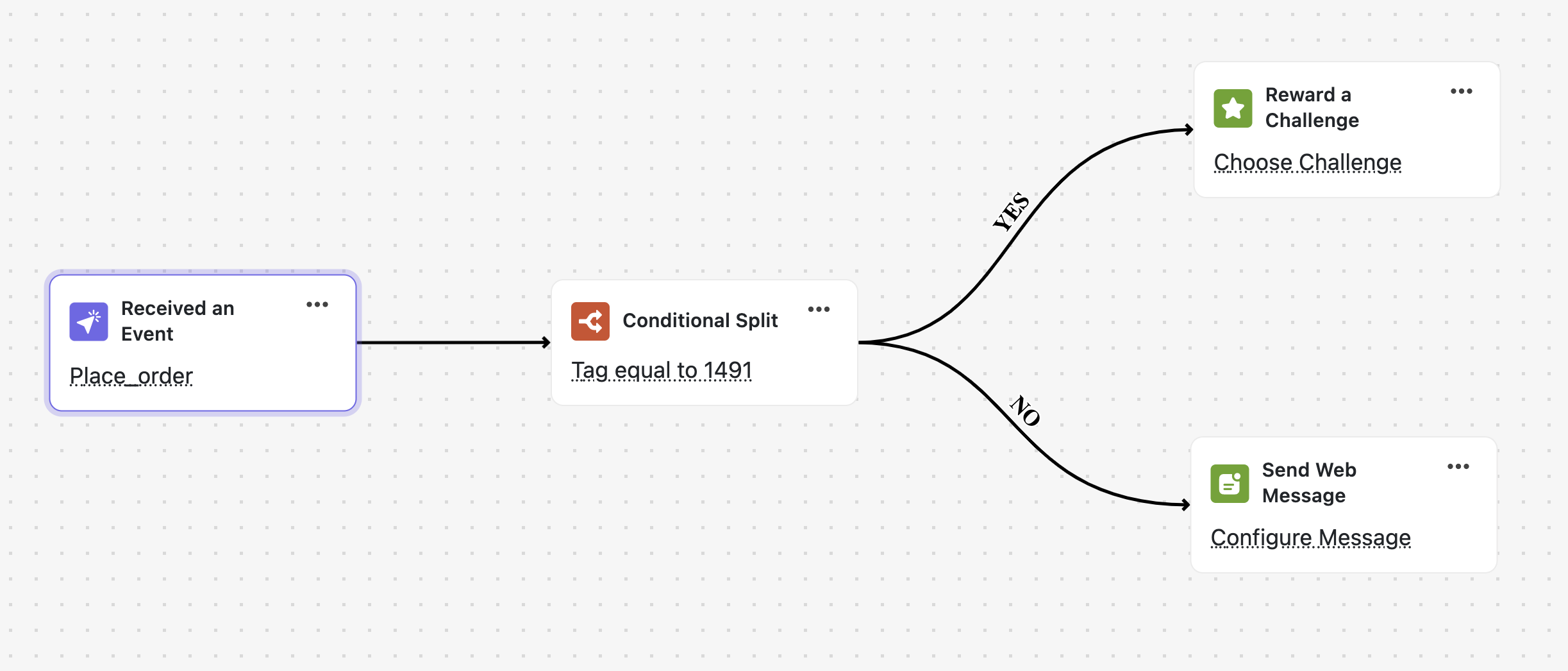
Conditional Splits allow businesses to evaluate whether a previous event meets specified criteria or not. Based on the result, businesses can create two action paths:
* **Yes**: The condition is met, triggering one set of actions.
* **No**: The condition is not met, prompting an alternative set of actions.
Time Delay introduces a specified period of time before executing the next action in the workflow. This control is ideal for scheduling actions to occur after a certain delay, enabling businesses to sequence tasks effectively.
Conditional Splits allow businesses to evaluate whether a previous event meets specified criteria or not. Based on the result, businesses can create two action paths:
* **Yes**: The condition is met, triggering one set of actions.
* **No**: The condition is not met, prompting an alternative set of actions.
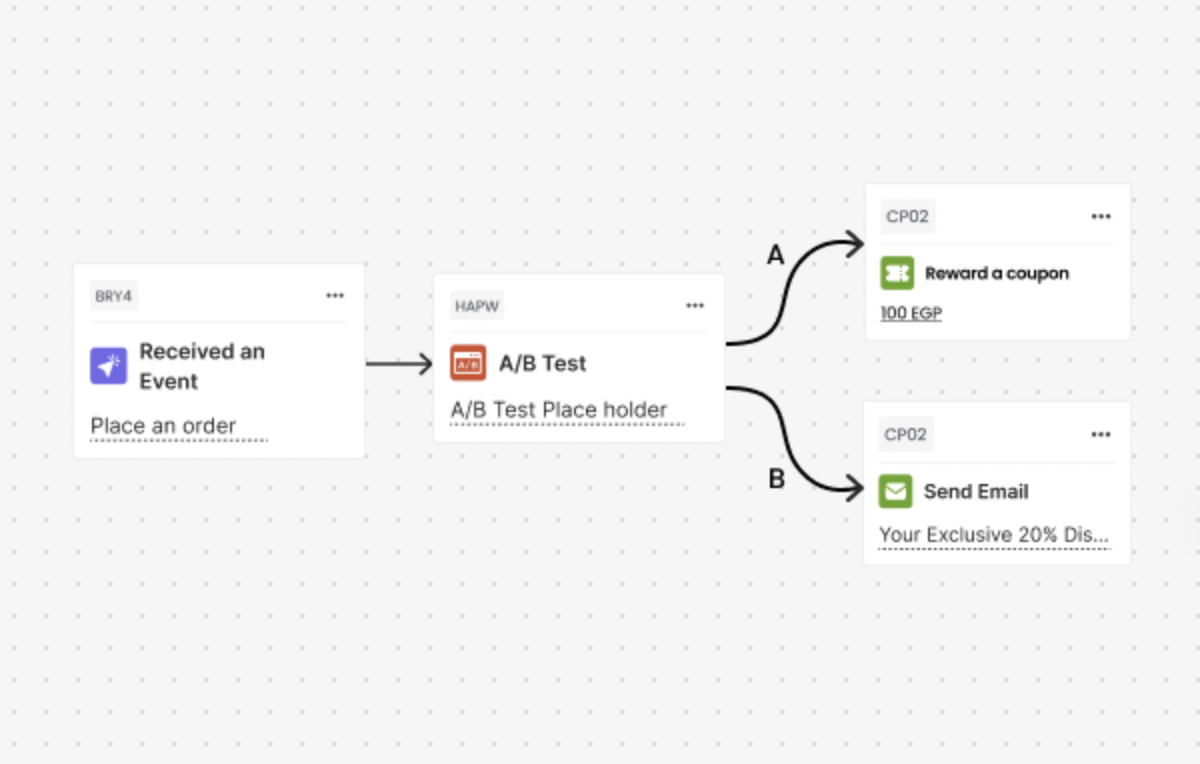
 A powerful feature that lets you test, compare, and optimize your customer engagement strategies directly within Gameball.
### How does it work?
* **Split audiences into groups** (A & B) with a fully customizable ratio (e.g., 50/50, 70/30).
* **Build distinct automation paths** for each group with different actions, rewards, or communications.
* **Ensure stable testing** with random but consistent customer assignment to each group.
* **Measure performance side by side**, with detailed reporting on engagement, redemption, and revenue uplift for each branch.
* **Optimize your strategy** by identifying which path performs better and scaling it across your campaigns.
A powerful feature that lets you test, compare, and optimize your customer engagement strategies directly within Gameball.
### How does it work?
* **Split audiences into groups** (A & B) with a fully customizable ratio (e.g., 50/50, 70/30).
* **Build distinct automation paths** for each group with different actions, rewards, or communications.
* **Ensure stable testing** with random but consistent customer assignment to each group.
* **Measure performance side by side**, with detailed reporting on engagement, redemption, and revenue uplift for each branch.
* **Optimize your strategy** by identifying which path performs better and scaling it across your campaigns.
 ***
### Related Articles
Step-by-step guide to building your first automation campaign.
Learn about all available triggers that can initiate your automation workflows.
Explore all actions you can execute when automation conditions are met.
***
### Related Articles
Step-by-step guide to building your first automation campaign.
Learn about all available triggers that can initiate your automation workflows.
Explore all actions you can execute when automation conditions are met.