> ## Documentation Index
> Fetch the complete documentation index at: https://docs.gameball.co/llms.txt
> Use this file to discover all available pages before exploring further.
# What Are Time-Limited Promotions Automation Templates?
> Discover the power of time-limited promotions with Gameball's automation templates.
This article covers the **Time-Limited Promotions** automation templates designed to drive sales and boost customer engagement.
***
## Black Friday Template
### Goal
Capitalize on Black Friday with limited-time discounts.
### Flow
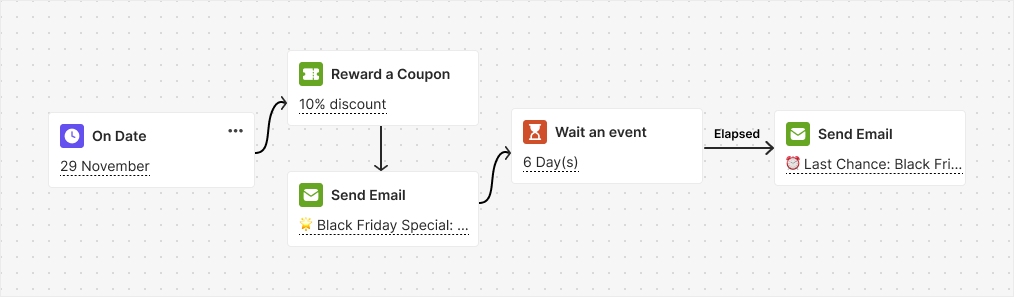
On Black Friday, this automation provides a 10% discount valid for 7 days. Customers are notified about the discount via email and the automation waits for them to place an order. If no order is made, a reminder email is sent one day before the discount expires.
 ### Trigger
On Date (November 29)
### Instructions
The date (November 29) is already pre-selected on the trigger block — you are good to go!
***
## Flash Sale Template
### Goal
Drive sales with flash sale discounts and reminders.
### Flow
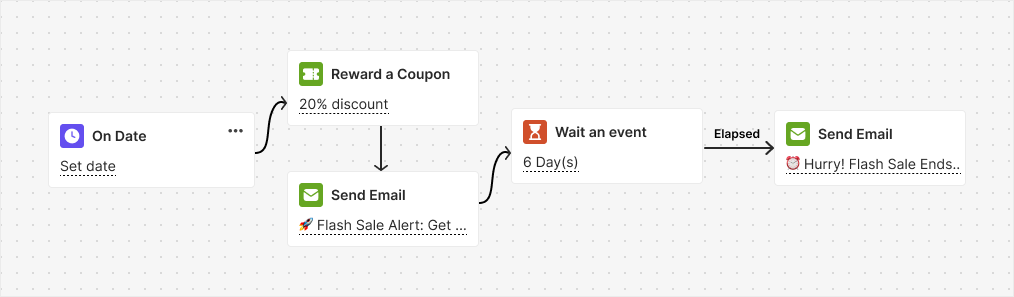
On a set date, this automation activates a 20% discount for 7 days, communicated via email. It then waits for the customer to place an order. If no order is placed, a reminder email is sent one day before the discount expires.
### Trigger
On Date (November 29)
### Instructions
The date (November 29) is already pre-selected on the trigger block — you are good to go!
***
## Flash Sale Template
### Goal
Drive sales with flash sale discounts and reminders.
### Flow
On a set date, this automation activates a 20% discount for 7 days, communicated via email. It then waits for the customer to place an order. If no order is placed, a reminder email is sent one day before the discount expires.
 ### Trigger
On Date
### Instructions
Select the desired date from the trigger block, and you are all set!
***
## Double Points on Weekends Template
### Goal
Encourage weekend purchases by offering double points to customers.
### Flow
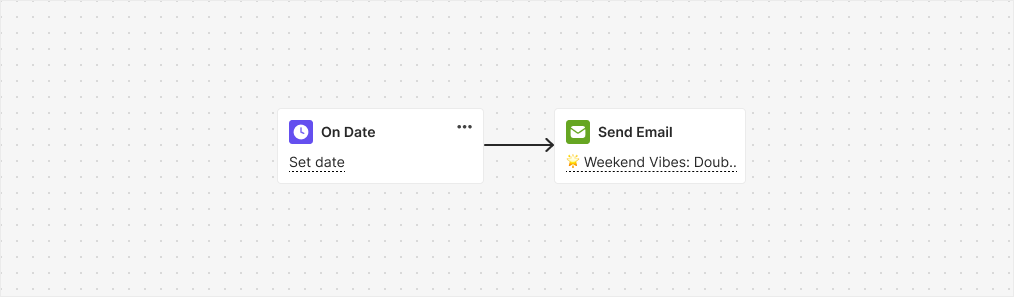
This automation is triggered specifically on weekends to promote the double points offer, which is available only during the weekend and is communicated through email.
### Trigger
On Date
### Instructions
Select the desired date from the trigger block, and you are all set!
***
## Double Points on Weekends Template
### Goal
Encourage weekend purchases by offering double points to customers.
### Flow
This automation is triggered specifically on weekends to promote the double points offer, which is available only during the weekend and is communicated through email.
 ### Trigger
On Date
### Instructions
Select the date you want to activate the promotion from the trigger block, and you are ready to boost weekend sales!
***
## Points Expiry Reminder
### Goal
Gives you full control over **when and how to notify customers about their expiring points**, helping you drive engagement while reducing liability.
### Flow
This automation is triggered specifically when a customer's points are near expiration, sending them any type of chosen notification.
### Trigger
On Date
### Instructions
Select the date you want to activate the promotion from the trigger block, and you are ready to boost weekend sales!
***
## Points Expiry Reminder
### Goal
Gives you full control over **when and how to notify customers about their expiring points**, helping you drive engagement while reducing liability.
### Flow
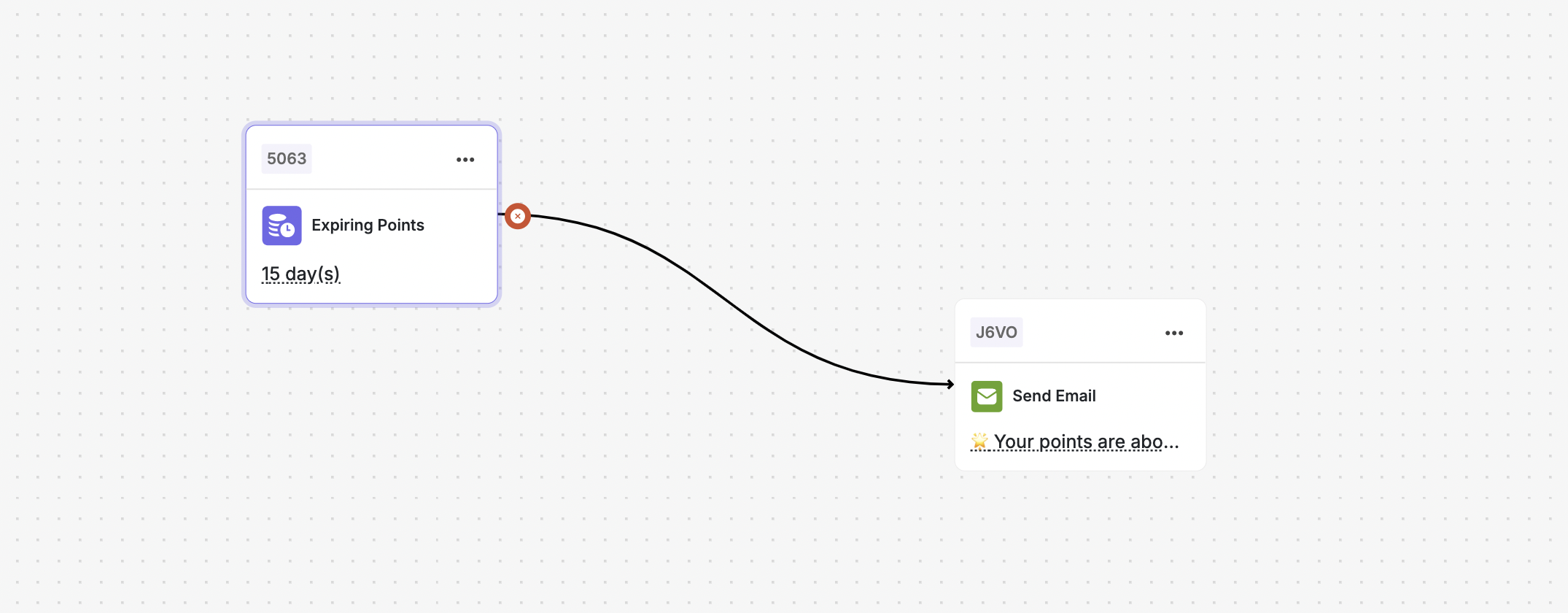
This automation is triggered specifically when a customer's points are near expiration, sending them any type of chosen notification.
 ### Trigger
**"Points to Expire"**
* Available in the **Automation Builder**.
* Detects when a customer's points are **approaching expiration**.
### Instructions
Set a **custom timeframe** (e.g., 30, 15, 7, or X days before expiry).
Select one or more actions to notify customers:
* Send Email
* Send SMS
* Send Push Notification
* Send Webhook
***
## Related Articles
Step-by-step guide to building automation campaigns.
Overview of all available automation templates.
### Trigger
**"Points to Expire"**
* Available in the **Automation Builder**.
* Detects when a customer's points are **approaching expiration**.
### Instructions
Set a **custom timeframe** (e.g., 30, 15, 7, or X days before expiry).
Select one or more actions to notify customers:
* Send Email
* Send SMS
* Send Push Notification
* Send Webhook
***
## Related Articles
Step-by-step guide to building automation campaigns.
Overview of all available automation templates.