> ## Documentation Index
> Fetch the complete documentation index at: https://docs.gameball.co/llms.txt
> Use this file to discover all available pages before exploring further.
# How Do I Enable Customer Account Creation on Shopify?
> A mandatory step to start rewarding your customers using Gameball.
In order to start rewarding your customers, you need to enable account creation on Shopify. If your customers are not able to create an account for your Shopify website, they will not be able to enroll in Gameball rewards experience.
## How to Enable Account Creation on Shopify?
To enable account creation, please follow the below steps:
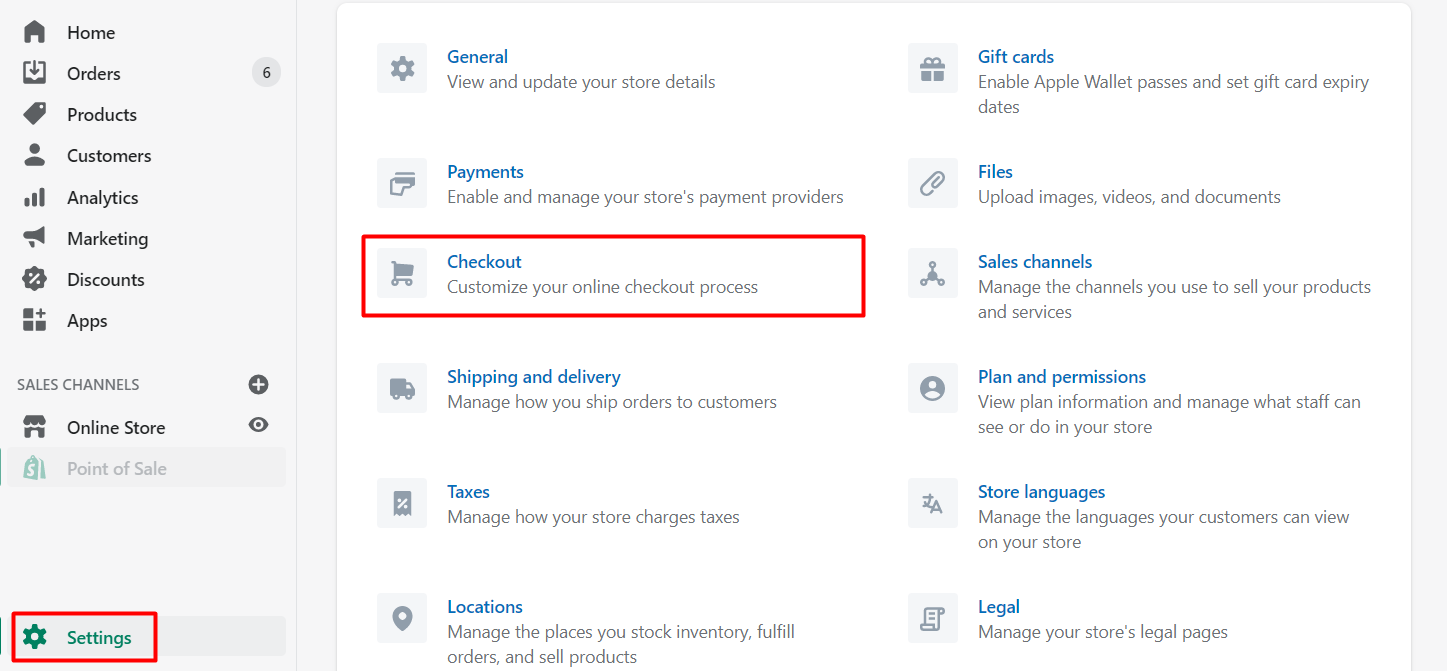
Sign in to your Shopify admin and click **Settings** in the bottom left corner of the page.
Click **Checkout** from the settings options.
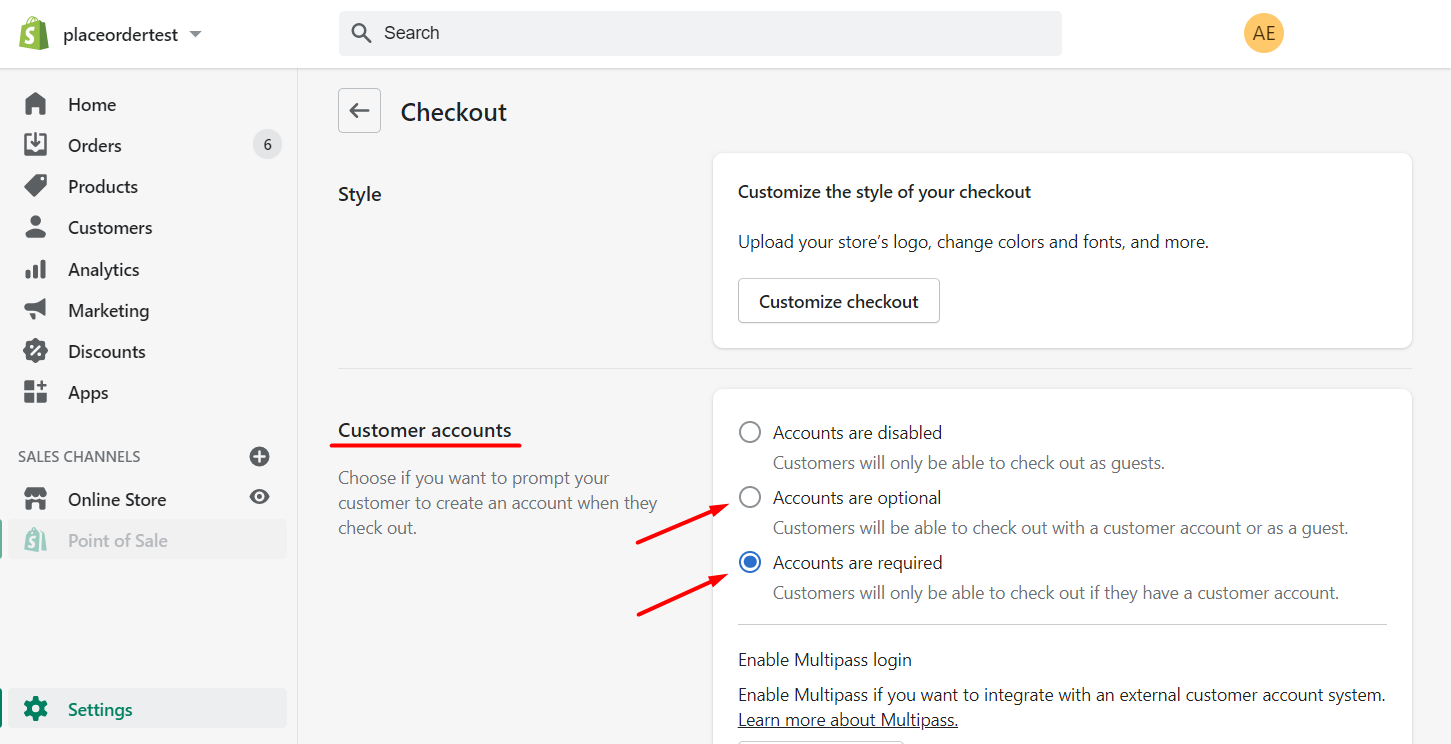
 Under "Customer Accounts", make sure that you have customer accounts set to either **"optional"** or **"required"**.
 When you have made the change, click **Save** in order to allow your customers to set up accounts and join Gameball rewards experience.
***
## What's Next?
Launch the Gameball experience and widget on your store.
Let customers redeem their points as discounts at checkout.
Transfer your existing customers to Gameball on Shopify.
When you have made the change, click **Save** in order to allow your customers to set up accounts and join Gameball rewards experience.
***
## What's Next?
Launch the Gameball experience and widget on your store.
Let customers redeem their points as discounts at checkout.
Transfer your existing customers to Gameball on Shopify.