> ## Documentation Index
> Fetch the complete documentation index at: https://docs.gameball.co/llms.txt
> Use this file to discover all available pages before exploring further.
# How Do Customers Share Badges on Social Media?
> Give your customers the chance to share their achievements and progress through their social media accounts.
Your customers are now able to share their progress with people they know every time they complete an achievement. This will give you exposure and will boost your social media presence.
***
## Supported Platforms
Customers can share their achieved badges and progress directly to their Facebook profiles.
Customers can share their achievements on Twitter, including a default sharing text.
***
## How It Looks in the Widget
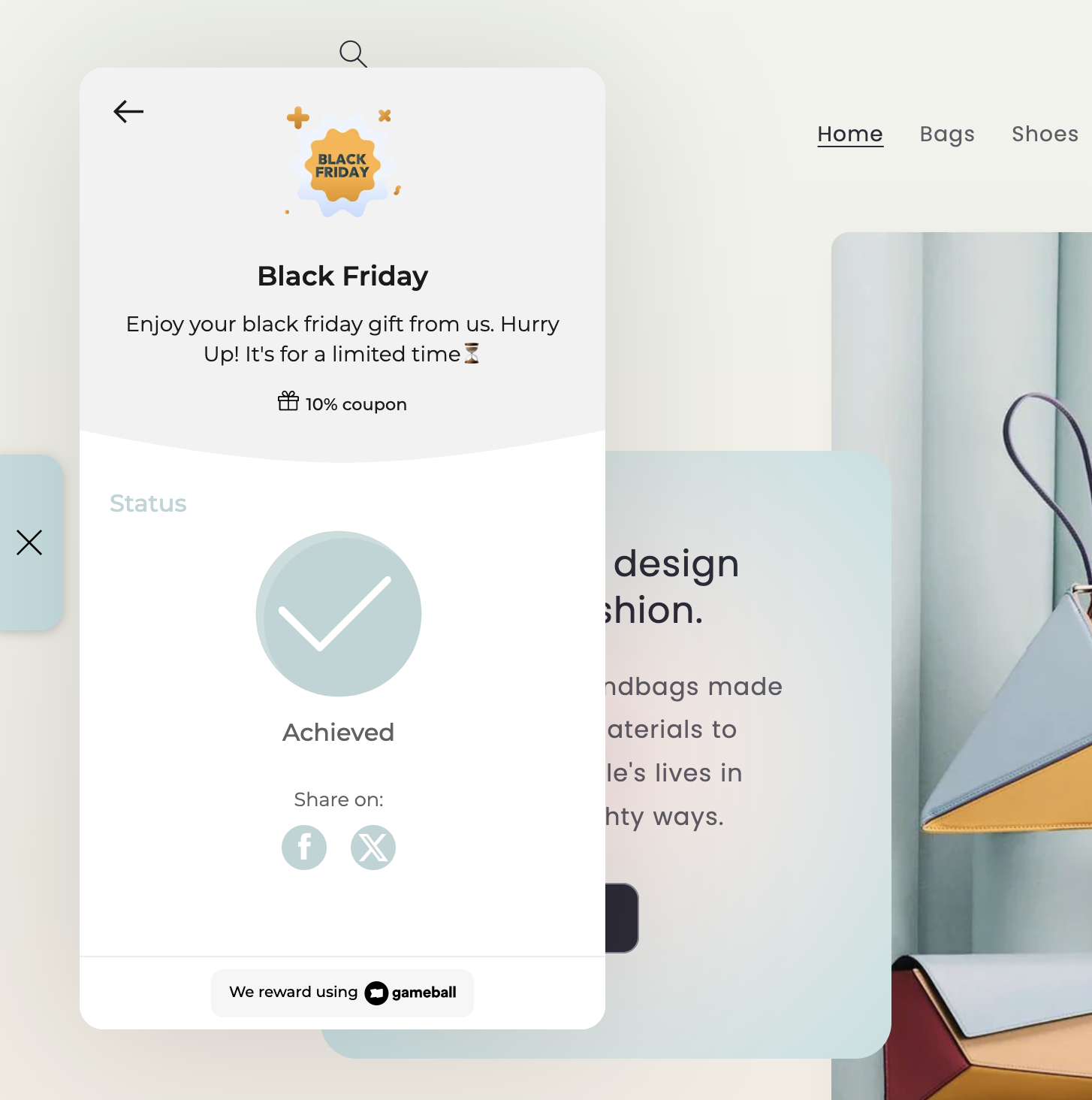
Below is how badge sharing looks on your customer widget. Once a customer clicks on one of the icons — Facebook or Twitter — a new window will pop up so that they can log in to their accounts and share their progress.
 ***
## What Appears on Social Media
When customers share their achieved badge, the following will appear on social media:
| Element | Details |
| ------------ | ------------------------------------------ |
| Badge Icon | The image of the badge the customer earned |
| Your Website | A link back to your platform |
| Default Text | Available on Twitter only |
For best use, ensure all badge icon sizes are a maximum of 1200x1200.
***
## Related Articles
Learn about the Gameball customer-facing widget and its capabilities.
Customize tabs, visibility, and order in the Gameball widget settings.
Set the display language of the Gameball widget on your platform.
Reward customers for social media engagement actions.
***
## What Appears on Social Media
When customers share their achieved badge, the following will appear on social media:
| Element | Details |
| ------------ | ------------------------------------------ |
| Badge Icon | The image of the badge the customer earned |
| Your Website | A link back to your platform |
| Default Text | Available on Twitter only |
For best use, ensure all badge icon sizes are a maximum of 1200x1200.
***
## Related Articles
Learn about the Gameball customer-facing widget and its capabilities.
Customize tabs, visibility, and order in the Gameball widget settings.
Set the display language of the Gameball widget on your platform.
Reward customers for social media engagement actions.