> ## Documentation Index
> Fetch the complete documentation index at: https://docs.gameball.co/llms.txt
> Use this file to discover all available pages before exploring further.
# What Are Common Customer Update/Migration Errors?
> The different types of problems and errors you might come across while updating or migrating your customers' lists, and how to solve them.
**Available for all Gameball Customers**
The following is a list of the errors you might come across while [updating customers' data or migrating new customers](/product-documentation/guides-strategies-faqs/supportive-guides/import-customers-csv) from a different loyalty program.
***
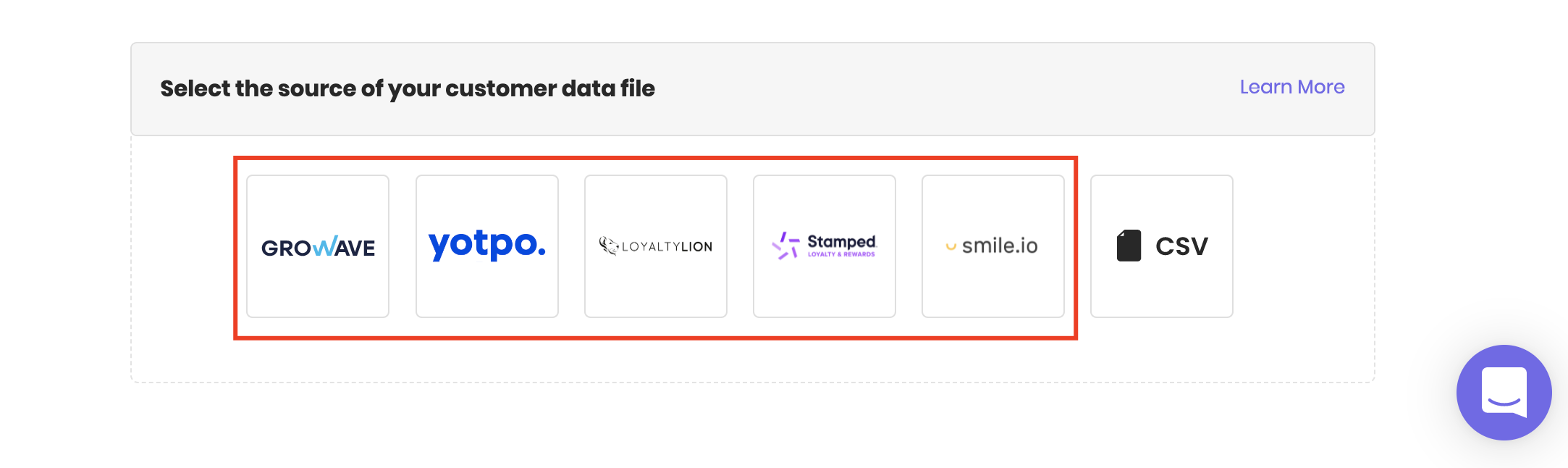
Gameball only accepts **CSV** files. Uploading different types of files will result in an error.
When choosing a former loyalty program as the file source, the **file must have the headers placed exactly the way it was when you extracted the file** from the old loyalty program. We recommend that you do not change the structure of the placed cells; only change the customers' information if necessary.
 If you are a Shopify user, the customer's email address is a mandatory variable. Updating a customer's info requires that the cells under the email address be filled and match an existing email from Gameball's customer list.
If the email format is incorrect, an error will occur while uploading the file. Example of a correct email format: [joe@example.com](mailto:joe@example.com)
If you are a Shopify user, you can only update the information of existing customers from your customer list that was automatically migrated to Gameball during the integration process.
An error will appear if the cell under "Customer points" contains any **characters other than numbers** or if the value of that number is **negative**.
In the case of updating data of an existing customer, any value in the migration sheet overrides what exists in the system.
Example: if the customer has 300 points in the system and the sheet value for the same customer is 100, the customer's balance will be 100 after the successful migration. If the customer has 0 points on the sheet, the customer's balance will be 0 after migration. If the points cell is empty, the customer balance will be 300.
If any of the cells under "customer tier" is filled with a level name that does not match with a pre-configured/existing level on Gameball, an error will occur. [Learn how to create a new Tier](/product-documentation/programs/vip-tiers/configuring-gameball-vip-tiers)
**In case of migrating customers from a previous loyalty program:**
While uploading the file, the date format should match the extracted file's original format.
**In case of manually uploading a CSV file for migrating/updating customers:**
In the mapping process, you can choose the date format to match that in the uploaded file.
If you are a Shopify user, the customer's email address is a mandatory variable. Updating a customer's info requires that the cells under the email address be filled and match an existing email from Gameball's customer list.
If the email format is incorrect, an error will occur while uploading the file. Example of a correct email format: [joe@example.com](mailto:joe@example.com)
If you are a Shopify user, you can only update the information of existing customers from your customer list that was automatically migrated to Gameball during the integration process.
An error will appear if the cell under "Customer points" contains any **characters other than numbers** or if the value of that number is **negative**.
In the case of updating data of an existing customer, any value in the migration sheet overrides what exists in the system.
Example: if the customer has 300 points in the system and the sheet value for the same customer is 100, the customer's balance will be 100 after the successful migration. If the customer has 0 points on the sheet, the customer's balance will be 0 after migration. If the points cell is empty, the customer balance will be 300.
If any of the cells under "customer tier" is filled with a level name that does not match with a pre-configured/existing level on Gameball, an error will occur. [Learn how to create a new Tier](/product-documentation/programs/vip-tiers/configuring-gameball-vip-tiers)
**In case of migrating customers from a previous loyalty program:**
While uploading the file, the date format should match the extracted file's original format.
**In case of manually uploading a CSV file for migrating/updating customers:**
In the mapping process, you can choose the date format to match that in the uploaded file.
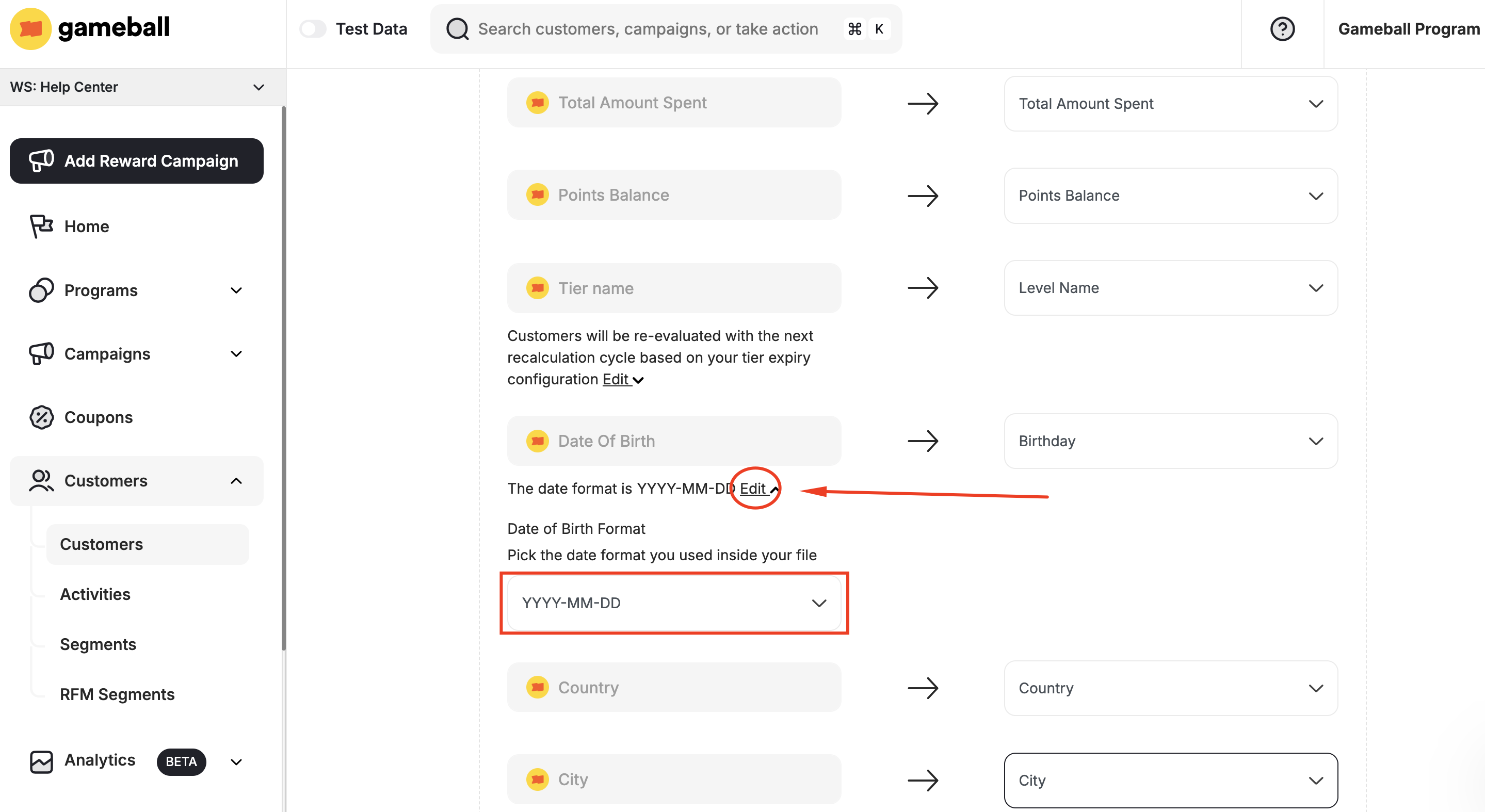 Supported formats:
| Format |
| ---------- |
| YYYY-MM-DD |
| MM-DD-YYYY |
| DD-MM-YYYY |
| YYYY/MM/DD |
| DD/MM/YYYY |
| MM/DD/YYYY |
If the format you chose does not match the date format in the CSV file, customers' birthday dates will be incorrect on Gameball.
While migrating customers using a CSV file, ensure that cells under "Customer ID" are not empty.
The only mandatory data/customer attribute is the **Customer Identifier**, which could be placed with the email address if no unique ID/number is assigned to each customer.
When migrating your customers from other loyalty programs or through a CSV file, some of the customers might not be registered customers on your platform (guests). If you still want these customers to be part of your loyalty program, you will have to enable guest customers to integrate them with your loyalty program. [Learn how to integrate your guest customers into your rewards program](/product-documentation/guides-strategies-faqs/supportive-guides/integrate-guest-customers).
***
## Related Articles
Step-by-step guide to importing your existing customers into Gameball.
Migrate your existing Shopify customer base from a previous loyalty program.
Supported formats:
| Format |
| ---------- |
| YYYY-MM-DD |
| MM-DD-YYYY |
| DD-MM-YYYY |
| YYYY/MM/DD |
| DD/MM/YYYY |
| MM/DD/YYYY |
If the format you chose does not match the date format in the CSV file, customers' birthday dates will be incorrect on Gameball.
While migrating customers using a CSV file, ensure that cells under "Customer ID" are not empty.
The only mandatory data/customer attribute is the **Customer Identifier**, which could be placed with the email address if no unique ID/number is assigned to each customer.
When migrating your customers from other loyalty programs or through a CSV file, some of the customers might not be registered customers on your platform (guests). If you still want these customers to be part of your loyalty program, you will have to enable guest customers to integrate them with your loyalty program. [Learn how to integrate your guest customers into your rewards program](/product-documentation/guides-strategies-faqs/supportive-guides/integrate-guest-customers).
***
## Related Articles
Step-by-step guide to importing your existing customers into Gameball.
Migrate your existing Shopify customer base from a previous loyalty program.