> ## Documentation Index
> Fetch the complete documentation index at: https://docs.gameball.co/llms.txt
> Use this file to discover all available pages before exploring further.
# How Do I Include or Exclude Customers from My Rewards Program?
> Learn how to activate or deactivate customers and guests from your entire loyalty program.
You can choose to include a customer in your loyalty experience so that they enjoy all the configured programs and rewards, or you can choose to completely exclude all or some of your customers.
***
## What Is the Result of Including or Excluding a Customer?
| Action | Effect |
| ------------------------ | ---------------------------------------------------------------------------------------------------------------------------------------------------------------------------------------------------------------------------------------------------- |
| **Including customers** | By default, all customers are included in the rewards program once you activate it. They will find the widget and will be rewarded for their engagement based on your configured programs. |
| **Excluding a customer** | This customer will no longer see the widget, nor will they be rewarded for any actions they take. They will interact with your platform as if no rewards system is deployed and will not receive any type of notification or communication campaign. |
***
## How to Include or Exclude Customers
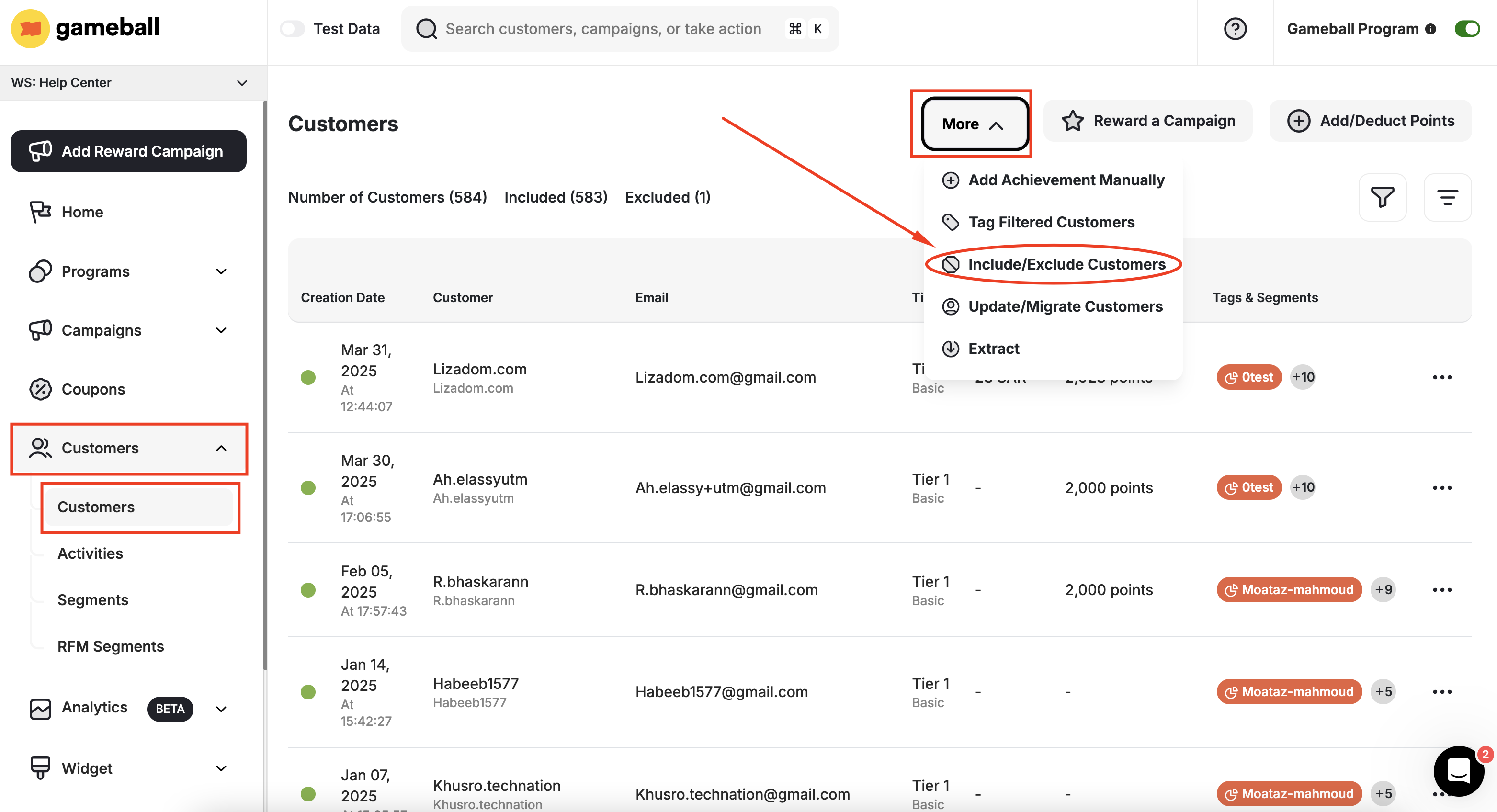
To include or exclude all customers at once, on the **Gameball Admin Dashboard**, navigate to the **Customers Page**, click **More**, then **Include/Exclude Customer**.
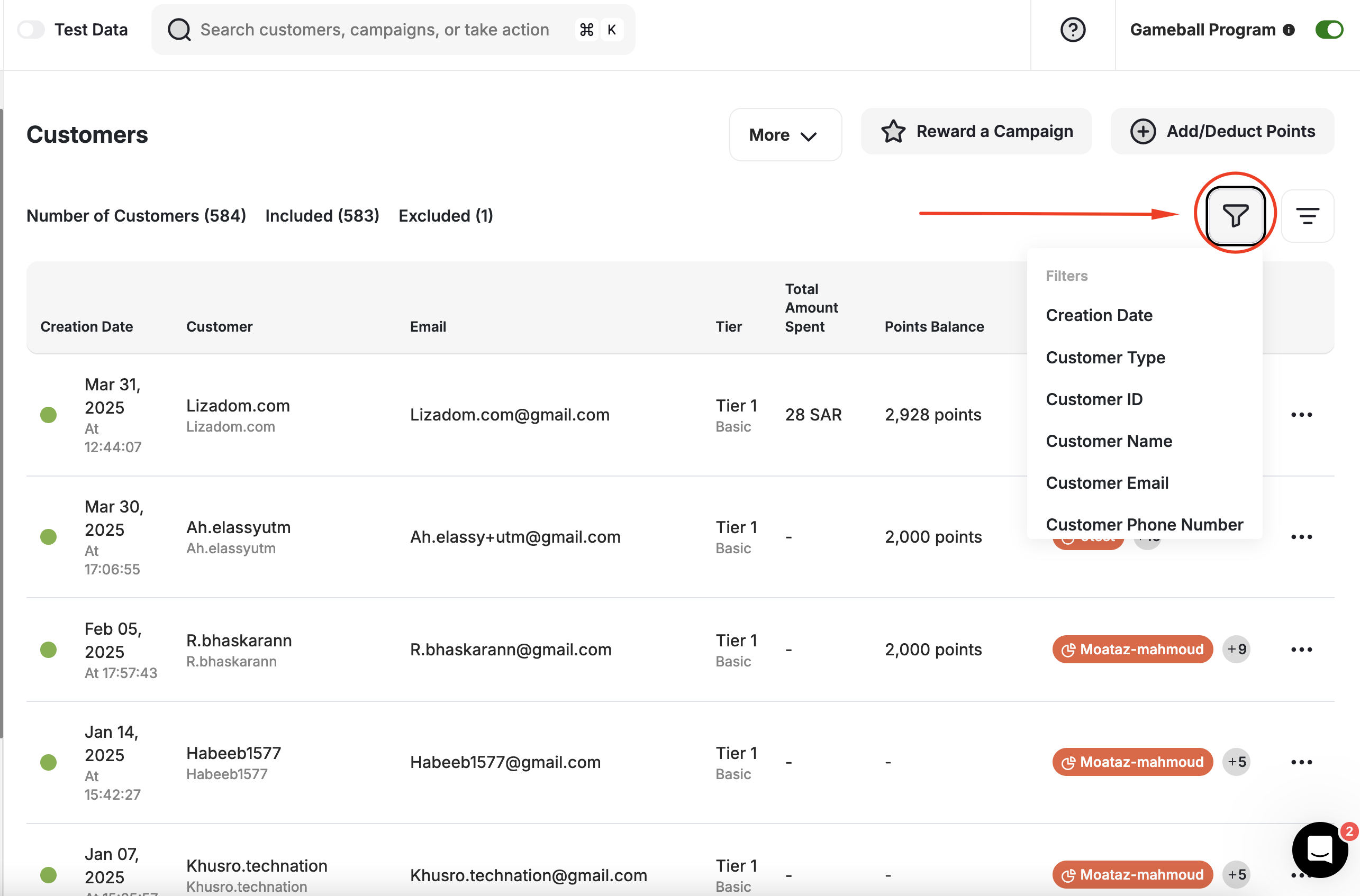
 To include or exclude a specific group of customers, use the **Filters** at the top of the customers list before clicking the **Include/Exclude customers** button under **More**.
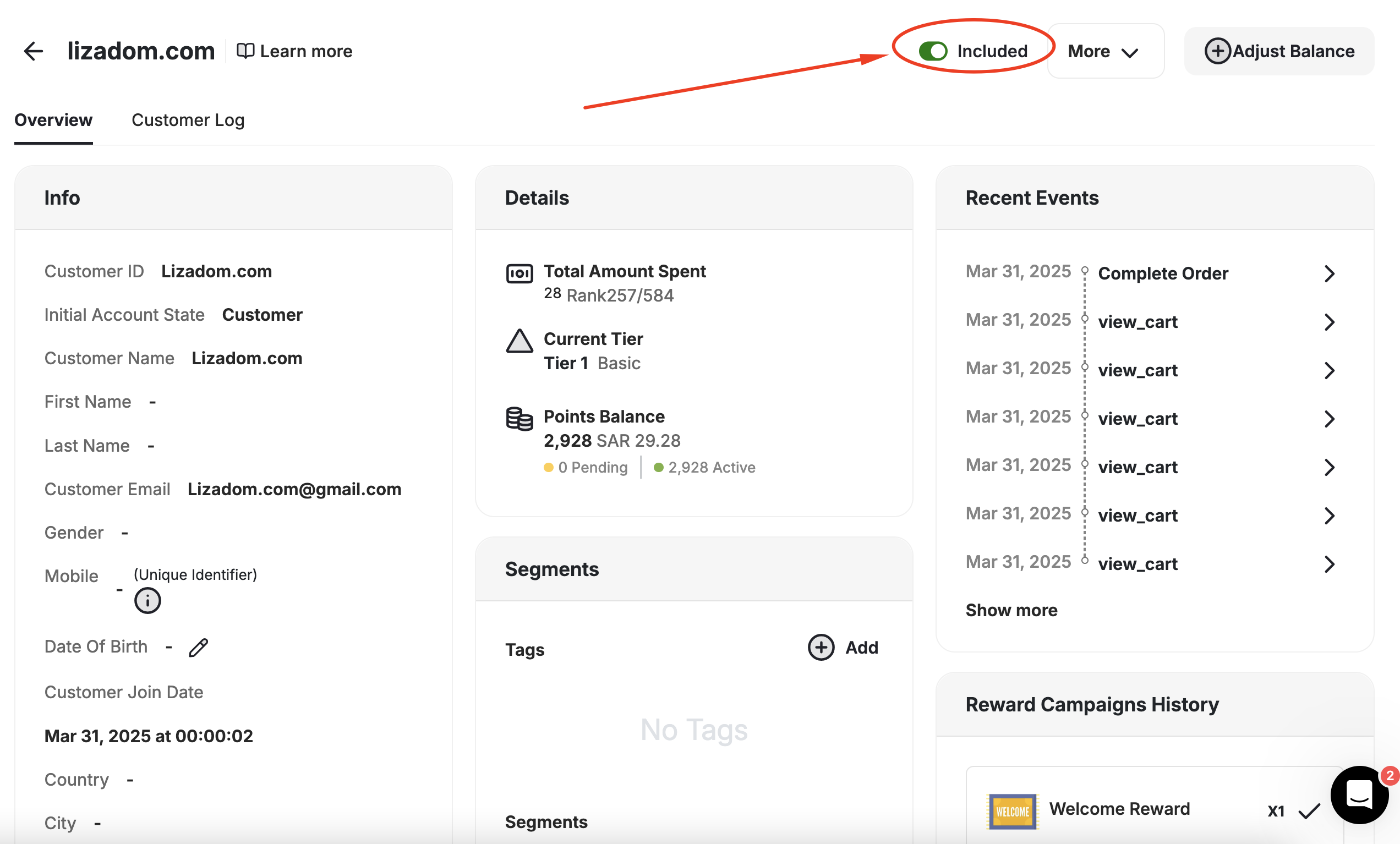
 To include or exclude a specific customer, navigate to their profile page on the dashboard, then switch on/off the **Include Toggle**.
This is also where you can check if that customer is included in the rewards program or not.
To include or exclude a specific customer, navigate to their profile page on the dashboard, then switch on/off the **Include Toggle**.
This is also where you can check if that customer is included in the rewards program or not.
 When you apply the include or exclude action on all or a group of customers, if some of these customers are already included/excluded, then this action will apply normally and will just ignore the customers with the same status as the applied action.
***
## Related Articles
Use filters to segment your customers and campaigns efficiently.
Enable unregistered visitors to participate in your loyalty program.
When you apply the include or exclude action on all or a group of customers, if some of these customers are already included/excluded, then this action will apply normally and will just ignore the customers with the same status as the applied action.
***
## Related Articles
Use filters to segment your customers and campaigns efficiently.
Enable unregistered visitors to participate in your loyalty program.