> ## Documentation Index
> Fetch the complete documentation index at: https://docs.gameball.co/llms.txt
> Use this file to discover all available pages before exploring further.
# What Is Automatically Add Lifetime Tier Rewards at Checkout?
> Automatically apply your customers' tier benefits at checkout for a seamless and enhanced shopping experience.
| **Platform** | **Plan** |
| ------------ | ---------- |
| Shopify | Pro & Guru |
Checkout app blocks are available for **Shopify Plus** customers only.
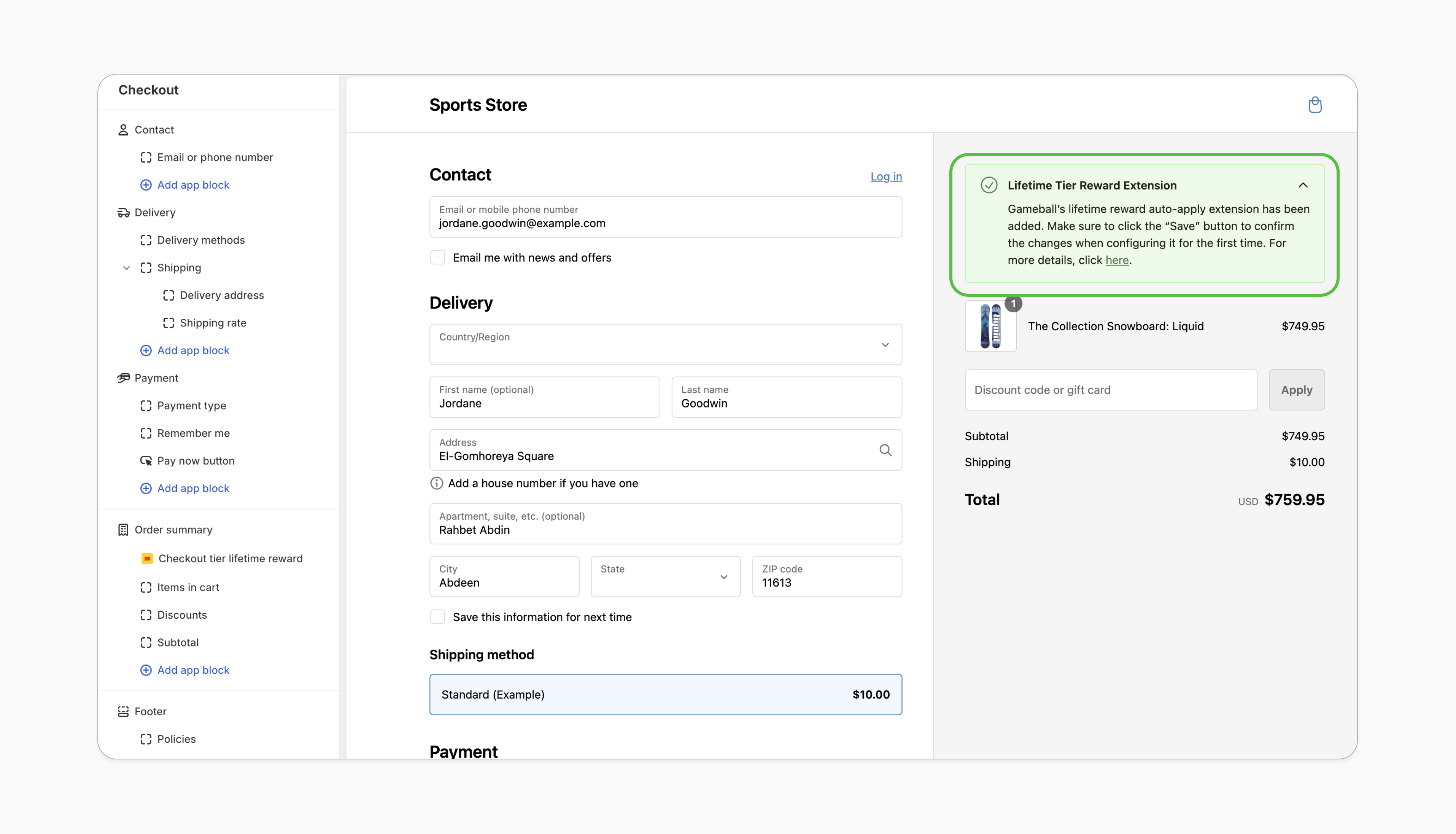 Make your VIP customers feel special by automating their loyalty benefits. With Gameball's **Auto-Apply Tiered Lifetime Rewards** feature, eligible rewards for specific tiers are seamlessly applied at checkout, enhancing the shopping experience and increasing redemption rates.
**Benefits:**
VIP customers don't need to manually apply their discount, streamlining the checkout process and adding convenience.
Automatically applying rewards reinforces the value of being a VIP, fostering loyalty and encouraging repeat purchases.
***
## Prerequisites
This feature is exclusively available to merchants on the **Shopify Plus** plan.
Your Shopify theme must support app blocks. Without this, the option to add the Gameball block won't appear in the editor. [Learn more](https://help.shopify.com/en/manual/online-store/themes/theme-structure/extend/apps).
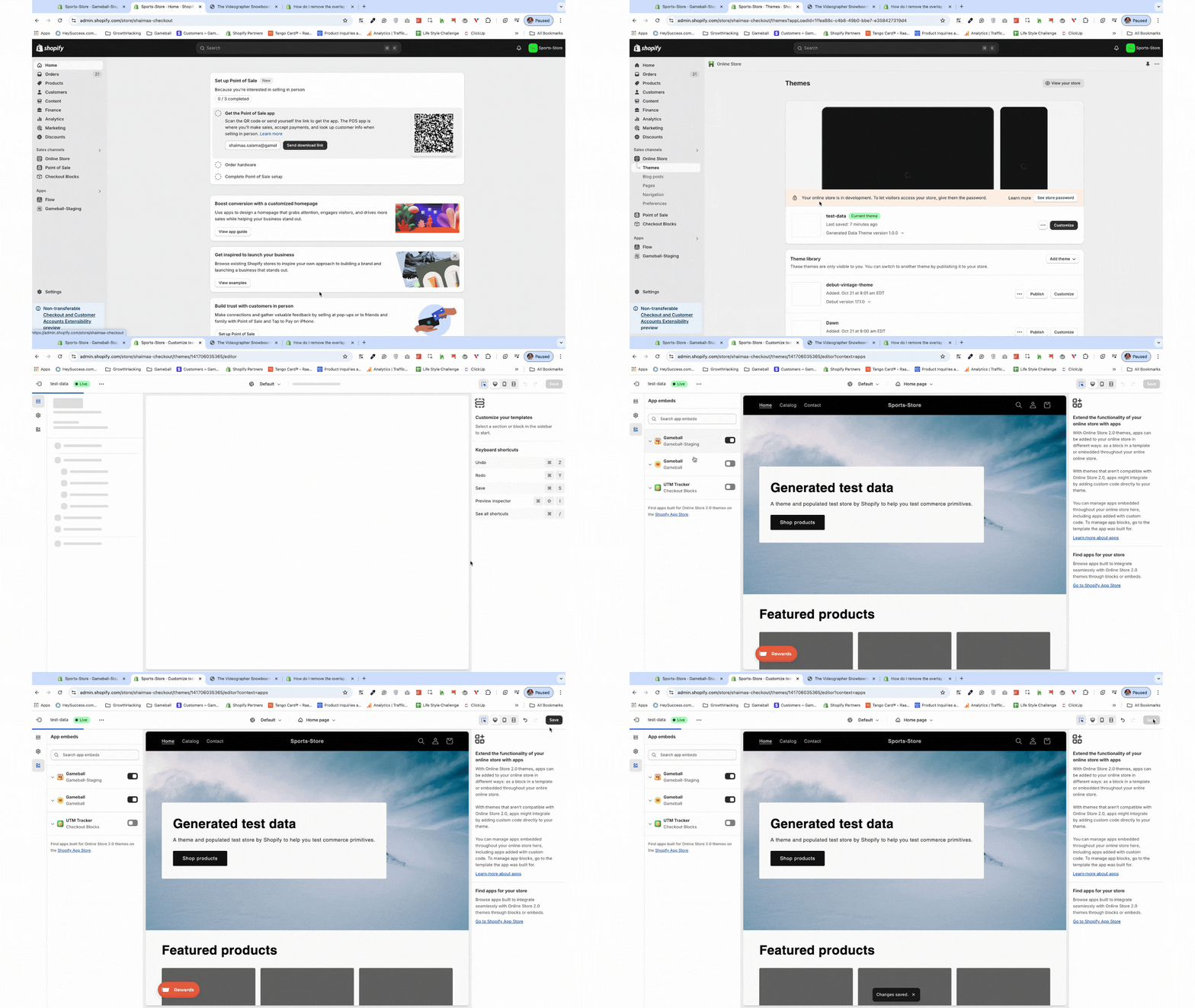
Go to the **Theme Editor** in your Shopify admin. Select **App Embeds** from the left menu, search for "Gameball," and toggle it on.
Make your VIP customers feel special by automating their loyalty benefits. With Gameball's **Auto-Apply Tiered Lifetime Rewards** feature, eligible rewards for specific tiers are seamlessly applied at checkout, enhancing the shopping experience and increasing redemption rates.
**Benefits:**
VIP customers don't need to manually apply their discount, streamlining the checkout process and adding convenience.
Automatically applying rewards reinforces the value of being a VIP, fostering loyalty and encouraging repeat purchases.
***
## Prerequisites
This feature is exclusively available to merchants on the **Shopify Plus** plan.
Your Shopify theme must support app blocks. Without this, the option to add the Gameball block won't appear in the editor. [Learn more](https://help.shopify.com/en/manual/online-store/themes/theme-structure/extend/apps).
Go to the **Theme Editor** in your Shopify admin. Select **App Embeds** from the left menu, search for "Gameball," and toggle it on.
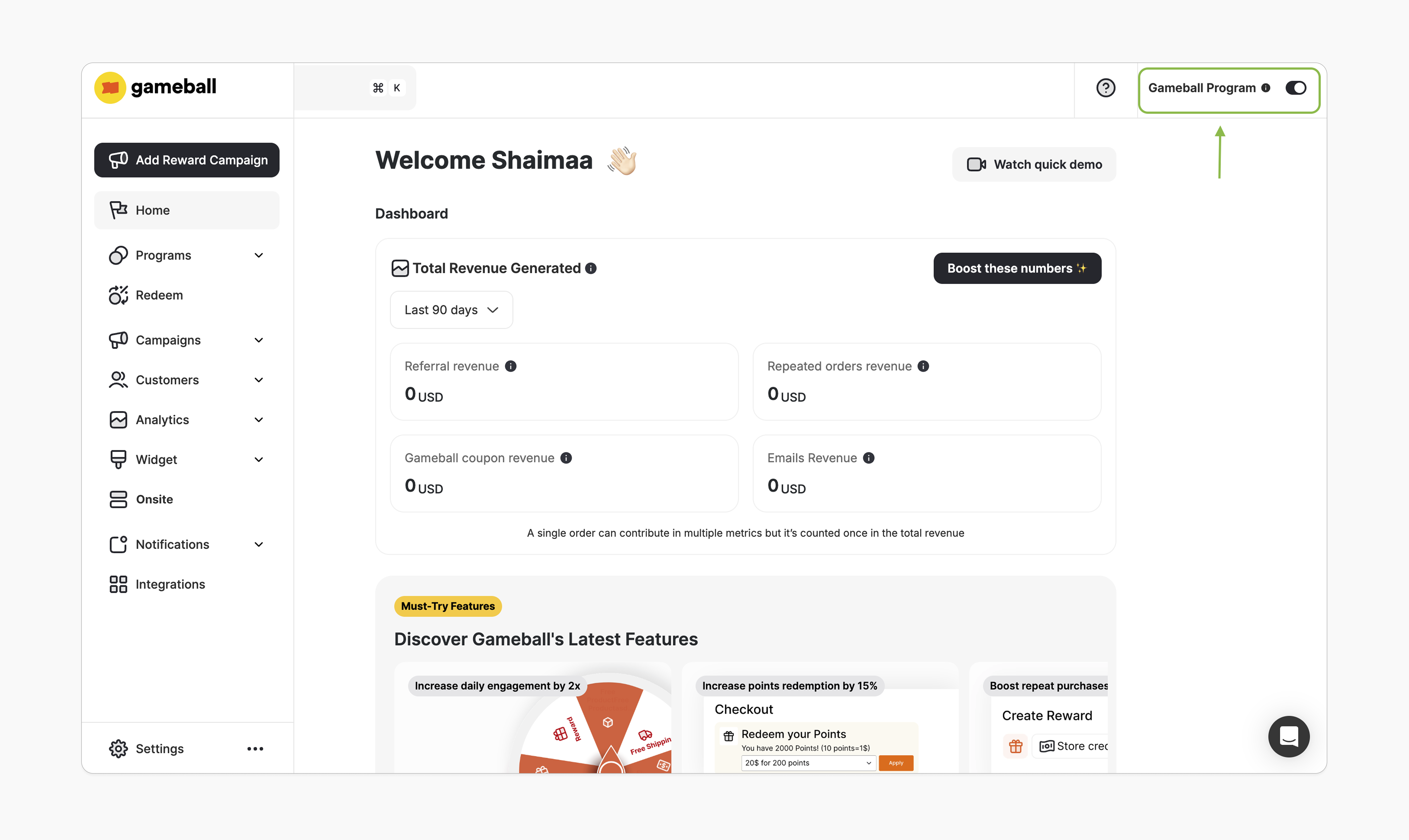
 In the Gameball dashboard, make sure the toggle at the top-right is activated. Once this is enabled, you'll be able to add the Gameball block.
 ***
## How to Install the Block
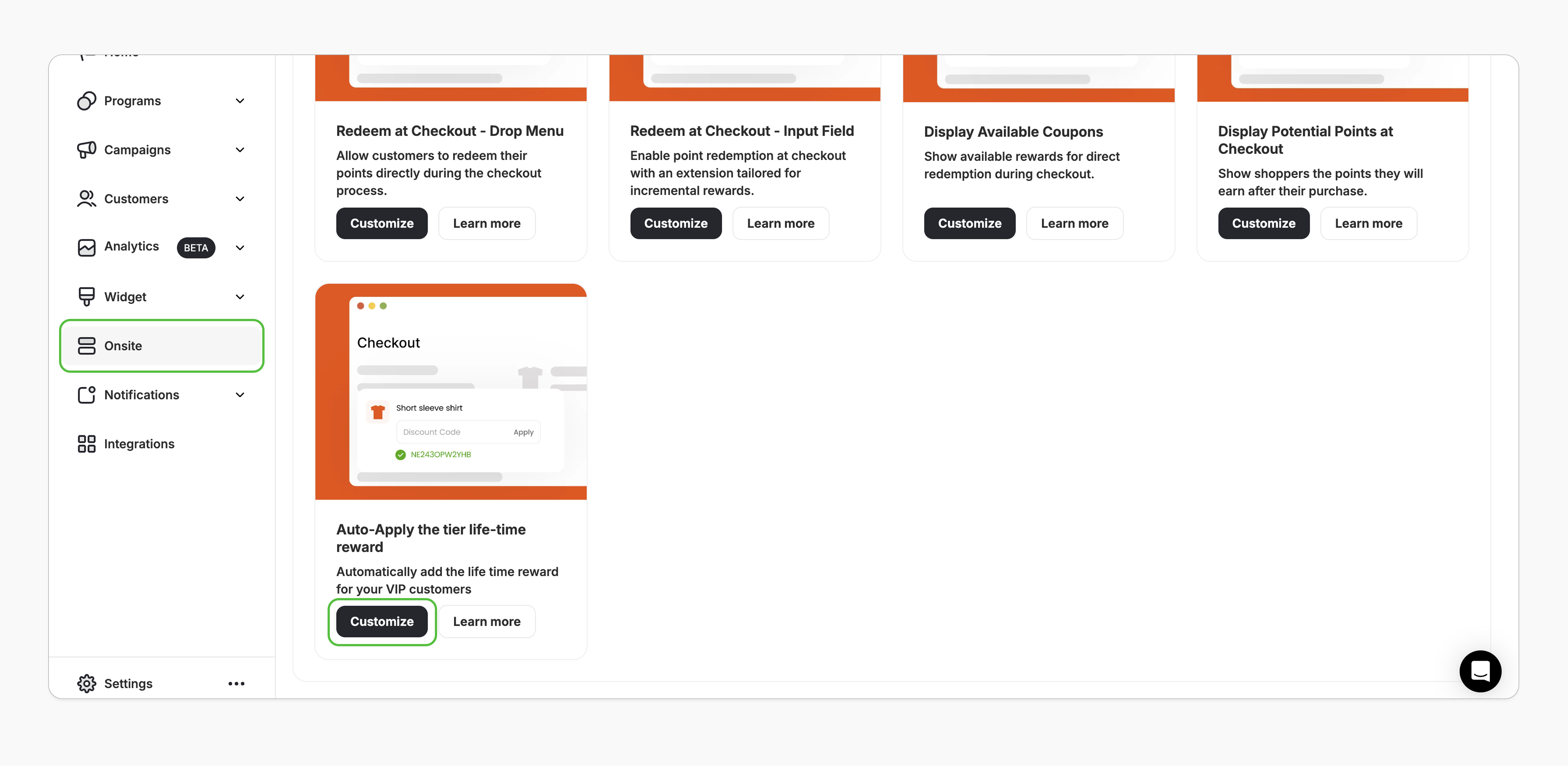
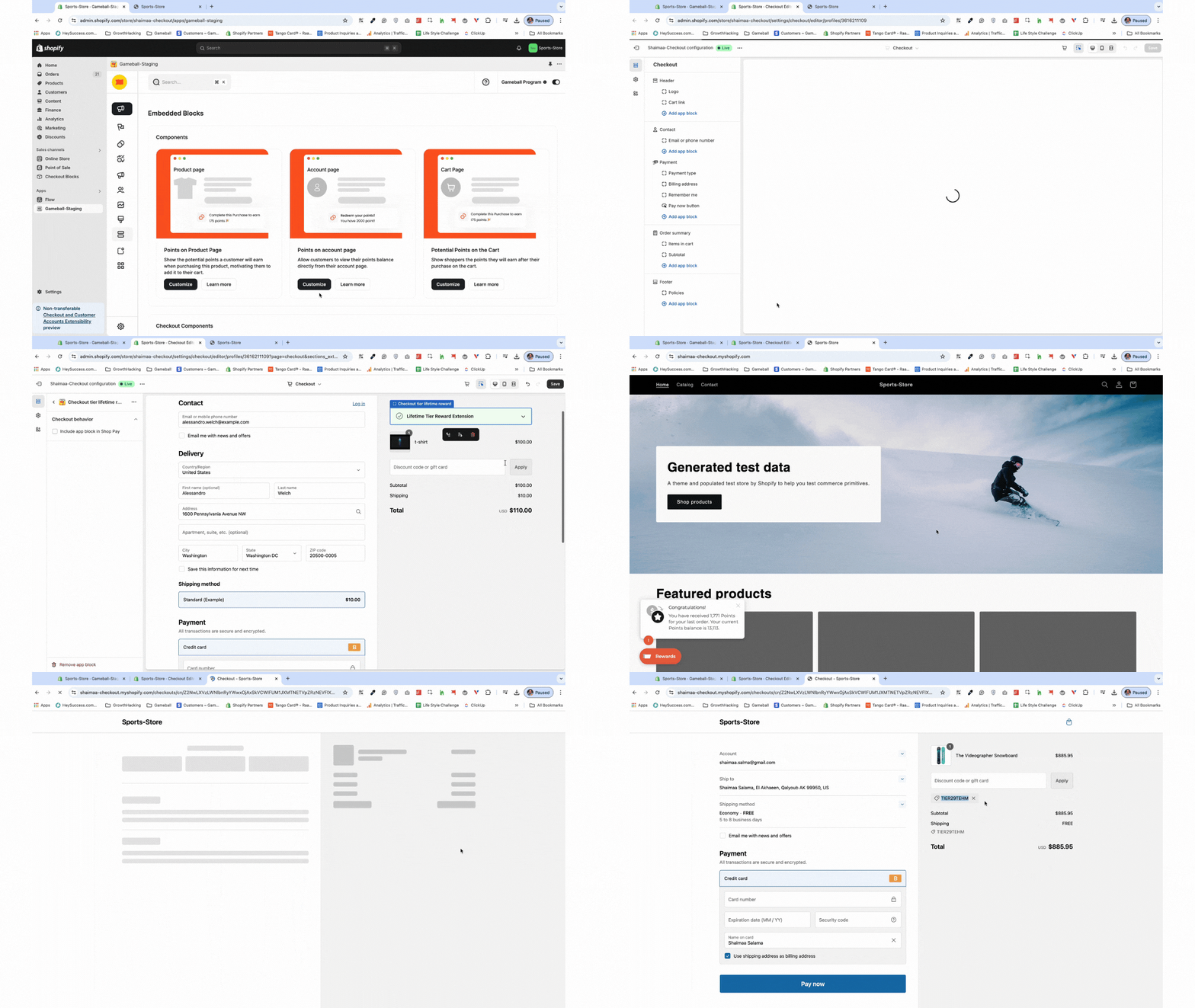
In Gameball, navigate to **Onsite**, click **Customize**.
***
## How to Install the Block
In Gameball, navigate to **Onsite**, click **Customize**.
 You'll be redirected to Shopify's Theme Editor.
In the left sidebar, under the "Order Summary," click **Add App Block > Apps**, and search for the **"Checkout tier lifetime reward"**.
Select the **"Checkout tier lifetime reward"** app block and click **Save**.
You'll be redirected to Shopify's Theme Editor.
In the left sidebar, under the "Order Summary," click **Add App Block > Apps**, and search for the **"Checkout tier lifetime reward"**.
Select the **"Checkout tier lifetime reward"** app block and click **Save**.
 ***
## How It Works
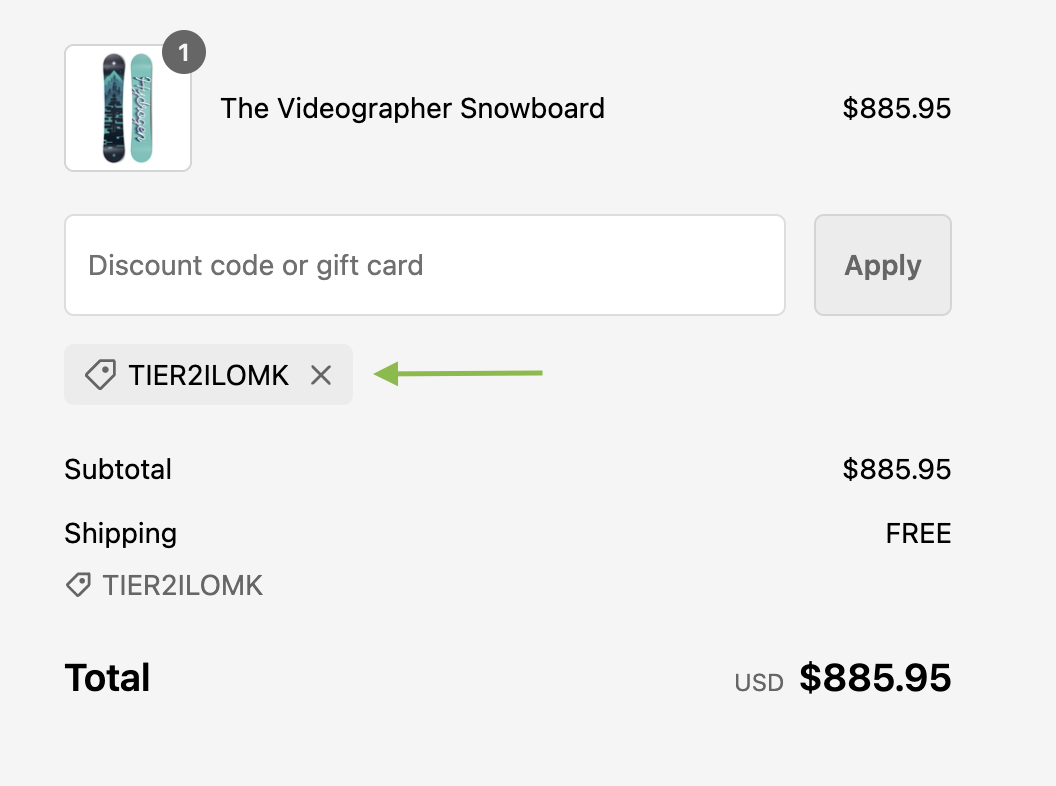
When a logged-in customer reaches the checkout page, the extension will automatically apply a discount if the customer is part of a tier that qualifies for a lifetime reward.
***
## How It Works
When a logged-in customer reaches the checkout page, the extension will automatically apply a discount if the customer is part of a tier that qualifies for a lifetime reward.
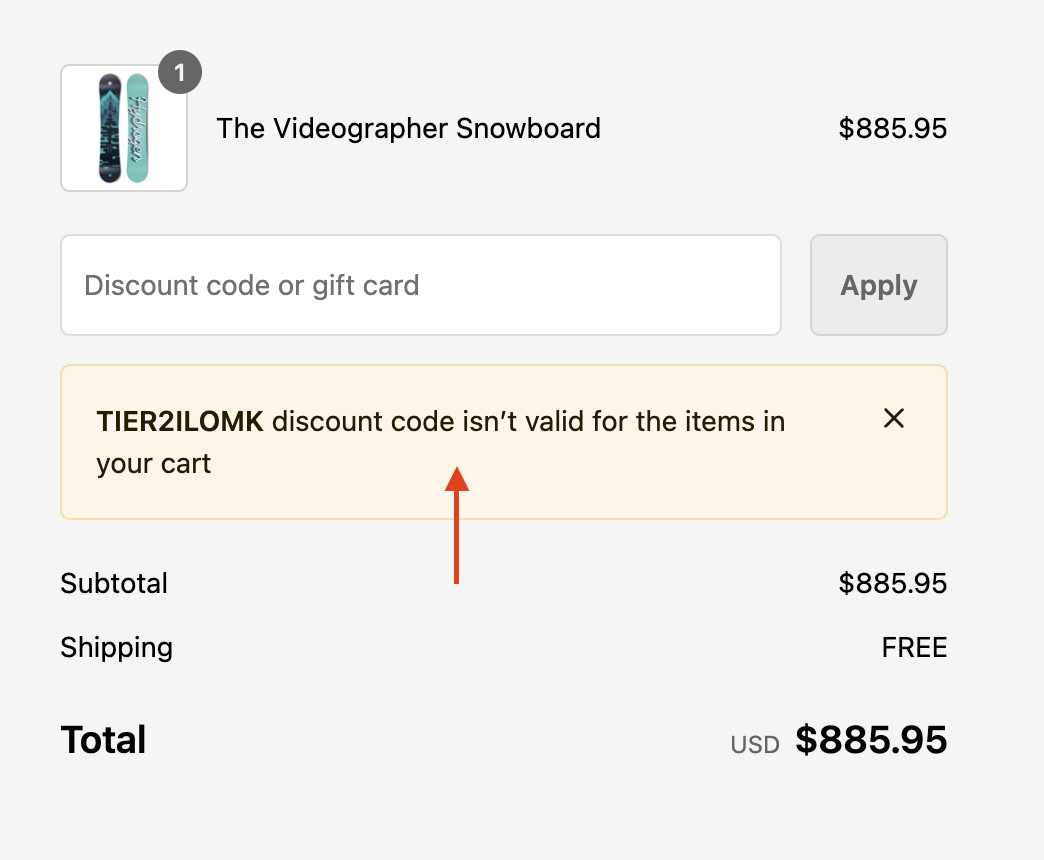
 If the discount cannot be applied due to conditions such as meeting a minimum order value, restrictions on combining discounts, or other advanced rules, an error message will appear explaining why the coupon cannot be used for the current cart.
 Non-logged-in customers will not be able to receive a discount until they log in and become eligible for a tier with a lifetime reward. Once logged in, the same rules for applicable discounts will apply, including any restrictions that may prevent the coupon from being used.
***
## Important Notes
This extension will automatically not work if:
* The Gameball program is deactivated.
* The customer is excluded from the loyalty program.
* Your account is on a plan that doesn't support this feature.
***
## Frequently Asked Questions
This feature is exclusive to Shopify stores on Shopify Plus and select new Gameball plans.
The block will appear blurred in your store, and the Customize button in the dashboard will be disabled.
***
## Related Articles
Display customers' points balances in their profiles.
Let customers redeem points directly at checkout.
Non-logged-in customers will not be able to receive a discount until they log in and become eligible for a tier with a lifetime reward. Once logged in, the same rules for applicable discounts will apply, including any restrictions that may prevent the coupon from being used.
***
## Important Notes
This extension will automatically not work if:
* The Gameball program is deactivated.
* The customer is excluded from the loyalty program.
* Your account is on a plan that doesn't support this feature.
***
## Frequently Asked Questions
This feature is exclusive to Shopify stores on Shopify Plus and select new Gameball plans.
The block will appear blurred in your store, and the Customize button in the dashboard will be disabled.
***
## Related Articles
Display customers' points balances in their profiles.
Let customers redeem points directly at checkout.