> ## Documentation Index
> Fetch the complete documentation index at: https://docs.gameball.co/llms.txt
> Use this file to discover all available pages before exploring further.
# What Is the Gameball Merchants Crossover Rewards Experience?
> Learn about Gameball's crossover rewards feature called Merchants, enabling a unified loyalty experience across multiple brands and stores.
| Platform | Plan |
| -------------------- | ------------------- |
| Non-platform Clients | Growth & Enterprise |
| Shopify | Guru |
| Salla | Guru |
As a multi-brand company, unifying your customer engagement under one cohesive loyalty experience can be challenging. Gameball has simplified this with its **Merchants** feature.
***
## Introducing Merchants: A Unified Loyalty Experience
With Merchants, you can create a seamless rewards experience where customers earn cashback points with every purchase across any of your brands or stores. They can then redeem these points at any participating brand or store, enhancing their overall shopping experience.
***
## Flexible Cashback Rewards
Merchants allow you to offer varying cashback values depending on the brand or store. This flexibility means customers can receive different cashback percentages based on where they shop, making the rewards system more dynamic and tailored.
***
## How Does Merchants Work?
Understanding the Merchants feature requires knowledge of the two types of redemption processes:
Customers redeem points directly from your platform. At checkout, they create a coupon code to transfer points for redemption.
Customers can redeem rewards across different channels, not limited to the origin of the points. This is the core of the Merchants feature.
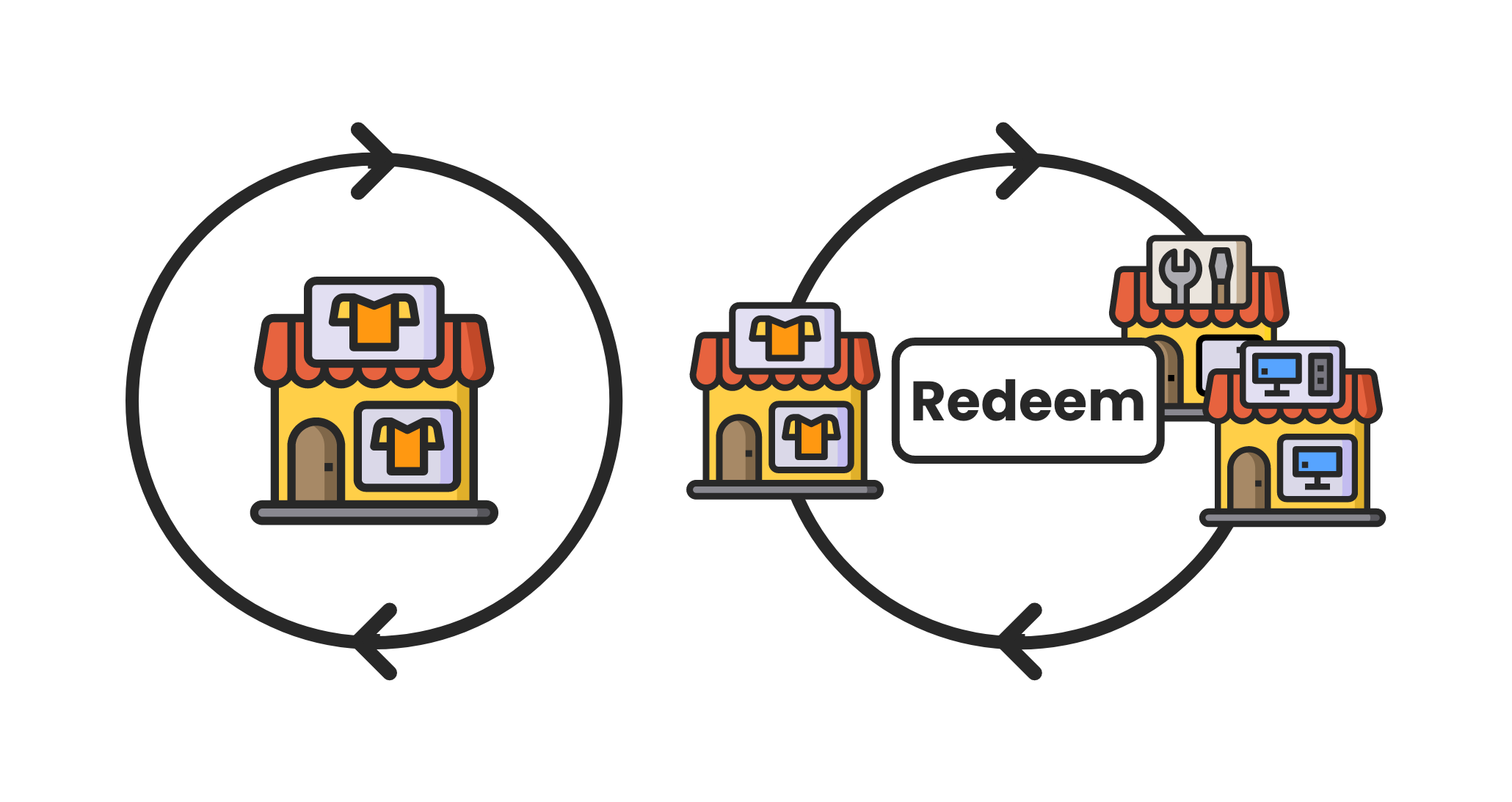 With Merchants, you decide whether to offer the same cashback value across all stores or differentiate the rewards by brand or store.
***
## Example Scenarios
If you operate three stores with a uniform cashback value:
With Merchants, you decide whether to offer the same cashback value across all stores or differentiate the rewards by brand or store.
***
## Example Scenarios
If you operate three stores with a uniform cashback value:
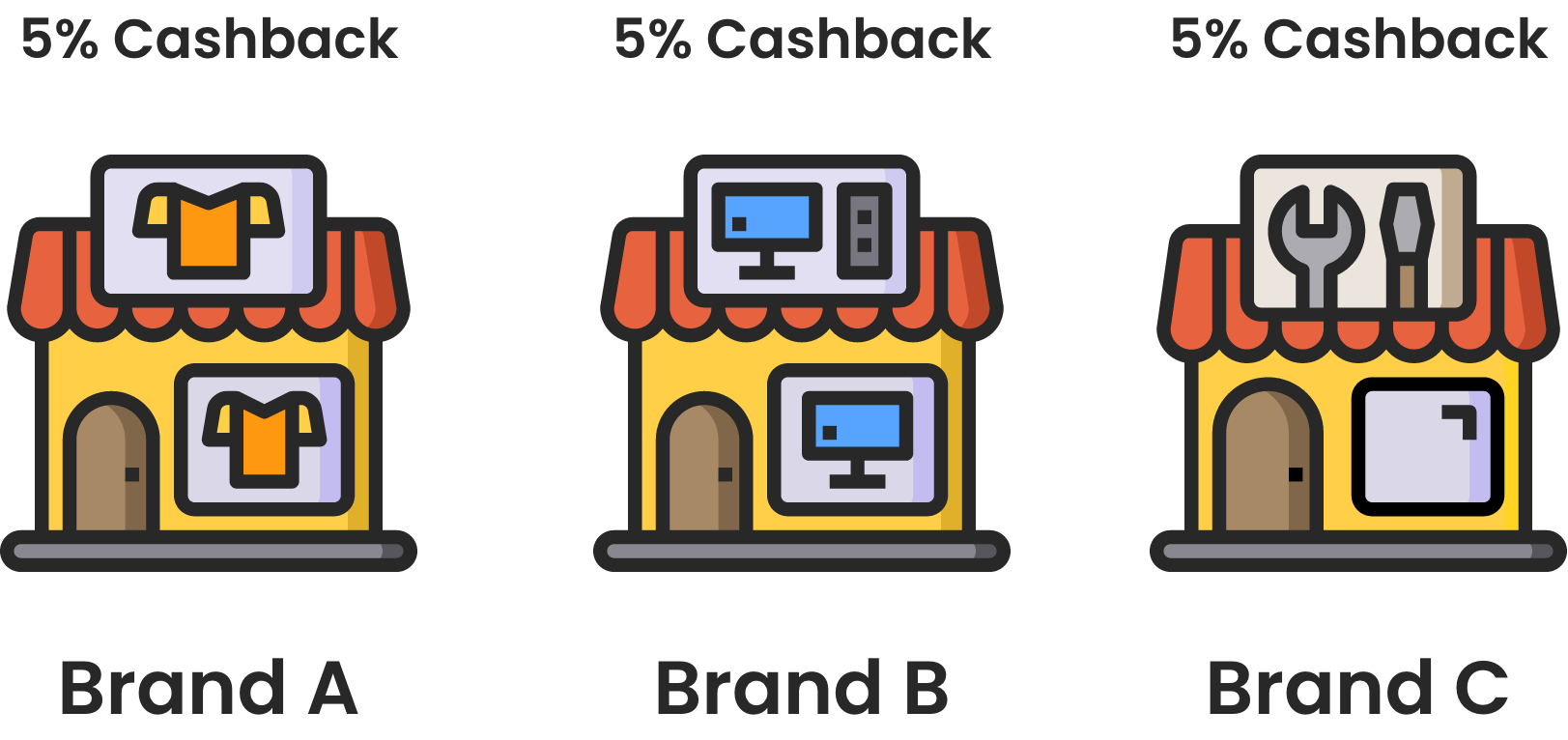 * A customer buys a $100 product from Store A, earning 5% cashback ($5).
* Later, they buy a $20 product from Store B, using their $5 cashback balance and paying \$15 in cash.
* They earn 5% cashback on this new purchase (\$1), usable at any store.
If you have three brands selling different products:
* A customer buys a $100 product from Store A, earning 5% cashback ($5).
* Later, they buy a $20 product from Store B, using their $5 cashback balance and paying \$15 in cash.
* They earn 5% cashback on this new purchase (\$1), usable at any store.
If you have three brands selling different products:
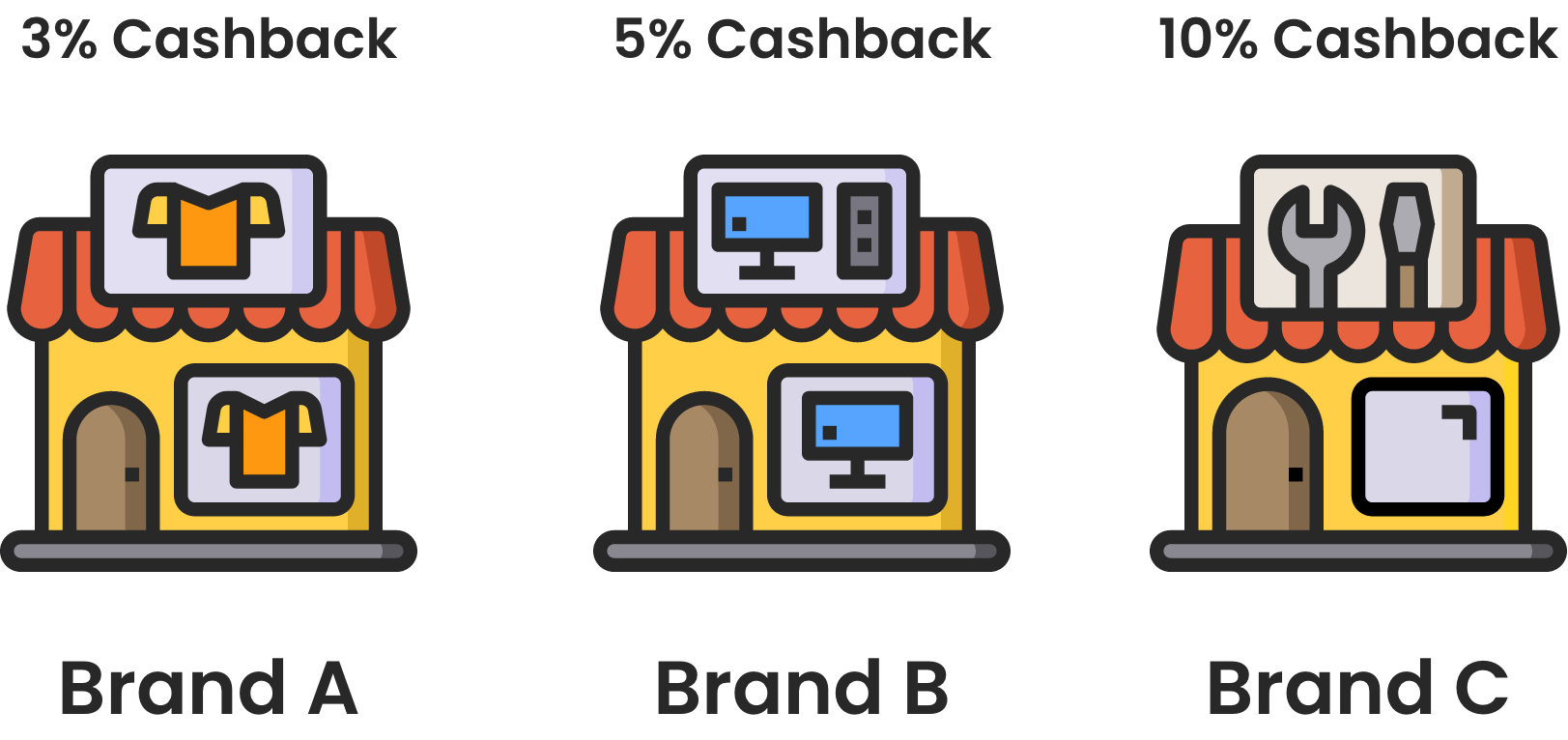 * Brand A (clothes) offers 3% cashback. A customer buys $50 pants, earning $1.50 cashback.
* Brand C (furniture) offers 10% cashback. The same customer buys a $300 couch, earning $30 cashback.
* They use their $31.50 cashback at Brand B (electronics) to purchase a $75 headset, paying \$43.50 in cash.
This flexibility lets you create endless scenarios for a customized rewards experience.
***
## Activating the Merchants Feature
To use this feature, you must be on the **Guru** plan and request activation from customer support. Follow these steps to get started:
Add each brand or store to the Gameball dashboard. [Learn more](/product-documentation/programs/loyalty-points-earn/crossover-reward-program/creating-a-new-merchant)
Set up the cashback values for each brand or store after recognition by Gameball. [Learn more](/product-documentation/programs/loyalty-points-earn/crossover-reward-program/reward-customers-with-different-cashback-per-brand)
Unify your customer loyalty experience effortlessly with Gameball's Merchants feature, offering a tailored and dynamic rewards program across all your brands and stores.
***
## What's Next?
Add each brand or store to the Gameball dashboard.
Set up different cashback values for each brand.
* Brand A (clothes) offers 3% cashback. A customer buys $50 pants, earning $1.50 cashback.
* Brand C (furniture) offers 10% cashback. The same customer buys a $300 couch, earning $30 cashback.
* They use their $31.50 cashback at Brand B (electronics) to purchase a $75 headset, paying \$43.50 in cash.
This flexibility lets you create endless scenarios for a customized rewards experience.
***
## Activating the Merchants Feature
To use this feature, you must be on the **Guru** plan and request activation from customer support. Follow these steps to get started:
Add each brand or store to the Gameball dashboard. [Learn more](/product-documentation/programs/loyalty-points-earn/crossover-reward-program/creating-a-new-merchant)
Set up the cashback values for each brand or store after recognition by Gameball. [Learn more](/product-documentation/programs/loyalty-points-earn/crossover-reward-program/reward-customers-with-different-cashback-per-brand)
Unify your customer loyalty experience effortlessly with Gameball's Merchants feature, offering a tailored and dynamic rewards program across all your brands and stores.
***
## What's Next?
Add each brand or store to the Gameball dashboard.
Set up different cashback values for each brand.