> ## Documentation Index
> Fetch the complete documentation index at: https://docs.gameball.co/llms.txt
> Use this file to discover all available pages before exploring further.
# How Do Tiers Work on the Gameball Widget?
> A quick guide on your customers' experience with tiers through the Gameball Customer Profile widget.
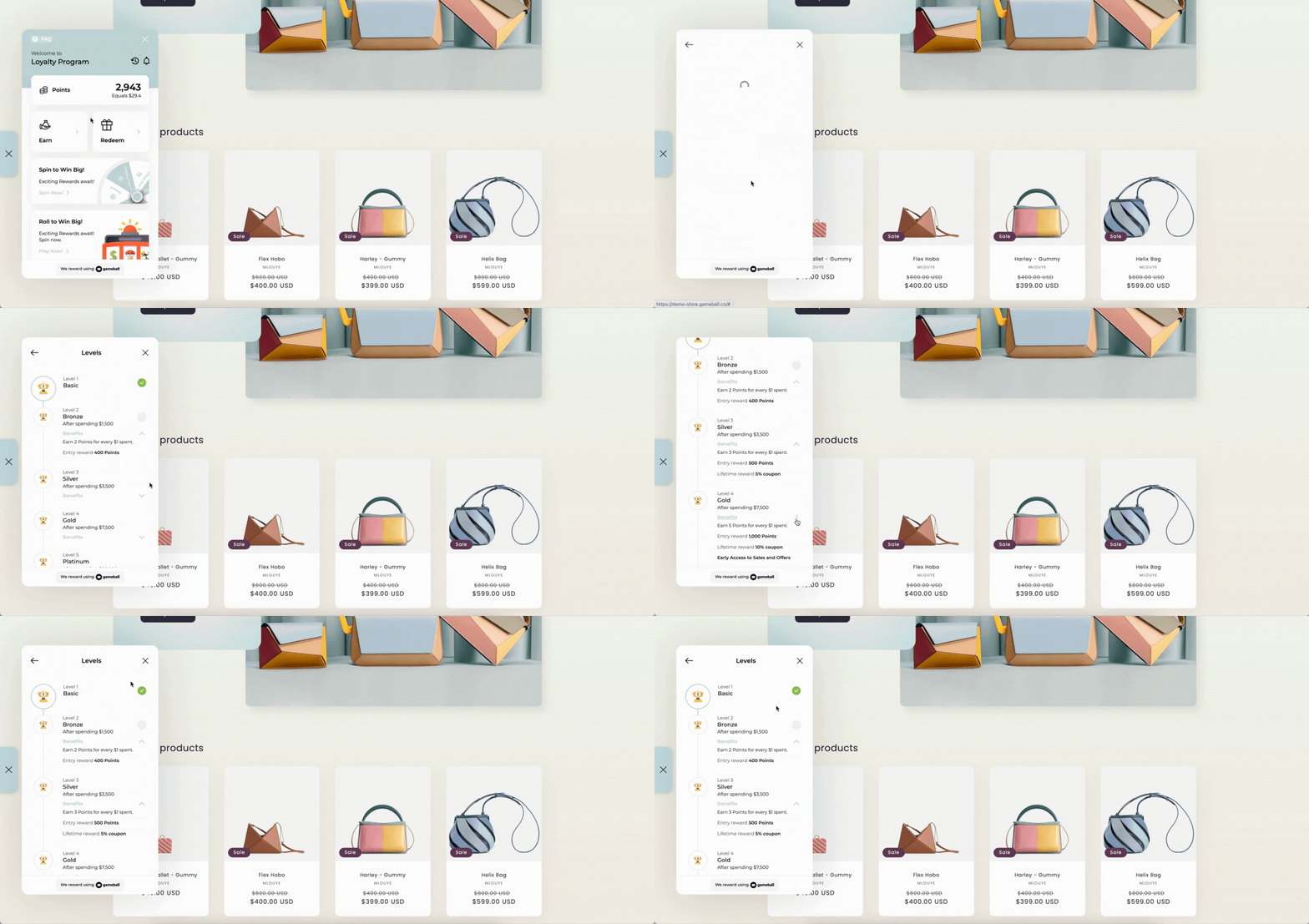 ## How Will Customers View Their Tier Experience?
Customers can easily track their progress and learn about available tiers directly through the **Tiers card** displayed on the **home page of the Gameball widget**. This card shows their **current tier status** at a glance. When customers click on the card, they are taken to a detailed view where they can explore:
View the next tier they can upgrade to and understand what it takes to get there.
See exactly what milestones or spending amounts are needed to reach the next tier.
Explore the exclusive benefits and rewards associated with each tier level.
Track progress in real time and see how close they are to the next tier.
This interactive experience ensures customers are always aware of their current tier, how they can progress, and the value they'll receive as they move up.
The tiers card is only visible to customers when the tiering program is set to **Active**. While the program is inactive, tiers are hidden from the widget entirely. [Learn more about Program Activation](/product-documentation/programs/vip-tiers/configuring-gameball-vip-tiers#program-activation-and-start-date).
***
## What's Next?
Set up and manage your VIP tiers structure.
Configure entry rewards, lifetime rewards, and custom benefits for each tier.
## How Will Customers View Their Tier Experience?
Customers can easily track their progress and learn about available tiers directly through the **Tiers card** displayed on the **home page of the Gameball widget**. This card shows their **current tier status** at a glance. When customers click on the card, they are taken to a detailed view where they can explore:
View the next tier they can upgrade to and understand what it takes to get there.
See exactly what milestones or spending amounts are needed to reach the next tier.
Explore the exclusive benefits and rewards associated with each tier level.
Track progress in real time and see how close they are to the next tier.
This interactive experience ensures customers are always aware of their current tier, how they can progress, and the value they'll receive as they move up.
The tiers card is only visible to customers when the tiering program is set to **Active**. While the program is inactive, tiers are hidden from the widget entirely. [Learn more about Program Activation](/product-documentation/programs/vip-tiers/configuring-gameball-vip-tiers#program-activation-and-start-date).
***
## What's Next?
Set up and manage your VIP tiers structure.
Configure entry rewards, lifetime rewards, and custom benefits for each tier.