> ## Documentation Index
> Fetch the complete documentation index at: https://docs.gameball.co/llms.txt
> Use this file to discover all available pages before exploring further.
# How Do I Use the Event Engine?
> Learn how to use the event engine when creating a reward campaign, referral program, or communication campaign.
Gameball Events Engine helps you set the reward campaign for one or more events your customer needs to complete. You can also add one or more rules per event with this engine.
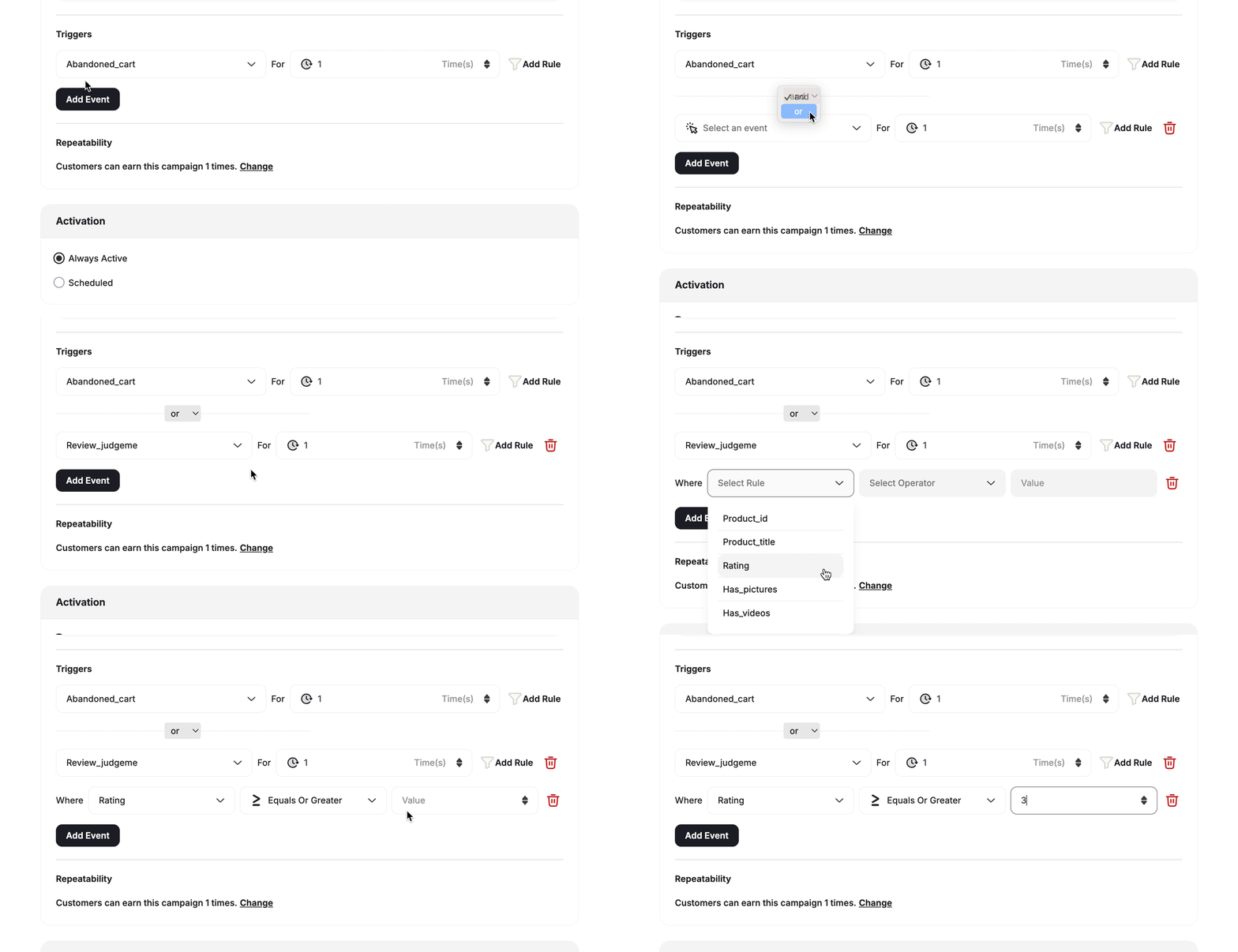 The events engine is used in multiple cases, like creating communication campaigns, a referral program, or a reward campaign. You will need to use the event engine to set the events that a customer needs to do to trigger a campaign or achieve any of the mentioned programs.
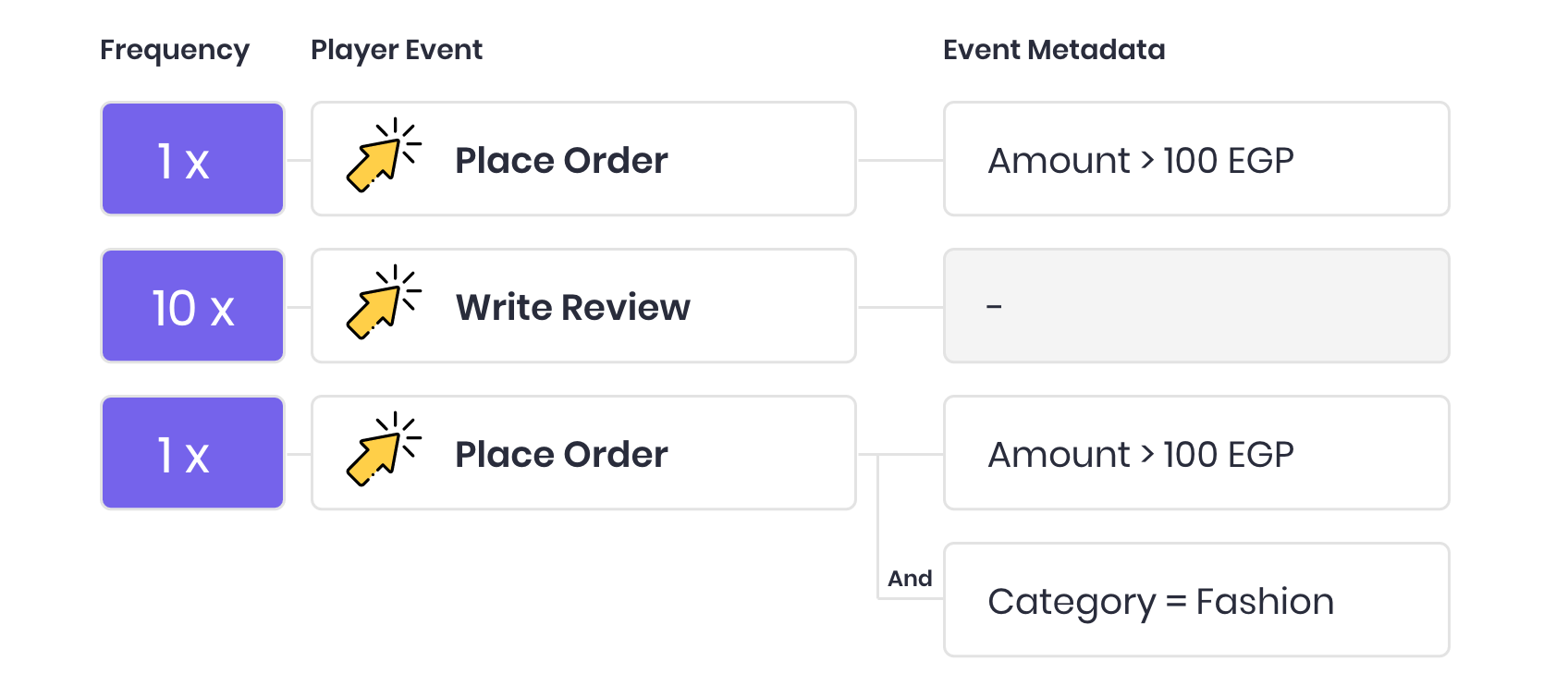 For additional information about events, see [Understand your customers' events](/product-documentation/understanding-your-customers/customer-profile), and [Manage your customers' events](/product-documentation/understanding-your-customers/customer-profile).
***
## Key Operators
For every chosen key in the case of using the event rule, you will find multiple operators based on the data type, which can be either numeric or string:
For additional information about events, see [Understand your customers' events](/product-documentation/understanding-your-customers/customer-profile), and [Manage your customers' events](/product-documentation/understanding-your-customers/customer-profile).
***
## Key Operators
For every chosen key in the case of using the event rule, you will find multiple operators based on the data type, which can be either numeric or string:
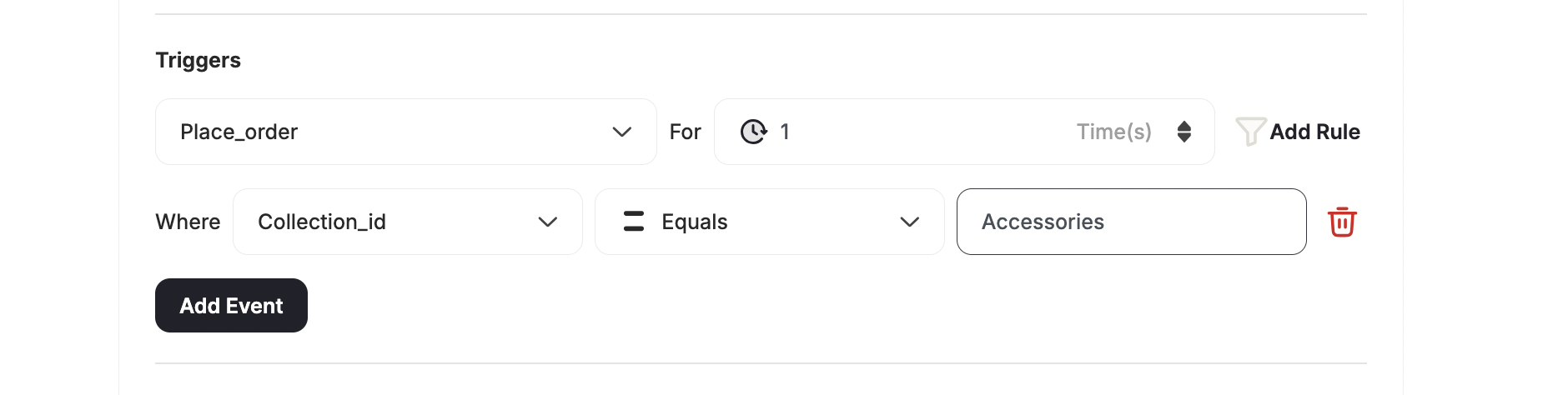
 The received data from the customer for this key should equal a specific value (not case sensitive).
**Use case: Buy from a specific collection or product**
You can specify which product or collection a customer must buy from to meet the rule requirement.
The received data from the customer for this key should equal a specific value (not case sensitive).
**Use case: Buy from a specific collection or product**
You can specify which product or collection a customer must buy from to meet the rule requirement.
 **Entering multiple values**
When using a string field such as SKU, you can enter multiple comma-separated values in the same field (e.g., `SKU01, SKU02, SKU03`). The rule is satisfied if the order contains **any one** of the listed values — they are evaluated with **OR logic**.
The field accepts up to **100 characters** in total (not a count of values). For SKUs, this accommodates approximately 10 values on average.
**Entering multiple values**
When using a string field such as SKU, you can enter multiple comma-separated values in the same field (e.g., `SKU01, SKU02, SKU03`). The rule is satisfied if the order contains **any one** of the listed values — they are evaluated with **OR logic**.
The field accepts up to **100 characters** in total (not a count of values). For SKUs, this accommodates approximately 10 values on average.
 This will allow you to configure the event to be completed in case Gameball receives X number of different types of data for this key.
**Example:** User-defined key: Category to receive **3 different values**, the customer will complete this event if Gameball receives **Fashion**, **Electronics**, and **Accessories.**
**Use case: Buy from 3 different collections**
If you want your customers to meet a condition with multiple variables, such as to buy at least one product from 3 different collections, then the different values operator is what you need to use.
This will allow you to configure the event to be completed in case Gameball receives X number of different types of data for this key.
**Example:** User-defined key: Category to receive **3 different values**, the customer will complete this event if Gameball receives **Fashion**, **Electronics**, and **Accessories.**
**Use case: Buy from 3 different collections**
If you want your customers to meet a condition with multiple variables, such as to buy at least one product from 3 different collections, then the different values operator is what you need to use.

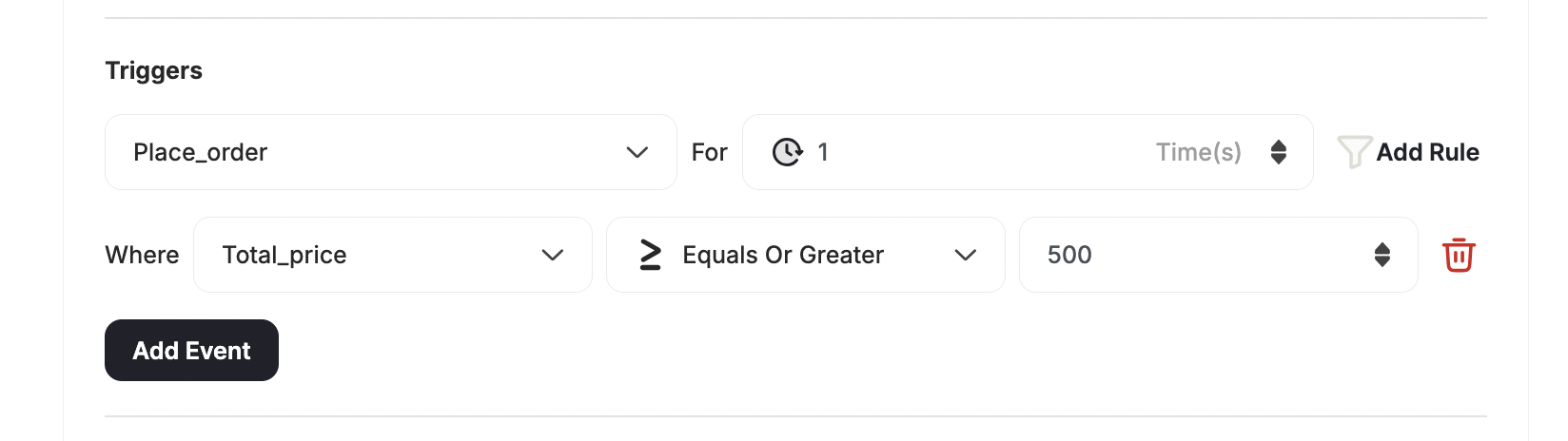
 The received number from the customer for this key should be greater than or equal to a specific value.
**Use Case: Free shipping for orders over \$500**
Grant a reward for when customers exceed a specific order value.
The received number from the customer for this key should be greater than or equal to a specific value.
**Use Case: Free shipping for orders over \$500**
Grant a reward for when customers exceed a specific order value.
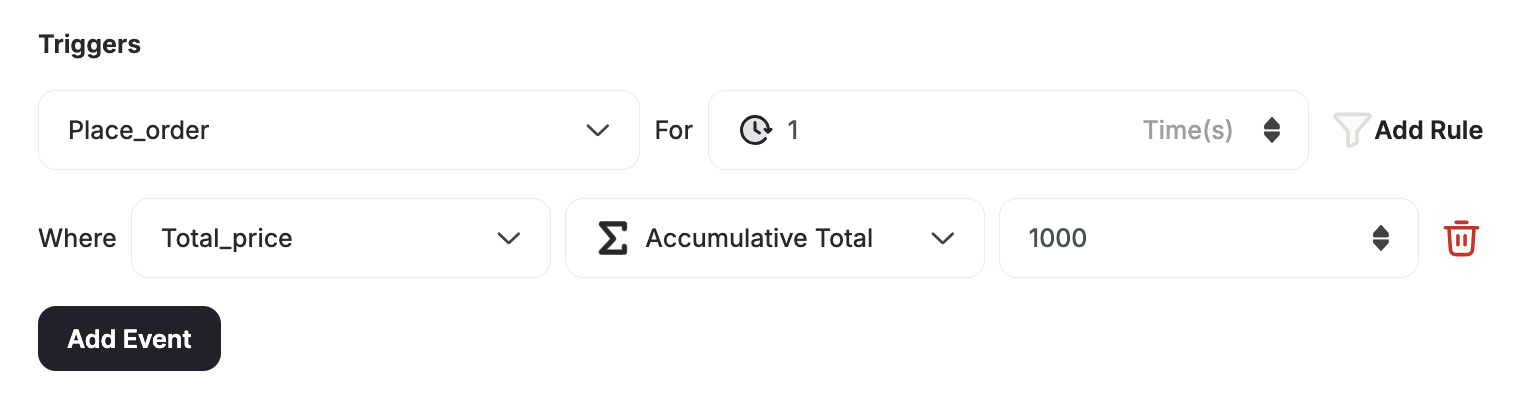
 The received data from the customer for this key should equal a specific value in numbers.
 The customer should reach a predefined number in one or multiple events for this key, and Gameball will store the received numbers till reaching the predefined number.
**Use case: Get a 20% coupon after spending a total of \$1000**
To create a rule where you want the customer to win a reward after they have spent a total of more than x amount (across all previous orders) you will need to use this operator.
The customer should reach a predefined number in one or multiple events for this key, and Gameball will store the received numbers till reaching the predefined number.
**Use case: Get a 20% coupon after spending a total of \$1000**
To create a rule where you want the customer to win a reward after they have spent a total of more than x amount (across all previous orders) you will need to use this operator.
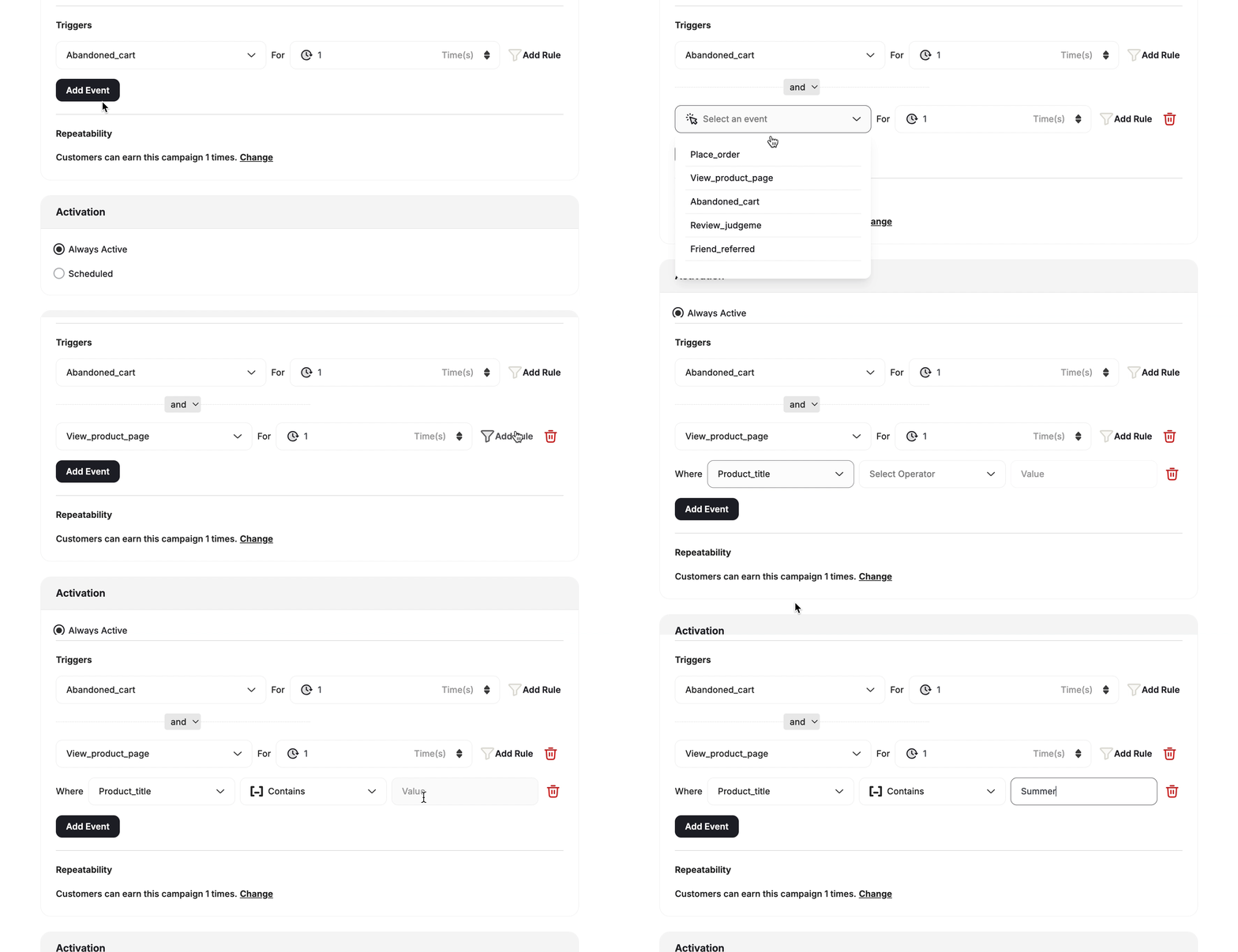
 Include will be triggered if the key-value contains the added rule value, and the customer's event should satisfy the included value. For example, if your rule is to reward customers when they buy a certain type of product like "Summer shirts", "Summer accessories", you can just select all products that **include** the word "Summer".
**Use case: Order includes an item from a specific collection**
Let customers win a reward when they complete an order that has at least one item that belongs to a specific collection, while it does not matter what other collections are under the same order.
Include will be triggered if the key-value contains the added rule value, and the customer's event should satisfy the included value. For example, if your rule is to reward customers when they buy a certain type of product like "Summer shirts", "Summer accessories", you can just select all products that **include** the word "Summer".
**Use case: Order includes an item from a specific collection**
Let customers win a reward when they complete an order that has at least one item that belongs to a specific collection, while it does not matter what other collections are under the same order.
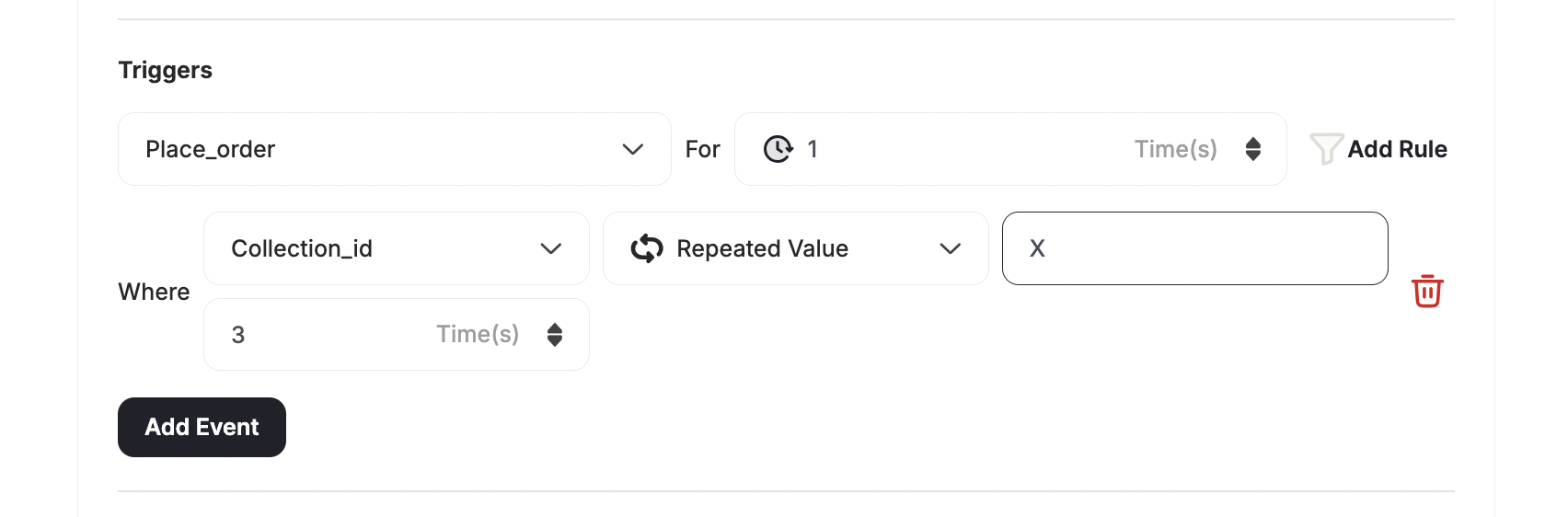
 When using this operator, you are prompted to enter a string value for the key selected, then the number of repeated times which this reward campaign is won. This campaign will be achieved only when the customer meets the configured criteria for the number of repeated times indicated.
By default, each new rule is set to be won for 1 time until the user changes it. The repeated number of times can be within the same event or cumulative.
**Use case: Buy 3 items from a specific collection**
You can create a rule where the customer has to buy 3 different items from the same collection using the repeated value operator.
When using this operator, you are prompted to enter a string value for the key selected, then the number of repeated times which this reward campaign is won. This campaign will be achieved only when the customer meets the configured criteria for the number of repeated times indicated.
By default, each new rule is set to be won for 1 time until the user changes it. The repeated number of times can be within the same event or cumulative.
**Use case: Buy 3 items from a specific collection**
You can create a rule where the customer has to buy 3 different items from the same collection using the repeated value operator.
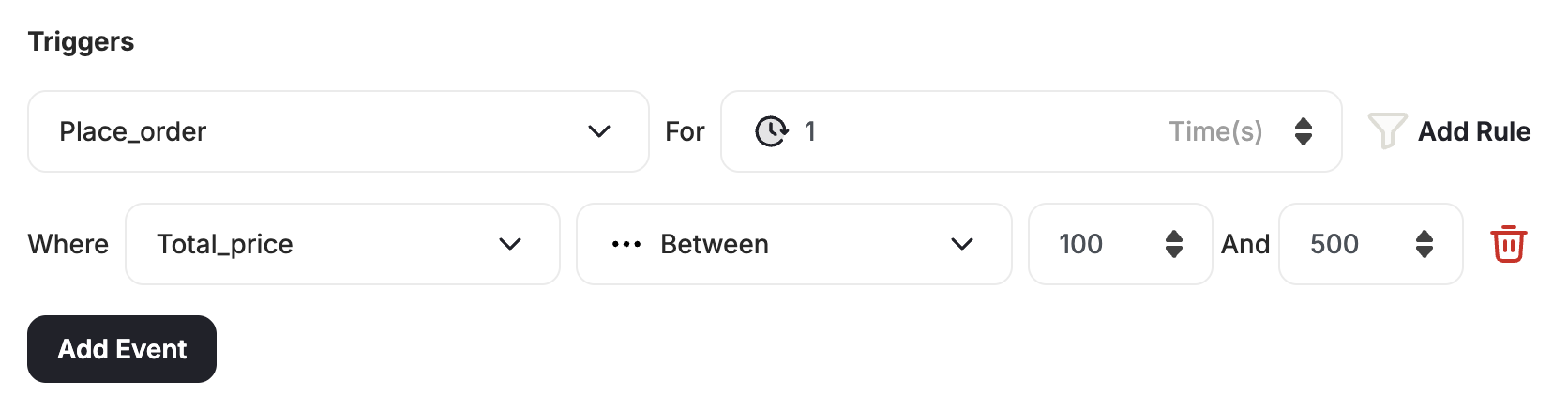
 You can use a **between** operator when working with numeric attributes, allowing you to target customers who fall within a specific numeric range with greater accuracy.
Minimum must be less than maximum.
**Use case: Spend anywhere from 100 to 500**
You can create a rule where the customer has to buy an order where the total price is between 100 and 500.
You can use a **between** operator when working with numeric attributes, allowing you to target customers who fall within a specific numeric range with greater accuracy.
Minimum must be less than maximum.
**Use case: Spend anywhere from 100 to 500**
You can create a rule where the customer has to buy an order where the total price is between 100 and 500.
 ***
## The AND and OR Relation
You can also create multiple events. These are the relations you can set between those various events:
| Relation | Behavior |
| -------- | ----------------------------------------------------------------------------------------------- |
| **AND** | The customer will have to complete **every event** to win the reward campaign. |
| **OR** | The customer will have to complete **one of** the configured events to win the reward campaign. |
***
## Where You Will Use These Operators
Reward campaigns mainly focus on how to reward your customers when they take certain actions on your platform, especially if you are [creating action-based reward campaign from scratch](/product-documentation/rewards-campaigns/start-from-scratch/create-action-based-reward-campaign).
***
## The AND and OR Relation
You can also create multiple events. These are the relations you can set between those various events:
| Relation | Behavior |
| -------- | ----------------------------------------------------------------------------------------------- |
| **AND** | The customer will have to complete **every event** to win the reward campaign. |
| **OR** | The customer will have to complete **one of** the configured events to win the reward campaign. |
***
## Where You Will Use These Operators
Reward campaigns mainly focus on how to reward your customers when they take certain actions on your platform, especially if you are [creating action-based reward campaign from scratch](/product-documentation/rewards-campaigns/start-from-scratch/create-action-based-reward-campaign).
 The referral program motivates your customers to spread the word about your platform so you can increase your acquisition and grow faster. When a customer refers a friend, the friend has to first complete a specific action before they receive rewards. [Read more about the referral Program](/product-documentation/programs/referral-program).
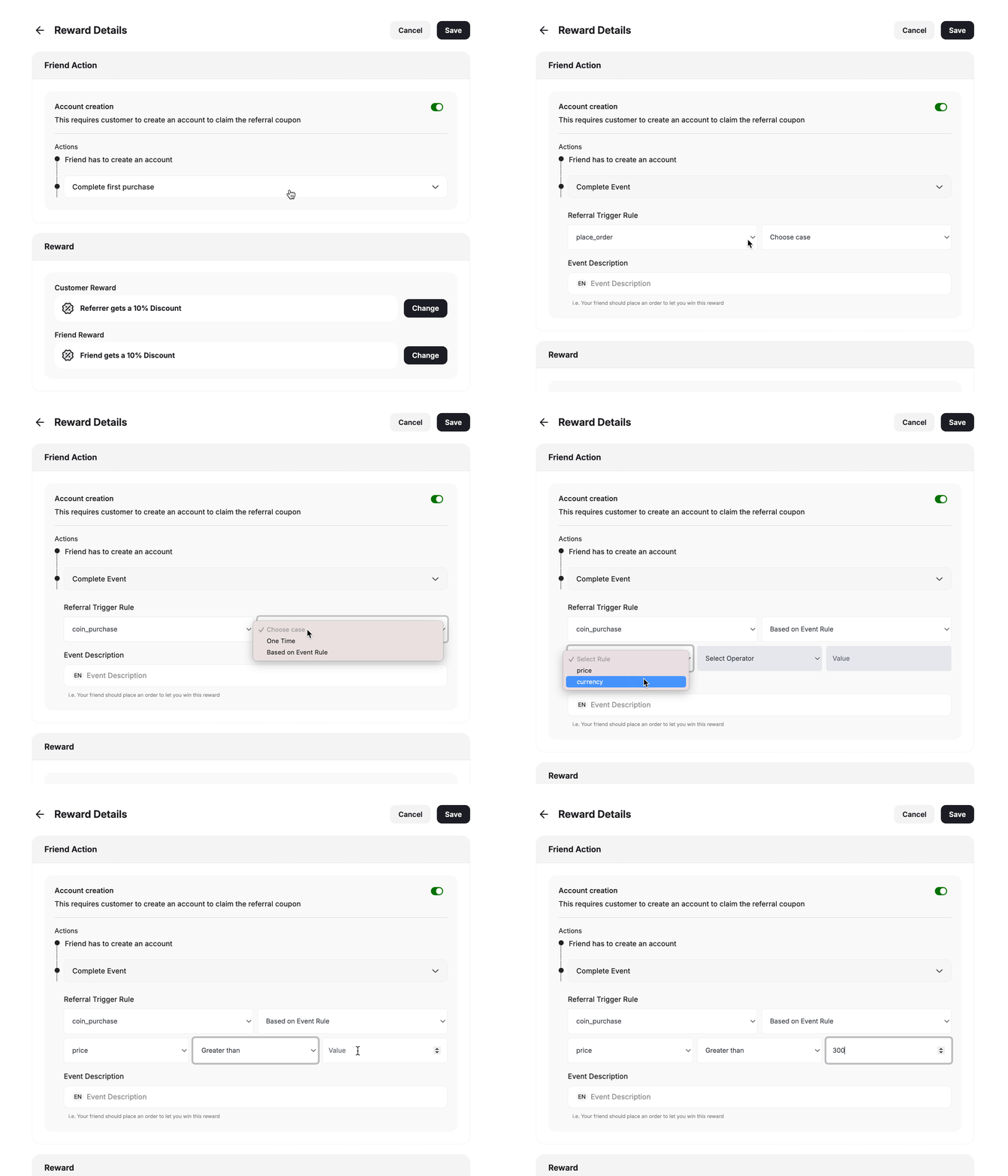 You can trigger communication campaigns based on customer actions, for example, when a customer visits a certain page on your website, they will receive a message that pushes them to take further action. [Read more about customer communication campaigns](/product-documentation/communication-campaigns)
You can create segments to target customers who fall within specific ranges based on the actions they made or the properties they have. [Read more about segment creation](/product-documentation/customer-segmentation)
You can trigger communication campaigns based on customer actions, for example, when a customer visits a certain page on your website, they will receive a message that pushes them to take further action. [Read more about customer communication campaigns](/product-documentation/communication-campaigns)
You can create segments to target customers who fall within specific ranges based on the actions they made or the properties they have. [Read more about segment creation](/product-documentation/customer-segmentation)