> ## Documentation Index
> Fetch the complete documentation index at: https://docs.gameball.co/llms.txt
> Use this file to discover all available pages before exploring further.
# What Insights Are Available for Reward Campaigns?
> A breakdown of the key metrics available to evaluate the reward campaigns effectiveness.
| Platform | Plan |
| ---------- | ------------ |
| Shopify | Pro and Guru |
| Self Serve | All |
Reward campaigns are an essential tool for engaging customers, increasing your revenue, and driving desired behaviors. To effectively measure the performance of these campaigns, it's crucial to analyze various metrics that provide insights into their effectiveness.
***
## Where to Find Insights for Every Reward Campaign
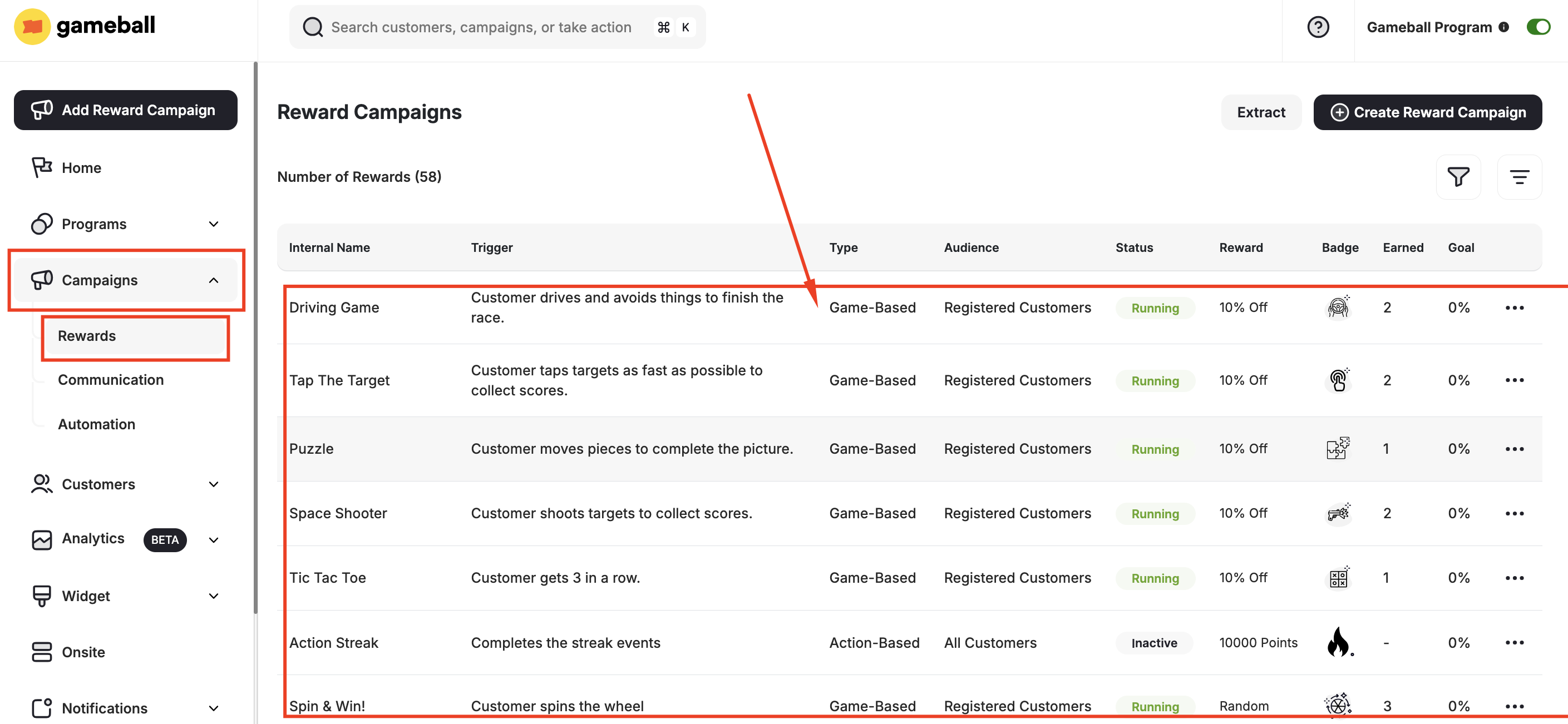
From the left bar, click **Rewards** under **Campaigns**. Then choose any created campaign from the list.
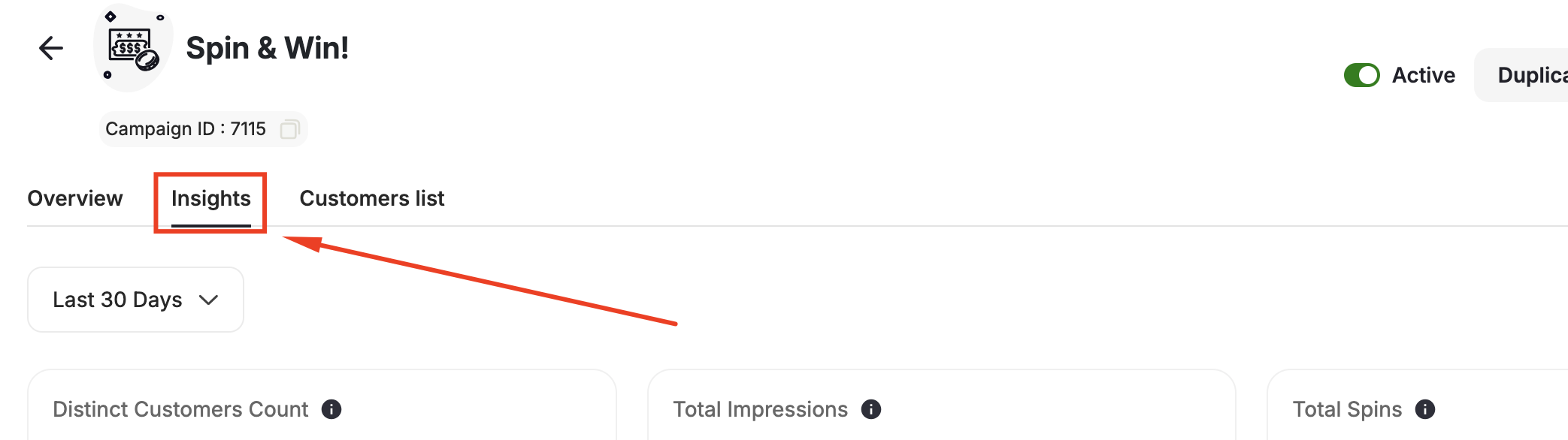
 Go to the **Insights Tab** to view all performance metrics for that campaign.
 ***
## Insights Explanation
Here's a breakdown of the **key metrics available** for you to evaluate the performance of your reward campaigns:
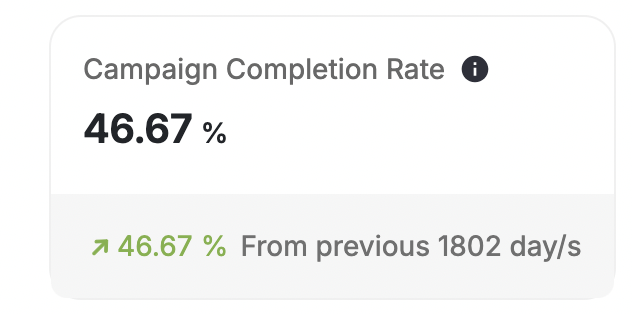
This metric measures the percentage of customers who successfully completed the campaign compared to the total number of customers the campaign was sent to. It is calculated using the **equation**:
**Number of customers completed the campaign / Total number of customers the campaign was sent to.**
***
## Insights Explanation
Here's a breakdown of the **key metrics available** for you to evaluate the performance of your reward campaigns:
This metric measures the percentage of customers who successfully completed the campaign compared to the total number of customers the campaign was sent to. It is calculated using the **equation**:
**Number of customers completed the campaign / Total number of customers the campaign was sent to.**
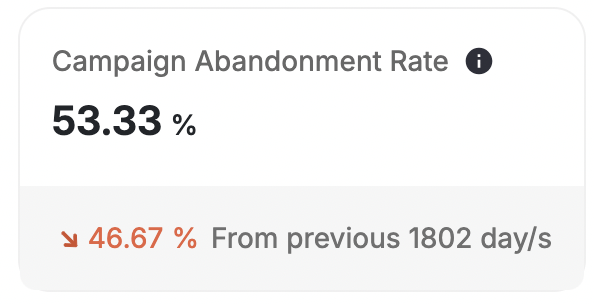
 The abandonment rate is the inverse of the completion rate and represents the ratio of customers who abandoned the campaign without completing it.
 This metric indicates the total number of unique customers who participated in the campaign.
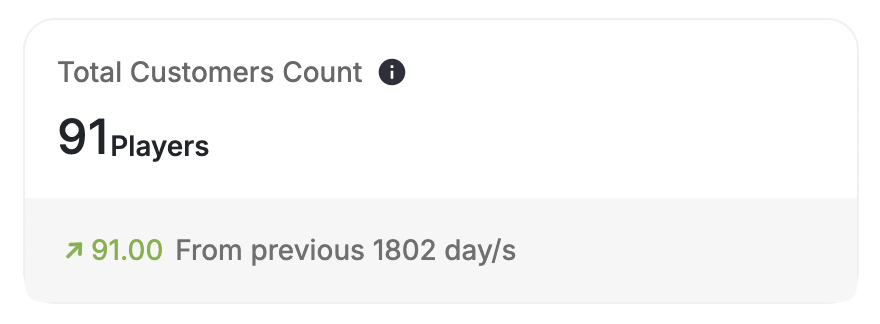
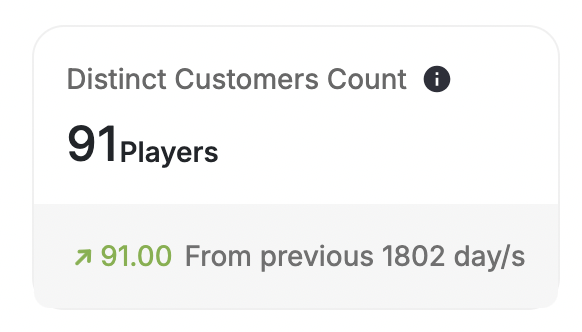 The total times customers participated in the campaign. It represents the overall level of engagement generated by the campaign.
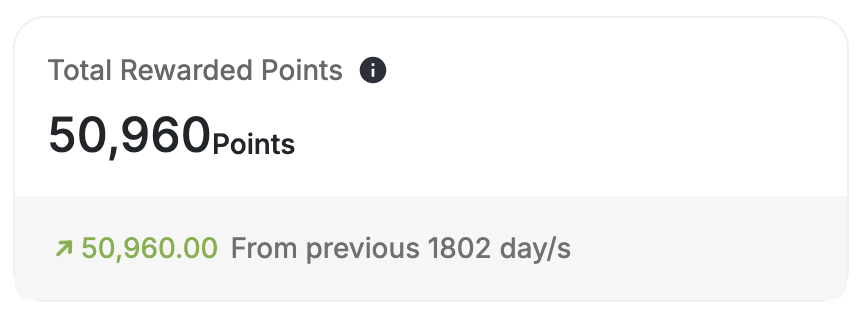
 The aggregate sum of points awarded to customers through the campaign. It reflects the total incentive provided to participants.
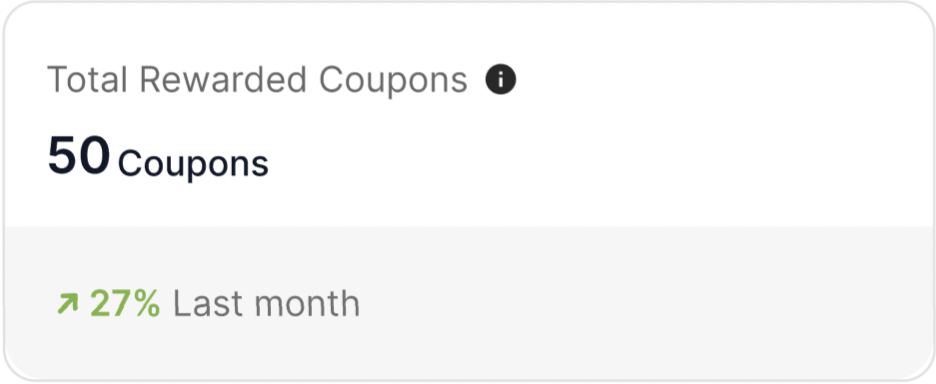
 Similar to points, this metric represents the total number of coupons distributed as rewards during the campaign.
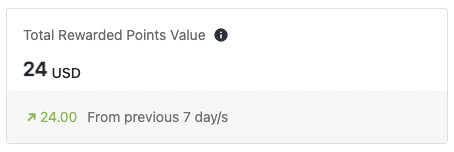
 This metric provides both the total points awarded and their corresponding monetary value. It offers insight into the tangible benefits customers receive from participating in the campaign.
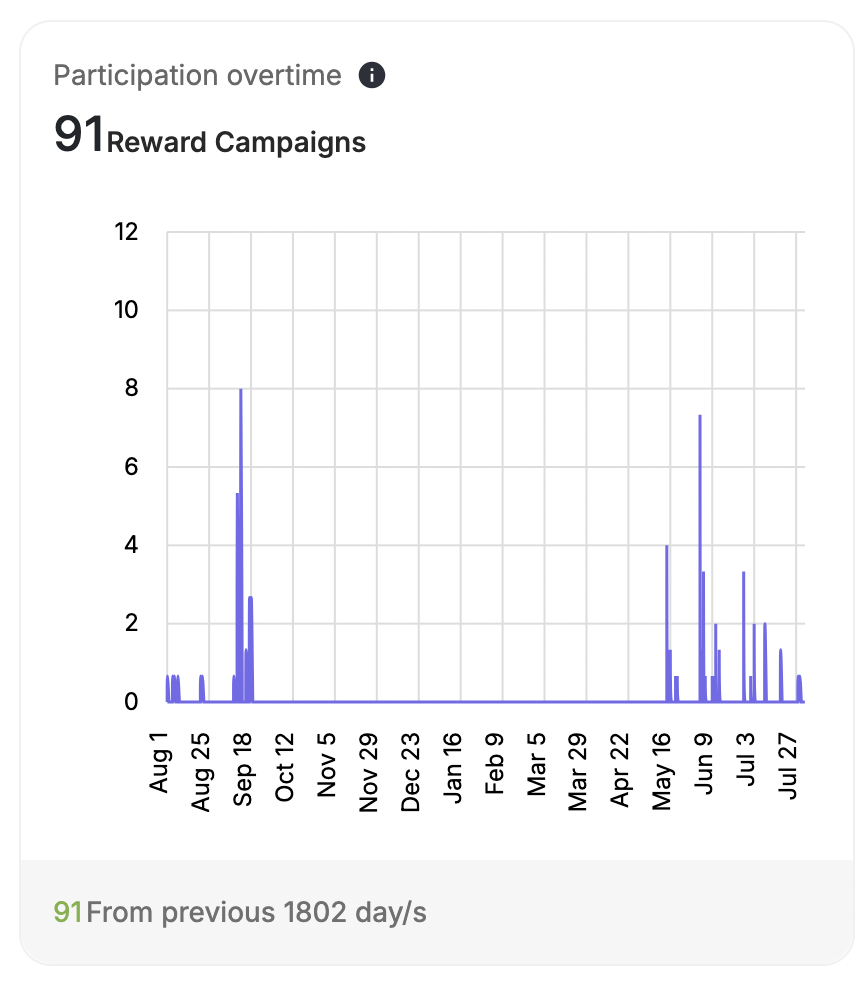
 This graph visualizes the trend of campaign participation rates over a specific period. It helps identify any variations or patterns in customer participation.
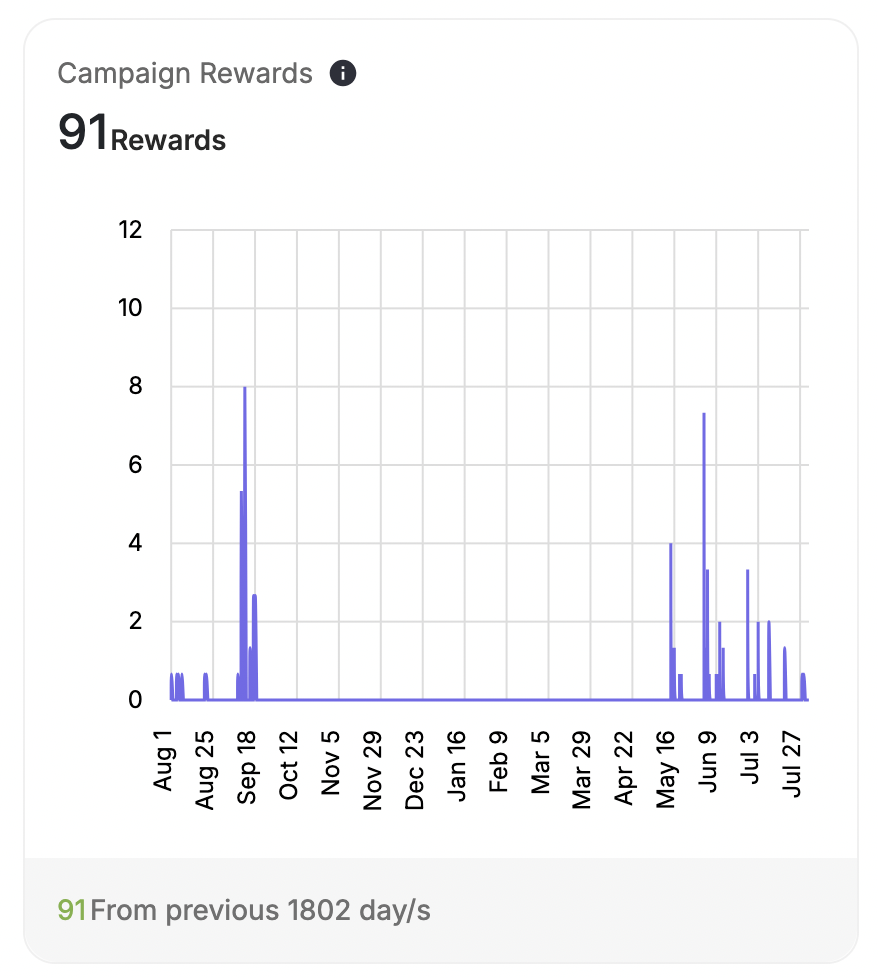
 Similarly, this graph tracks the number of customers completing the campaign over time. It allows for a continued analysis of campaign effectiveness.
 ***
## Funnel Analytics Insights
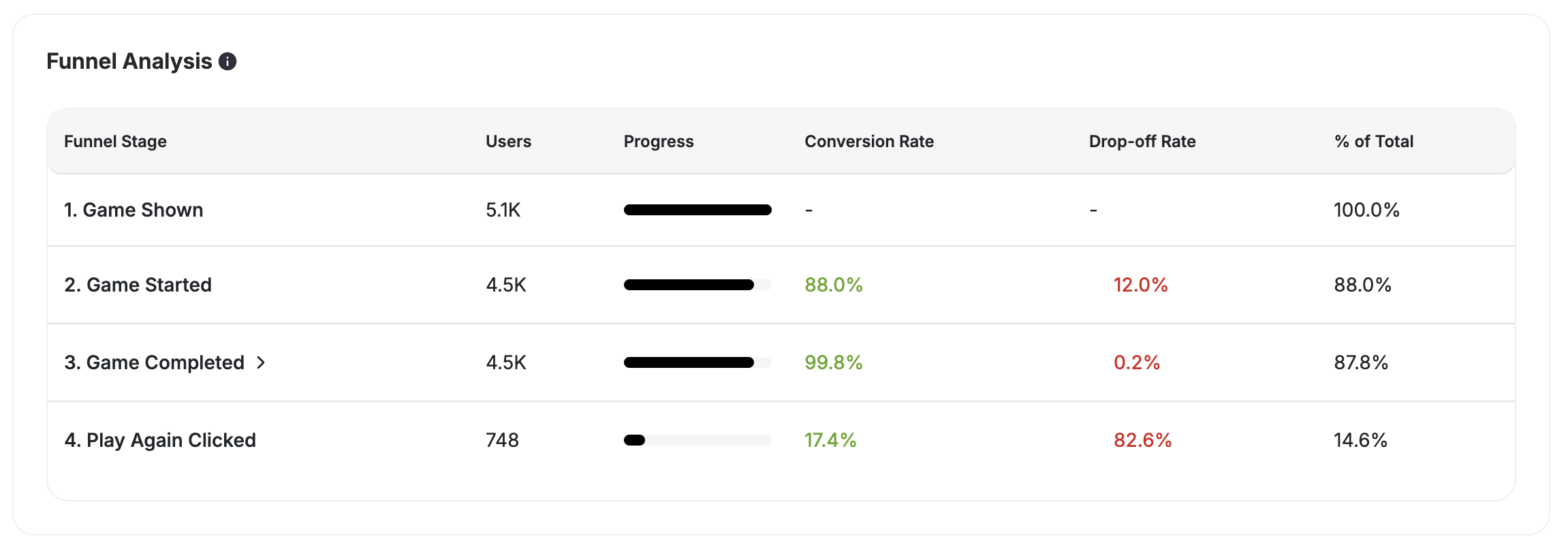
**Game Funnel Analytics** is an insights module that gives you a clear, step-by-step view of how your customers interact with every game campaign, across all game types, entry methods, and user types.
This funnel helps you understand where customers engage, where they drop off, and how effectively your game campaigns drive conversions.
***
## Funnel Analytics Insights
**Game Funnel Analytics** is an insights module that gives you a clear, step-by-step view of how your customers interact with every game campaign, across all game types, entry methods, and user types.
This funnel helps you understand where customers engage, where they drop off, and how effectively your game campaigns drive conversions.
 ### Supported Game Types and Entry Methods
**Unified Funnel Tracking for All Game Types**
Game Funnel Analytics supports **all Gameball games**, including:
Full funnel tracking for spin wheel campaigns.
Full funnel tracking for slot machine campaigns.
Full funnel tracking for scratch card campaigns.
Full funnel tracking for match card campaigns.
Full funnel tracking for catcher game campaigns.
Funnel-only insights added for quiz campaigns.
Both **guest customers** (via lead form) and **registered customers** are fully tracked.
Supported entry methods:
* Widget
* Deep link / direct URL
* Popup trigger
* Manual open
### Funnel Stages Tracked
Each game campaign includes a consistent set of funnel steps:
Triggered only when the game auto-displays via a pop-up.
Captured when a guest customer submits the lead form.
When a customer opens the game from any entry point.
When the customer clicks "Play".
When the game animation/logic finishes, regardless of the outcome.
**Rewarded** displays how many customers received a reward. **No Luck** shows customers who completed but did not receive a reward or lost.
### What Each Stage Shows
Each funnel stage displays the following data:
* Total customers
* Conversion rate to the next step
* Drop-off visualization
* Filtering aligned with the campaign's date filter
**Key metrics:**
* **Total Participated** = top-most tracked event.
* **Goal Completed** = customers who reached the last tracked step.
* **Total Conversion** = Completed / Started.
### Conversion and Drop-Off Logic
| Scenario | Example |
| ---------------------- | ------------------------------------------------------------- |
| **Step Conversion** | 1,000 opened → 750 started = 75% conversion. |
| **Step Drop-Off** | 25% dropped between "Opened" → "Started." |
| **Overall Conversion** | 1,000 opened → 200 reached the goal = 20% overall conversion. |
***
## Filtering Reward Campaigns Insights
In addition to these metrics, you can adjust the period for which you want to view the data directly from the report.
### Supported Game Types and Entry Methods
**Unified Funnel Tracking for All Game Types**
Game Funnel Analytics supports **all Gameball games**, including:
Full funnel tracking for spin wheel campaigns.
Full funnel tracking for slot machine campaigns.
Full funnel tracking for scratch card campaigns.
Full funnel tracking for match card campaigns.
Full funnel tracking for catcher game campaigns.
Funnel-only insights added for quiz campaigns.
Both **guest customers** (via lead form) and **registered customers** are fully tracked.
Supported entry methods:
* Widget
* Deep link / direct URL
* Popup trigger
* Manual open
### Funnel Stages Tracked
Each game campaign includes a consistent set of funnel steps:
Triggered only when the game auto-displays via a pop-up.
Captured when a guest customer submits the lead form.
When a customer opens the game from any entry point.
When the customer clicks "Play".
When the game animation/logic finishes, regardless of the outcome.
**Rewarded** displays how many customers received a reward. **No Luck** shows customers who completed but did not receive a reward or lost.
### What Each Stage Shows
Each funnel stage displays the following data:
* Total customers
* Conversion rate to the next step
* Drop-off visualization
* Filtering aligned with the campaign's date filter
**Key metrics:**
* **Total Participated** = top-most tracked event.
* **Goal Completed** = customers who reached the last tracked step.
* **Total Conversion** = Completed / Started.
### Conversion and Drop-Off Logic
| Scenario | Example |
| ---------------------- | ------------------------------------------------------------- |
| **Step Conversion** | 1,000 opened → 750 started = 75% conversion. |
| **Step Drop-Off** | 25% dropped between "Opened" → "Started." |
| **Overall Conversion** | 1,000 opened → 200 reached the goal = 20% overall conversion. |
***
## Filtering Reward Campaigns Insights
In addition to these metrics, you can adjust the period for which you want to view the data directly from the report.
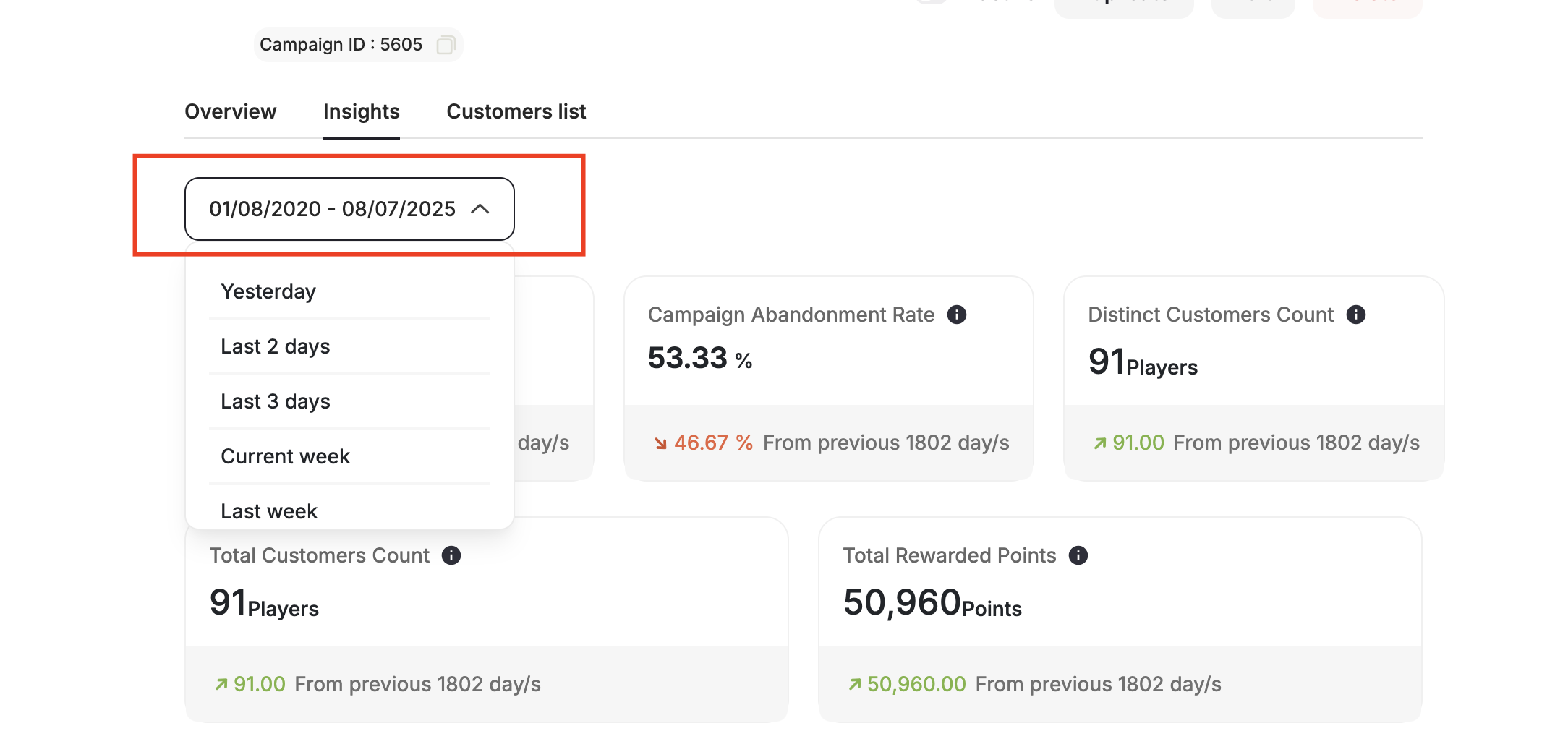
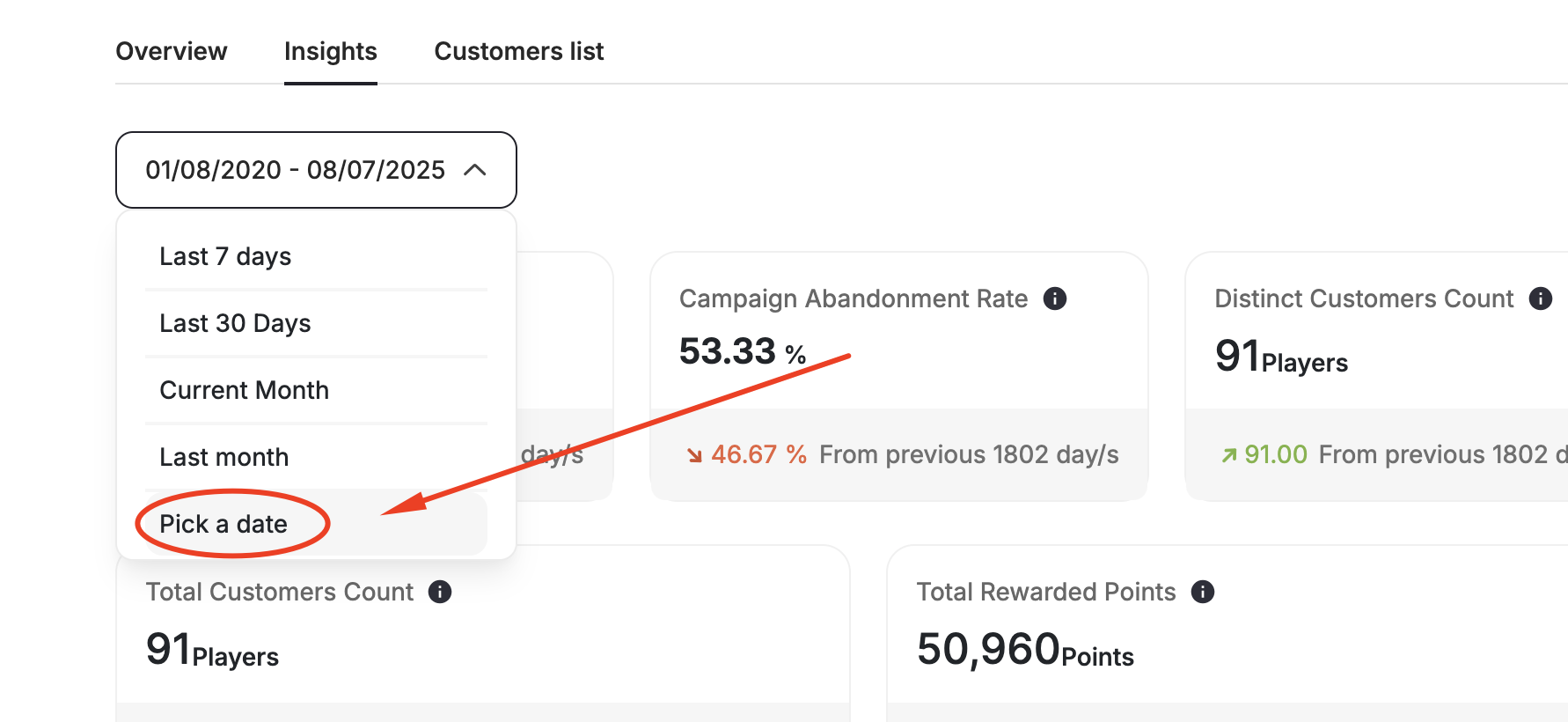
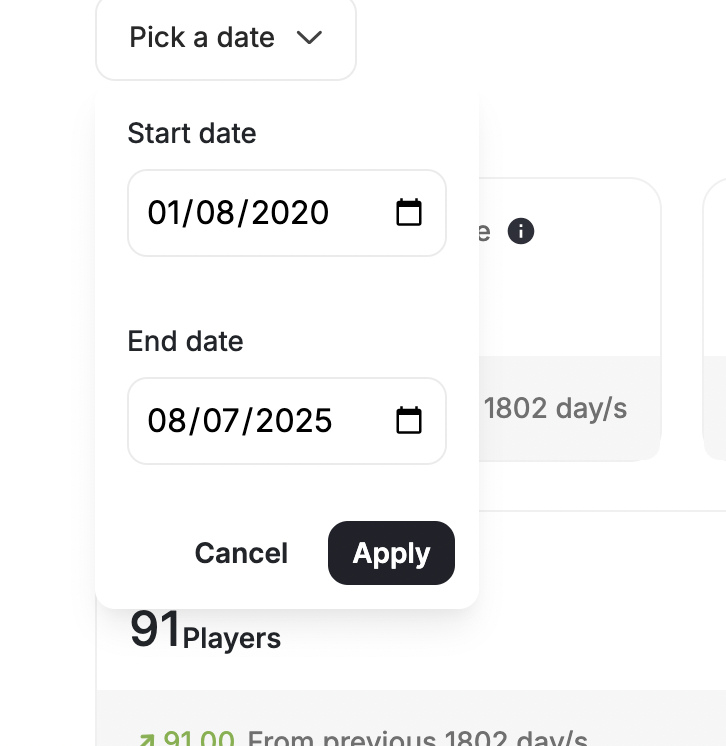 The report is designed to clearly demonstrate the value of Gameball's services in enhancing your business, highlighting how the campaign positively impacts engagement and revenue. Further, it helps you implement strategies to re-engage your customers with the campaign's configuration page, such as notifications, reminders, or incentives, especially after initial configuration.
***
## Related Articles
Step-by-step guide to building an action-triggered reward campaign from scratch.
Learn how to schedule campaigns around specific dates and occasions.
Set up a campaign that multiplies points earned on purchases.
The report is designed to clearly demonstrate the value of Gameball's services in enhancing your business, highlighting how the campaign positively impacts engagement and revenue. Further, it helps you implement strategies to re-engage your customers with the campaign's configuration page, such as notifications, reminders, or incentives, especially after initial configuration.
***
## Related Articles
Step-by-step guide to building an action-triggered reward campaign from scratch.
Learn how to schedule campaigns around specific dates and occasions.
Set up a campaign that multiplies points earned on purchases.