> ## Documentation Index
> Fetch the complete documentation index at: https://docs.gameball.co/llms.txt
> Use this file to discover all available pages before exploring further.
# How Do I Send External Rewards Using API Calls Through Campaigns?
> Enable external rewards through Gameball campaigns without additional development, to connect your existing loyalty system seamlessly.
| Platform | Plan |
| ----------------- | --------------------- |
| Non-Platform only | Growth and Enterprise |
Gameball now supports engaging customers with gamified campaigns, even if you use your own loyalty program. You can leverage Gameball's campaign engine while sending external rewards -- like points, cashback, or physical gifts -- directly through their existing systems.
Gameball offers a new **External Reward (API Call)** option directly within campaign rewards.
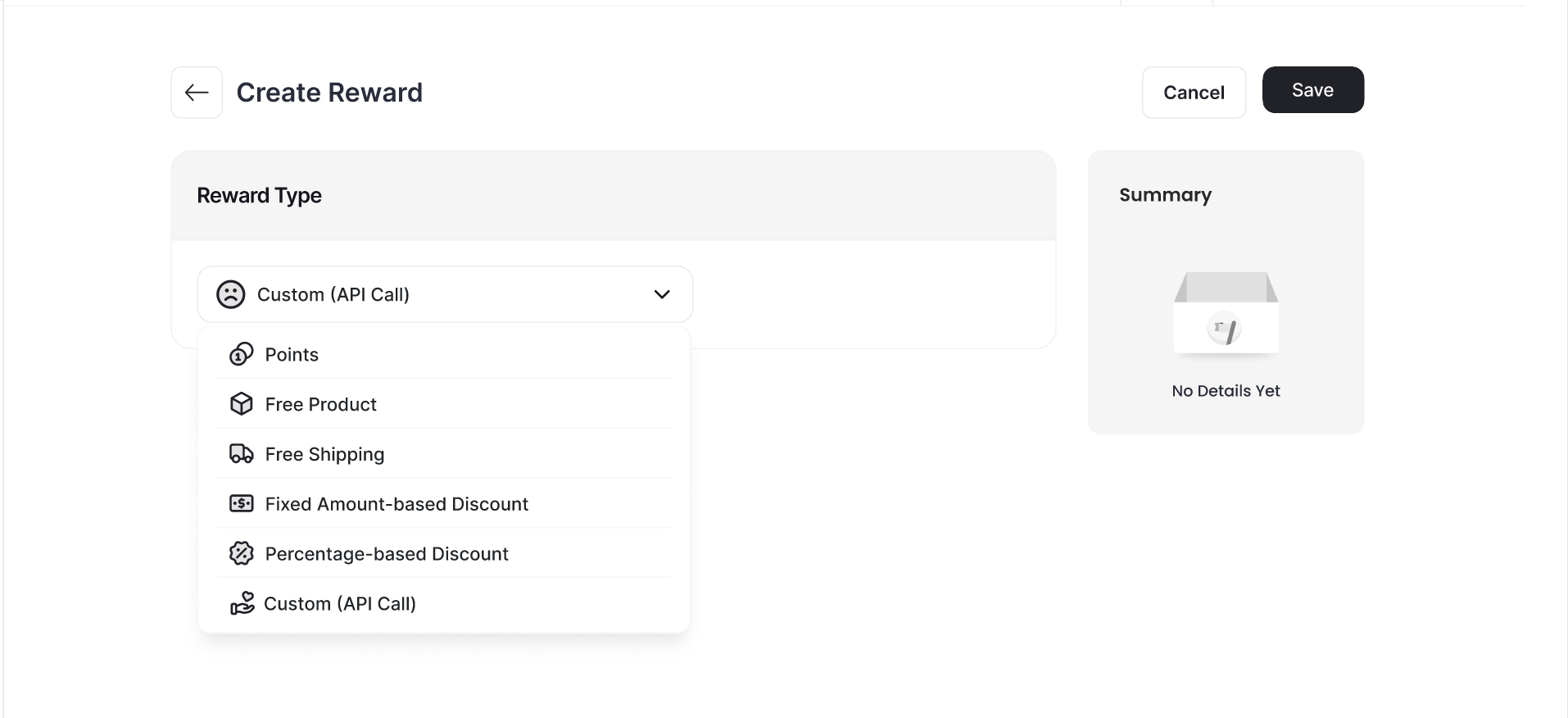 This feature allows you to:
Connect your loyalty program without any additional backend development.
Reward customers with external benefits (points, cashback, physical goods, etc.) using a customizable API payload.
Speed up campaign activation and reduce technical dependencies.
***
## How to Configure External Rewards in Campaigns
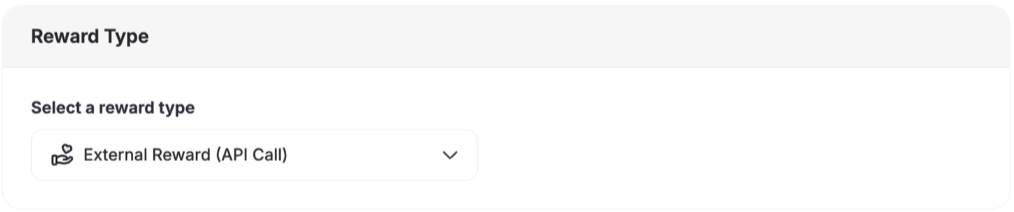
Under **Rewards Types**, select **External Reward (API Call)**.
This feature allows you to:
Connect your loyalty program without any additional backend development.
Reward customers with external benefits (points, cashback, physical goods, etc.) using a customizable API payload.
Speed up campaign activation and reduce technical dependencies.
***
## How to Configure External Rewards in Campaigns
Under **Rewards Types**, select **External Reward (API Call)**.
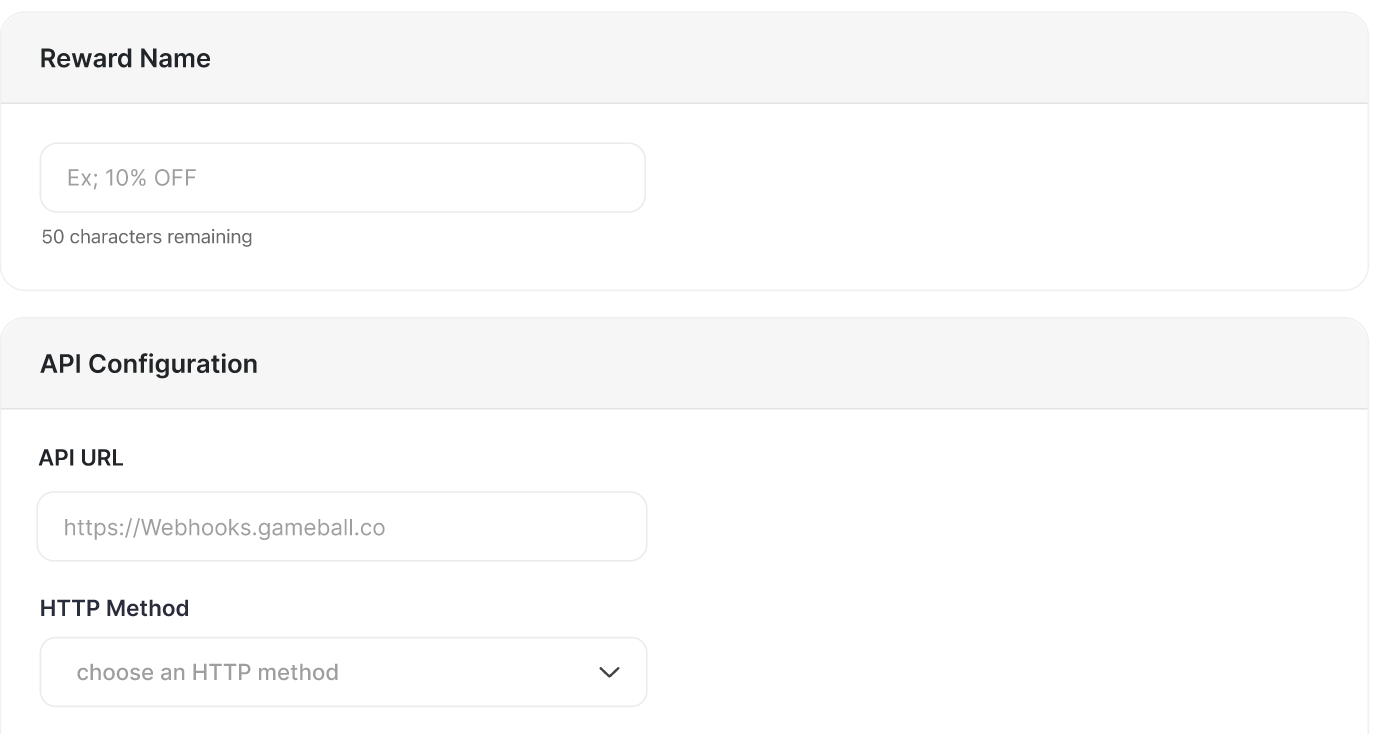
 * **Reward Name**
* **API Data**
* API URL
* HTTP Method
* **Reward Name**
* **API Data**
* API URL
* HTTP Method
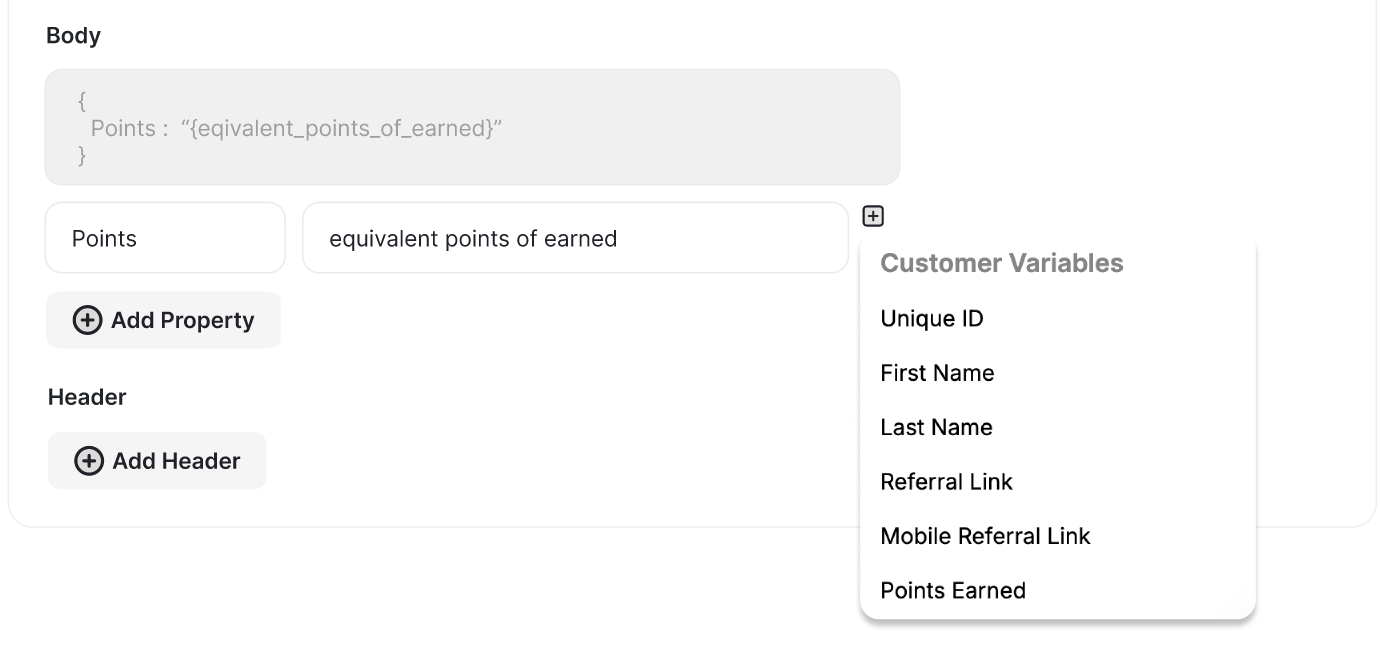
 Include any of the following dynamic variables in the **Body** of the API data as needed, as well as the **Headers**:
* `UniqueID`
* `First Name`
* `Last Name`
* `Mobile Number`
* `Email`
* `CampaignID`
* `Campaign Internal Name`
* `Reward Name`
Include any of the following dynamic variables in the **Body** of the API data as needed, as well as the **Headers**:
* `UniqueID`
* `First Name`
* `Last Name`
* `Mobile Number`
* `Email`
* `CampaignID`
* `Campaign Internal Name`
* `Reward Name`
 This feature is available for campaign rewards only. It is not supported as a redemption method.
***
## Test API
Test API call configurations directly while setting up **Reward Campaigns** or **Automation Triggers**, ensuring your integrations work correctly before activation.
This feature is available for campaign rewards only. It is not supported as a redemption method.
***
## Test API
Test API call configurations directly while setting up **Reward Campaigns** or **Automation Triggers**, ensuring your integrations work correctly before activation.
 When configuring an API call in a reward campaign, click **"Test API"** to send a sample request and view:
`Response: 200 OK - Connection successful`
This makes it easier than ever to validate your setup confidently before going live.
***
## Common Questions
Yes, as long as your system accepts external API requests with the necessary data format.
Yes. This eliminates the need to develop and maintain a webhook listener for reward distribution.
***
## Related Articles
An overview of all reward campaign types and ready-made templates available in Gameball.
A detailed breakdown of every reward type and how to configure each one.
When configuring an API call in a reward campaign, click **"Test API"** to send a sample request and view:
`Response: 200 OK - Connection successful`
This makes it easier than ever to validate your setup confidently before going live.
***
## Common Questions
Yes, as long as your system accepts external API requests with the necessary data format.
Yes. This eliminates the need to develop and maintain a webhook listener for reward distribution.
***
## Related Articles
An overview of all reward campaign types and ready-made templates available in Gameball.
A detailed breakdown of every reward type and how to configure each one.