> ## Documentation Index
> Fetch the complete documentation index at: https://docs.gameball.co/llms.txt
> Use this file to discover all available pages before exploring further.
# How Do I Set Up Match Cards?
> Test your customers' memory and let them win a reward with an engaging game such as match cards.
| Platform | Plan |
| ------------ | ---------- |
| Shopify | Pro & Guru |
| Salla | Pro & Guru |
| Non-Platform | Add-on |
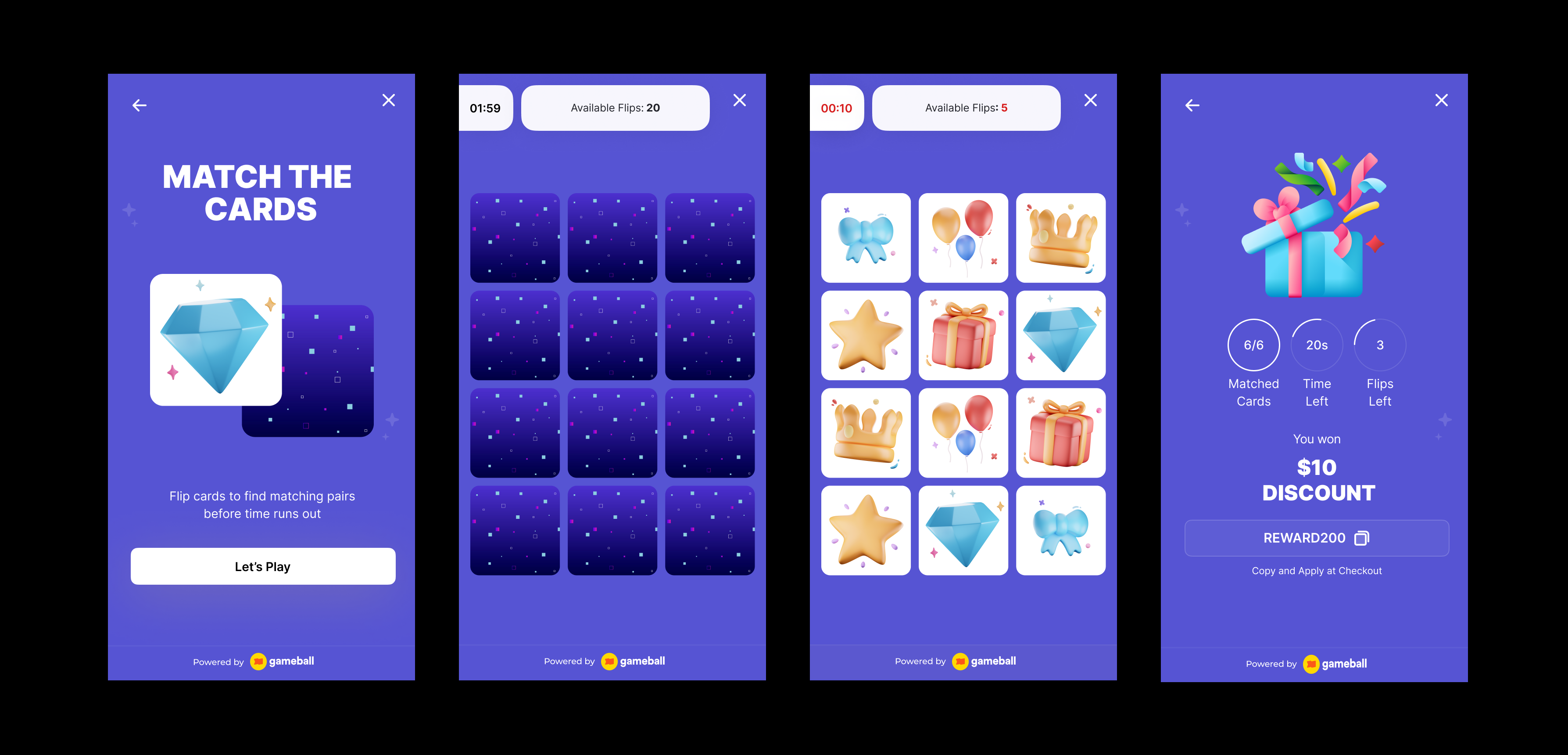
An interactive gamification tool that boosts engagement and brand awareness. Customers match item pairs to unlock rewards, driving interaction, visibility, and new revenue opportunities.
**Use Cases:**
1. **Brand Sponsorships:** Let brands sponsor in-game challenges for added revenue and engagement.
2. **Promote New Products:** Feature new products in the game to boost visibility and interest.
3. **Boost Activity:** Encourage daily or weekly logins with regular gameplay and rewards to drive retention.
 ***
## How to Set Up
Log in to your Gameball dashboard.
Click **Add Reward Campaign**.
Choose the **Match Cards** template.
Edit the campaign's setup to match your goals.
Click **Set Live** to activate the campaign.
***
## Campaign Trigger
Customers can access the match card through the **Badges** section in the widget. Tapping the badge redirects them to a screen where they can start playing and trigger the campaign to begin playing.
Use the `#gameball-match` deep link to trigger the match cards campaign from a custom banner or button on your website or app. [Learn more](/product-documentation/rewards-campaigns/start-from-scratch/setup-reward-campaign).
**Audience**
* **Registered Customers:** Customers who have an account on your platform (signed up).
* **Anonymous Customers:** Visitors browsing anonymously without providing any contact information or identifiable details (not signed up).
* Visitors can open the game, submit basic information through the lead form, play, and receive rewards, matching the standalone game URL experience.
* Widget deep links that open a specific game work for guests as well. The widget would open directly into the game screen and allow participation without login.
* **Specific Customers:** You can choose for a specific selection of customers to participate in this campaign by filtering using segments, tags or customer attributes.
**Repeatability**
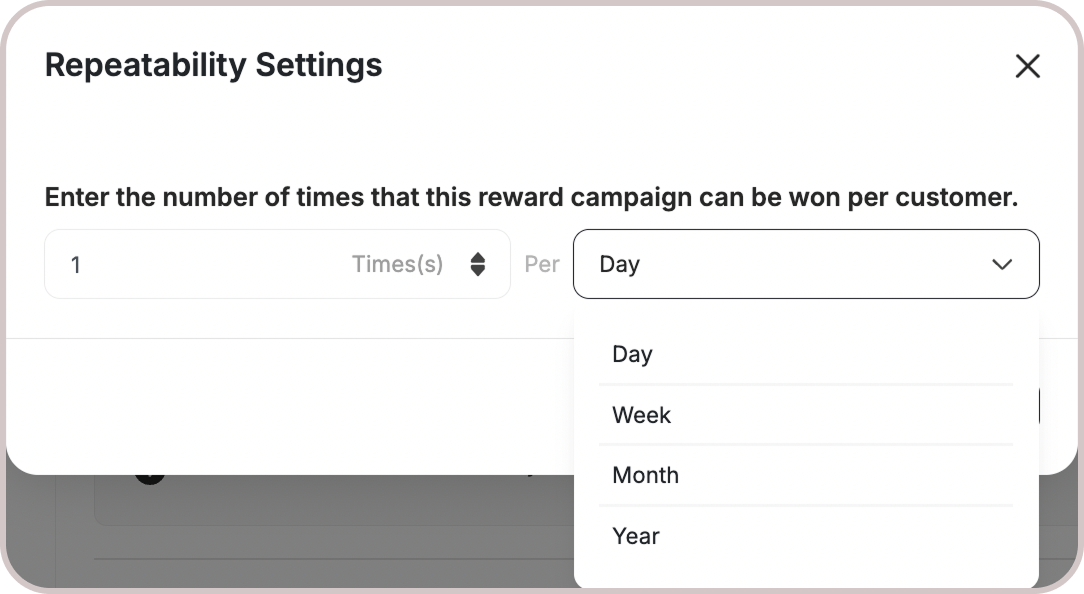
* By default, customers can play **once per day**. A new opportunity to replay it begins at 00:00 AM based on the chosen time zone.
* All Games campaigns support only the Limit per day/week/etc. [Learn more](/product-documentation/rewards-campaigns/start-from-scratch/setup-reward-campaign).
***
## How to Set Up
Log in to your Gameball dashboard.
Click **Add Reward Campaign**.
Choose the **Match Cards** template.
Edit the campaign's setup to match your goals.
Click **Set Live** to activate the campaign.
***
## Campaign Trigger
Customers can access the match card through the **Badges** section in the widget. Tapping the badge redirects them to a screen where they can start playing and trigger the campaign to begin playing.
Use the `#gameball-match` deep link to trigger the match cards campaign from a custom banner or button on your website or app. [Learn more](/product-documentation/rewards-campaigns/start-from-scratch/setup-reward-campaign).
**Audience**
* **Registered Customers:** Customers who have an account on your platform (signed up).
* **Anonymous Customers:** Visitors browsing anonymously without providing any contact information or identifiable details (not signed up).
* Visitors can open the game, submit basic information through the lead form, play, and receive rewards, matching the standalone game URL experience.
* Widget deep links that open a specific game work for guests as well. The widget would open directly into the game screen and allow participation without login.
* **Specific Customers:** You can choose for a specific selection of customers to participate in this campaign by filtering using segments, tags or customer attributes.
**Repeatability**
* By default, customers can play **once per day**. A new opportunity to replay it begins at 00:00 AM based on the chosen time zone.
* All Games campaigns support only the Limit per day/week/etc. [Learn more](/product-documentation/rewards-campaigns/start-from-scratch/setup-reward-campaign).
 **Platform Visibility**
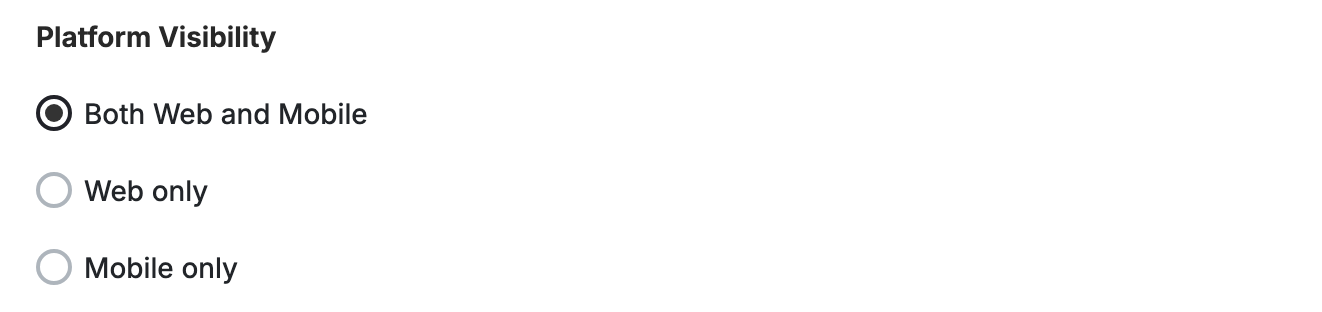
You can choose whether the game campaign is shown on web, mobile, or both, giving you better control over engagement strategies across platforms.
**Platform Visibility**
You can choose whether the game campaign is shown on web, mobile, or both, giving you better control over engagement strategies across platforms.
 This template uses the standard reward campaign setup. See the [Generic Setup Guide](/product-documentation/rewards-campaigns/start-from-scratch/setup-reward-campaign) for details.
## Game Rules
**Game Cards**
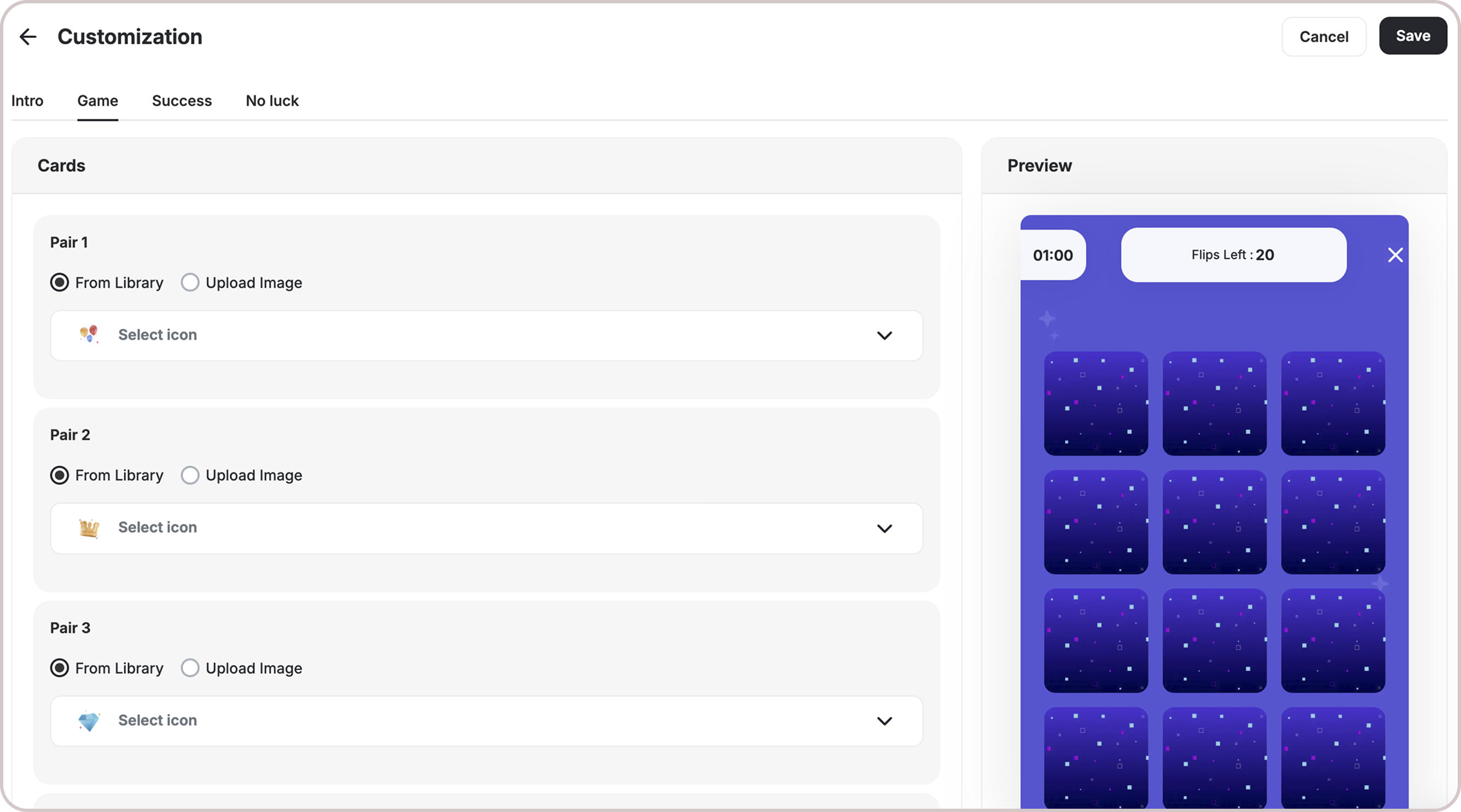
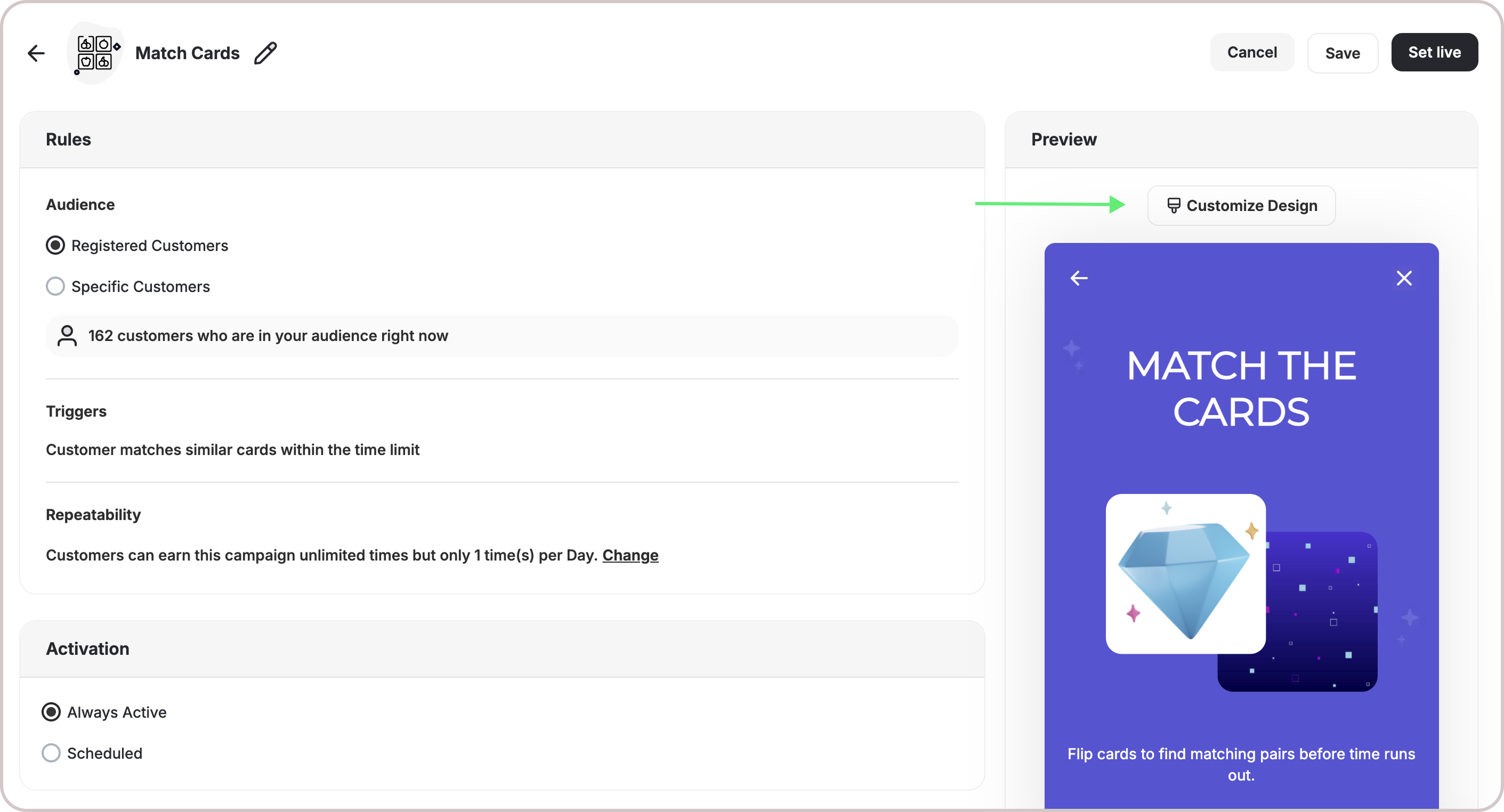
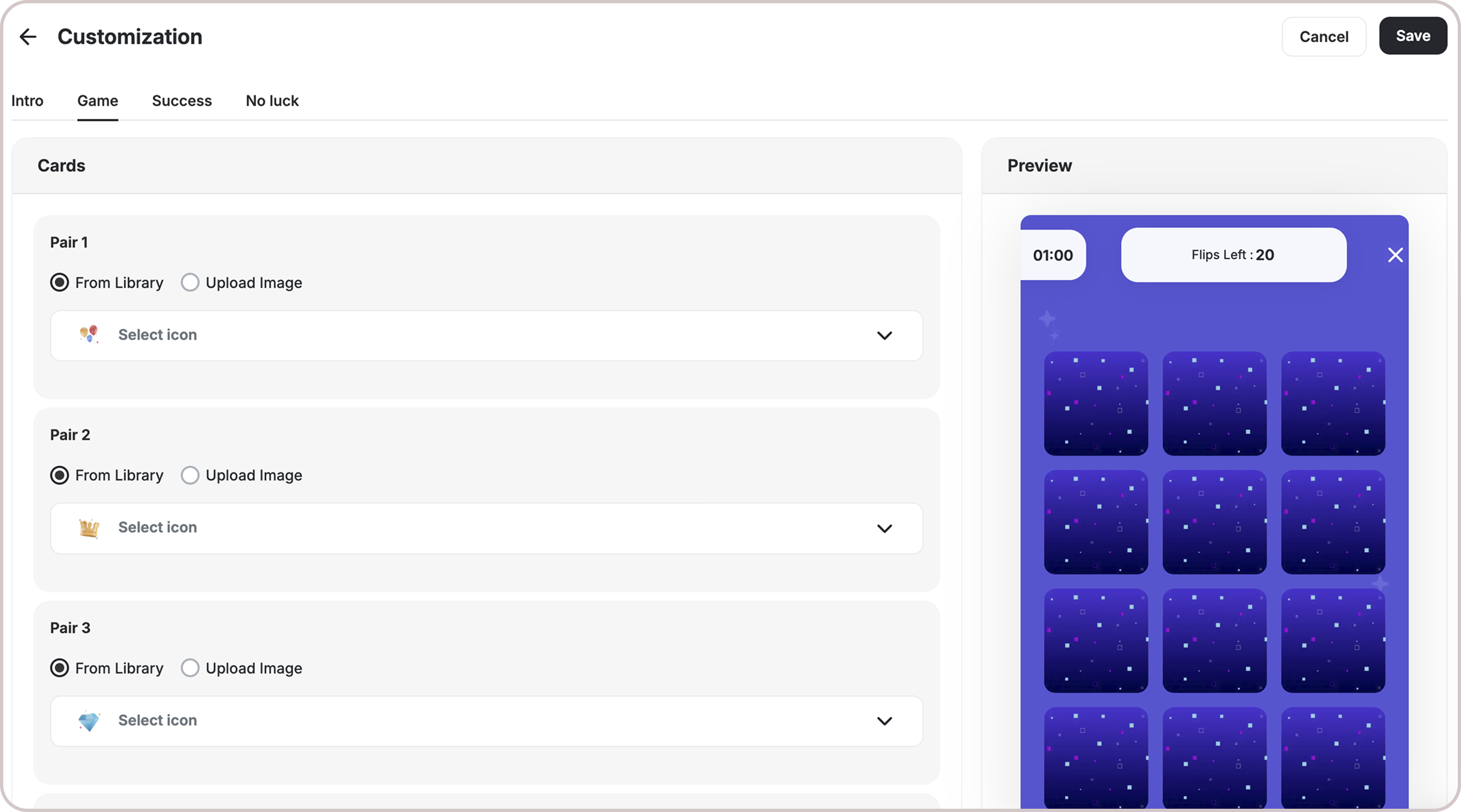
Go to **Customize Design -> Game** to set up the rules.
1. The game includes **6 pairs of images** by default.
2. Customers must match all pairs **before the timer runs out**.
This template uses the standard reward campaign setup. See the [Generic Setup Guide](/product-documentation/rewards-campaigns/start-from-scratch/setup-reward-campaign) for details.
## Game Rules
**Game Cards**
Go to **Customize Design -> Game** to set up the rules.
1. The game includes **6 pairs of images** by default.
2. Customers must match all pairs **before the timer runs out**.
 **Time**
Specify the duration (in seconds) during which the customer is allowed to play the game.
**Time**
Specify the duration (in seconds) during which the customer is allowed to play the game.
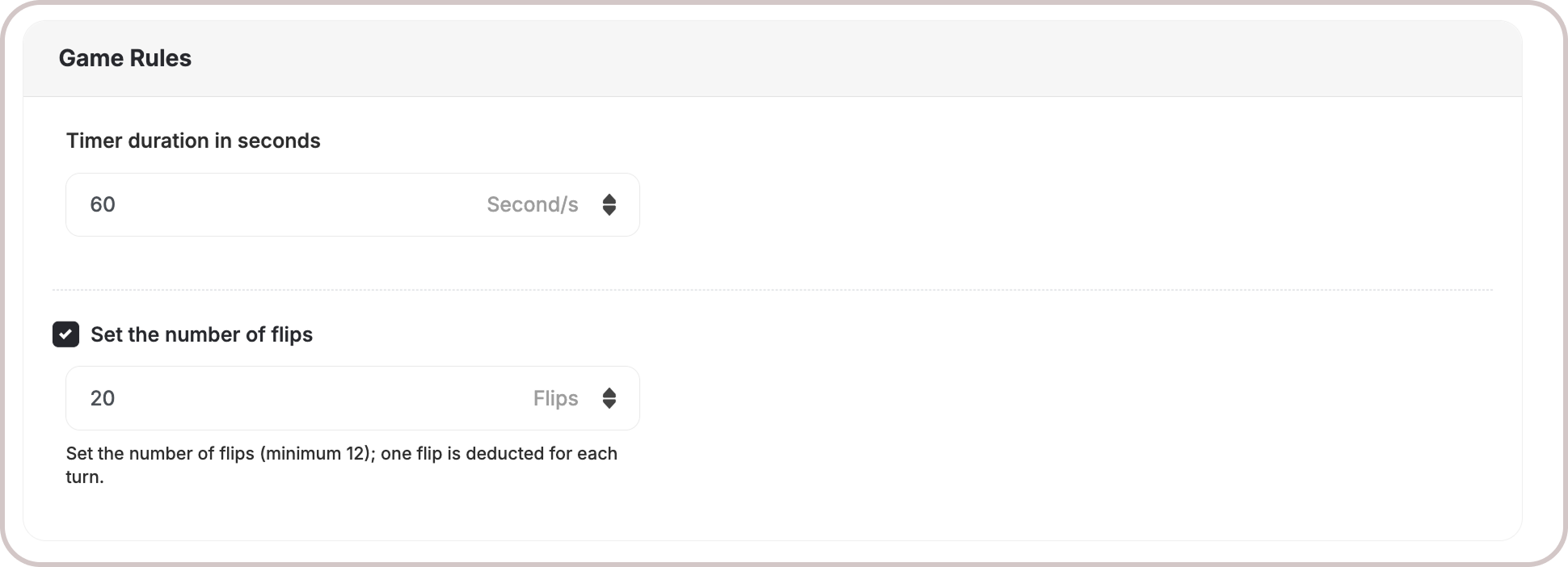 **Flips**
* To add difficulty, you can **limit the number of flips**. If flips run out before all matches are made, the user **loses** the game.
* The min number of flips accepted is 12 flips.
***
## How It Works for Customers
Customers tap cards to reveal hidden images.
Matching pairs leads to a win.
The game ends when all pairs are matched or time runs out.
The customer is notified via the widget or email, depending on your configuration when they earned a reward. [Learn more](/product-documentation/rewards-campaigns/start-from-scratch/setup-reward-campaign).
## Customization
**Design & Content**
You can fully customize each stage of the campaign through dedicated tabs representing the different screens in the flow:
* **Banner (For game-based campaigns)**
* **Intro / Main Screen**
* **Success Screen**
* **No Luck Screen**
* **Game General Rules Customizations:**
* **Time Duration**: Set how long each game lasts (e.g., 10s, 20s, 60s).
* **Number of Flips**: Choose how many lives a customer has (e.g., 20, 25, or unlimited).
* **Dashboard Controls**: Easily configure these settings in the game setup screen.
* **Default Values**: Existing defaults remain if no customization is made.
* **Tooltips**: Added help text explaining how time and lives impact gameplay.
For each screen, you can tailor the following elements:
* **Branding**: Adjust background colors, text colors, and upload custom artworks.
* **Content**: Edit the headlines, descriptions, and call-to-action messages to match your tone and messaging.
This allows you to create a fully branded, on-theme experience that aligns with your business identity.
**Flips**
* To add difficulty, you can **limit the number of flips**. If flips run out before all matches are made, the user **loses** the game.
* The min number of flips accepted is 12 flips.
***
## How It Works for Customers
Customers tap cards to reveal hidden images.
Matching pairs leads to a win.
The game ends when all pairs are matched or time runs out.
The customer is notified via the widget or email, depending on your configuration when they earned a reward. [Learn more](/product-documentation/rewards-campaigns/start-from-scratch/setup-reward-campaign).
## Customization
**Design & Content**
You can fully customize each stage of the campaign through dedicated tabs representing the different screens in the flow:
* **Banner (For game-based campaigns)**
* **Intro / Main Screen**
* **Success Screen**
* **No Luck Screen**
* **Game General Rules Customizations:**
* **Time Duration**: Set how long each game lasts (e.g., 10s, 20s, 60s).
* **Number of Flips**: Choose how many lives a customer has (e.g., 20, 25, or unlimited).
* **Dashboard Controls**: Easily configure these settings in the game setup screen.
* **Default Values**: Existing defaults remain if no customization is made.
* **Tooltips**: Added help text explaining how time and lives impact gameplay.
For each screen, you can tailor the following elements:
* **Branding**: Adjust background colors, text colors, and upload custom artworks.
* **Content**: Edit the headlines, descriptions, and call-to-action messages to match your tone and messaging.
This allows you to create a fully branded, on-theme experience that aligns with your business identity.
 ***
## Important Notes
**Customer Eligibility**
Games in the widget update dynamically based on customer eligibility, ensuring customers only see games they can still participate in.
**Games are hidden when customers become ineligible.**
If a customer no longer belongs to the game's target segment, the game is automatically removed from the widget and won't reappear unless eligibility is restored.
***
## Related Articles
Step-by-step guide to configuring any reward campaign.
Explore the different reward types you can offer customers.
Configure how customers are notified when they earn a reward.
***
## Important Notes
**Customer Eligibility**
Games in the widget update dynamically based on customer eligibility, ensuring customers only see games they can still participate in.
**Games are hidden when customers become ineligible.**
If a customer no longer belongs to the game's target segment, the game is automatically removed from the widget and won't reappear unless eligibility is restored.
***
## Related Articles
Step-by-step guide to configuring any reward campaign.
Explore the different reward types you can offer customers.
Configure how customers are notified when they earn a reward.