> ## Documentation Index
> Fetch the complete documentation index at: https://docs.gameball.co/llms.txt
> Use this file to discover all available pages before exploring further.
# How Do I Set Up Buy 3 Items from a Specific Collection?
> Reward customers who buy multiple items from a specific collection to promote product bundles and increase order value.
| Platform | Plan |
| ------------ | ------------------ |
| Shopify | Starter, Pro, Guru |
| Salla | Starter, Pro, Guru |
| Non-Platform | All Plans |
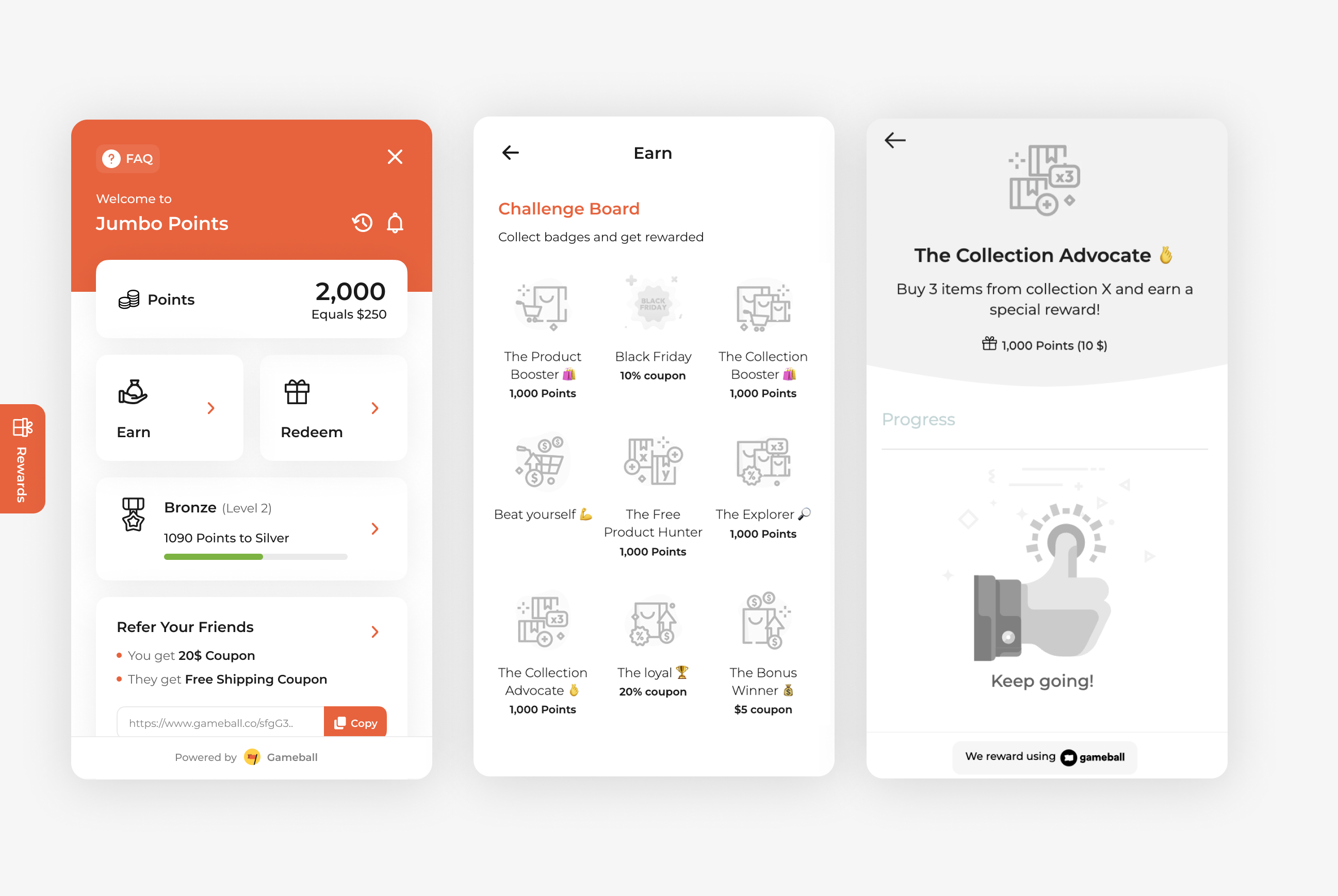
Drive deeper engagement with your product collections by rewarding customers who buy multiple items from a specific collection. The ***Buy 3 Items from a Specific Collection*** campaign is ideal for promoting seasonal ranges, product bundles, or themed collections, encouraging customers to add more items to their cart and increase their order value.
 ***
## How to Set Up
Log in to your Gameball Admin Dashboard.
Click **Add Reward Campaign**.
Select the **Buy 3 Items from a Specific Collection** template.
Configure your campaign's audience, rewards, and other settings.
Click **Set Live** to activate your campaign.
***
## Campaign Trigger
The campaign trigger is configured as follows:
1. **Action:** Place Order
2. **Times:** 1 *(Number of orders required with this condition)*
3. **Rule:**
* **Field:** Collection ID
* **Operator:** Repeated Value
* **Collection ID:** *Enter the target Collection ID*
* **Repeated Value Times:** 3 *(Customer must purchase 3 items from this collection)*
***
## How to Set Up
Log in to your Gameball Admin Dashboard.
Click **Add Reward Campaign**.
Select the **Buy 3 Items from a Specific Collection** template.
Configure your campaign's audience, rewards, and other settings.
Click **Set Live** to activate your campaign.
***
## Campaign Trigger
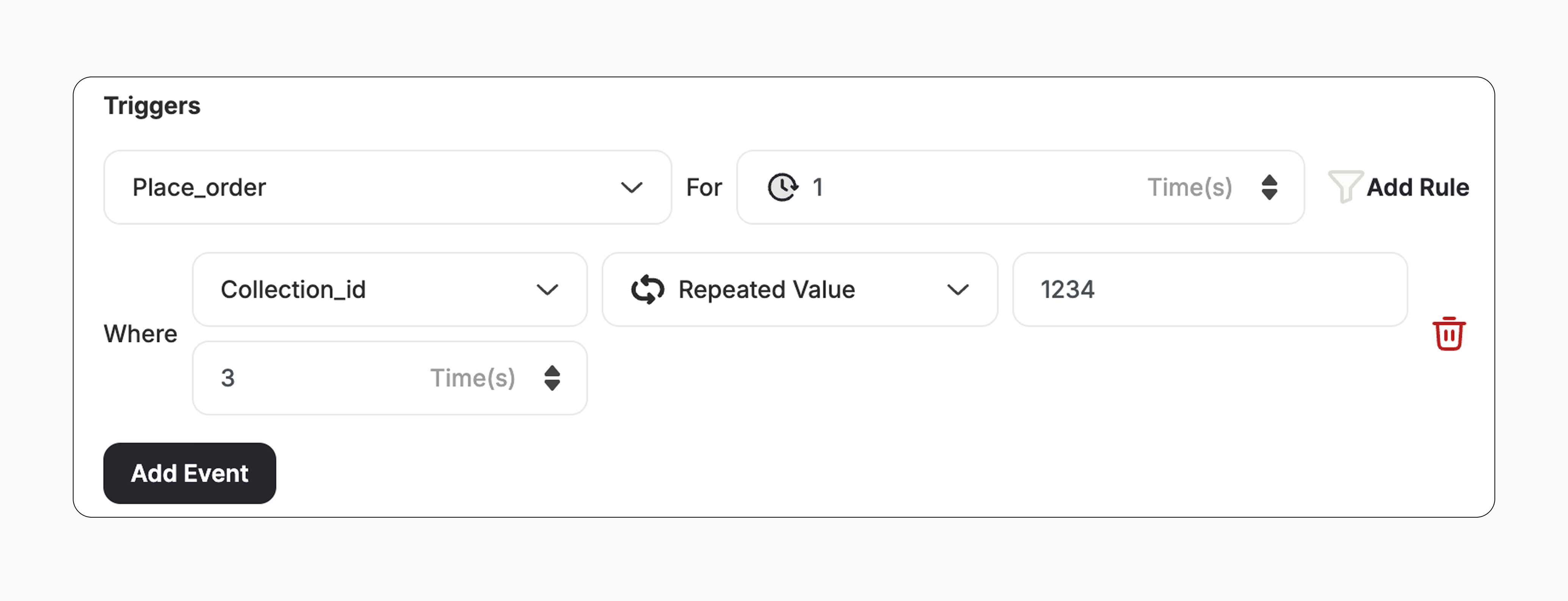
The campaign trigger is configured as follows:
1. **Action:** Place Order
2. **Times:** 1 *(Number of orders required with this condition)*
3. **Rule:**
* **Field:** Collection ID
* **Operator:** Repeated Value
* **Collection ID:** *Enter the target Collection ID*
* **Repeated Value Times:** 3 *(Customer must purchase 3 items from this collection)*
 This template uses the standard reward campaign setup. See the [Generic Setup Guide](/product-documentation/rewards-campaigns/start-from-scratch/setup-reward-campaign) for details.
***
## How It Works for Customers
A customer places an order that includes **three items from the same collection**.
Gameball automatically triggers the reward.
The customer receives the reward immediately (points, discount, badge — based on your setup).
The customer is notified via the widget or email, depending on your configuration. [Learn more](/product-documentation/rewards-campaigns/start-from-scratch/setup-reward-campaign)
***
## Important Notes
**Same Collection Requirement**
All three items must belong to the **same configured collection** to trigger the reward.
***
## Related Articles
Learn the full setup process for creating and launching reward campaigns.
Explore the different reward types available in Gameball campaigns.
Configure how customers are notified when they earn a reward.
This template uses the standard reward campaign setup. See the [Generic Setup Guide](/product-documentation/rewards-campaigns/start-from-scratch/setup-reward-campaign) for details.
***
## How It Works for Customers
A customer places an order that includes **three items from the same collection**.
Gameball automatically triggers the reward.
The customer receives the reward immediately (points, discount, badge — based on your setup).
The customer is notified via the widget or email, depending on your configuration. [Learn more](/product-documentation/rewards-campaigns/start-from-scratch/setup-reward-campaign)
***
## Important Notes
**Same Collection Requirement**
All three items must belong to the **same configured collection** to trigger the reward.
***
## Related Articles
Learn the full setup process for creating and launching reward campaigns.
Explore the different reward types available in Gameball campaigns.
Configure how customers are notified when they earn a reward.