> ## Documentation Index
> Fetch the complete documentation index at: https://docs.gameball.co/llms.txt
> Use this file to discover all available pages before exploring further.
# Leaderboard
> Display customer rankings and achievements using the Leaderboard API
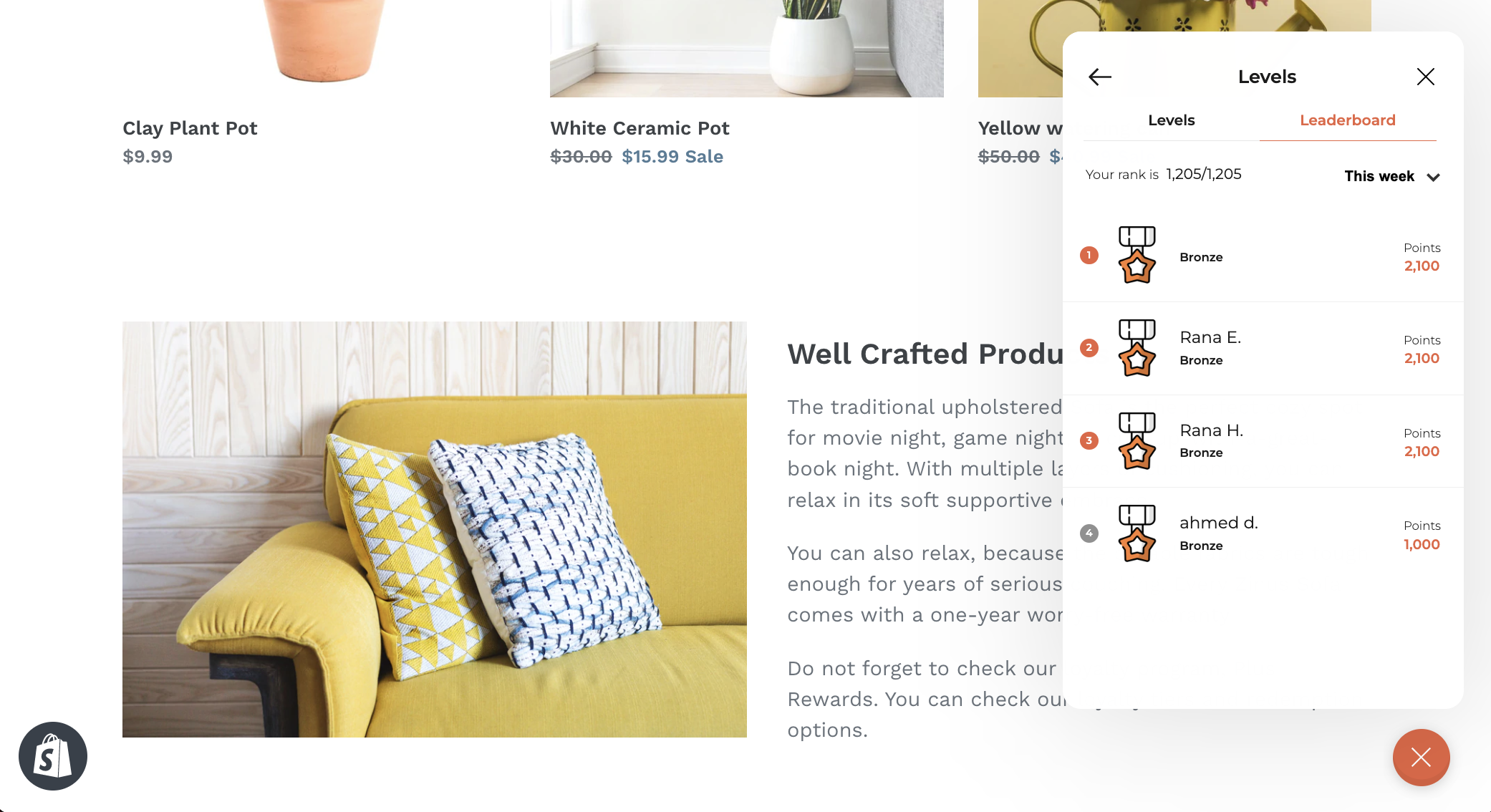
A well-designed leaderboard can drive engagement by showcasing customer rankings, progress, and achievements. By using the [Leaderboard API](/api-reference/leaderboard/customer-leaderboard), you can create a dynamic and interactive leaderboard that highlights top-performing customers and keeps everyone motivated to level up.
## Response Example
```json theme={null}
{
"leaderboard": [
{
"displayName": "John Doe",
"customerId": "cust_12345",
"progress": 2500,
"rank": 1,
"tierName": "Gold",
"tierIcon": "https://cdn.gameball.co/uploads/gb-library/levels-icons/level-a1.webp"
},
{
"displayName": "Jane Smith",
"customerId": "cust_67890",
"progress": 1800,
"rank": 2,
"tierName": "Silver",
"tierIcon": "https://cdn.gameball.co/uploads/gb-library/levels-icons/level-a2.webp"
}
],
"customerRank": 1,
"customersCount": 100
}
```
## Display Ideas
Display a ranked list of customers with:
* **Display Name**: Show customer names prominently
* **Rank**: Indicate their rank in the leaderboard
* **Progress**: Highlight points or progress contributing to their rank
Provide a personalized section for the logged-in customer:
* Highlight their rank, progress, and tier information
* Mention the total number of customers participating (e.g., "Rank 1 out of 100")
Display each customer's tier using their `tierIcon` alongside their name and rank for instant visual recognition
Allow filtering options for customers to explore leaderboard results by specific time frames (today, last month, all-time)
 ## Filtering Leaderboard by Time Frame
**Today's leaderboard:**
```http theme={null}
GET /api/v4.0/integrations/leaderboard?from=2024-11-24 00:00
```
**Last month's leaderboard:**
```http theme={null}
GET /api/v4.0/integrations/leaderboard?from=2024-10-01 00:00&to=2024-10-31 23:59
```
**All-time leaderboard:** (No filters required)
```http theme={null}
GET /api/v4.0/integrations/leaderboard
```
**Specific customer rank within a time frame:**
```http theme={null}
GET /api/v4.0/integrations/leaderboard?from=2024-10-01 00:00&to=2024-10-31 23:59&playerUniqueId=player456
```
***
## Related Resources
Fetch customer leaderboard rankings and progress
Back to Build Your Own UI overview
## Filtering Leaderboard by Time Frame
**Today's leaderboard:**
```http theme={null}
GET /api/v4.0/integrations/leaderboard?from=2024-11-24 00:00
```
**Last month's leaderboard:**
```http theme={null}
GET /api/v4.0/integrations/leaderboard?from=2024-10-01 00:00&to=2024-10-31 23:59
```
**All-time leaderboard:** (No filters required)
```http theme={null}
GET /api/v4.0/integrations/leaderboard
```
**Specific customer rank within a time frame:**
```http theme={null}
GET /api/v4.0/integrations/leaderboard?from=2024-10-01 00:00&to=2024-10-31 23:59&playerUniqueId=player456
```
***
## Related Resources
Fetch customer leaderboard rankings and progress
Back to Build Your Own UI overview