

The maximum number of tags that can be created is 15 tags.
How to Create Customer Tags
The following steps are also what you need to completely remove or delete a tag.
1
Navigate to Customer Tags
On your Gameball dashboard, go to Settings > Admin Settings > Customer Tags.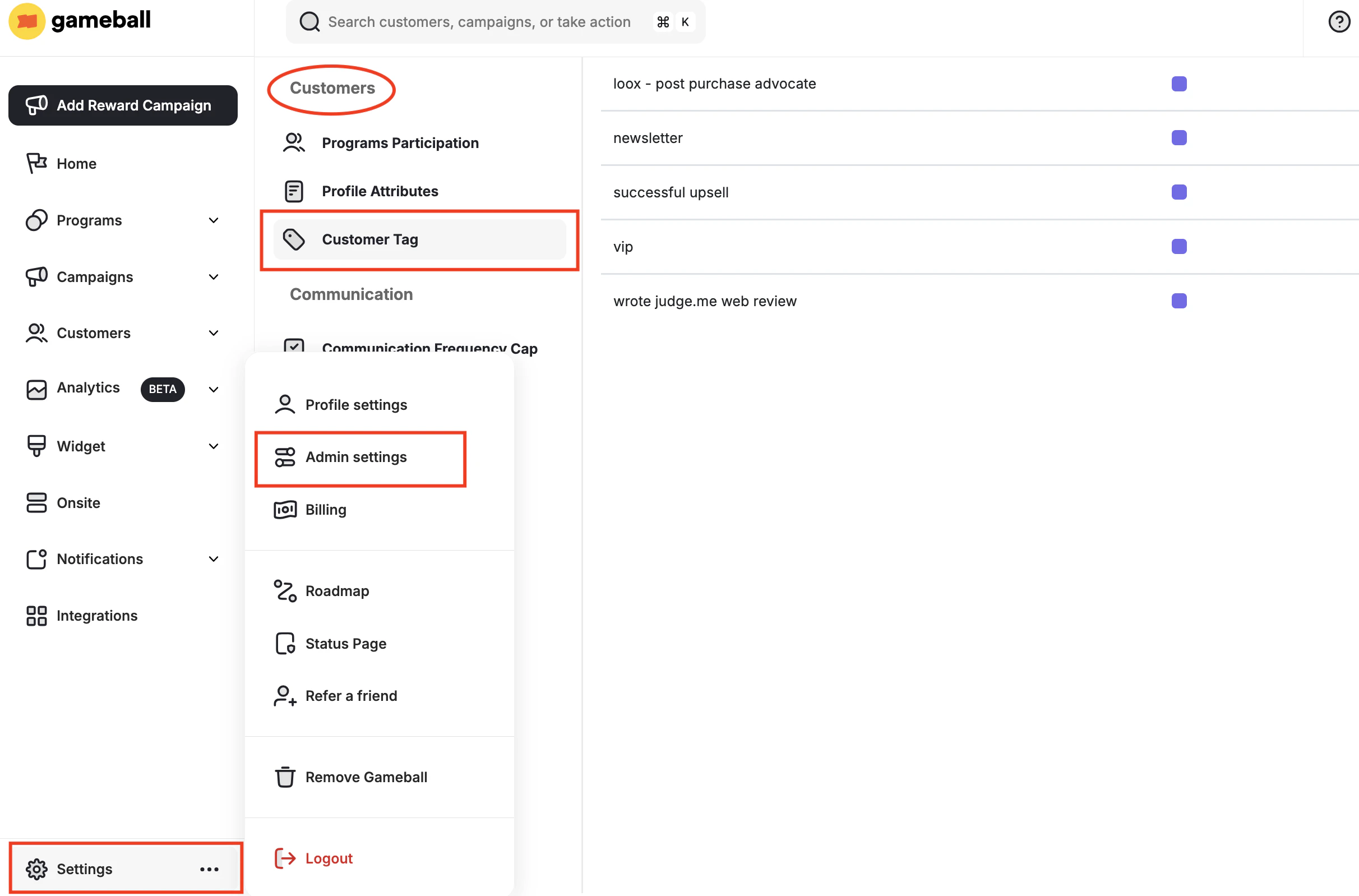
2
Create a new tag
On the top right of the page, click Create New Tag.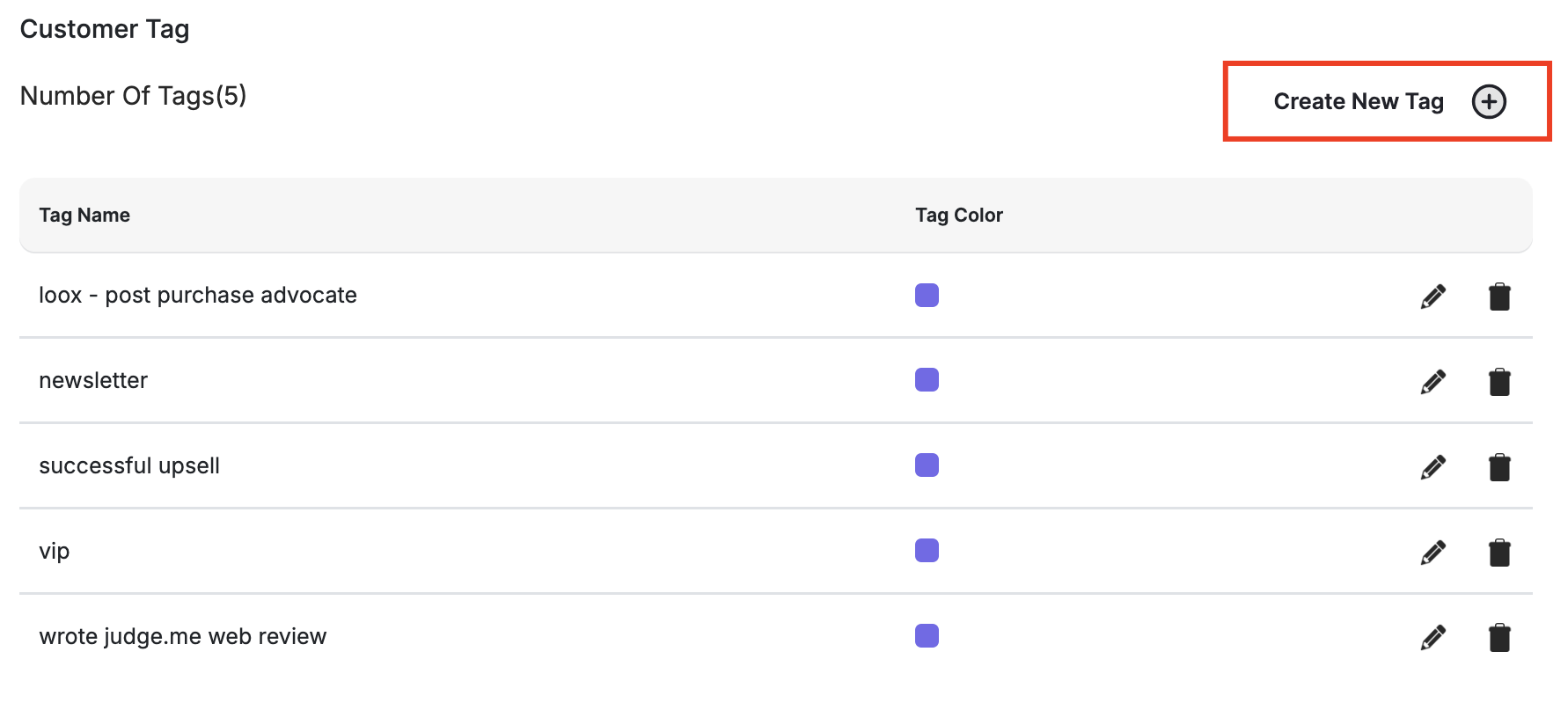
3
Configure and save the tag
Add the tag name and choose the tag color, then click Create.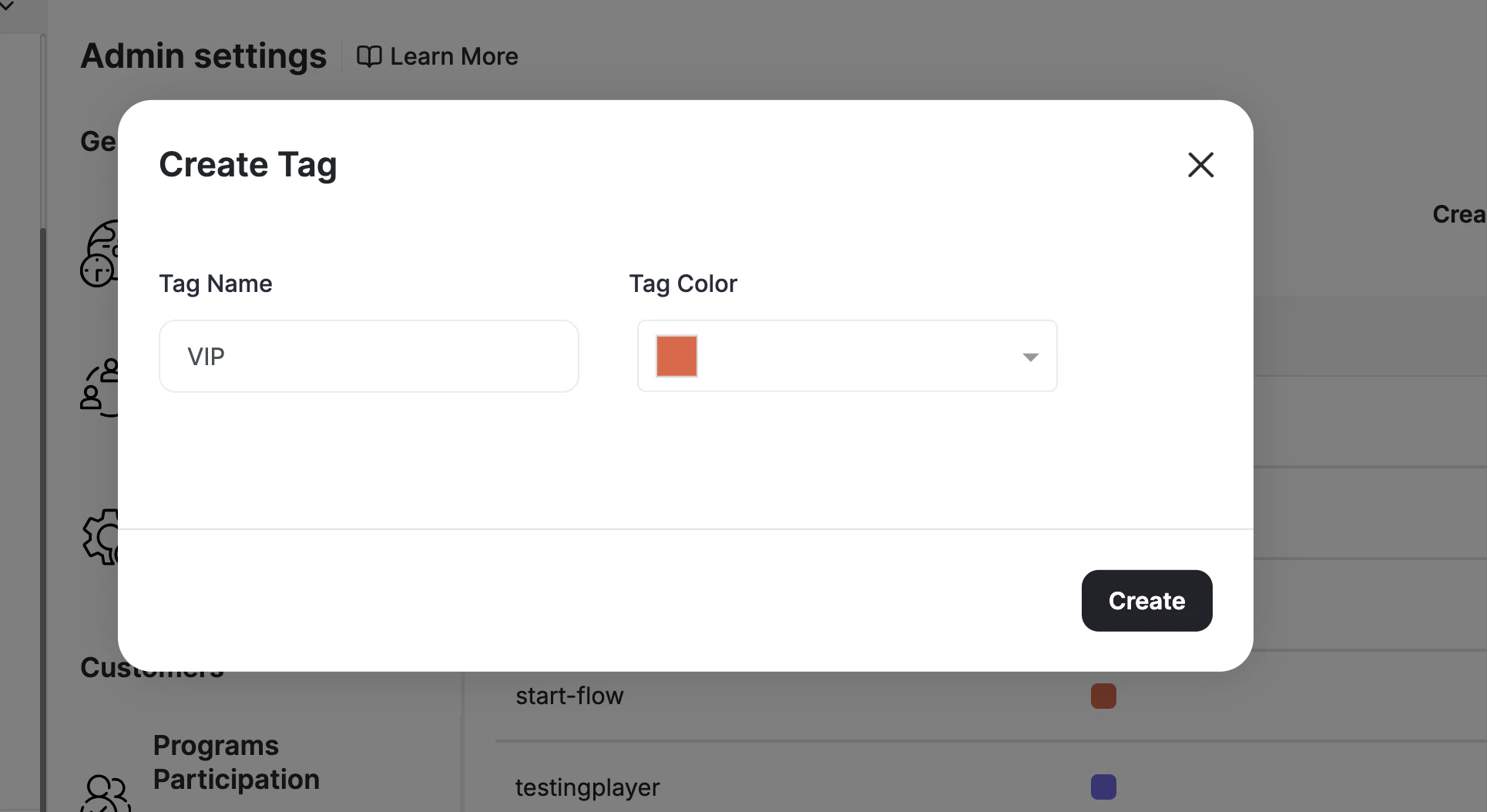
How to Tag Your Customers
- Manual Tagging (Single)
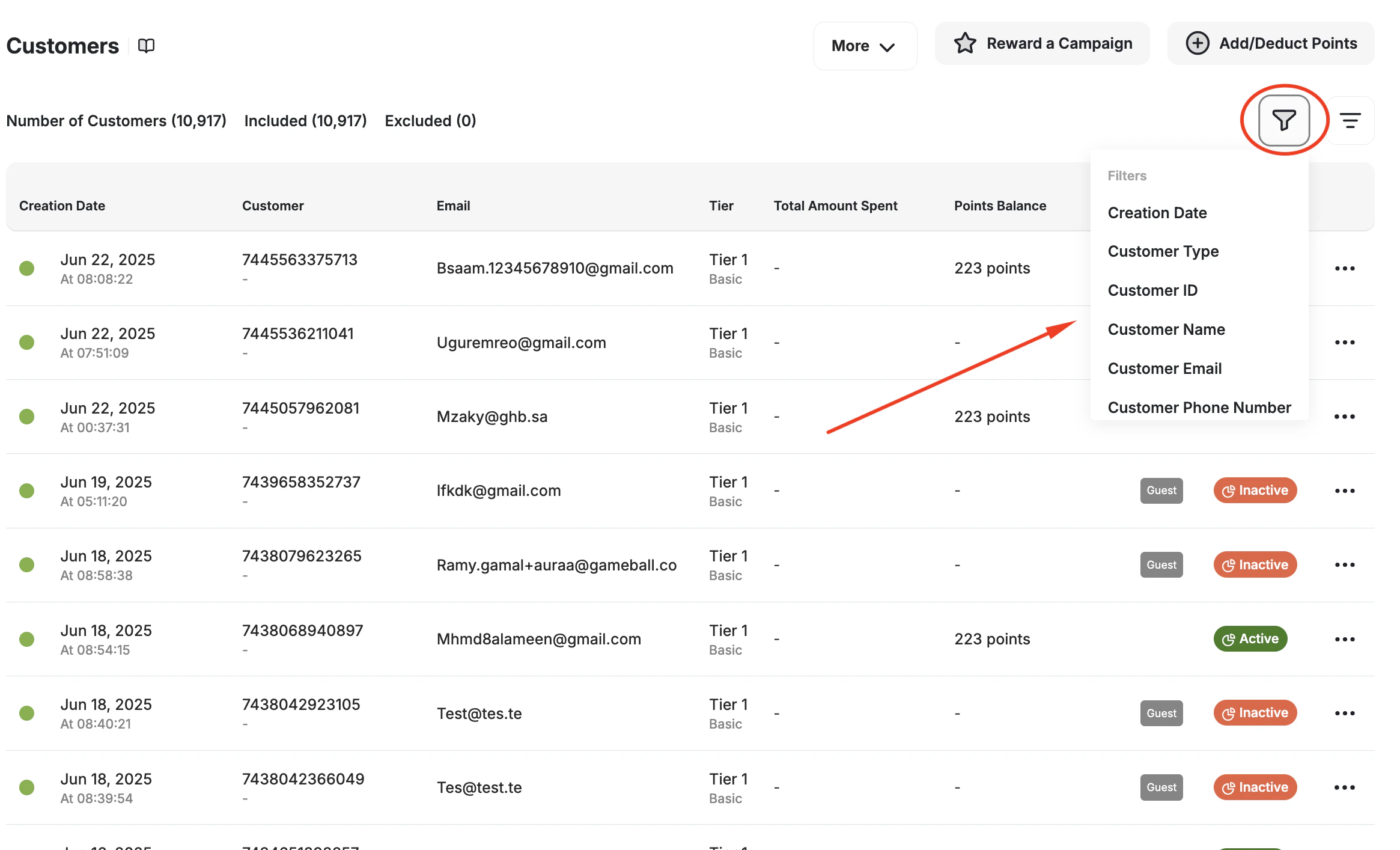
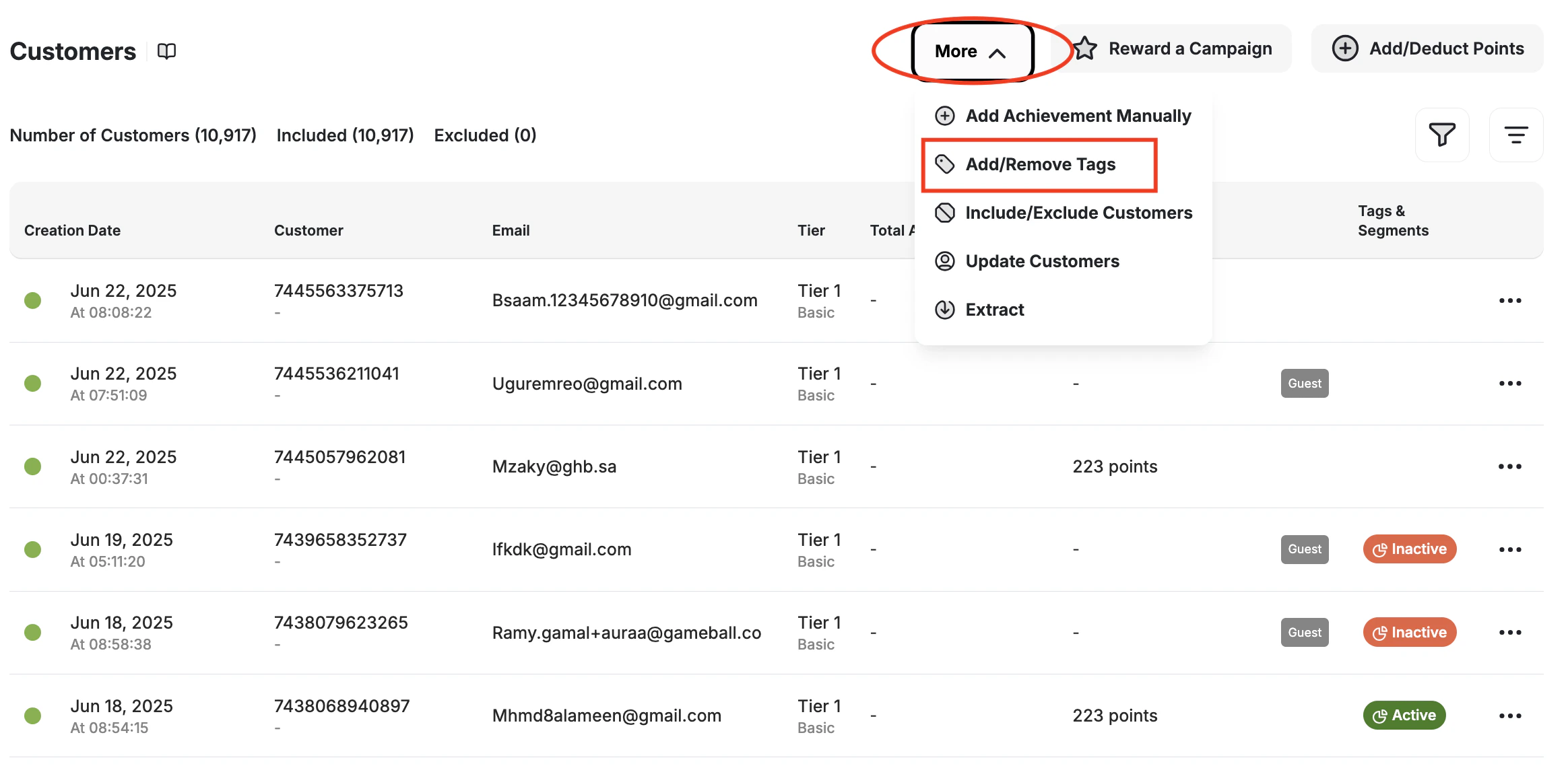
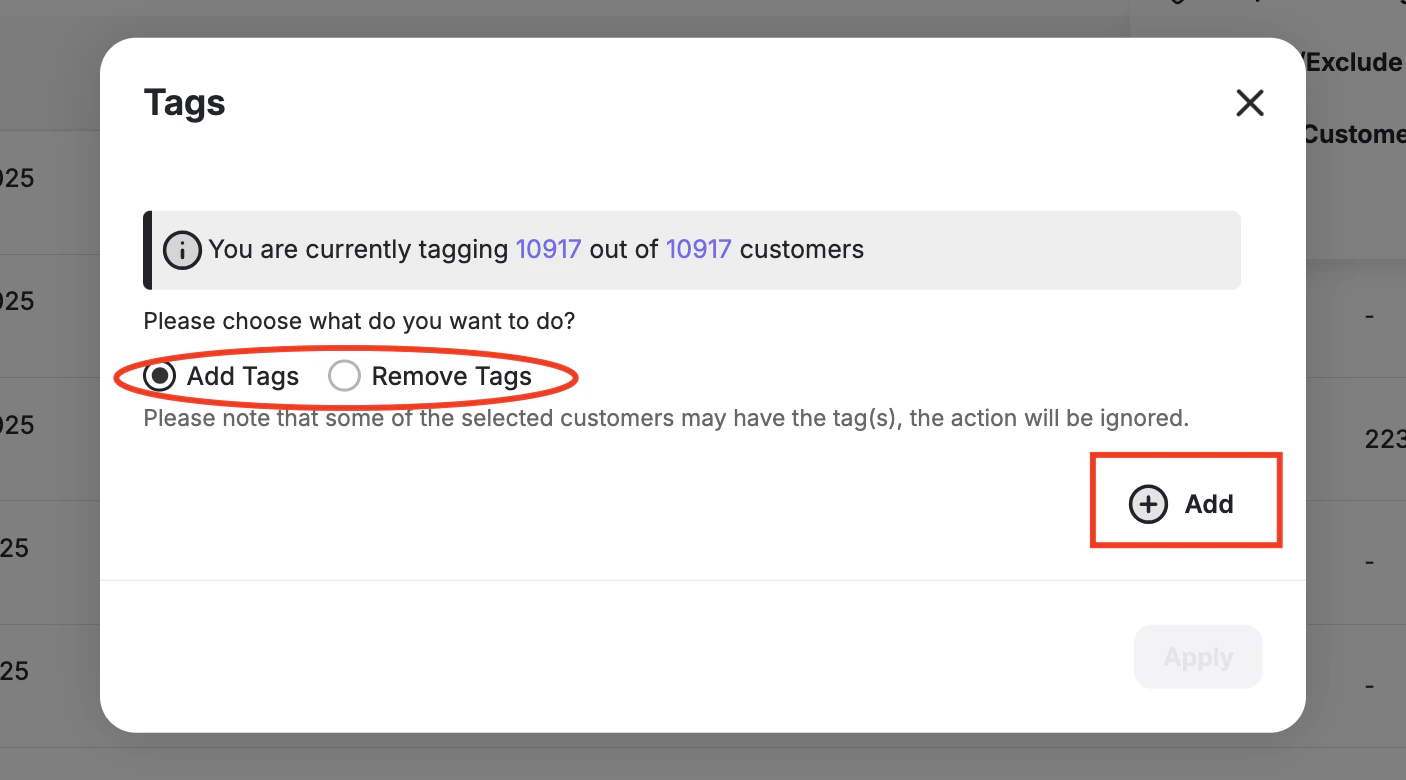
- Bulk Tagging (Group)
- API Tagging
The following steps are also what you need to remove tags from a customer.
1
Open a customer profile
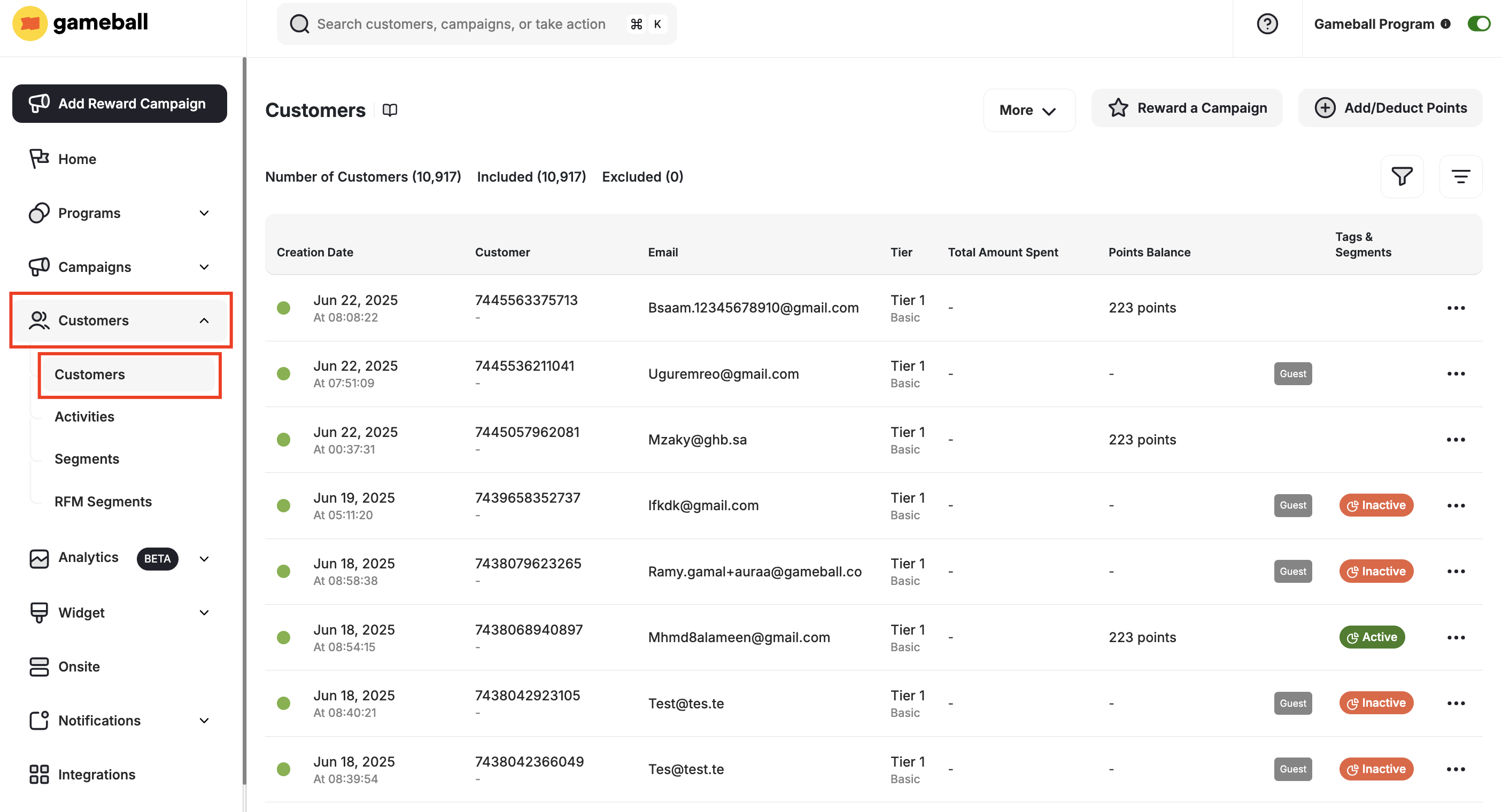
On your Gameball dashboard, go to Customers, then open any customer page.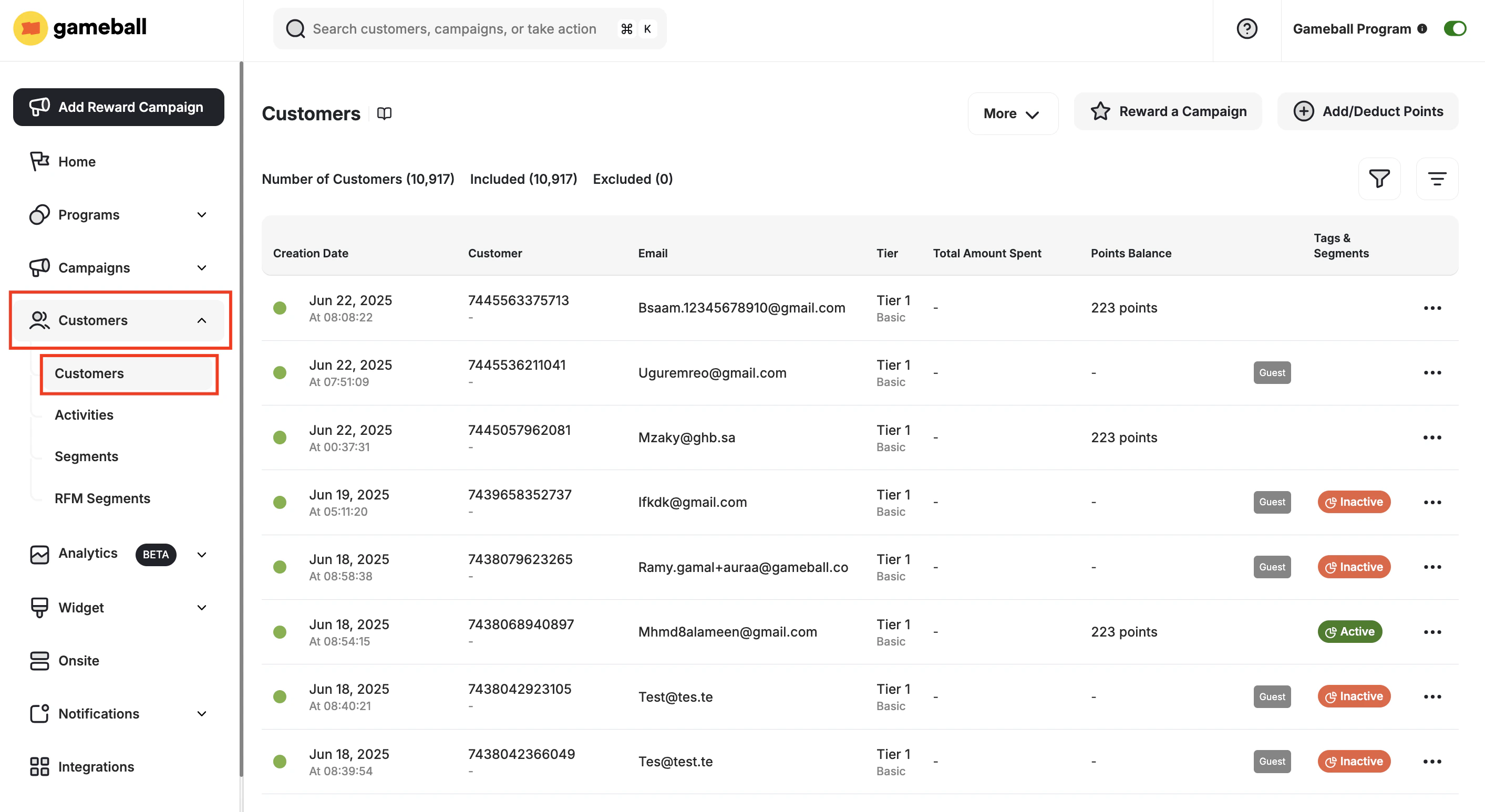
2
Add a tag
Under the Segments section, beside Tags, click on +Add.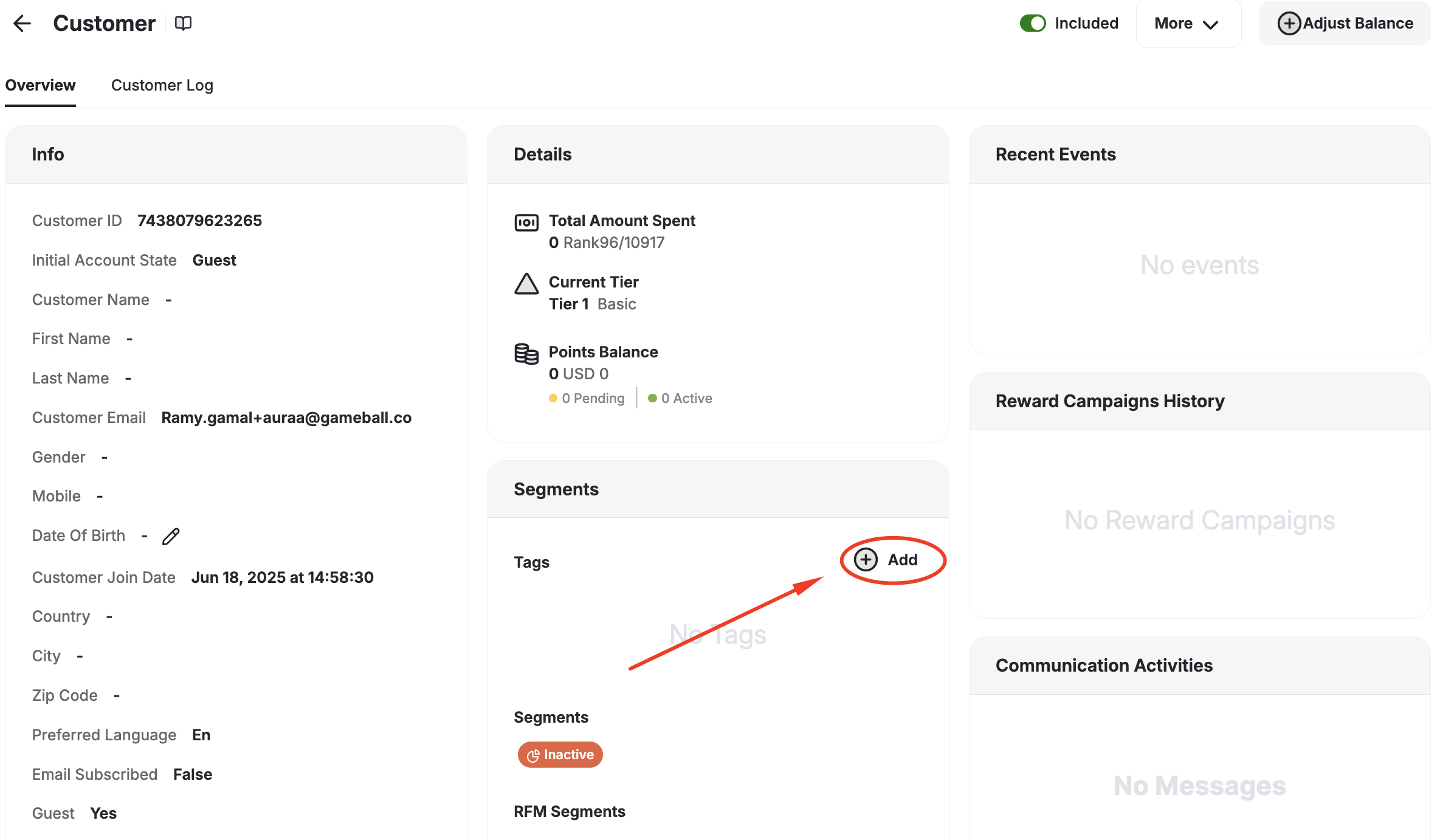
3
Select the tag
Search for the available tags and assign the tag to the customer.
This is also where you remove a tag from a customer.
What is Next?
Configure Rewards by Tags
Configure different rewards through reward campaigns for your customers based on tags.
Shopify Tag Sync
Customer tags automatically sync with Gameball customers’ tags on Shopify.