

With Gameball’s couponing engine, you can manually create unique coupons to reward your customers or drive specific business objectives. This article walks you through accessing the coupon creation feature and setting up a coupon manually.
Accessing the Coupon Creation Feature
1
Log in
Log in to your Gameball Dashboard.
2
Navigate
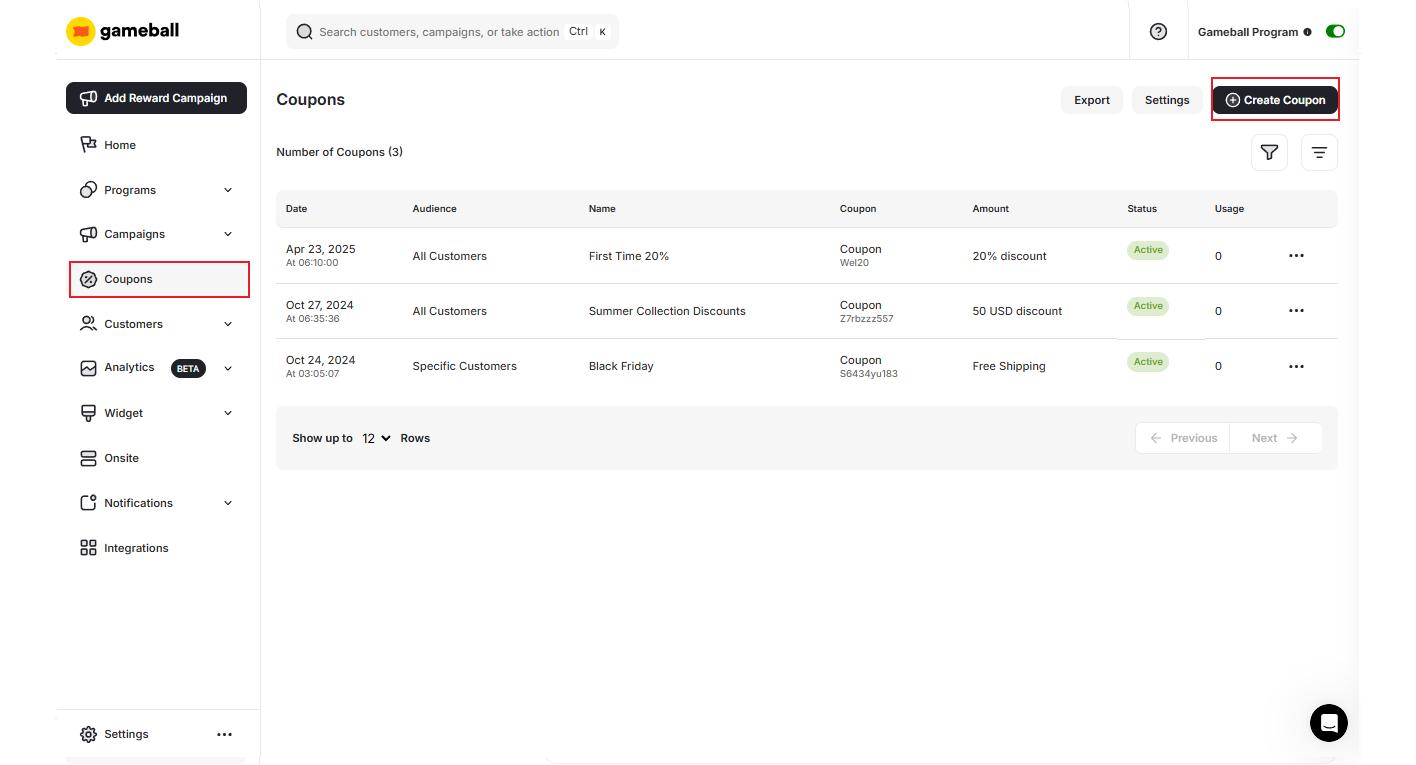
From the left-side menu, navigate to Coupons.
3
Create
Click on the Create Coupon button at the top of the page.
How to Create a New Coupon
1
Choose the Coupon Type
Define the type of coupon you want to create: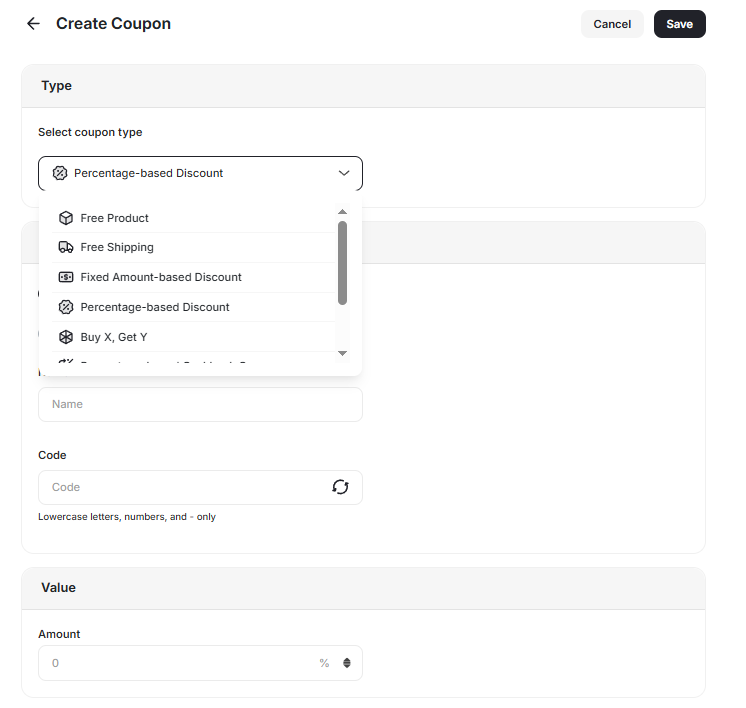
- Free Product
- Free Shipping
- Fixed Amount-Based Discount (e.g., $10 off)
- Percentage Amount-Based Discount (e.g., 15% off)
- Buy X Get Y (for automatically applied coupons only)
- Percentage-Based Cashback
- Fixed Amount-Based Cashback
- Percentage Amount-Based Fees Discount
2
Add the Coupon Details
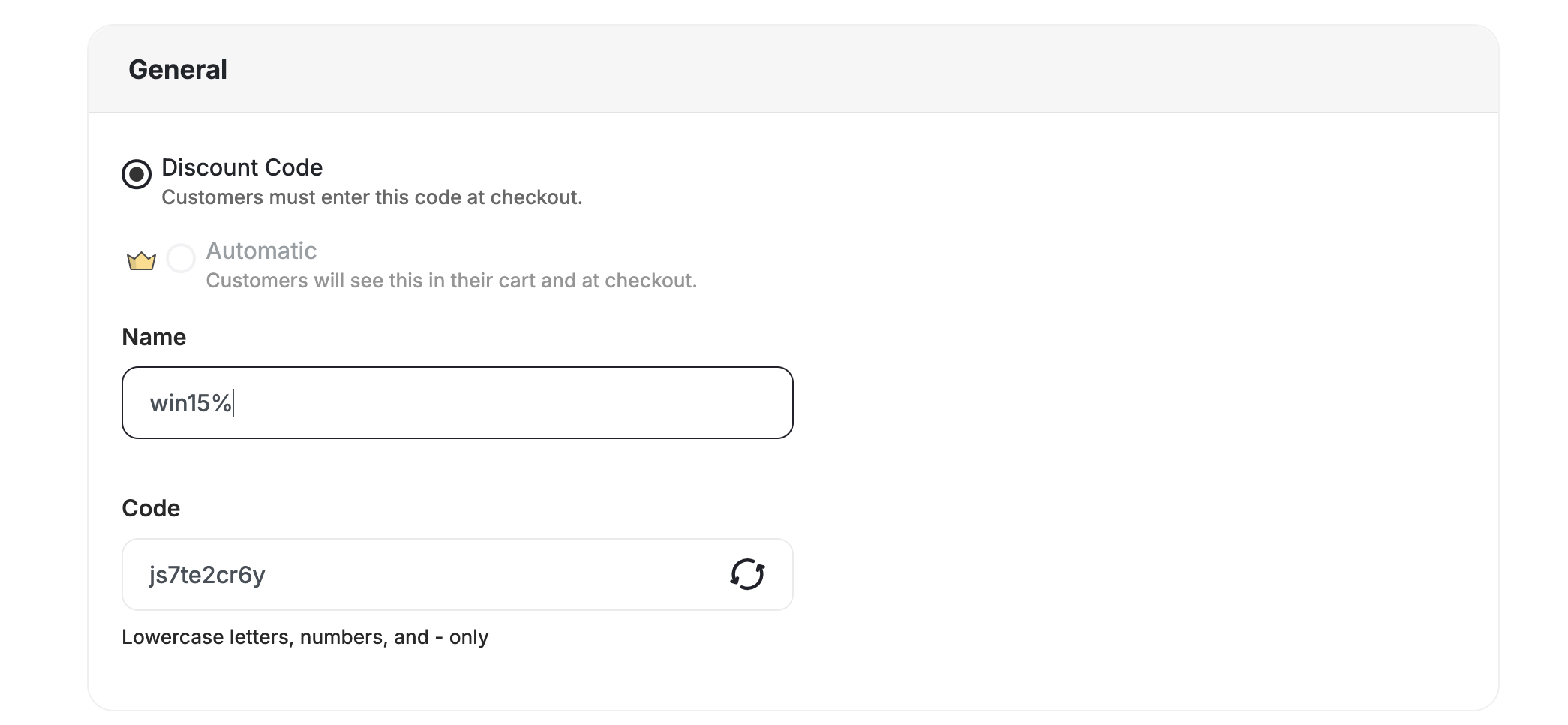
- Set how the coupon will be applied: Choose between Discount Code or Automatic.
- Discount Code: A code shared with customers to use at checkout.
- Automatic: A discount applied automatically once the customer qualifies.
- Internal Name: Provide a unique name for your coupon for better monitoring on the dashboard.
- Coupon Code: Manually enter a code or allow Gameball to auto-generate it.
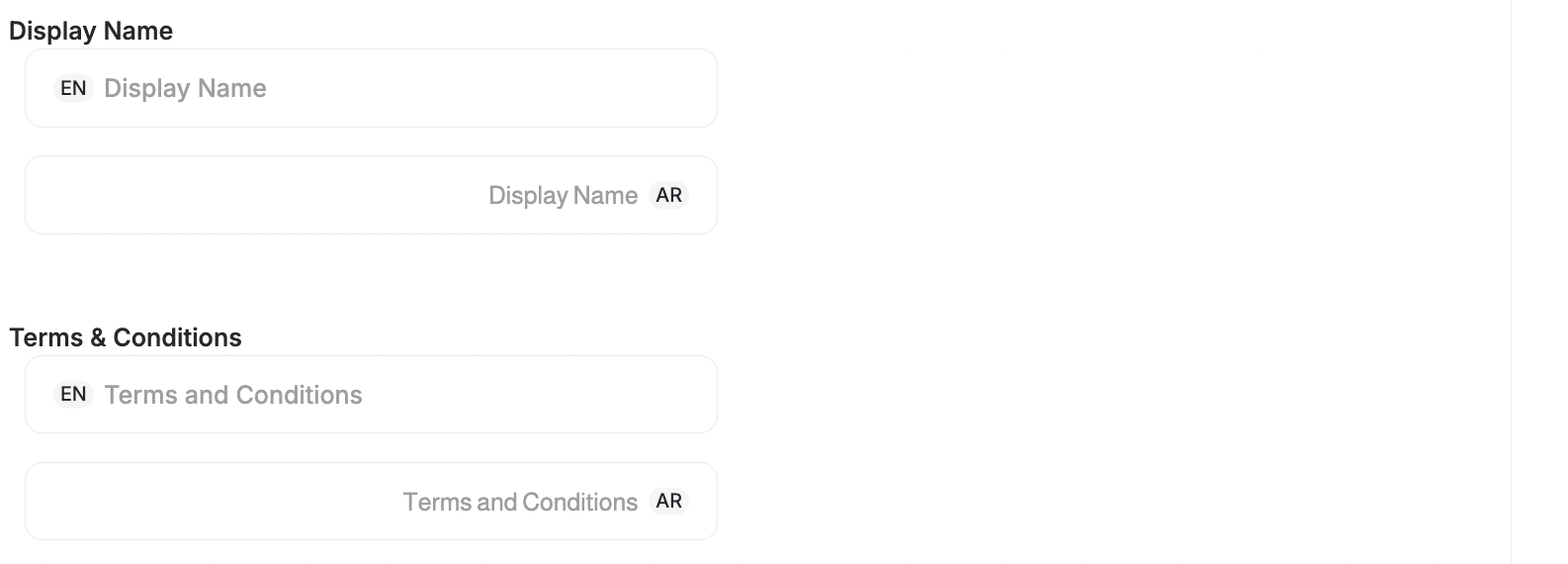
- External Name: Customers see the localized display name in their widget, emails, and web messages.
- Terms & Conditions: Add localized Terms & Conditions for manual coupons to clearly communicate coupon rules and usage limits in each customer’s preferred language.
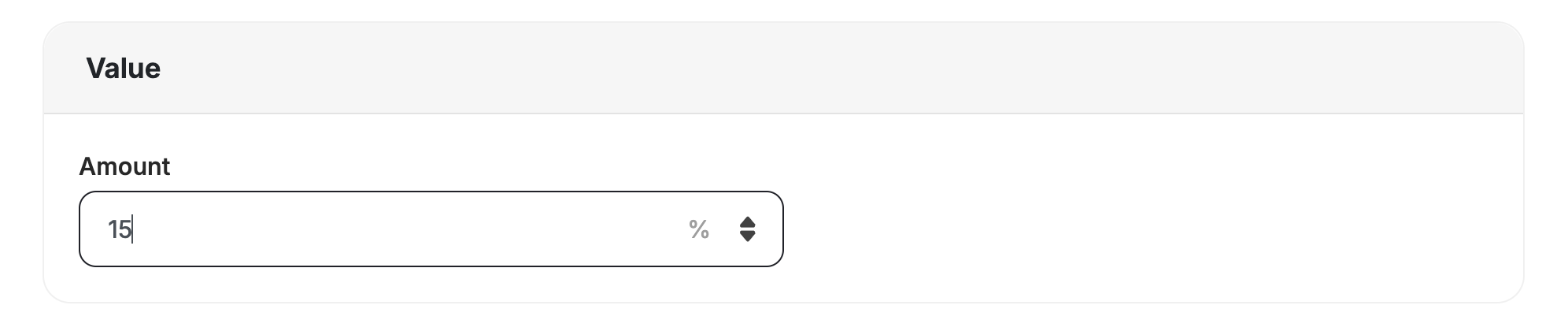
- Coupon Value: Enter the value based on the type chosen.
- Minimum Purchase Amount: Define the minimum amount required for the coupon to apply.
- Applies To: Choose which orders or items the coupon applies to.
When Specific Rule is selected, configure one or more of the following:Cart level (applies to the whole cart):
- Merchants — limit to specific merchants
- Branch — limit to a specific branch
- Collection — limit to items in a specific collection
- Category — limit to items in a specific category
- Products — limit to specific products
General notes on “Display Name” and “Terms & Conditions”:
- Supports multiple languages, matching your widget’s configured languages.
- Customer-Facing Experience: Customers see the localized display name in their widget, emails, and web messages. If no translation exists for a customer’s language, the default language name is shown instead.
- API Updates:
displayNameis included in coupon API responses as a multi-language object (key-value pairs). No breaking changes for existing API integrations. - Terms & Conditions Field: A dedicated “Terms & Conditions” section is available when creating or editing manual coupons. The coupon API includes a
termsAndConditionsobject containing multilingual key-value pairs with no impact on existing coupon API consumers.
How to distinguish regular coupons from automatic promotions
The Customer Coupons API makes it easier to distinguish automatic promotions from regular coupons and to display promotion rules that define how customers qualify for each offer:"isPromotion": false— Regular or manually issued coupon."isPromotion": true— Promotion or rule-based discount (e.g., “Buy 2 Get 1 Free”, “50% Off Collection”).
promotionRules object provides promotion details:3
Choose the Audience
Select the target audience for the coupon: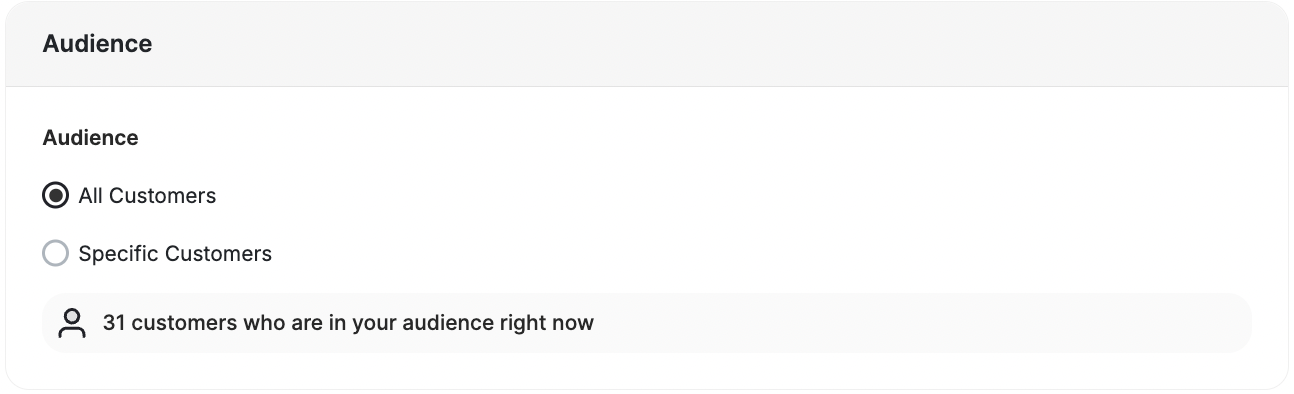
- All Customers: The coupon is accessible to all customers.
- Specific Customers: Target specific customer groups using:
- Segments: Based on predefined customer behaviors.
- RFM Segments: Utilizing Recency, Frequency, and Monetary metrics.
- Tags: Assign tags to filter customers.
- Customer Attributes: Filter by Customer ID or Customer Email.
4
Configure Advanced Options (if needed)
Add optional configurations to customize the coupon further: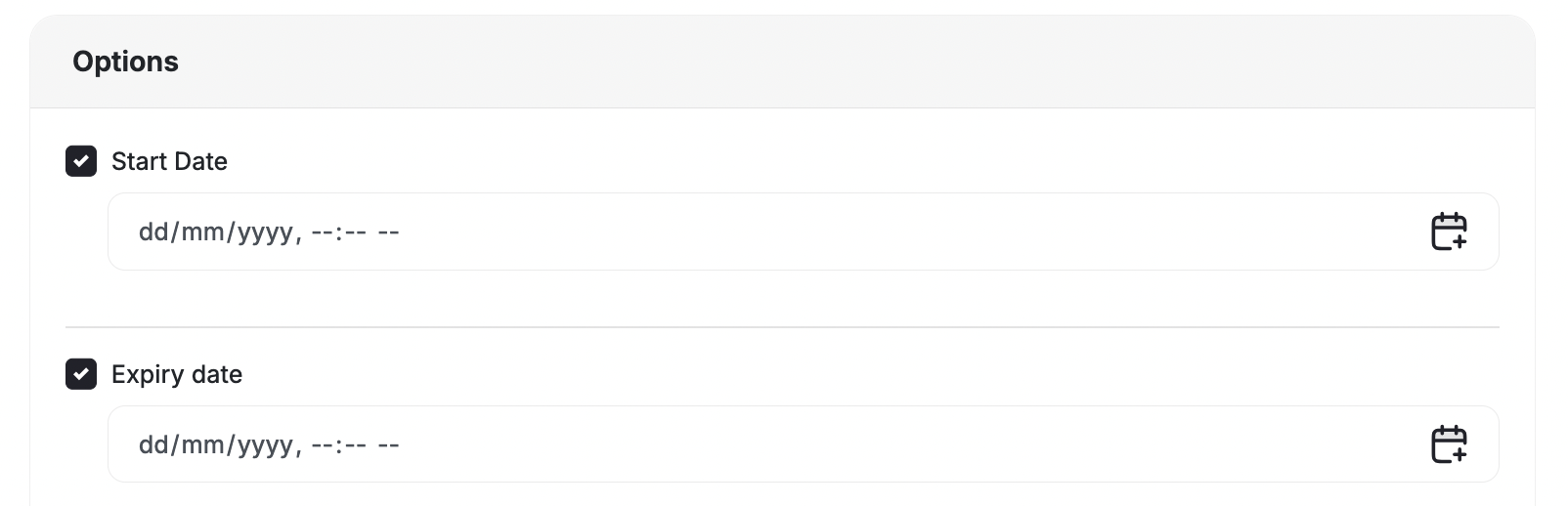
5
Save the Coupon
Once all details have been added, click the Save button to finalize your coupon.
Manage Your Coupons Efficiently
Edit Each Coupon
Click the three-dot icon beside any coupon to access management shortcuts: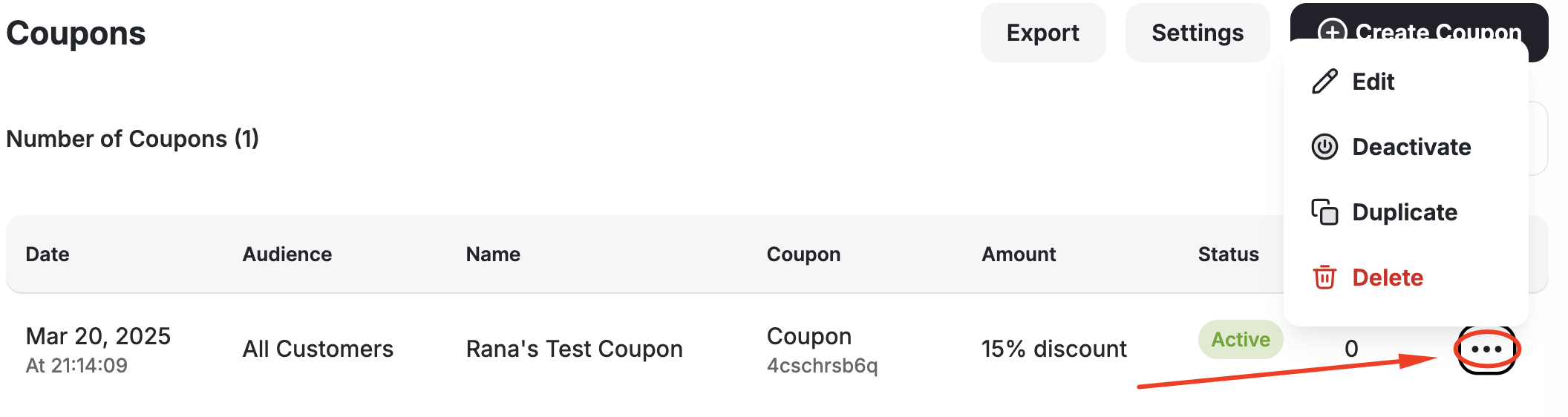
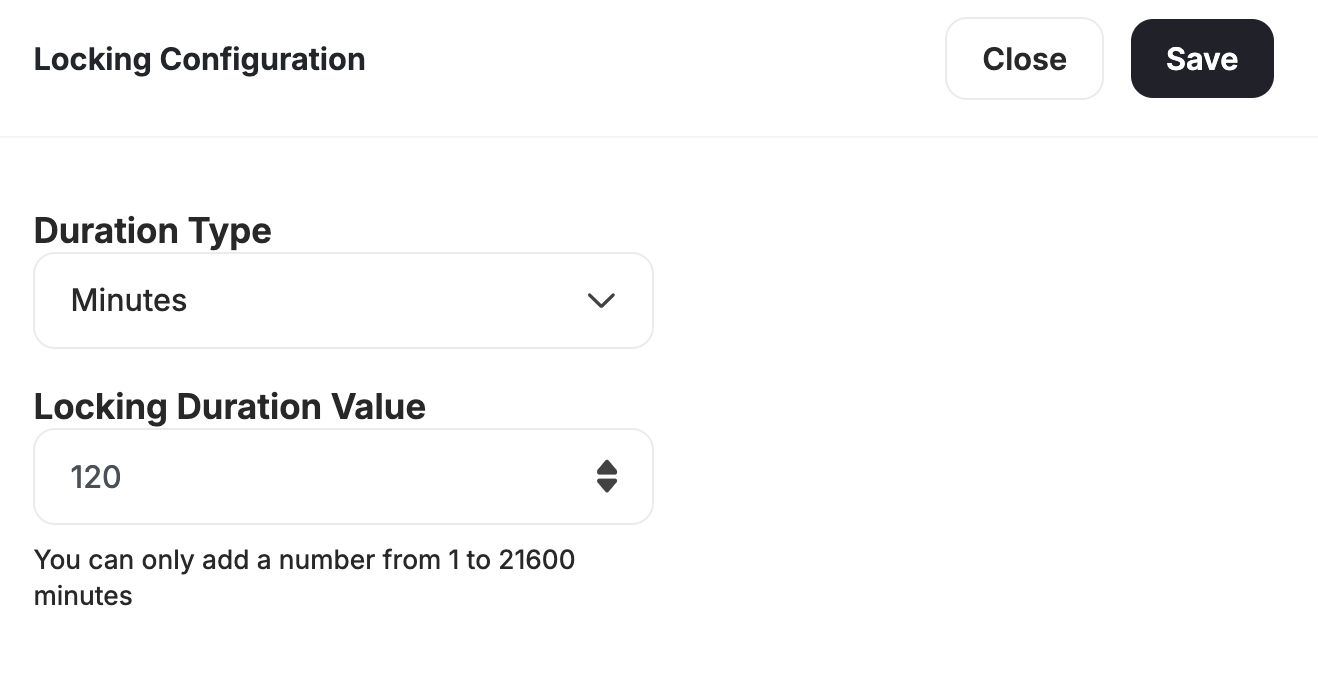
Configure Locking Coupon Duration
To set the duration during which coupons should be locked before they are usable, click Settings on the top right of the page.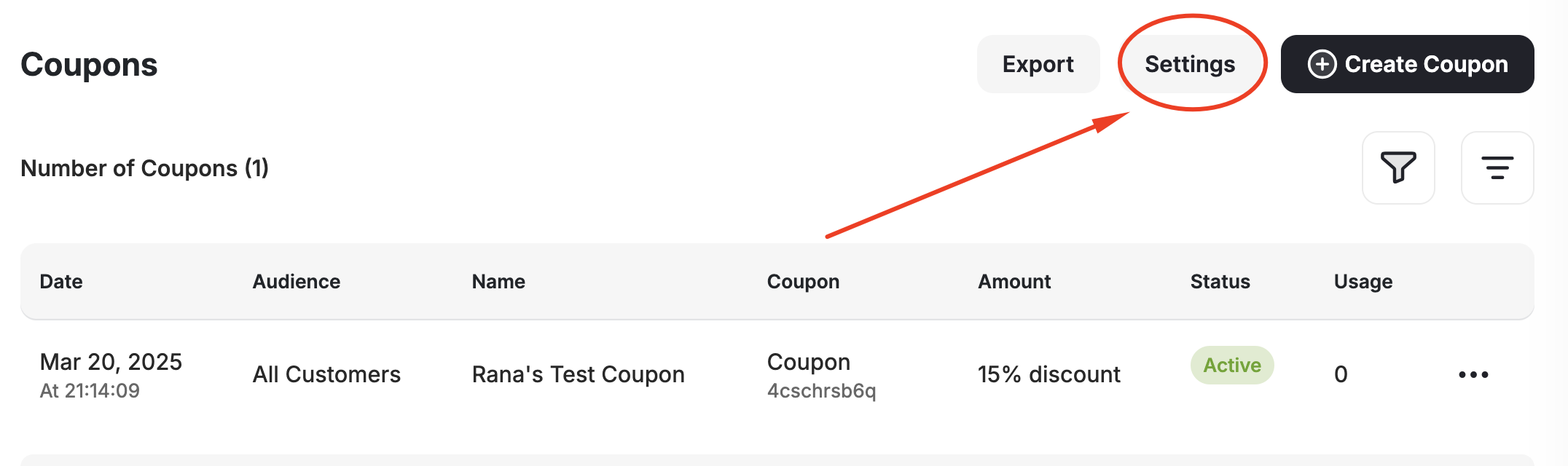
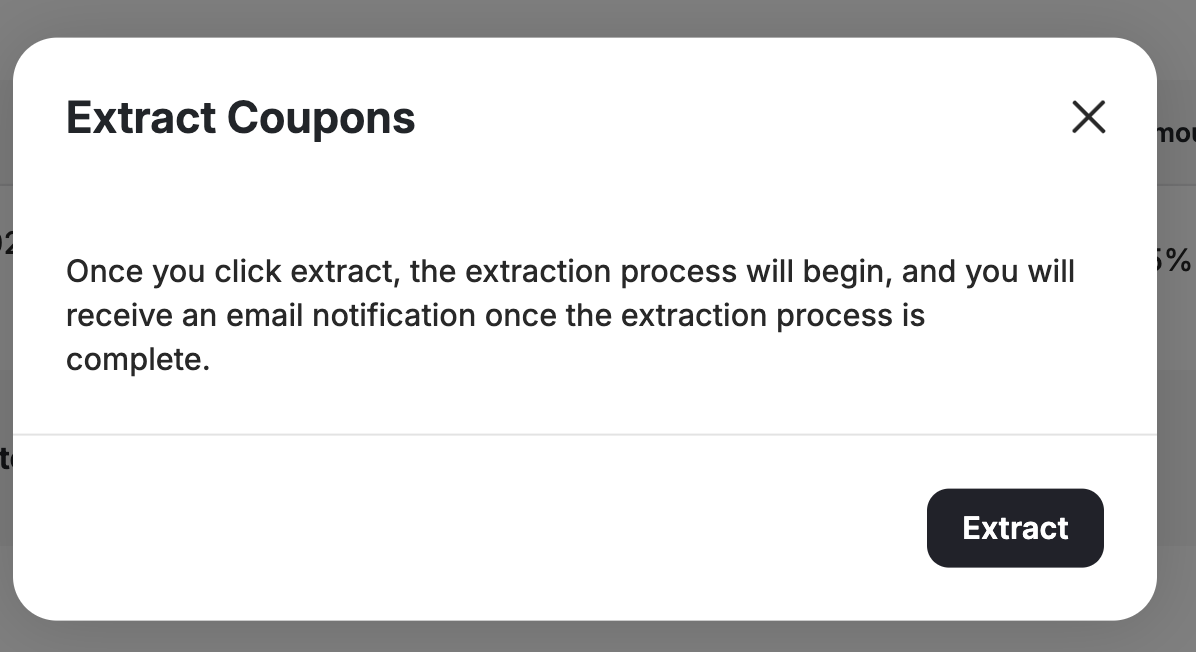
Export Created Coupons
Click Export, then Extract.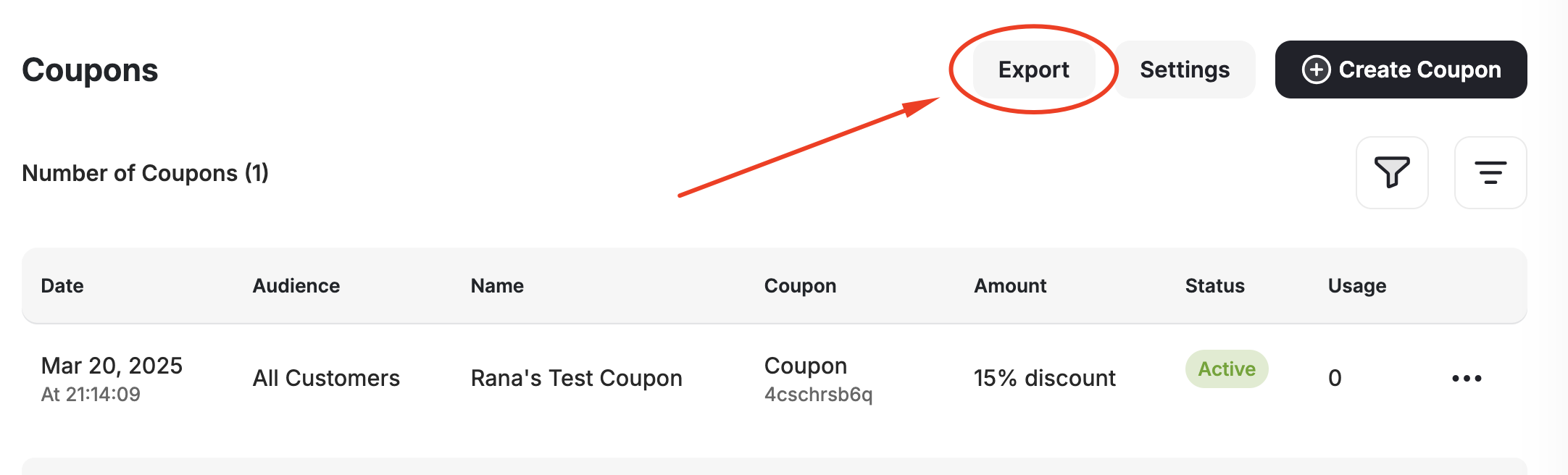
Related Articles
Introduction to Coupon Engine
Learn about all the capabilities of Gameball’s couponing engine.
Request a Coupon Creation
Request coupon creation from your couponing engine via API.