

Segmentation is one of the most impactful tools you can use to personalize your marketing efforts and increase return on investment (ROI). With Gameball’s segmentation feature, you can identify and act on specific customer behaviors, interests, and engagement levels to optimize your communication and retention tactics.
Targeting the mass market without distinction is no longer an effective approach. Instead, focusing on well-defined customer segments allows you to deliver the right message to the right audience.
Customer Segments and Tactics
Gameball enables you to identify and engage with multiple customer segments. Below are four common and highly valuable segments, along with tactics to improve their engagement:The Champions (VIP Customers)
Identify Bases for Segmentation
A VIP customer could be someone who:- Made a purchase within the last 30 days
- Spent over $5,000 in total
Create a New Segment
1
Select Customer Attribute
Select Customer Attribute as the segmentation type.
2
Set Last Order Date Filter
Use Last Order Date as the filter attribute, set the operator to less than, and set the time frame to 30 days.
3
Add Total Amount Spent Filter
Add another filter: Total Amount Spent with the operator greater than and the value set to $5,000.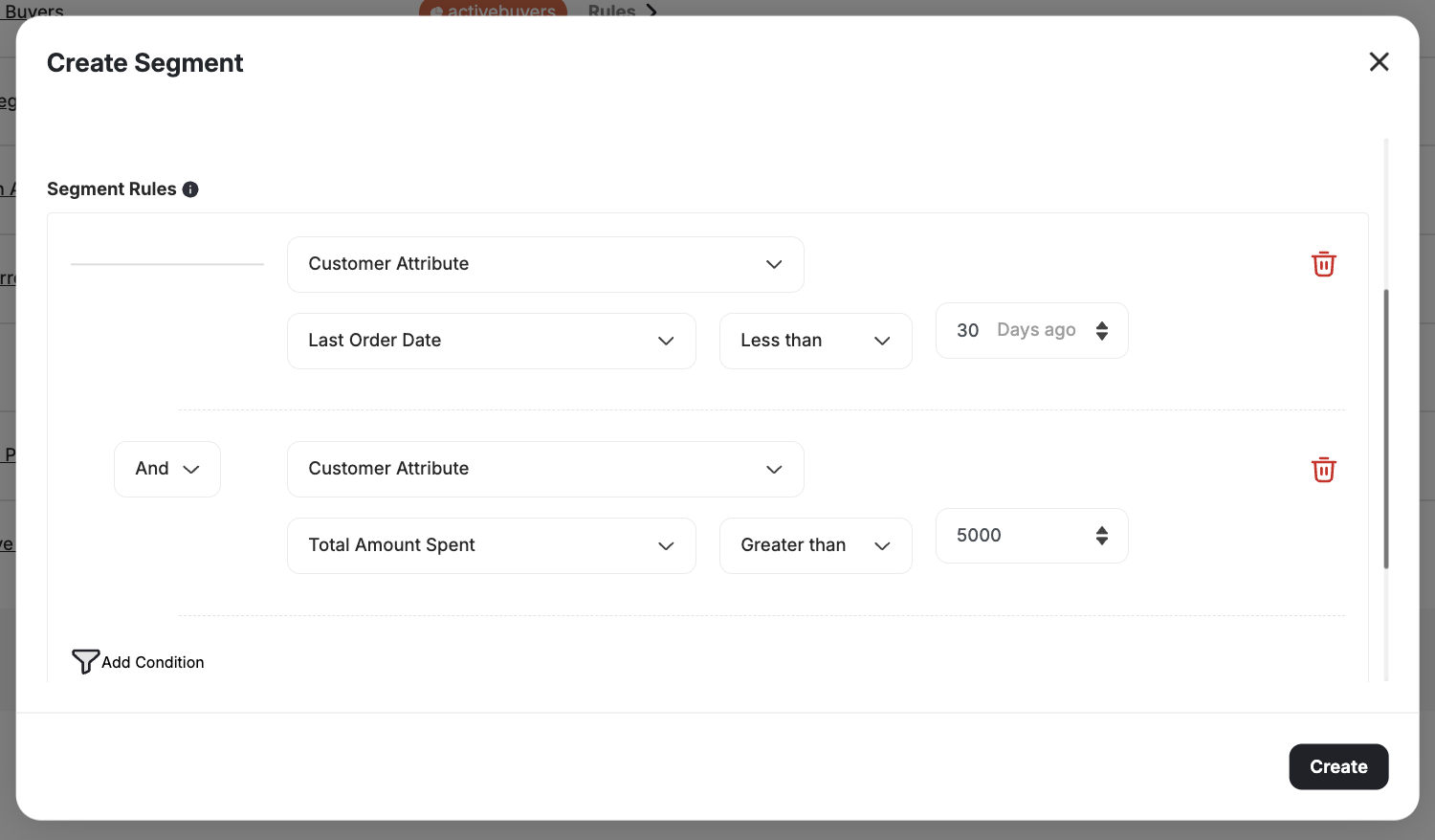
Alternative Segment Criteria
You may also define VIP customers as those who:- Placed more than 5 orders
- Referred more than 3 friends
- Redeemed points recently
1
Add Place Order Event
Select Event as the segmentation attribute and choose Place Order, with Count greater than 5.
2
Add Total Referrals Attribute
Add a Customer Attribute for Total Referrals greater than 3.
3
Add Last Redemption Date Filter
Optionally, filter by Last Redemption Date less than 3 days.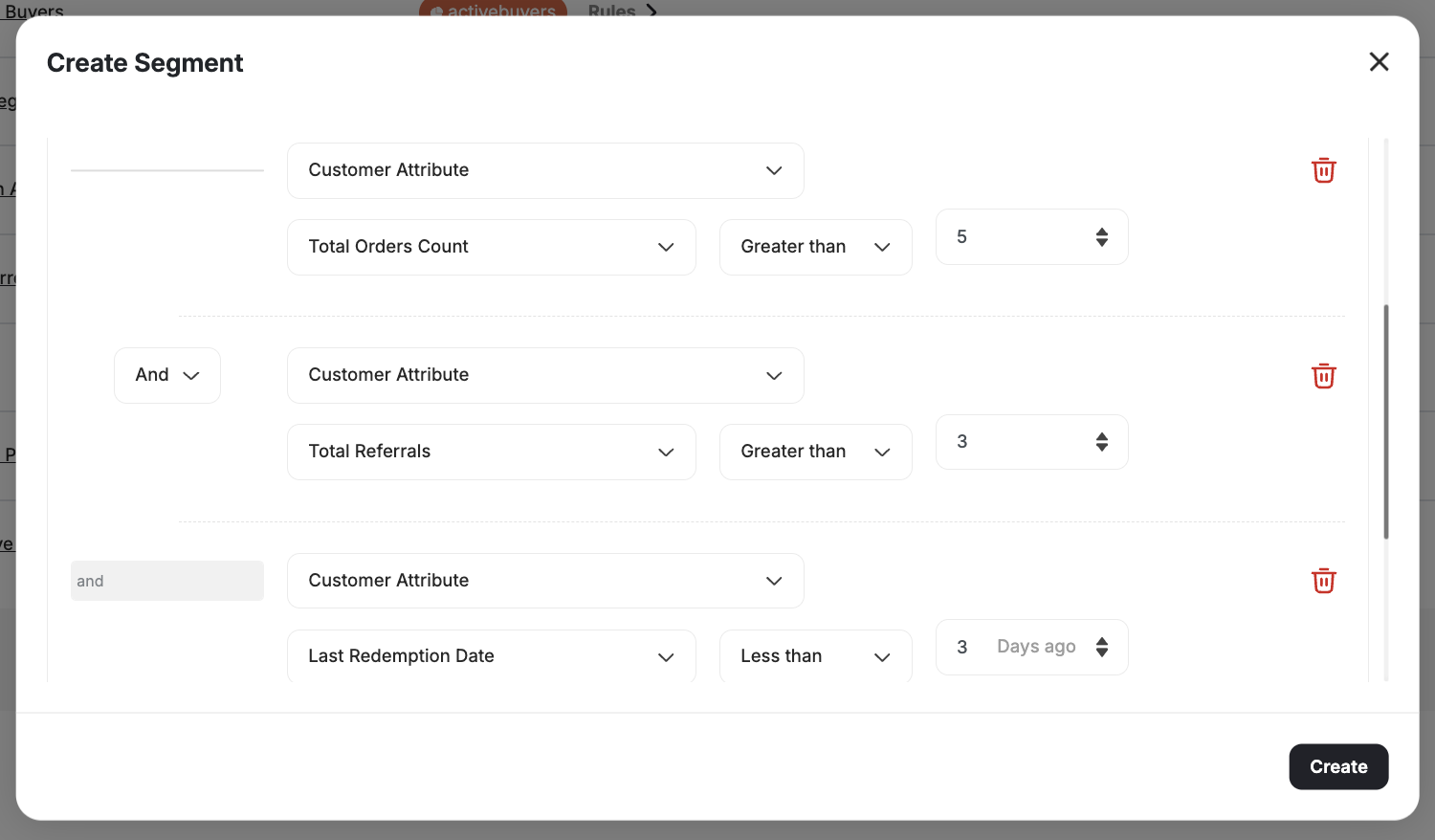
The Product Viewers
Identify Bases for Segmentation
For instance, if your jeans product page is frequently visited but sees low conversions:Create a New Segment
1
Select View Product Page Event
Choose Event as the segmentation type. Select View Product Page, and use the First Occurrence greater than 30 days.
2
Add Product Title Filter
Add a second filter: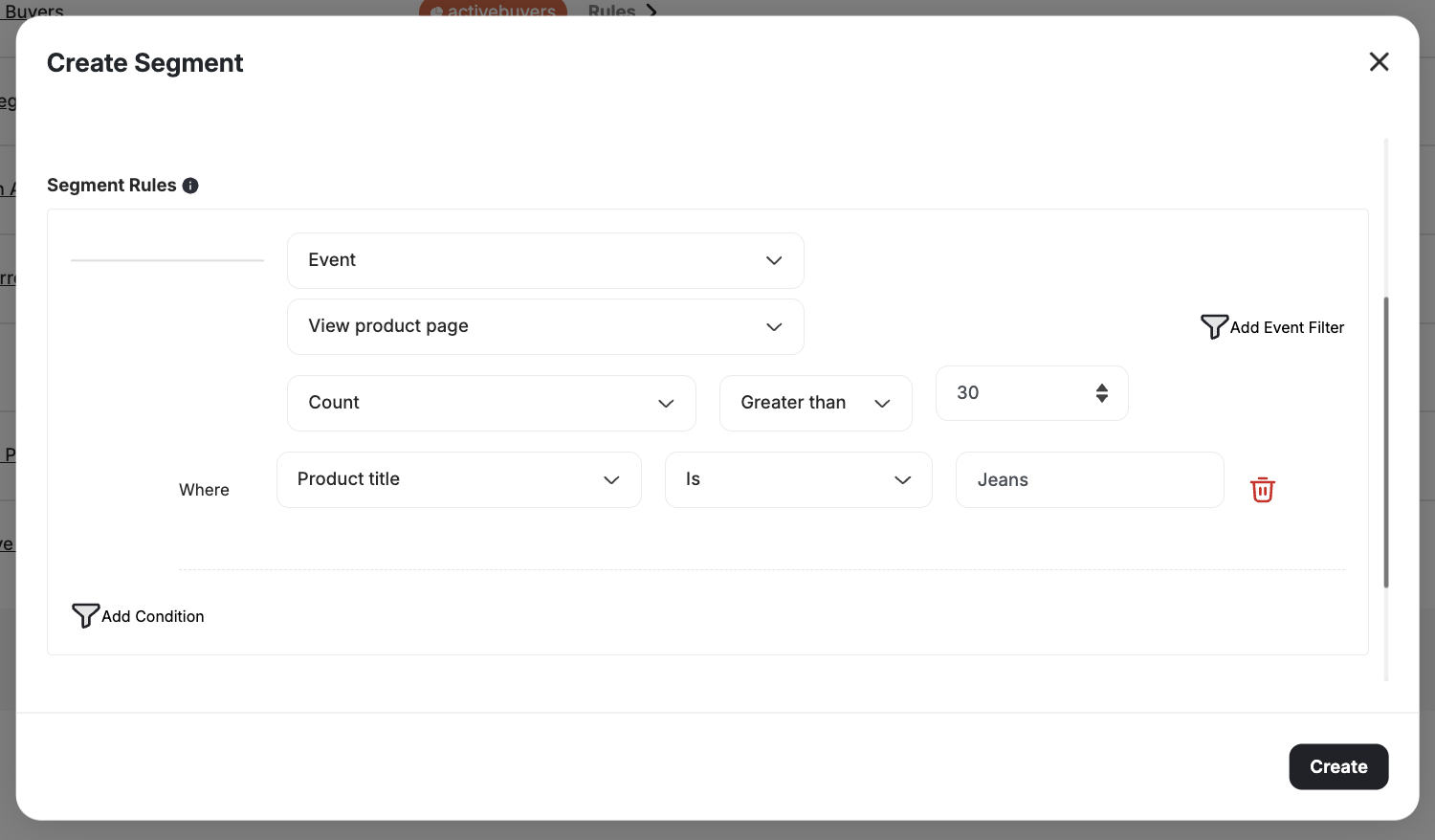
- Event: View Product Page
- Add an Event Filter: Product Title contains “jeans”
The Slipping Away Customers
Identify Bases for Segmentation
Disengaged customers are at high risk of churn. You may consider a customer as slipping away if:- No orders in the last 90 days
- No website visits in the last 60 days
- No point redemptions in the last 90 days
Create a New Segment
1
Set Last Order Date Filter
Use Customer Attribute: Last Order Date More than 90 days.
2
Add Last Login Date Filter
Add Customer Attribute: Last Login Date greater than 60 days.
3
Add Last Redemption Date Filter
Add Customer Attribute: Last Redemption Date greater than 90 days.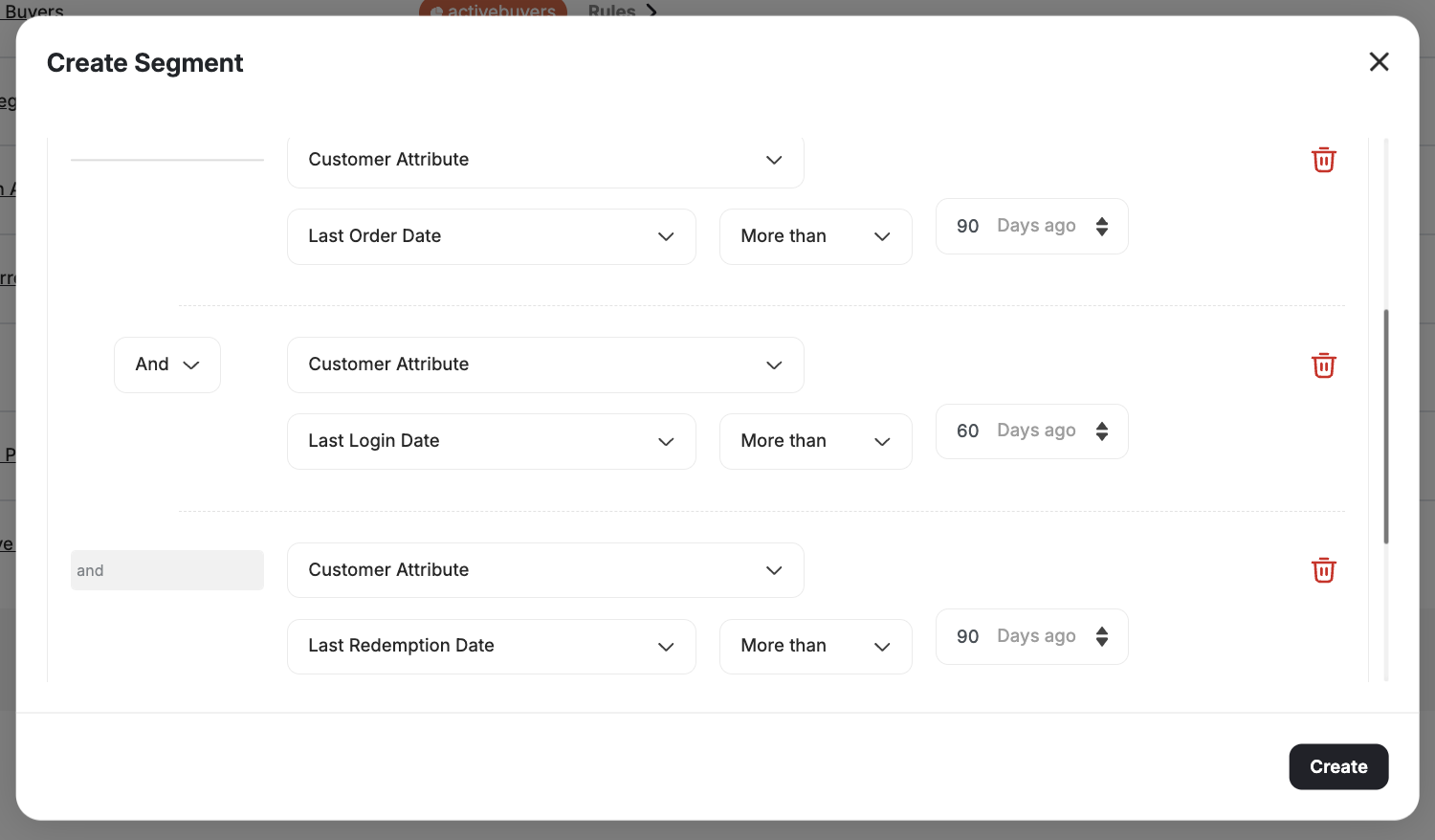
The Buyer: Product-Level Order Segmentation
You can create highly targeted and personalized campaigns by analyzing specific product purchase behavior. Segment customers based on the exact products and quantities purchased in actual orders. For example:- Target customers who purchased a specific SKU.
- Segment customers buying a particular category or high-quantity product.
Customers with High Return Rates
In industries like fashion, high return rates eat into margins and signal potential program abuse. You can segment customers by how many returns they’ve made using theorder_refunded event.
Create a New Segment
1
Select the order_refunded Event
Choose Event as the segmentation type. Select order_refunded.
2
Set the Event Count Condition
Set the operator to Count greater than and enter your threshold (e.g., 3) to target customers with 3 or more refunds.
Related Articles
How to Segment Customers
Learn how to create and manage customer segments using the segmentation engine.
Introduction to RFM Segments
Understand RFM analysis and how Gameball automatically segments customers.