

What Is the Weekly Engagement Report Email?
Gameball sends you that report so that you can take a quick look at the overall progress of your configured loyalty program. Here is the information that you will find in the email:How to Manage Your Communication Preferences
1
Navigate to Profile Settings
From the left bar, click Settings, then Profile Settings.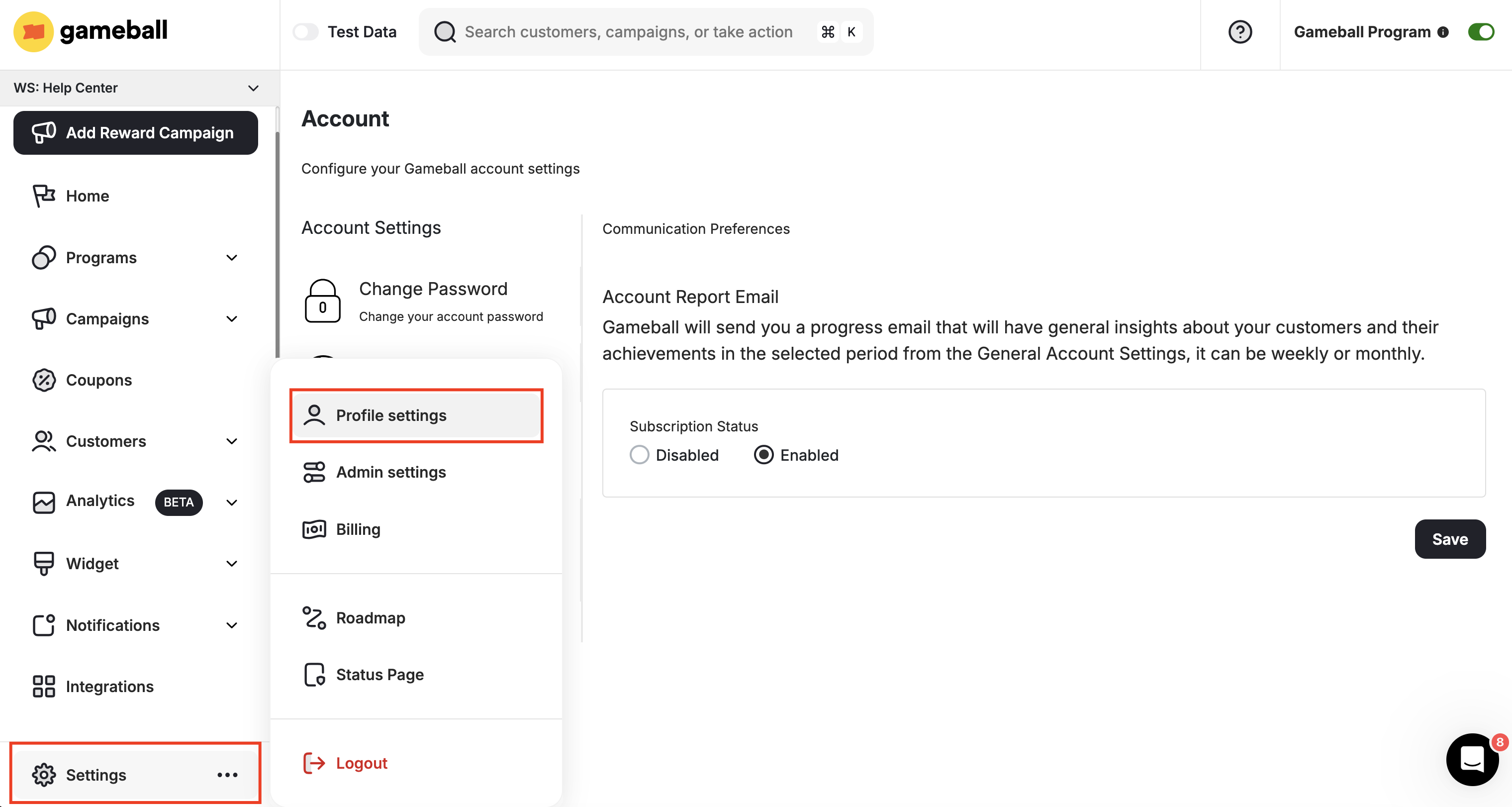
2
Open Communication Preferences
Go to the Communication Preferences tab.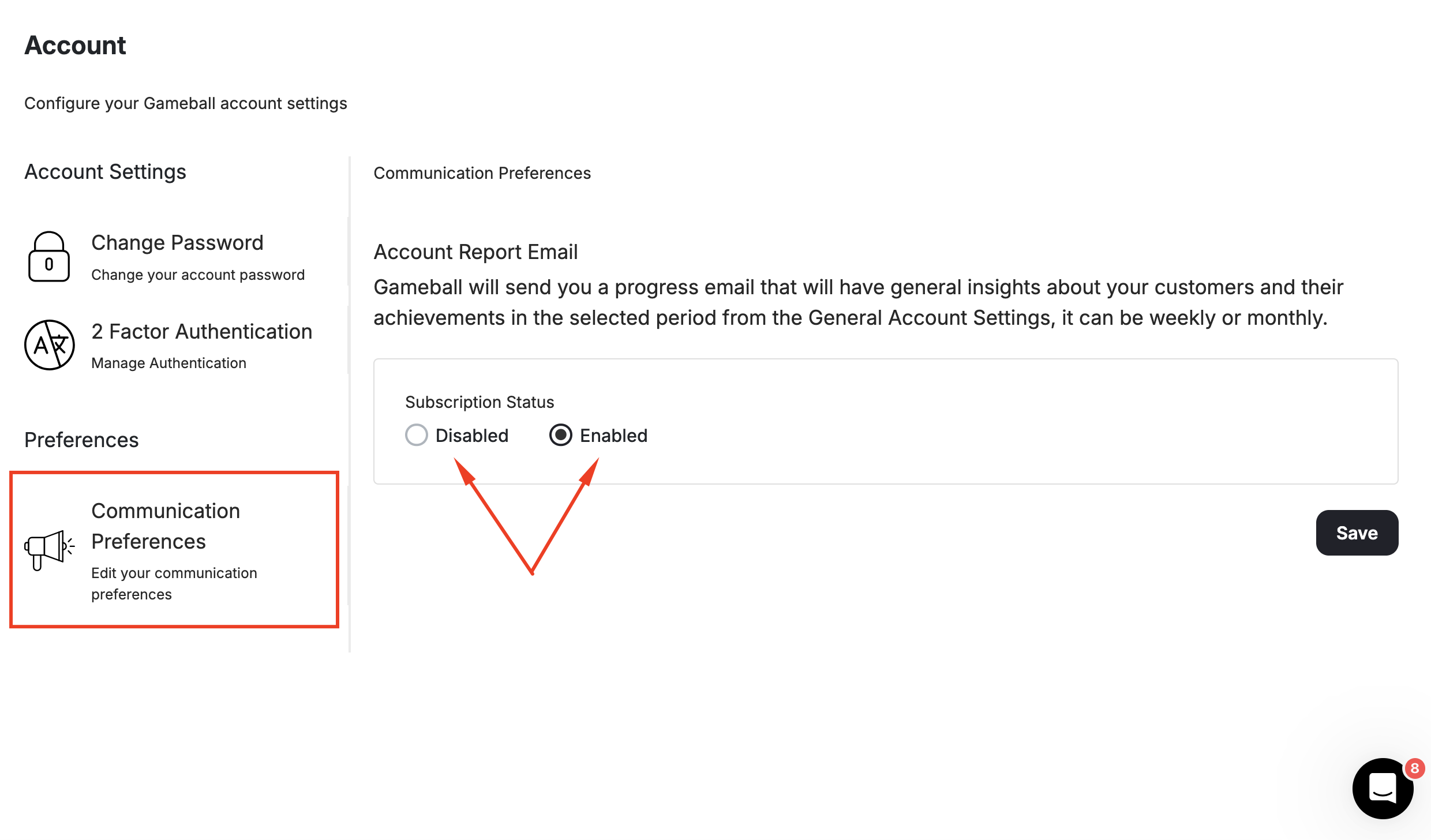
3
Set Your Subscription Status
Under Subscription Status, choose between:
- Disabled — Stop receiving the weekly engagement report entirely.
- Enabled — Continue receiving the report.
How to Change the Frequency of Engagement Emails
If you do not want to unsubscribe but would rather receive the report less frequently, go to Settings > Admin Settings, then General.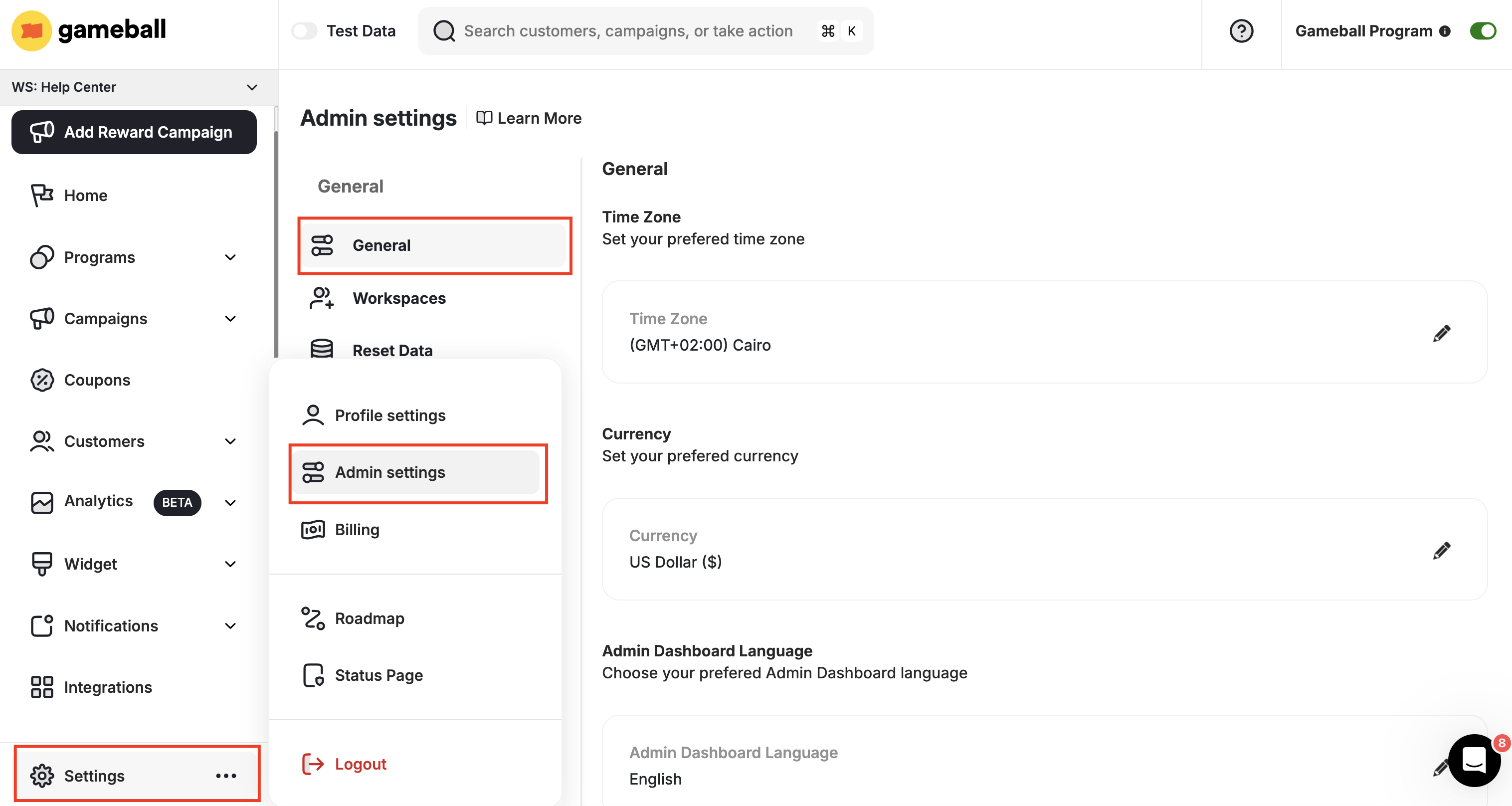
Click Save.
Related Articles
Contact Customer Support
Learn how to reach a Gameball support agent through any channel.
Admin Settings
Explore the full range of Gameball admin configuration options.