Through tags, you can simulate endless rewards to be automatically granted to a group of your customers based on their applied tags. You will be able to add tag(s) to your reward campaigns; customers who have that same tag applied will be the only ones able to participate in and enroll in these campaigns. To let you understand this more and how you can do magic through tags, check the illustration below.Documentation Index
Fetch the complete documentation index at: https://docs.gameball.co/llms.txt
Use this file to discover all available pages before exploring further.
How to Add Tag(s) on a Reward Campaign
- While Creating a New Campaign
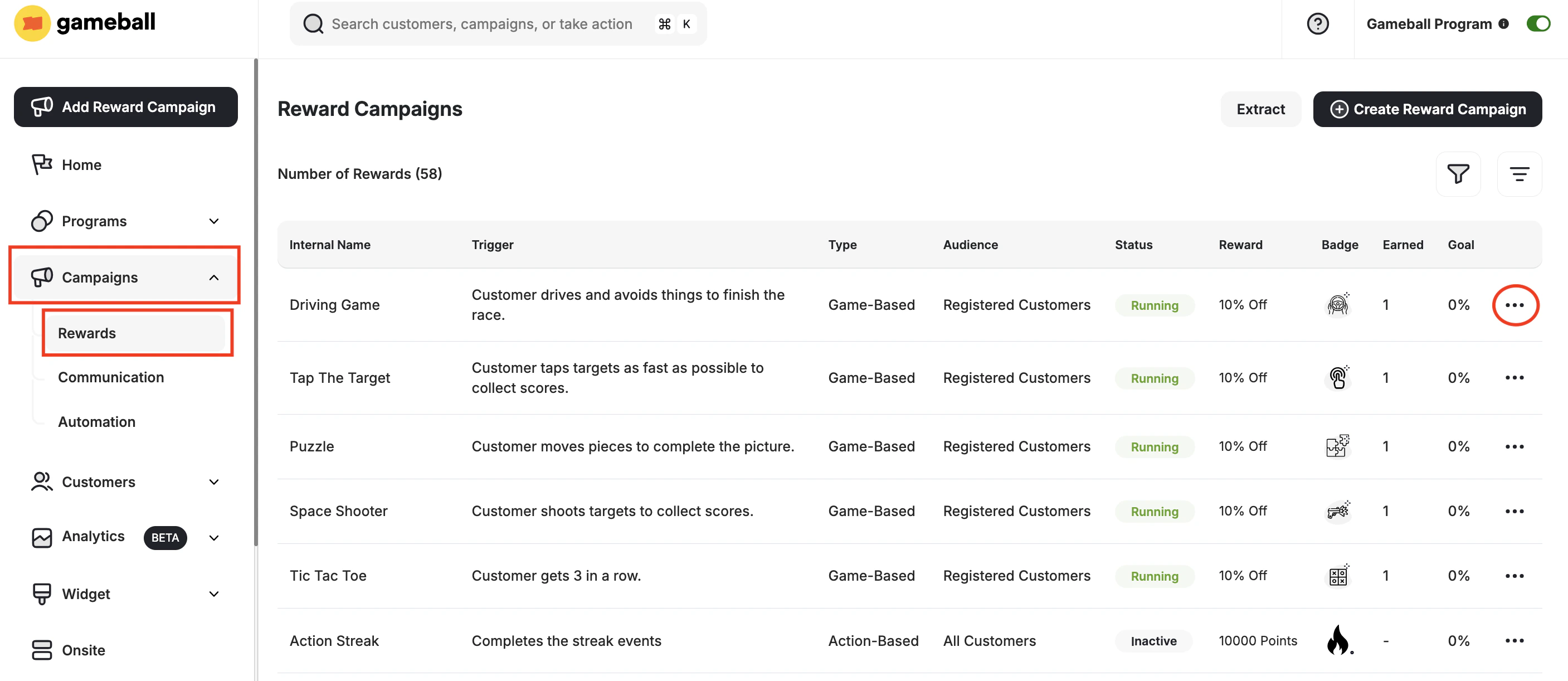
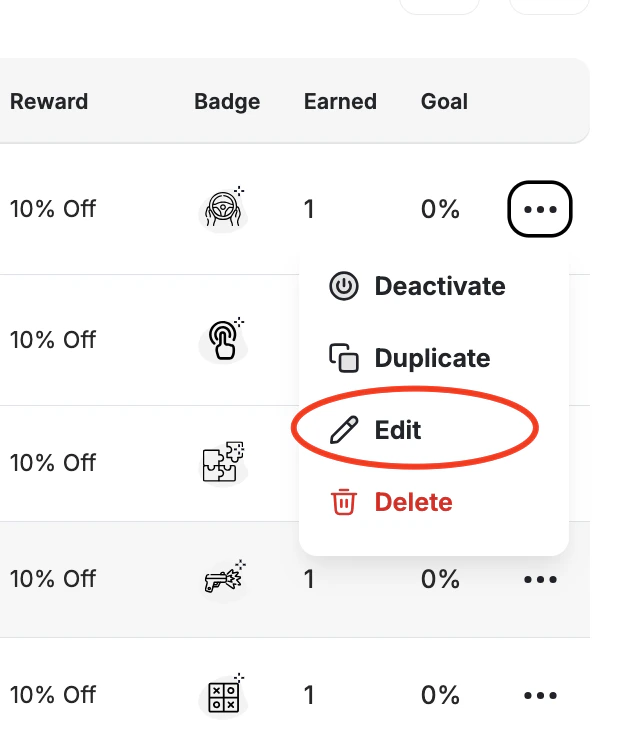
- By Editing an Existing Campaign
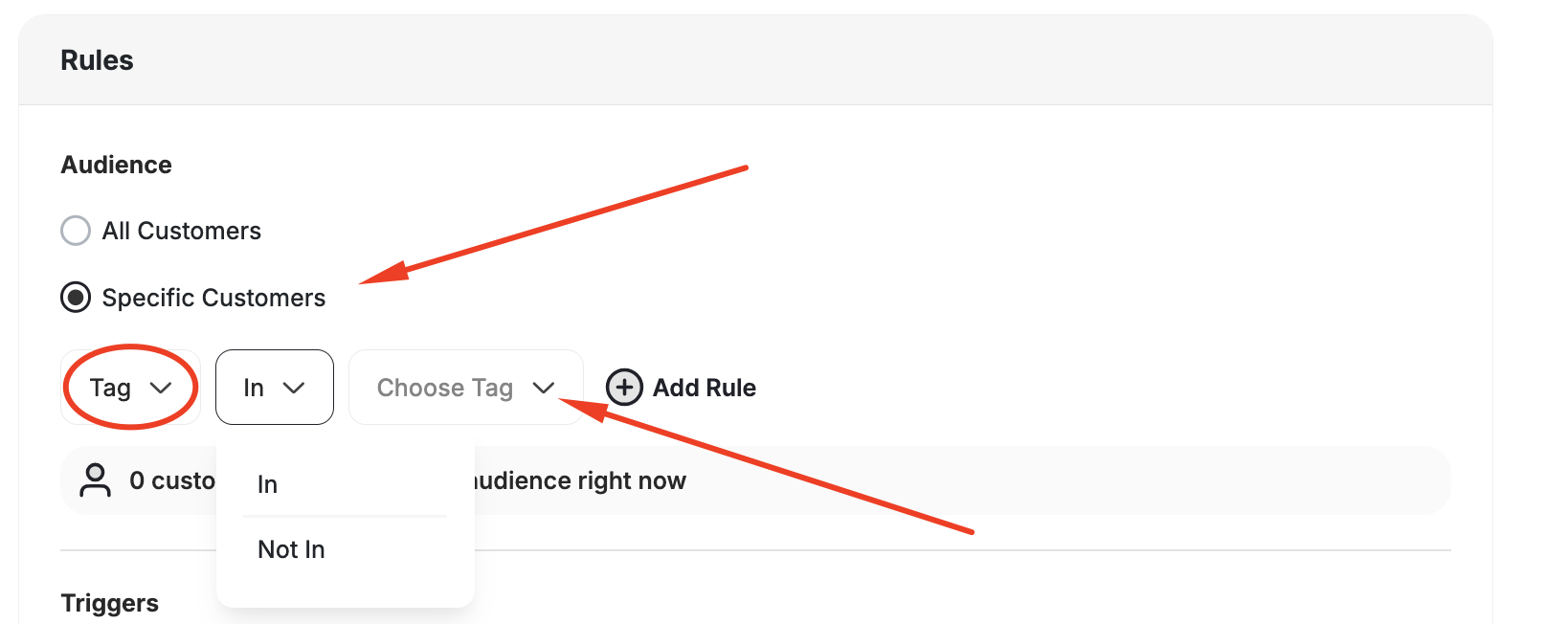
During the reward campaign creation or editing of a campaign template, add a tag at the first step under the Audience.
What Else?
Group Your Customers by Tags
Learn how to apply and manage tags on customer profiles in Gameball.
Customer Tags Sync with Gameball (Shopify)
Customer tags automatically sync with Gameball customers’ tags for Shopify stores.

