

Messaging Performance brings your outbound results together under Analytics, so you can compare channels and campaigns without opening each campaign. Each channel tab shows only the numbers that apply to it.
Where to Find Messaging Performance
1
Open Analytics
Go to the Gameball Dashboard and click Analytics from the left bar.
2
Open Messaging Performance
Click Messaging Performance.
Channel Tabs and Overview Numbers
Use the tabs to switch between Email, Push, Web, SMS, WhatsApp, and In-app. Each channel tab shows only the numbers that apply to it. The Overview section shows the main numbers for the selected channel at a glance. The page also has a date range filter, a tag filter, and a campaigns filter.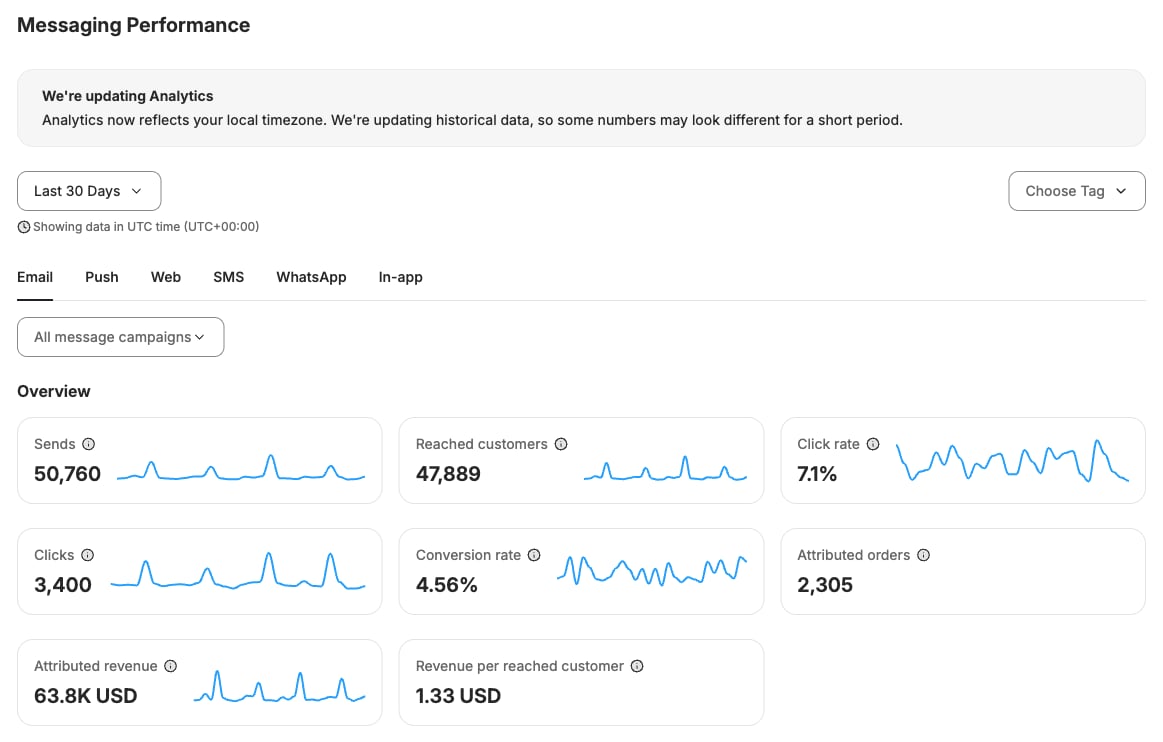
Activity Over Time
The Activity over time chart in the Engagement section plots activity for the selected channel over time. You can switch the chart between time intervals, such as Daily.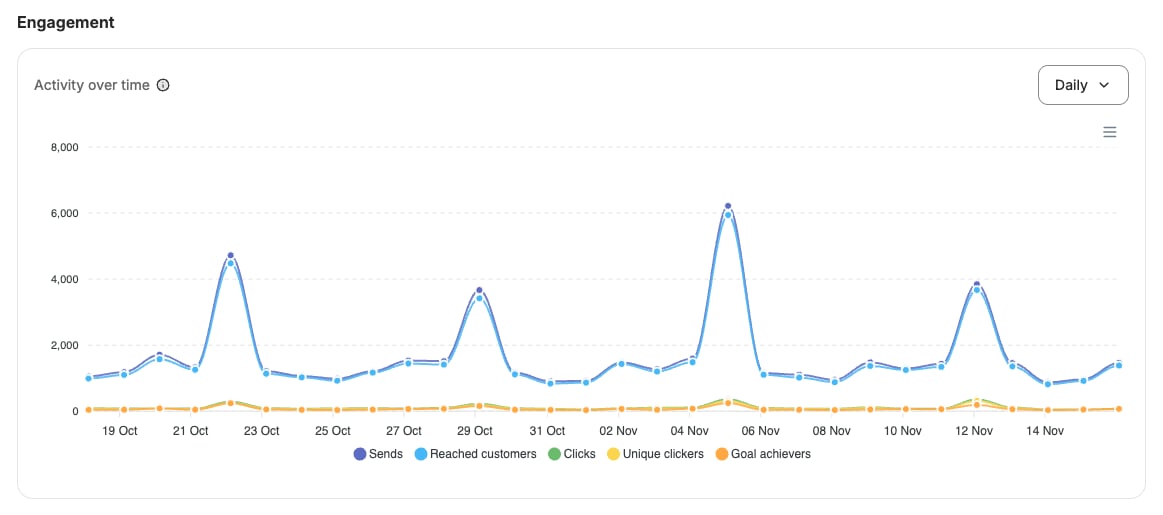
Rates and Attributed Revenue Over Time
Below the activity chart, Rates over time shows click rate and conversion rate, and Attributed revenue over time shows attributed revenue. Both charts can be switched between time intervals, such as Daily.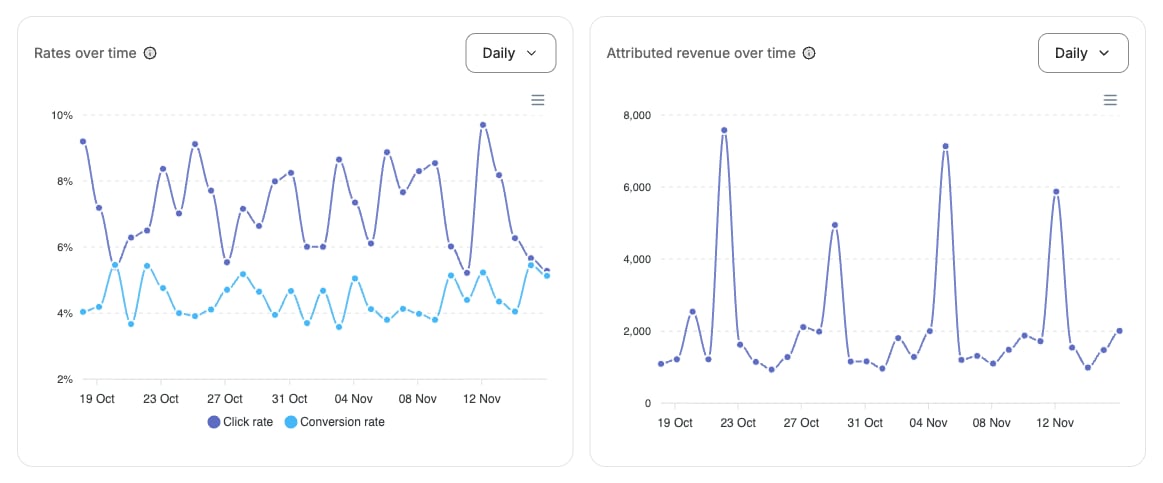
Campaigns Table
The Campaigns table puts up to 10 campaigns side by side. Compare them by sends, impressions, reached customers, and conversion rate. Email, Web, and In-app also show clicks and click rate. Use the Show up to menu and the Previous and Next buttons to move through the list.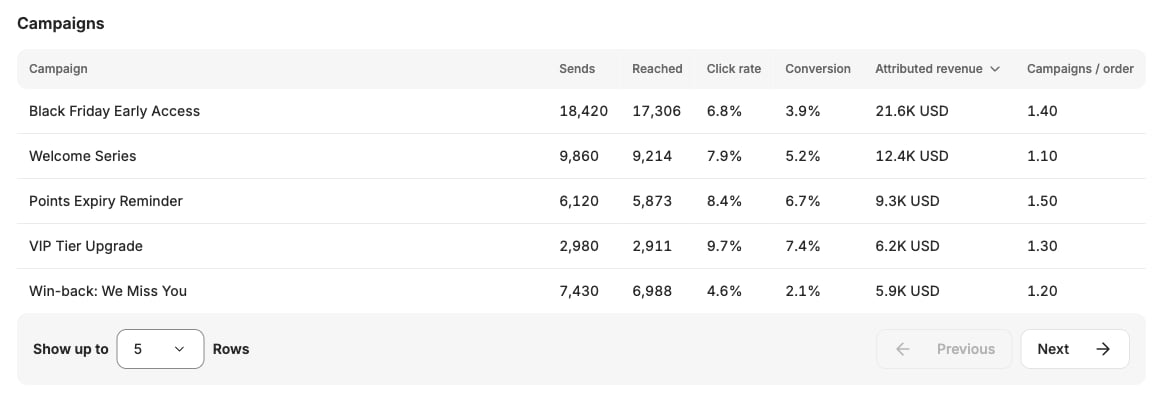
Important Notes
Permissions: The page is available to team members who can view both Analytics and Communication. Learn more about roles
Common Questions
Why do some channels show fewer numbers?
Why do some channels show fewer numbers?
Each channel tab shows only the numbers that apply to it. For example, clicks and click rate appear for Email, Web, and In-app campaigns.
How many campaigns can I compare?
How many campaigns can I compare?
The campaigns table puts up to 10 campaigns side by side.
Related Articles
Introduction to Communication Campaigns
Learn about the messaging channels you can send campaigns on.
Track Your Campaign Performance
Measure the reach and results of your reward campaigns.