

How to Enable Account Creation on Shopify?
To enable account creation, please follow the below steps:1
Open Shopify Settings
Sign in to your Shopify admin and click Settings in the bottom left corner of the page.
2
Navigate to Checkout Settings
Click Checkout from the settings options.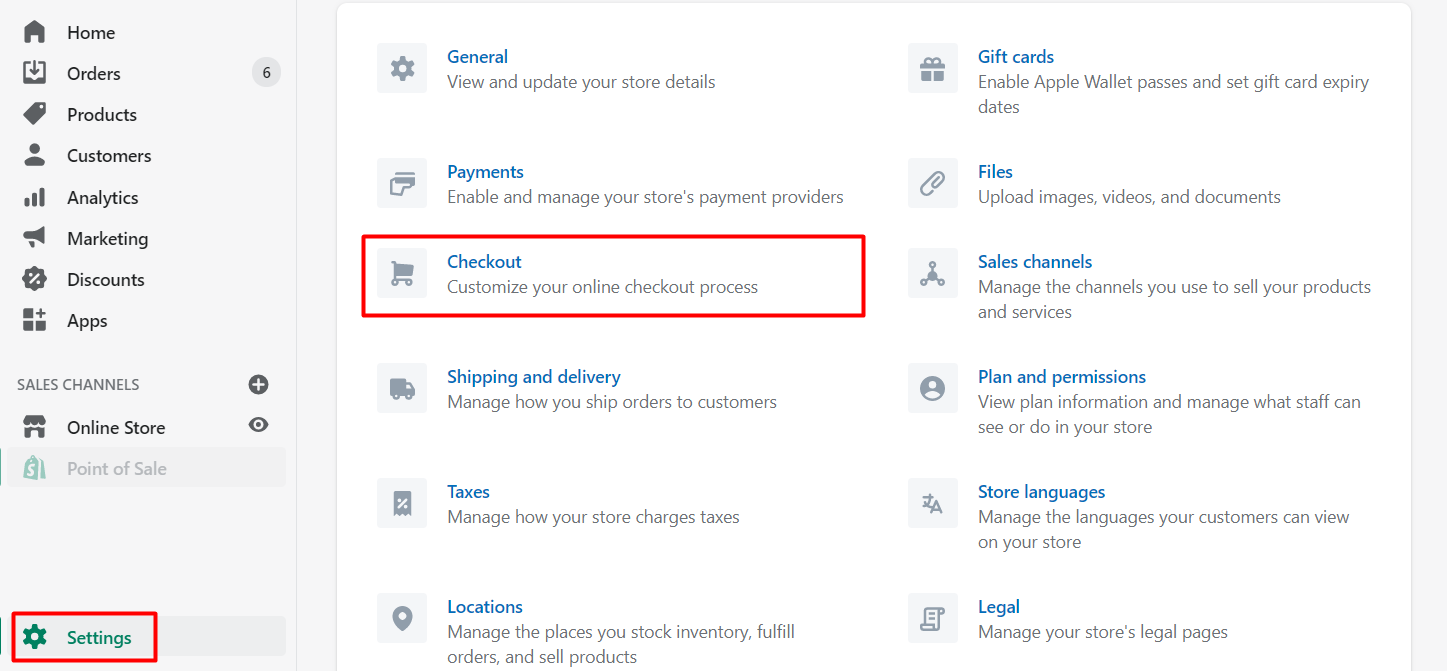
3
Configure Customer Accounts
Under “Customer Accounts”, make sure that you have customer accounts set to either “optional” or “required”.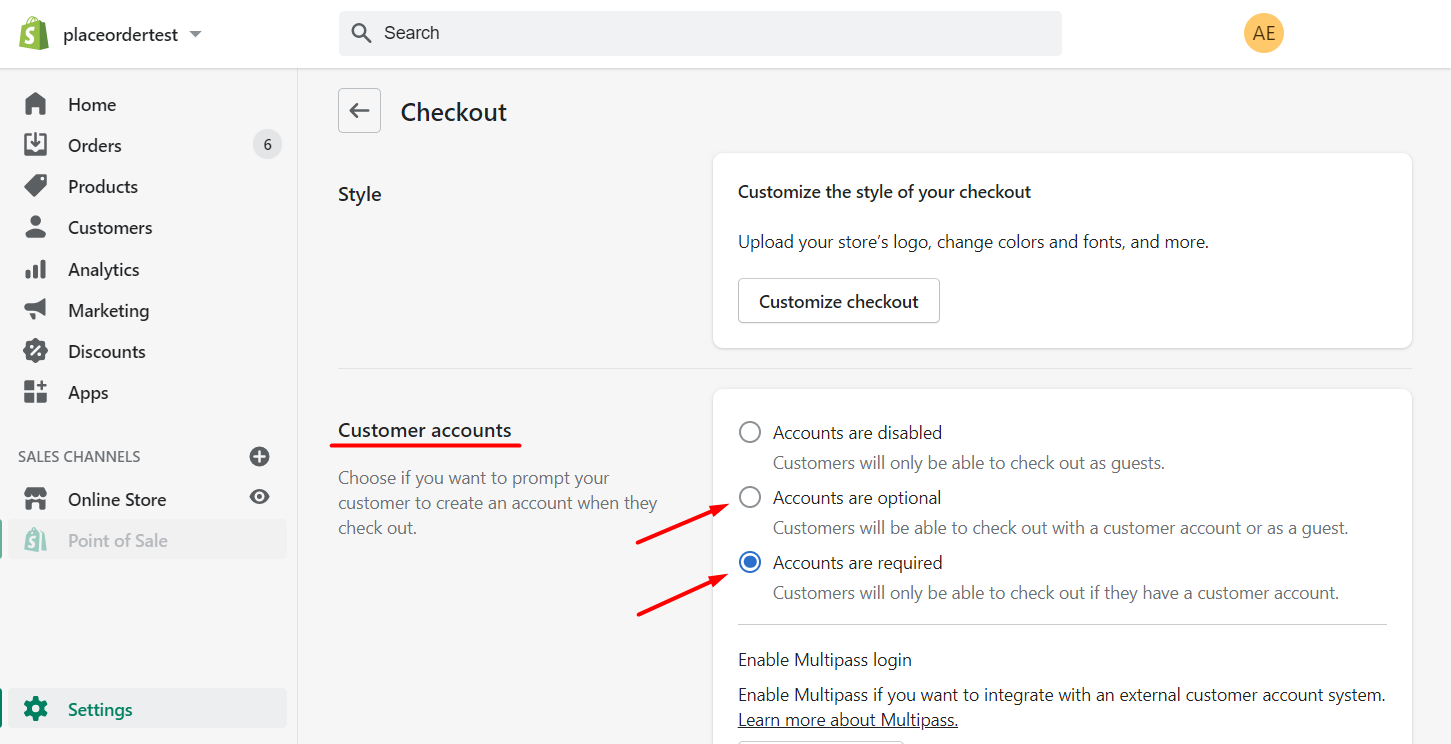
4
Save Your Changes
When you have made the change, click Save in order to allow your customers to set up accounts and join Gameball rewards experience.
What’s Next?
Publish Gameball Widget on Your Platform
Launch the Gameball experience and widget on your store.
Enable Points as Discounts on Shopify
Let customers redeem their points as discounts at checkout.
Migrate Customers from Other Loyalty Programs
Transfer your existing customers to Gameball on Shopify.