

Data Import Scenarios
The integration between Gameball and MoEngage ensures that your customer data is always up-to-date. Gameball’s customer attributes will be imported into MoEngage whenever a customer is created or performs any action.Customer Attributes Sync
Customer Attributes Sync
Trigger: Upon customer creation or after any new action (e.g., achievement, transaction, points expiry).Gameball’s customer attributes will be imported and updated in MoEngage automatically. The following data is synced:
Order Placed Event
Order Placed Event
Trigger: Order placed by customer and received by Gameball.Once an order is placed, the following order data is sent to MoEngage:
Coupon Created Event
Coupon Created Event
Trigger: Coupon created for the customer.The following coupon details will be available on MoEngage:
- Coupon Code
- Type
- Value
- Coupon Name
Coupon Used Event
Coupon Used Event
Trigger: Customer used a coupon while placing an order.The following details will be available on MoEngage:
- Coupon Code, Type, Value, Coupon Name
- Order ID, Order Quantity
- Channel (POS, Online, etc.)
Reward Campaign Achieved Event
Reward Campaign Achieved Event
Trigger: Customer achieved a reward campaign.The following details will be available on MoEngage:
- Internal Name, Name
- Reward (Points, Points & Score, Coupon Values)
- Coupon Type (if the reward was a coupon)
- Equivalent Value of Rewarded Points
- Achievement Date
Points Redeemed Event
Points Redeemed Event
Trigger: Customer redeemed their saved points.Each
points_redeemed event includes:- Redeemed Points
- Redemption Amount
- Redemption Transaction ID (if available)
Purchase Line Item Event
Purchase Line Item Event
Trigger: Order received by Gameball.An “Item Purchased” event is sent to MoEngage for each line item with the following attributes:
- Order ID, Product Title, Product Price, Vendor Name
- Product ID, Weight, Quantity, SKU
- Collections Array, Tags Array, Categories Array
- Any extra attributes added to the object
Customer Deletion Sync
Customer Deletion Sync
Trigger: Customer removed from Gameball.Once a customer is deleted from Gameball, the customer gets deleted from MoEngage after 24 hours.
You have the option to disable the deletion feature from MoEngage.
Workspace Information
Workspace Information
Workspace context is included in both customer events and attributes, giving you greater flexibility in segmentation and personalization.
gameball_workspace: a string containing the workspace name or ID.- Gameball Workspace: a string attribute storing the associated workspace.
How to Set Up the Integration
1
Navigate to MoEngage in App Store
Go to the App Store on Gameball’s dashboard and select MoEngage from the list of available app integrations.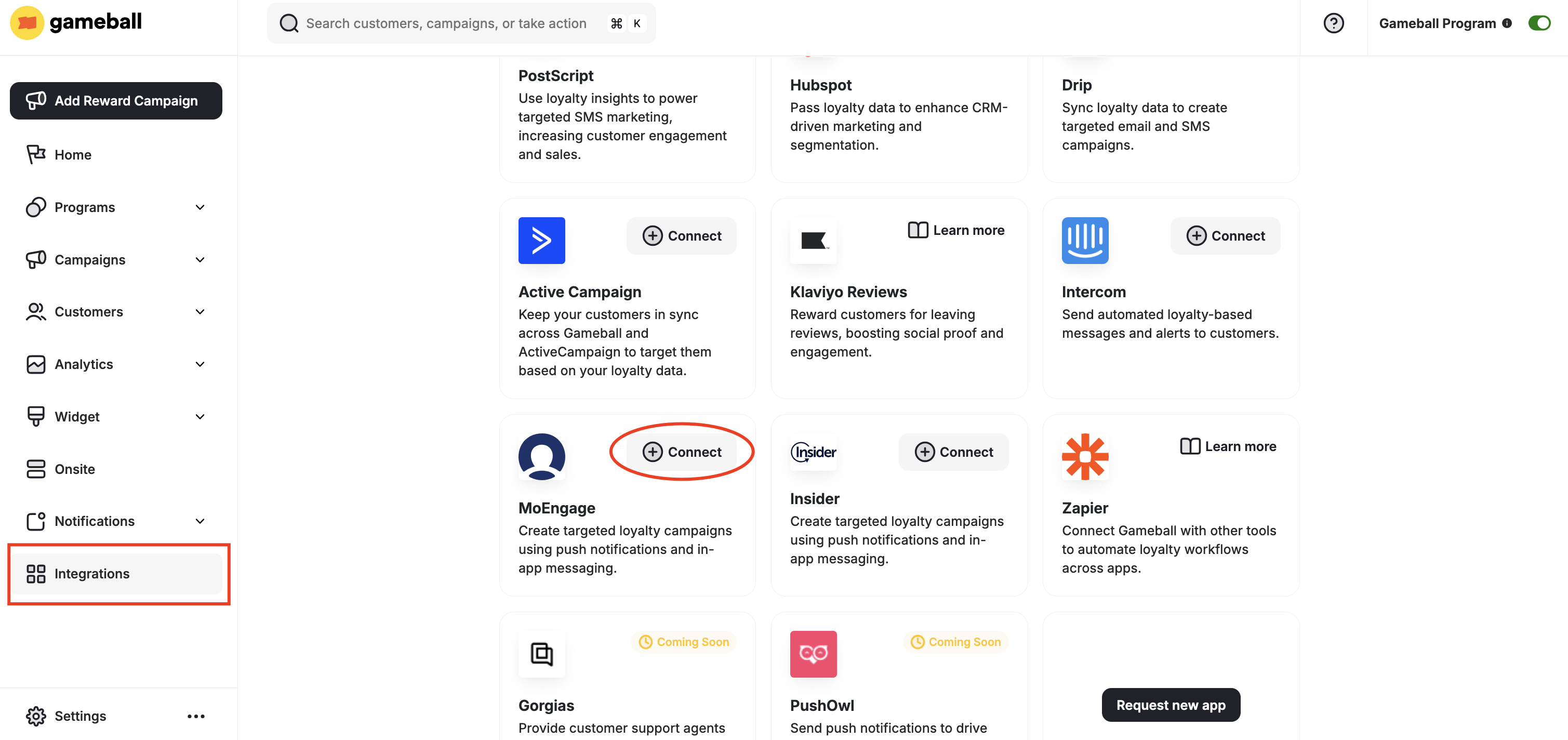
2
Enter API Credentials
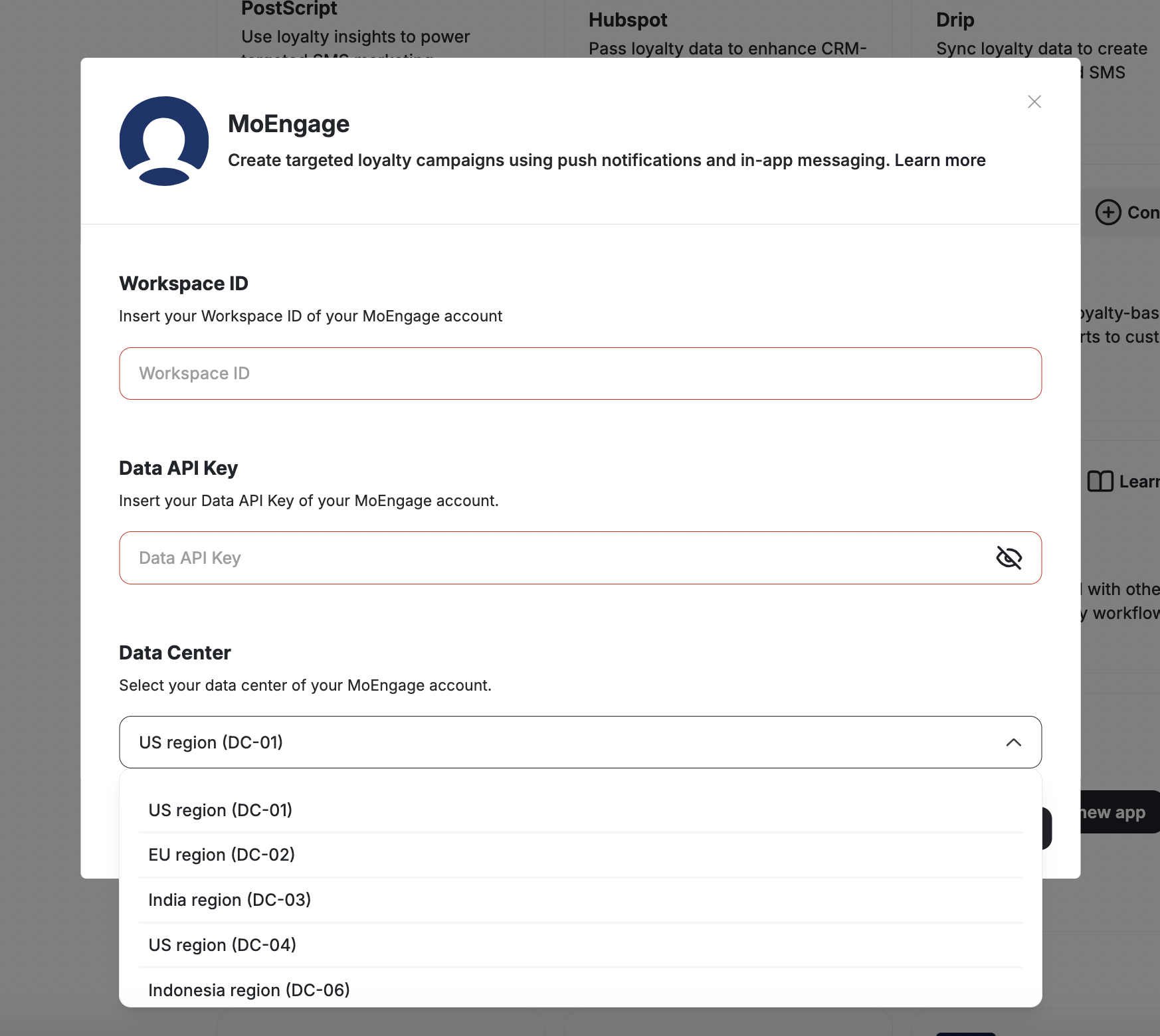
Enter the App ID and Data API Key from MoEngage’s settings page.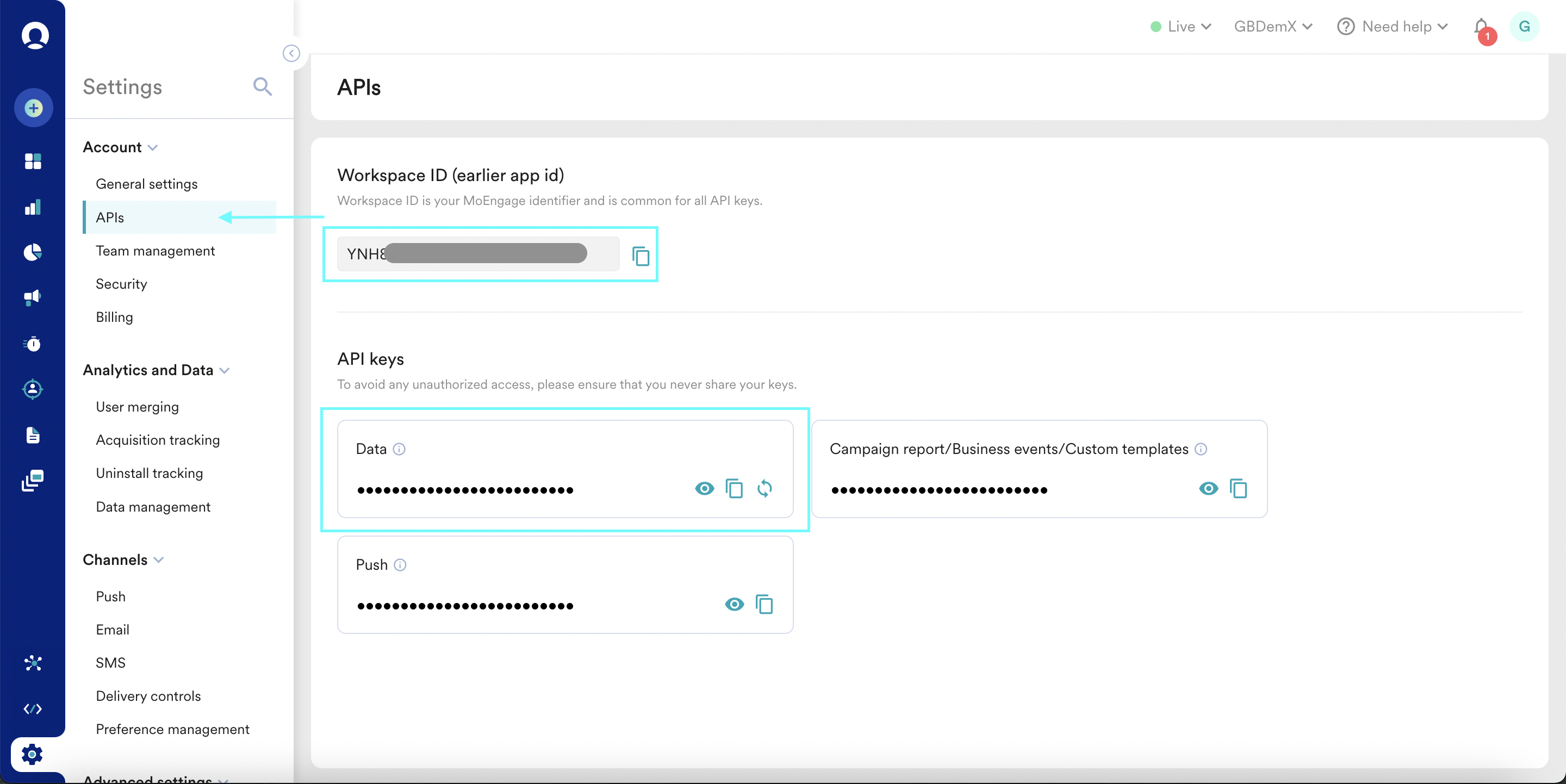
3
Select Your Data Center
Select your Data Center.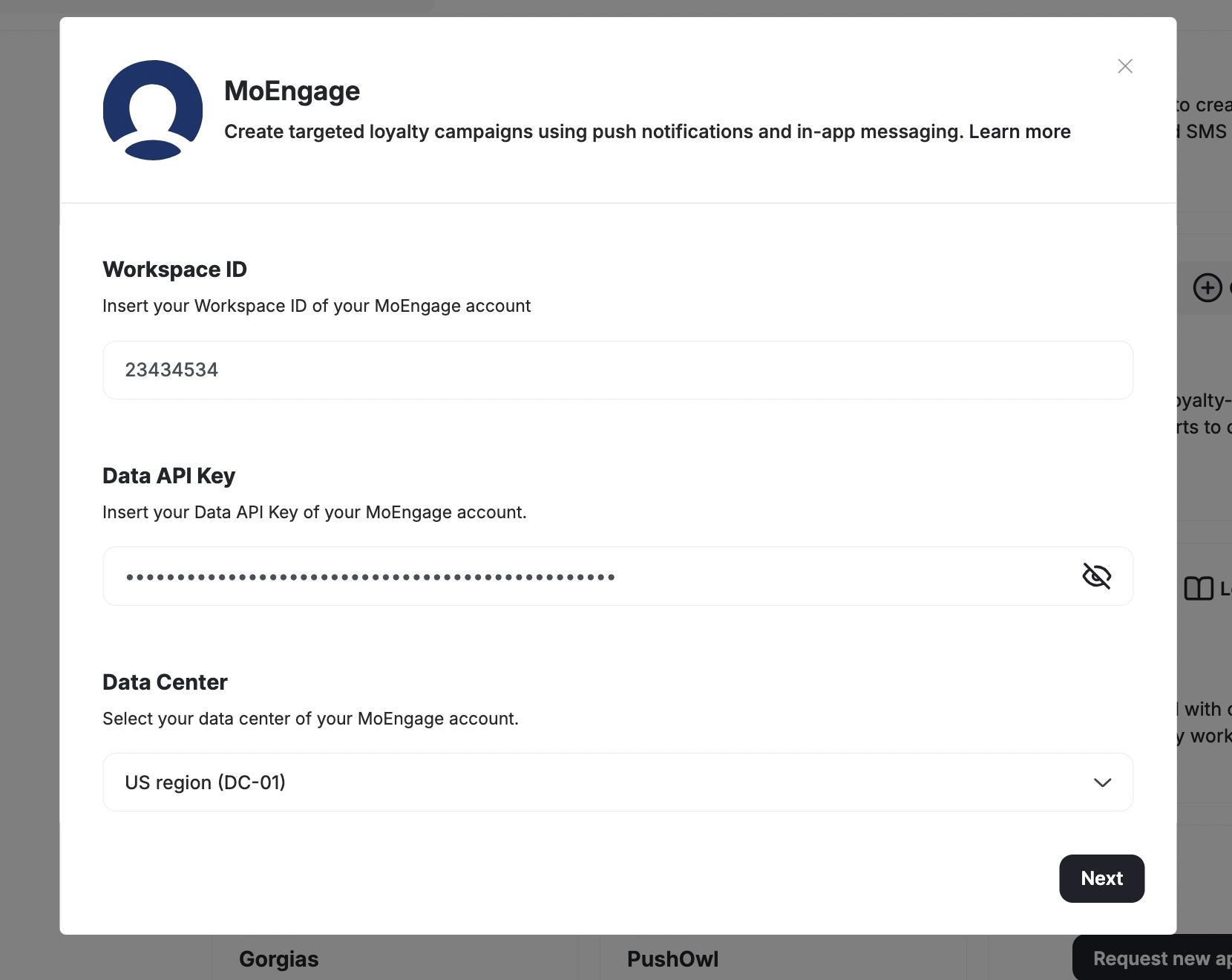
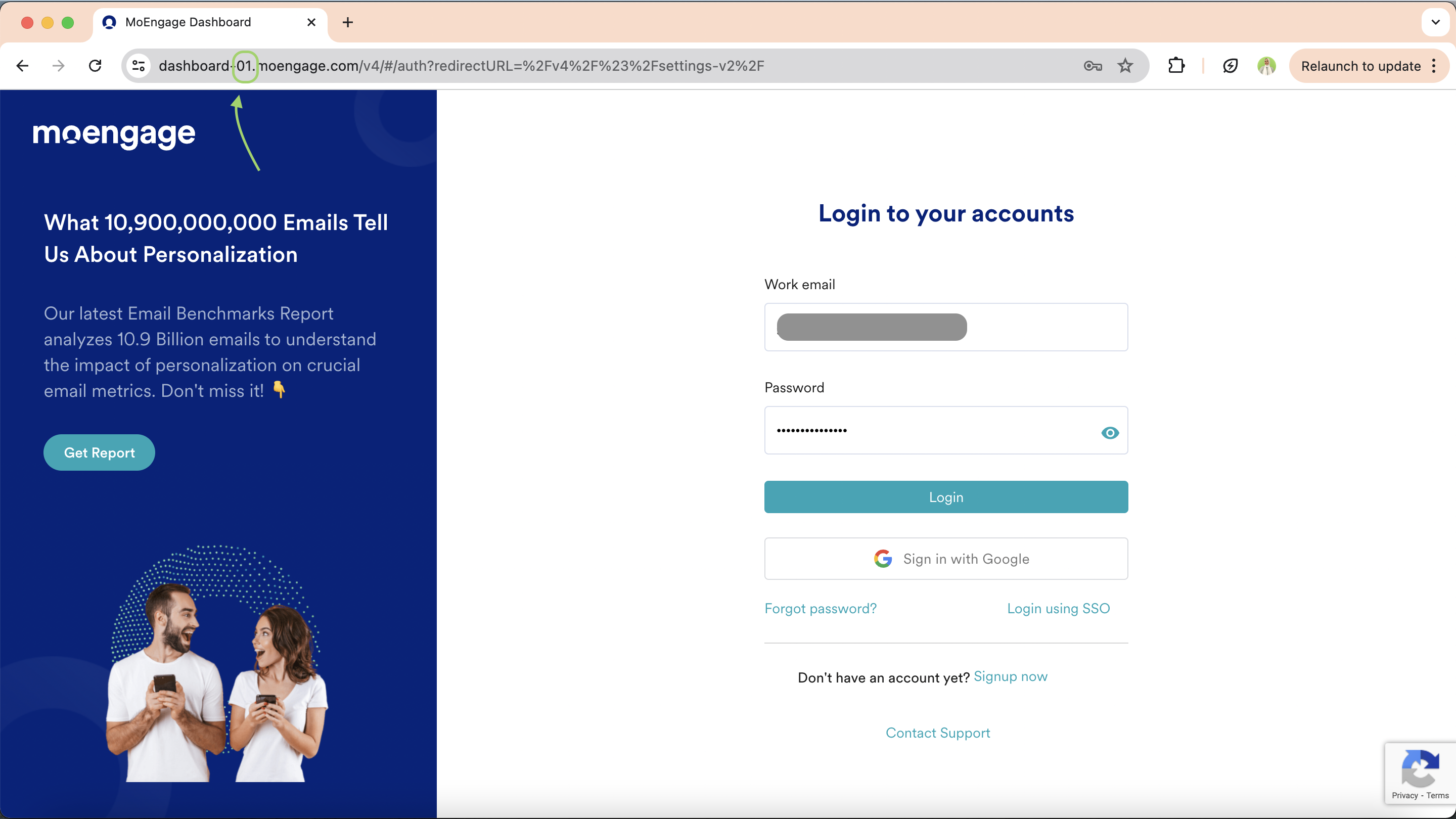
If you’re unsure which data center you’re on, you can find your code in your dashboard’s URL.
4
Complete the Setup
Complete the setup and start leveraging the powerful combination of Gameball and MoEngage.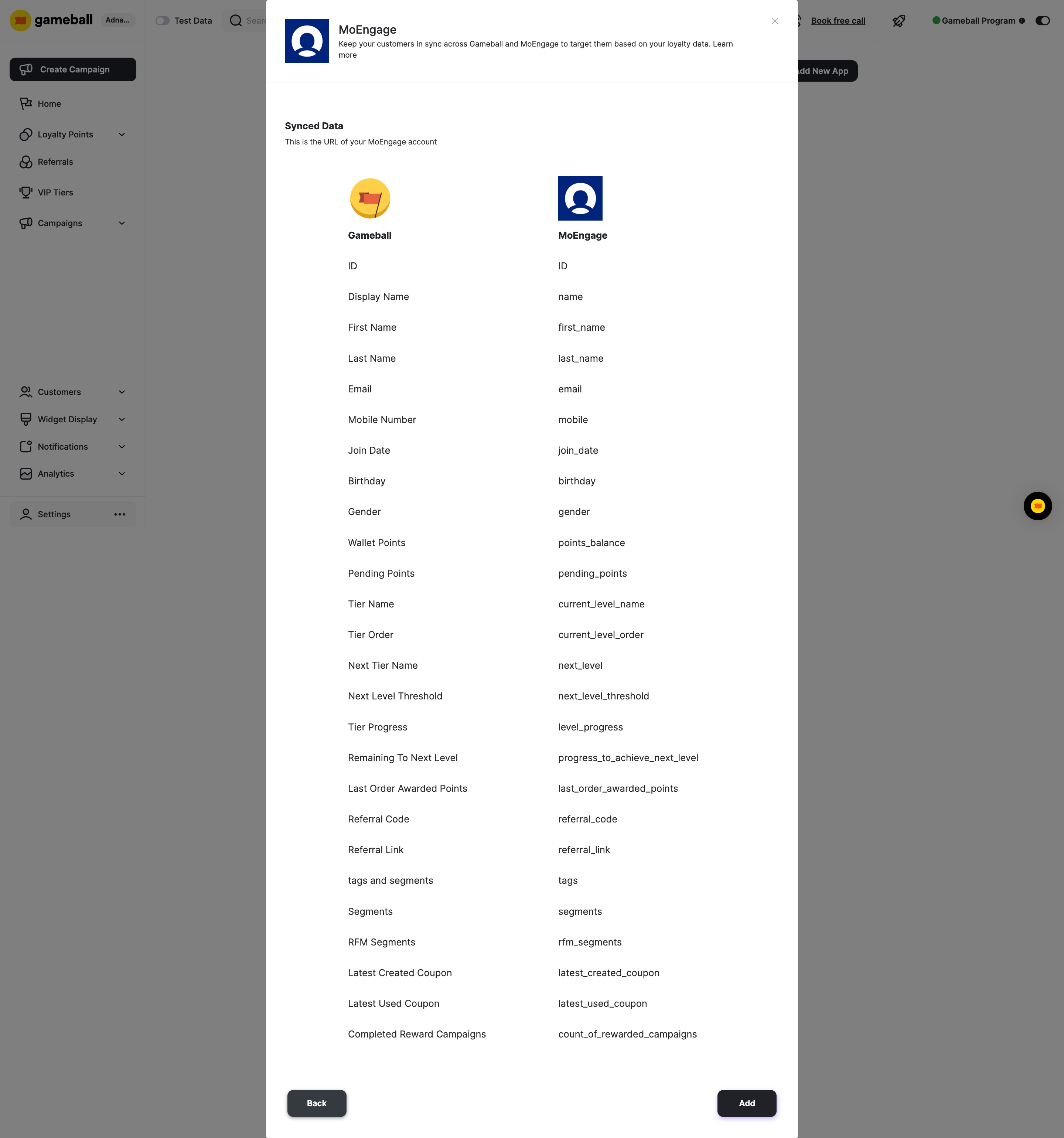

How to Use the Data on MoEngage
Once the data from Gameball is imported into MoEngage, you can leverage it to create more personalized and effective customer engagement strategies:- Personalized Campaigns - Use customer attributes such as name, email, birthday, and purchase history to create highly personalized marketing campaigns.
- Segmentation - Utilize synced segments and tags to group customers based on their behavior, preferences, and activity.
- Event-Triggered Campaigns - Set up automated campaigns triggered by specific events such as order placement, coupon creation, or coupon usage.
- Customer Journey Mapping - Track and analyze the customer journey using imported data to identify key touchpoints.
- Retention Strategies - Monitor points balance, tier progress, and achievements to identify loyal customers and those at risk of churning.
Gameball on Zapier
Connect Gameball with thousands of apps via Zapier.
Apps & Integrations Overview
Explore all available Gameball integrations.