

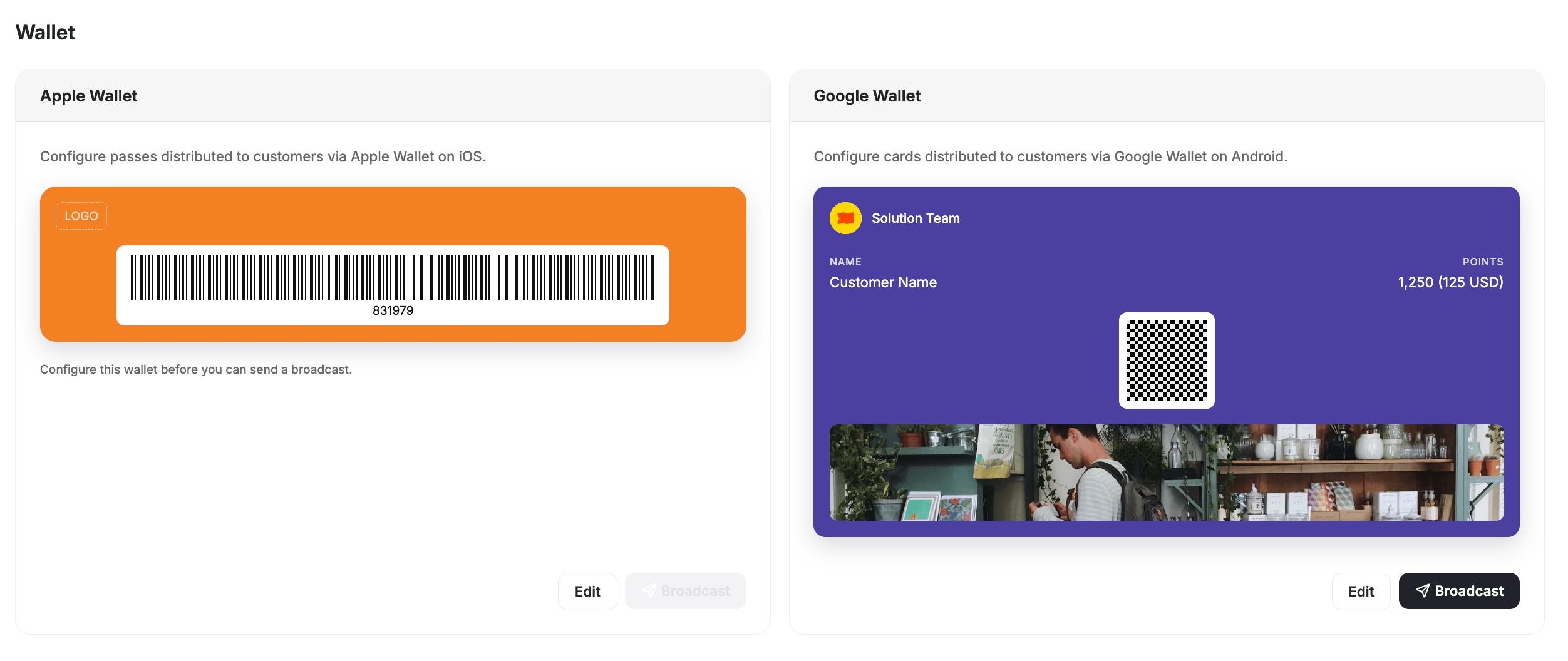
Gameball supports Apple Wallet and Google Wallet loyalty passes, giving customers a native way to carry their loyalty card on their phones. Customers can save their pass to their wallet app, check their points balance, and scan it in-store — no app required.
Digital Wallet passes are an add-on feature, available upon request. Contact support@gameball.co or your account manager to enable it for your account.
Benefits
- Always accessible — customers carry their loyalty card alongside their boarding passes, credit cards, and tickets.
- Strengthen your brand — the pass is fully branded with your logo, colors, and design.
- Real-time updates — points balance and tier reflect automatically whenever they change.
- In-store ready — the pass can be scanned at checkout to earn or redeem points instantly.
- No app required — customers save and access their pass directly from their phone’s native wallet.
How Does It Work?
- Apple Wallet
- Google Wallet
- Each customer receives a unique Apple Wallet pass linked to their Gameball loyalty account.
- The pass displays:
- Customer name
- Current points balance
- Tier / level
- QR code for in-store scanning
- Your branded design (logo, colors, theme)
- Customers tap “Add to Apple Wallet” from your loyalty portal or scan a QR code to save the pass.
- Automatic sync: points and tier updates reflect on the pass in near real-time.
- QR scanning: the pass can be scanned at checkout for earning and redemption.
Related Articles
Apps & Integrations Overview
Explore all available Gameball integrations.
Customer Widget Overview
Configure what customers see in the loyalty widget.