

Key Benefits
- Increase Engagement: Use loyalty data to deliver messages at pivotal moments in a customer’s journey.
- Boost Conversion Rates: Tailor SMS campaigns with Gameball data for higher conversions.
- Automate for Consistency: Set automated flows to keep your brand top-of-mind with your customers.
Integration Highlights
This integration enables you to:- Add Loyalty Data to Subscriber Profiles - Gameball loyalty data, like points balance and loyalty tier, appears as custom properties within Postscript.
- Automate Messaging with Loyalty Triggers - Trigger flows based on loyalty events, such as points earned.
- Segment for Targeted Campaigns - Use Gameball properties to create specific customer segments in Postscript.
- Personalize Communication Campaigns - Customize SMS content using Gameball properties.
Prerequisites
Before starting the integration, ensure the following:- You have an active Gameball account.
- You have an active Postscript account.
- Access to admin permissions in both platforms.
How to Configure Postscript on Gameball
1
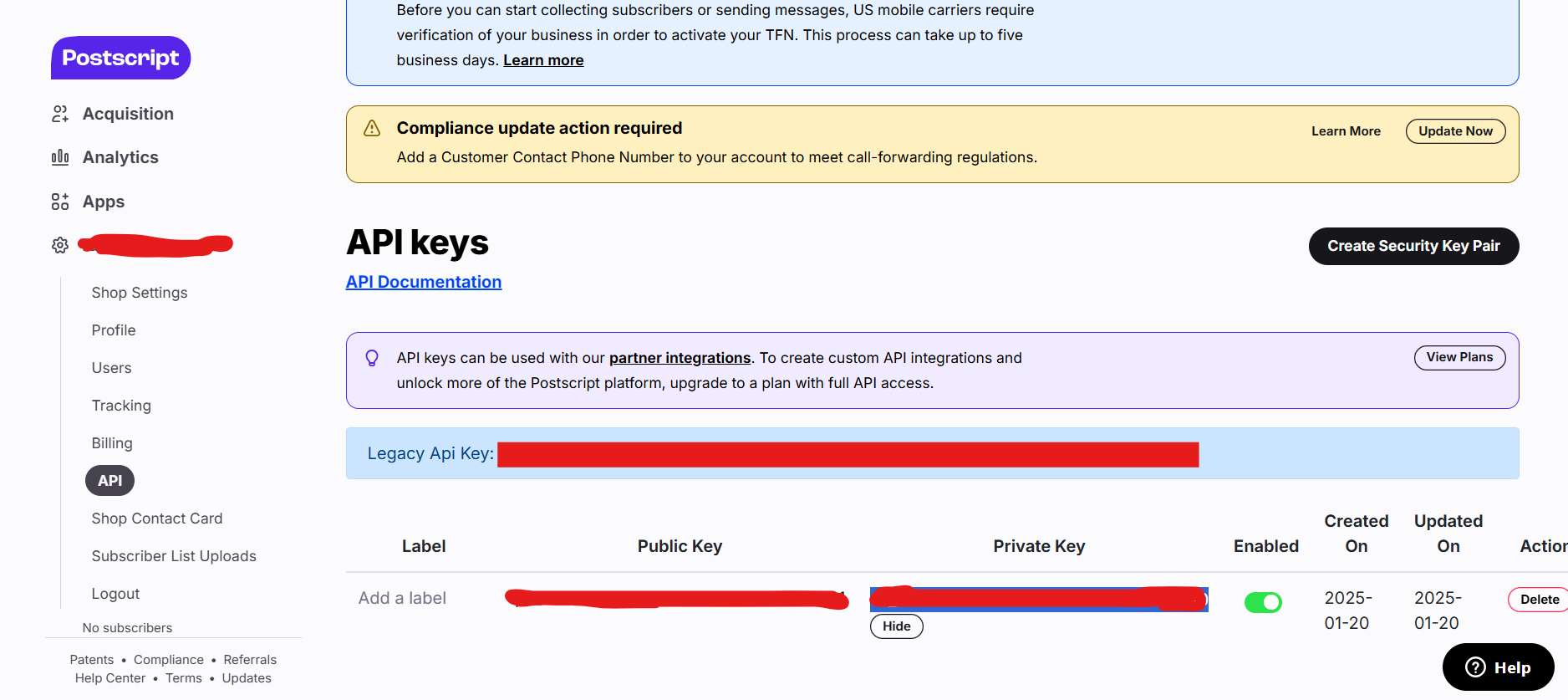
Copy the API Key from Postscript
- Log in to your Postscript Dashboard.
- Go to Settings > API.
- Click Create Security Key Pair.
- Once the new key is generated, enter the label.
- Click Show and copy the private key.
2
Connect Postscript in Gameball
- Log in to your Gameball Dashboard.
- Navigate to Integrations from the left menu.
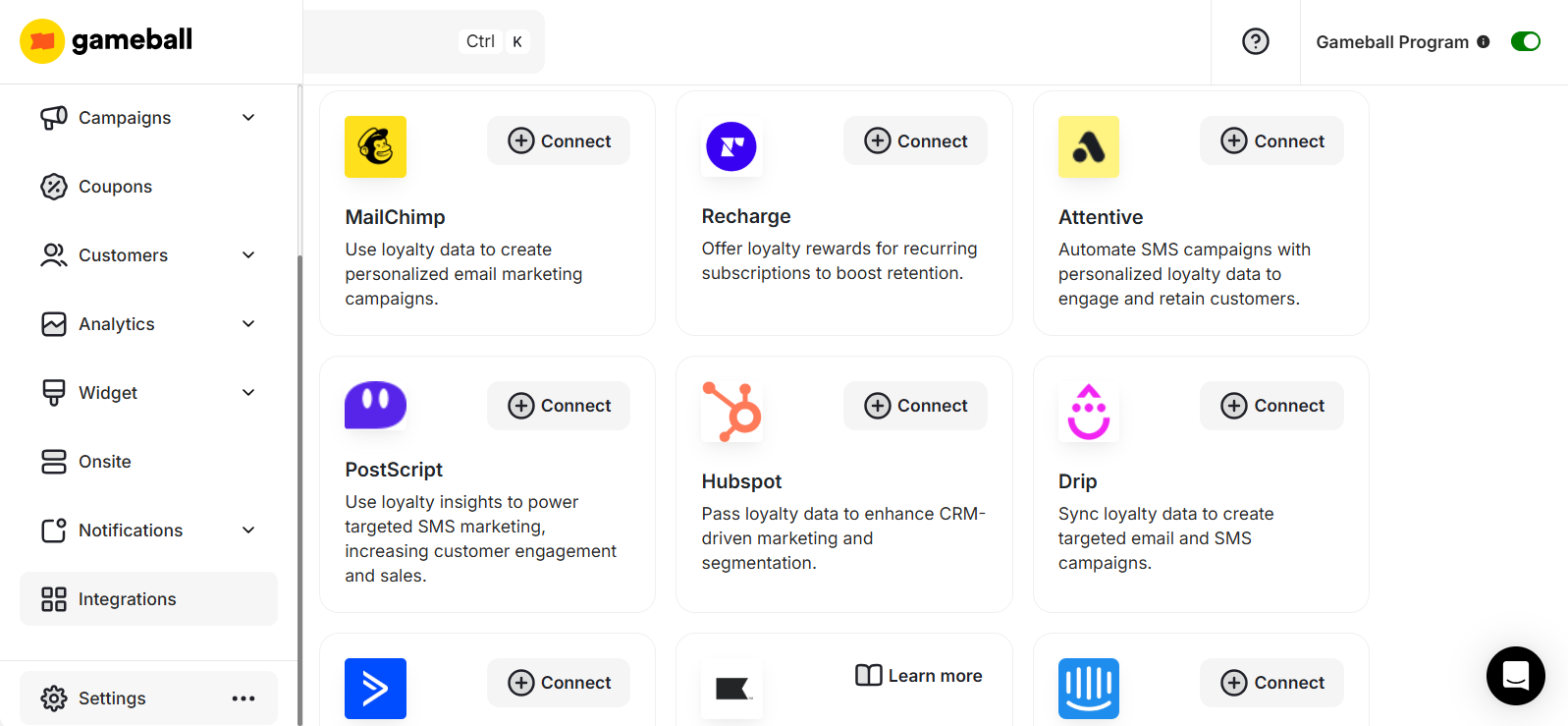
- Select PostScript and click Connect.
- Paste the Generated API Key from PostScript and click Next.

Synced Events
Gameball automatically maps the following events to Postscript:- Coupon Created
- Coupon Redeemed
- Reward Campaign Achieved
- Order Placed
Synced Customer Data
The following customer attributes are automatically synced:Creating Segments Based on Loyalty Data
1
Create a Segment
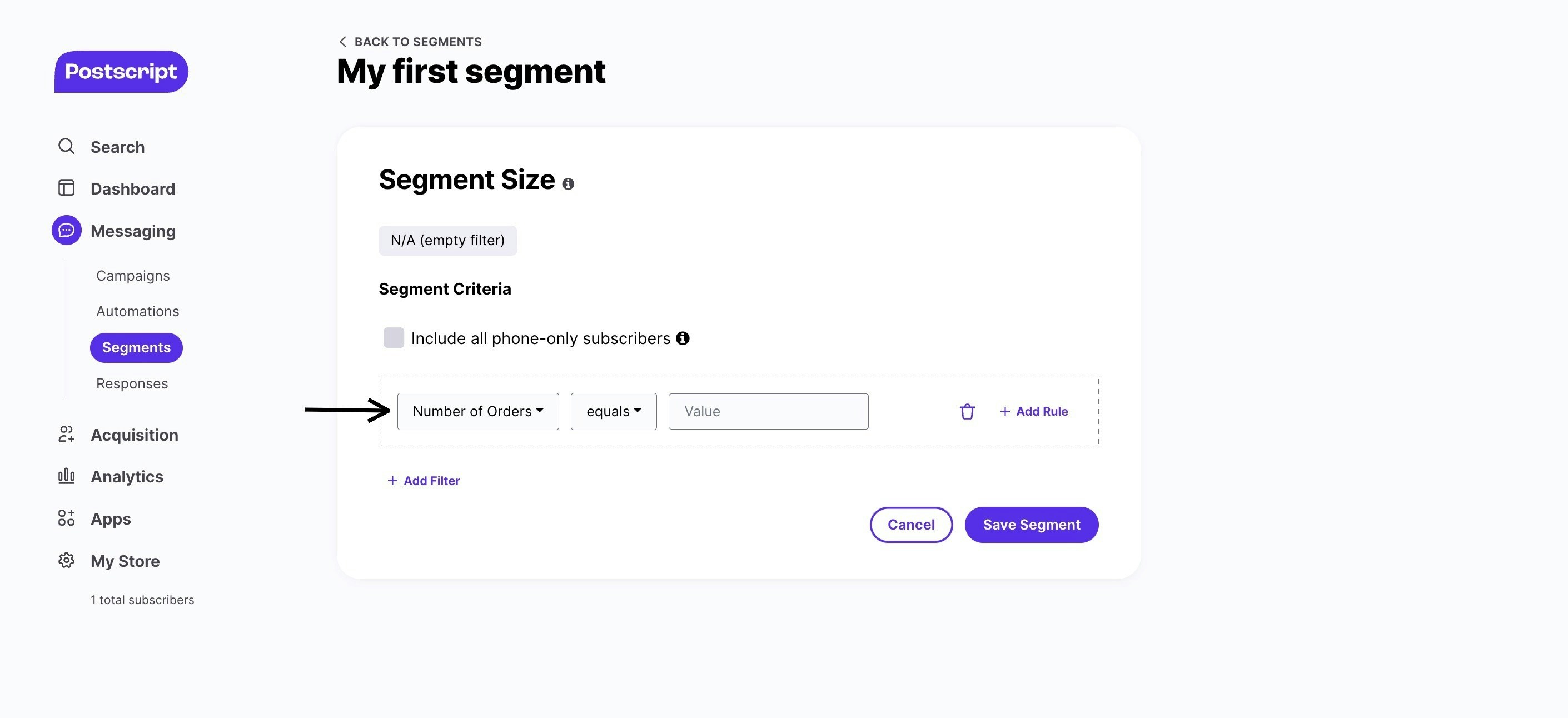
- From your Postscript Dashboard, go to Messaging.
- Click Segments > Create Segment.
- Enter the name of your new segment.
- Below Segment Criteria, click on the pre-selected filter to replace it.
2
Configure Segment Filters
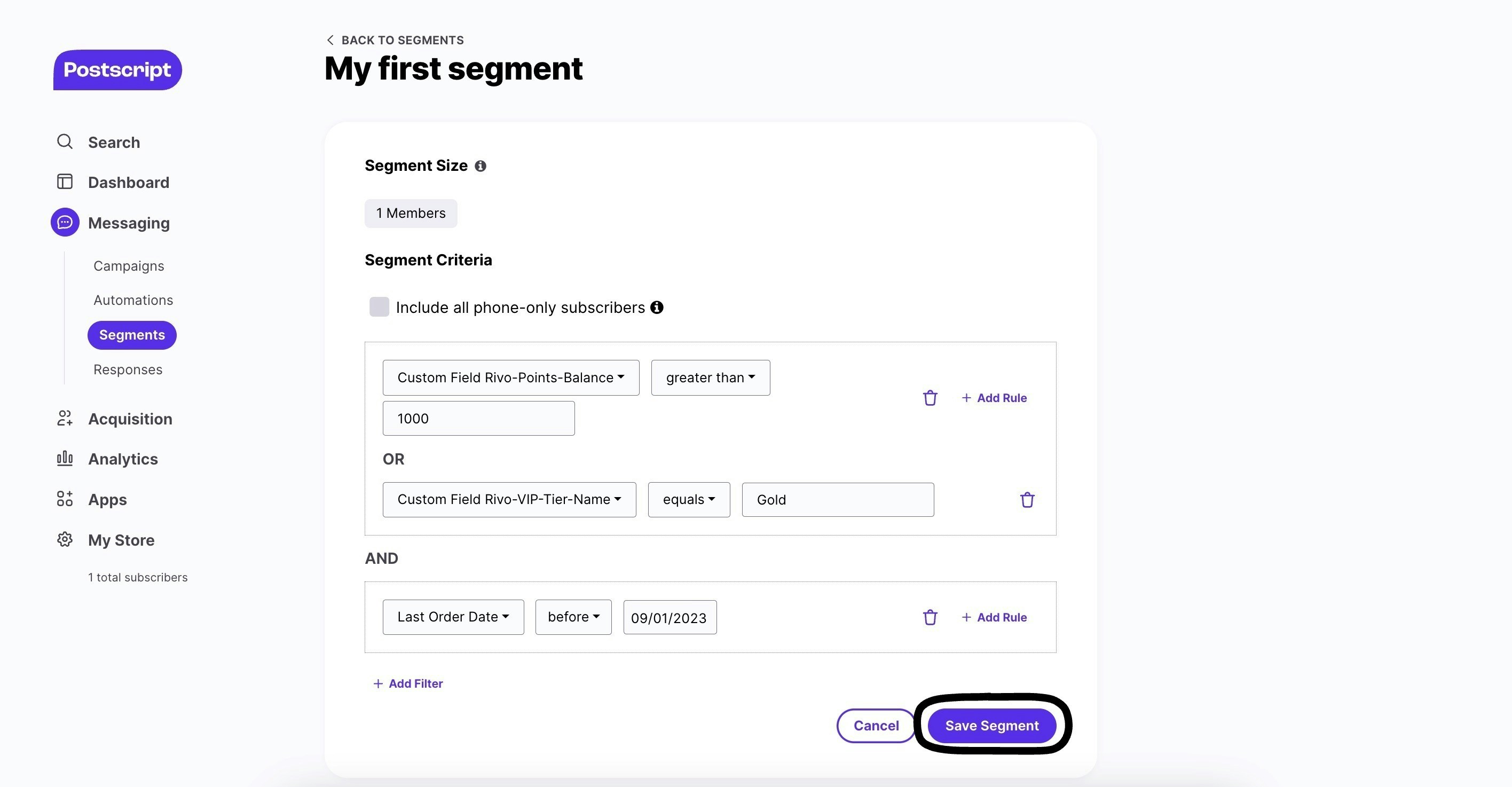
- From the dropdown menu, select any of the Gameball available attributes.
- Optionally, click + Add Rule to add an
orconnector within the same filter. - Optionally, add more filters for your segment if needed.
- Click Save Segment.
Other Suggested Setups
- Trigger Automation Flows - Within Postscript, set up an automation flow. Choose from the Gameball events listed (e.g., Points Earned) and configure personalized SMS content for each event.
- Personalize Communication Campaigns - Use Gameball properties directly in SMS content, enabling unique and relevant messages for each customer’s loyalty journey.
Frequently Asked Questions
What happens if my Gameball data doesn't sync immediately with Postscript?
What happens if my Gameball data doesn't sync immediately with Postscript?
We’ve built a retry mechanism for quick data synchronization. However, if you encounter delays, check your integration settings or contact support.
Will my customer data be secure?
Will my customer data be secure?
Yes, only Gameball-related loyalty data is passed to Postscript, ensuring data safety and compliance with privacy regulations.
Gameball on MoEngage
Integrate Gameball with MoEngage for engagement campaigns.
Gameball on Shopify Flow
Automate loyalty workflows with Shopify Flow.