

Exploring Automation Actions
Automation actions enable you to automate tasks and deliver targeted communications to customers based on specific triggers and conditions.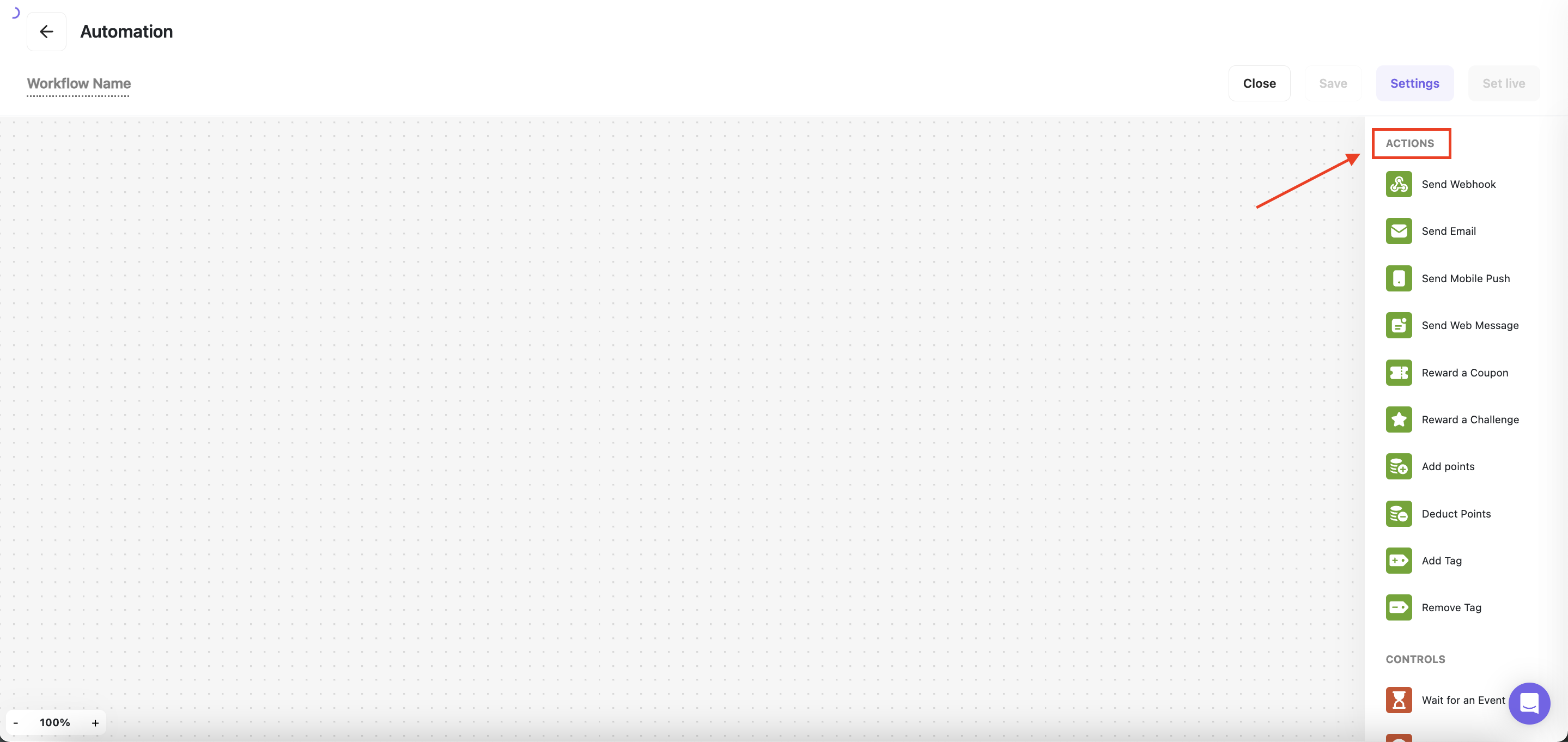
Send Email
Send Email
Send customers a customized email once a workflow is triggered or a condition is met. With Gameball, you can craft compelling email messages tailored to your audience, maximizing the impact of your communication efforts.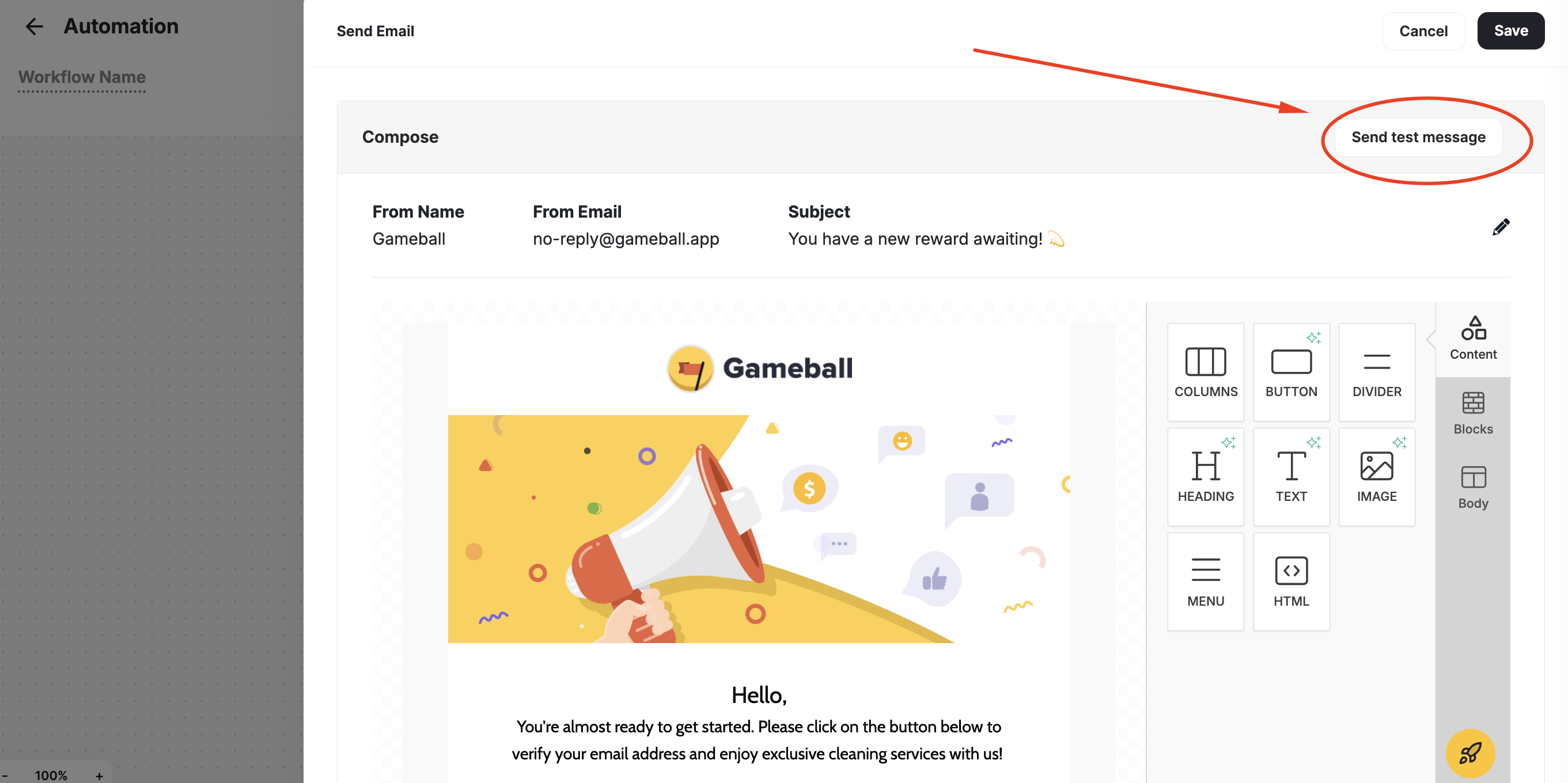
How to compose an email
1
Open Email Configuration
Click on Configure Email on the card.
2
Compose the Email Header
From the pop-up window to the side, fill in the email header fields:
- From Name: the name of your business, or representative.
- From Email: the email you want to appear in the email header. No need to write the domain here.
- Domain: pick the email address’s domain. If the domain is not saved on Gameball, click Change domain and add it through Gameball’s Admin Settings.
- Subject: write a single line appealing for more open rates. Make sure it’s descriptive of the email content.
3
Compose the Email Body
Write the body content of your email.
4
Save
Press Save.
Sending Test Email
You can send a test email to yourself when using the “Send Email” as an action to a trigger in an automation. Click Send test Message after composing your email to review it before you launch the automation campaign.View Sent & Clicked Email Analytics Within Automation
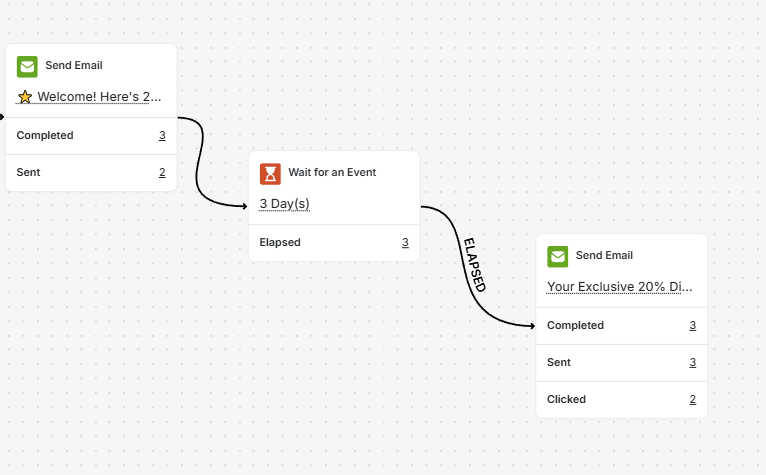
You can view email performance metrics, including Sent and Clicked counts, directly inside each Send Email action node in your automations.- Emails Sent: the total number of successfully delivered emails (excluding bounces and failures).
- Emails Clicked: the number of unique customers who clicked the email.
Send WhatsApp
Send WhatsApp
Send personalized WhatsApp messages to customers when a workflow is triggered or a condition is met. Reach customers on the channel they use most, with messages that feel personal and timely.
You need to connect a WhatsApp Business account through Gameball’s integrations before you can send WhatsApp messages from automations.
How to compose a WhatsApp message
1
Open WhatsApp Configuration
Click on Configure WhatsApp on the card.
2
Select a Template
From the pop-up window, choose an approved WhatsApp message template. Templates must be pre-approved by Meta before use.
3
Personalize the Message
Fill in any variable placeholders in the template with dynamic customer data (e.g. first name, points balance, tier name).
4
Save
Press Save.
Send Mobile Push
Send Mobile Push
Deliver personalized mobile push messages to customers, enhancing engagement and driving action. Gameball enables you to create mobile push notifications that resonate with your audience, driving meaningful interactions with your app or platform.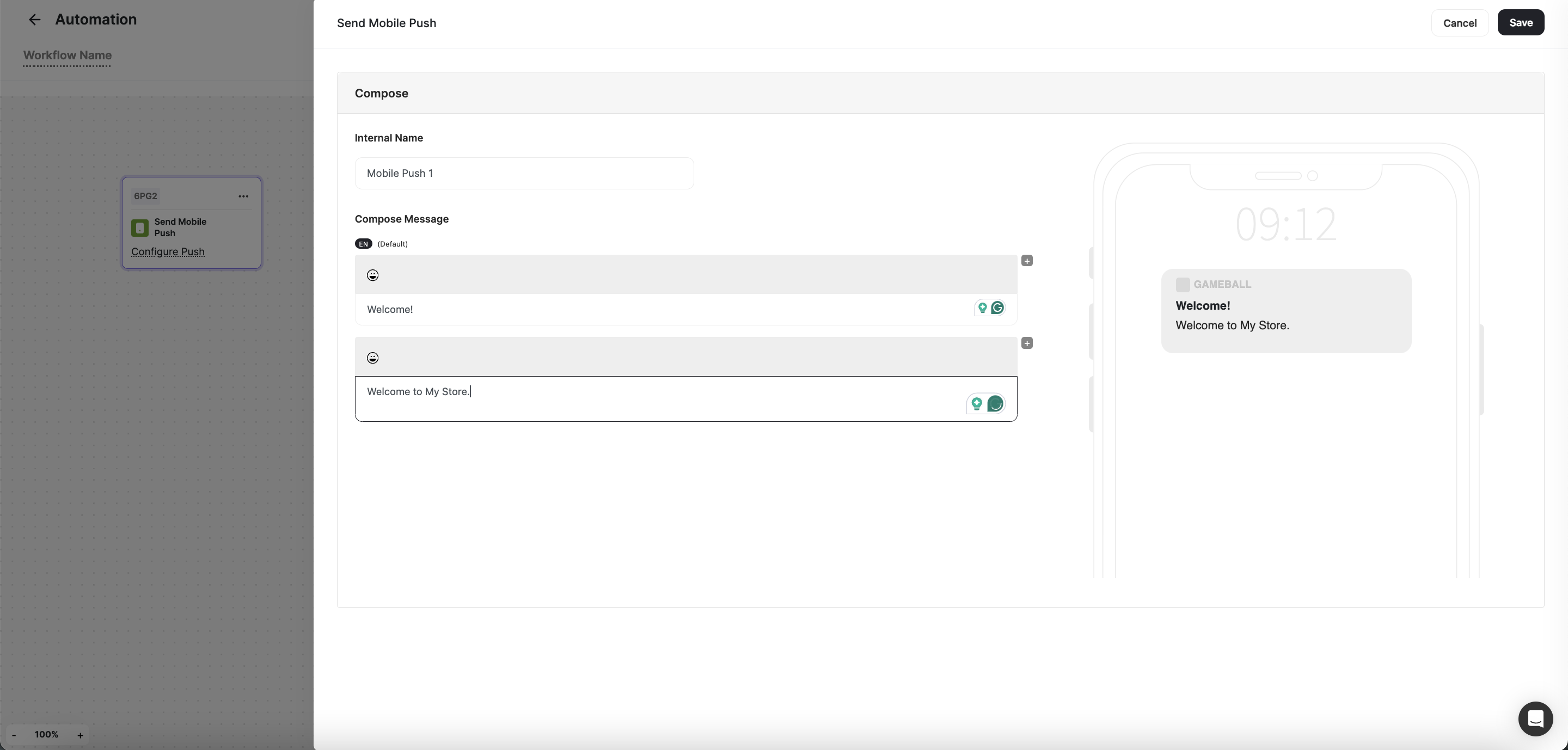
You need to set up your Firebase integration first to be able to send out Push Notifications.
How to compose a mobile push
1
Open Push Configuration
Click on Configure Push on the card.
2
Fill in Internal Name
From the pop-up window to the side, fill in the Internal Name (this name does not show to customers through the message).
3
Compose the Message
- Message title: a short bolded header that grabs the customer’s attention.
- Write your message here: compose a short line that is straight to the point and persuasive.
4
Save
Press Save.
Send Web Message
Send Web Message
Engage customers with targeted web messages delivered directly to their browsers. Whether it’s announcing promotions, providing updates, or delivering personalized recommendations, Gameball allows you to craft compelling web messages that capture attention and drive engagement.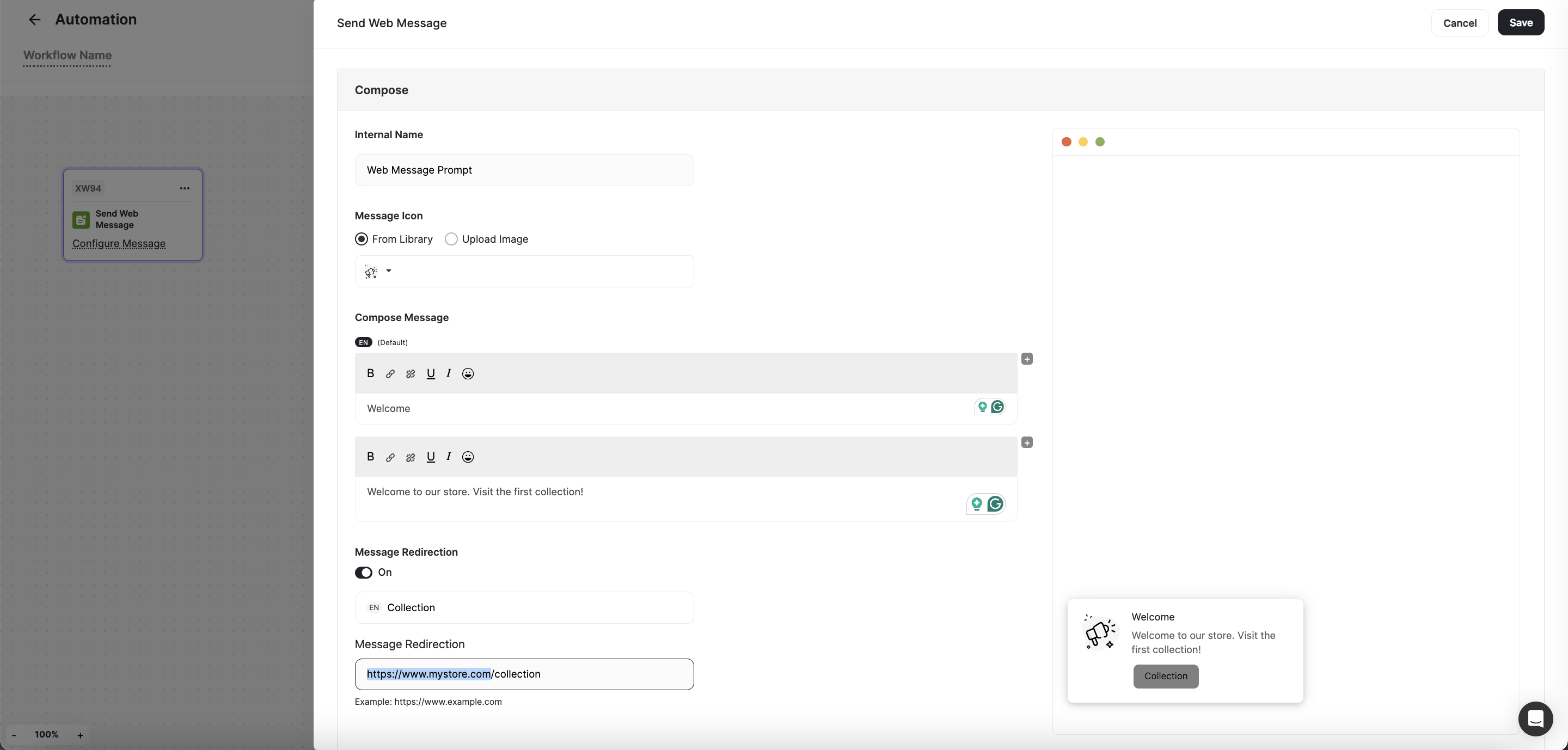
How to compose a web message
1
Open Message Configuration
Click on Configure Message on the card.
2
Fill in Internal Name
From the pop-up window to the side, fill in the Internal Name (this name does not show to customers through the message).
3
Choose or Upload Message Icon
Select or upload the Message Icon.
4
Compose the Message
- Message title: a short bolded header that grabs the customer’s attention.
- Write your message here: compose a short line that is straight to the point and persuasive.
5
Configure Message Redirection
- Button Text: A few words that describe where this button leads to when clicked on.
- Redirection URL: insert the link of the page you want the customer to land on when they click on the button.
6
Save
Press Save.
Reward a Coupon
Reward a Coupon
Incentivize customer behavior by rewarding them with coupons once a workflow is triggered or a condition is met. With Gameball, you can choose from a drop-down list of existing coupons or create new ones to drive conversions and loyalty.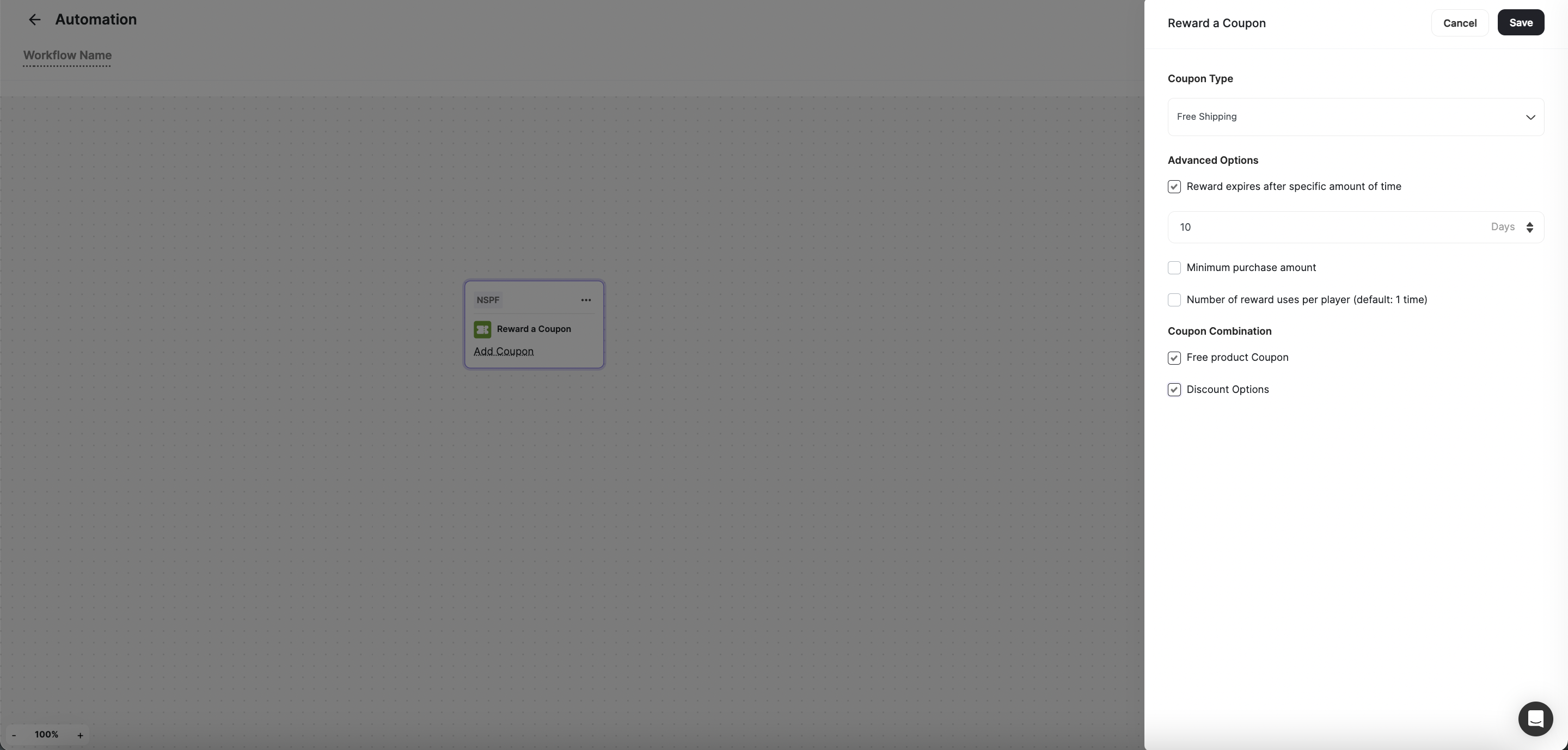
How to set up the Reward a Coupon action
1
Add Coupon
Click on Add Coupon on the card.
2
Choose Coupon Type
From the side pop-up, Choose the Coupon Type.
3
Set Advanced Rewards Options
Set up the Advanced Rewards Options.
4
Save
Press Save.
Reward a Badge
Reward a Badge
Motivate customers by rewarding them with a badge once a workflow is triggered or a condition is met. Gameball enables you to choose from a drop-down list of existing badges or create new ones to encourage continuous engagement and progression.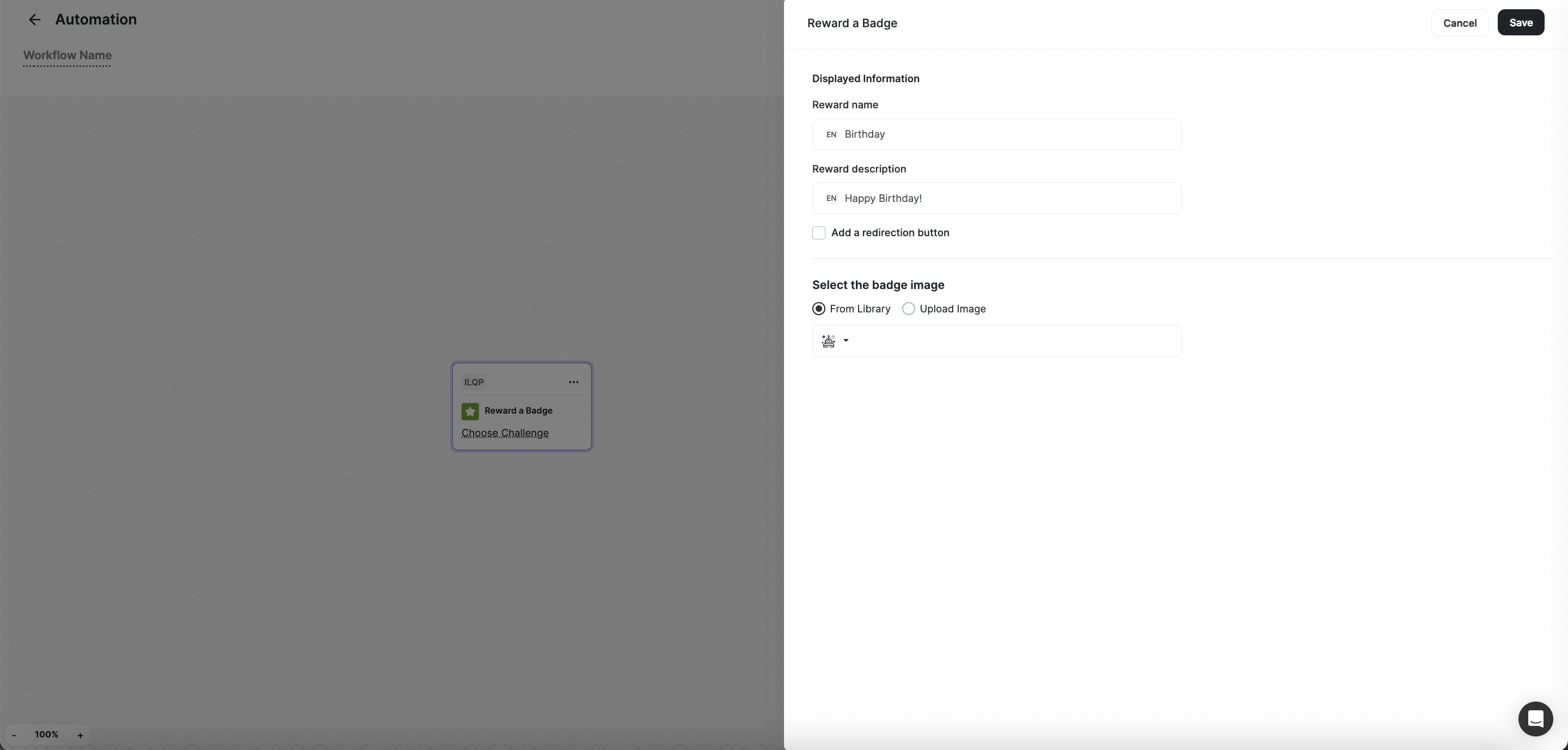
How to set up the Reward a Badge action
1
Choose Badge
Click on Choose Badge on the card.
2
Select the Badge
From the side pop-up, Choose the badge.
3
Save
Press Save.
Add Points
Add Points
Recognize customer achievements by granting them a certain number of points once a workflow is triggered or a condition is met. You can easily specify the number of points to be added and provide a reason for the reward, fostering a sense of accomplishment and motivation.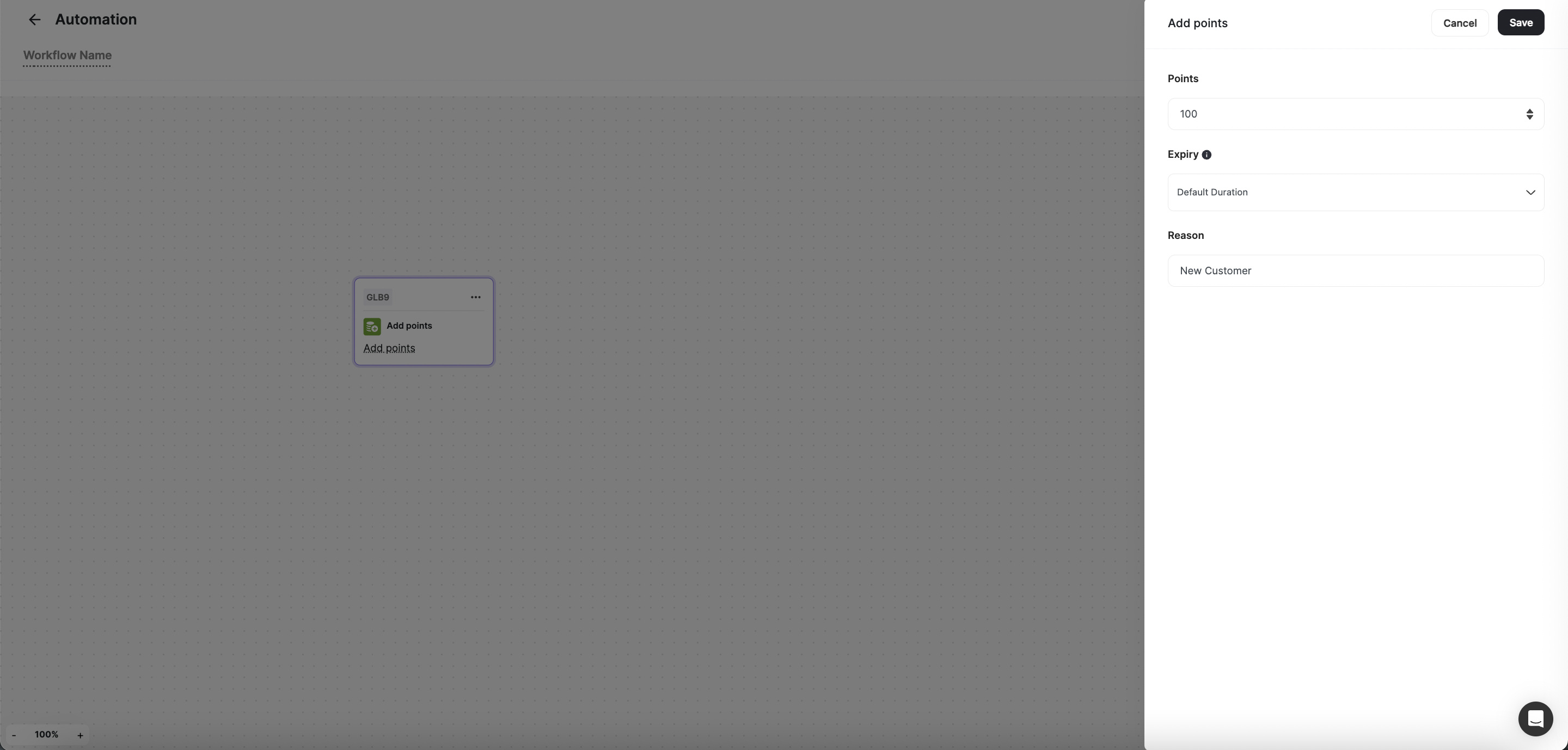
How to set up the Add Points action
1
Open Add Points
Click on Add Points on the card.
2
Set Number of Points
From the side pop-up, set the Number of Points.
3
Add the Reason
Add the Reason for the points being added.
4
Save
Press Save.
Deduct Points
Deduct Points
Maintain balance and fairness by deducting points from customers when necessary. Gameball allows you to specify the number of points to be removed and provide a reason for the deduction, ensuring transparency and accountability in your rewards program.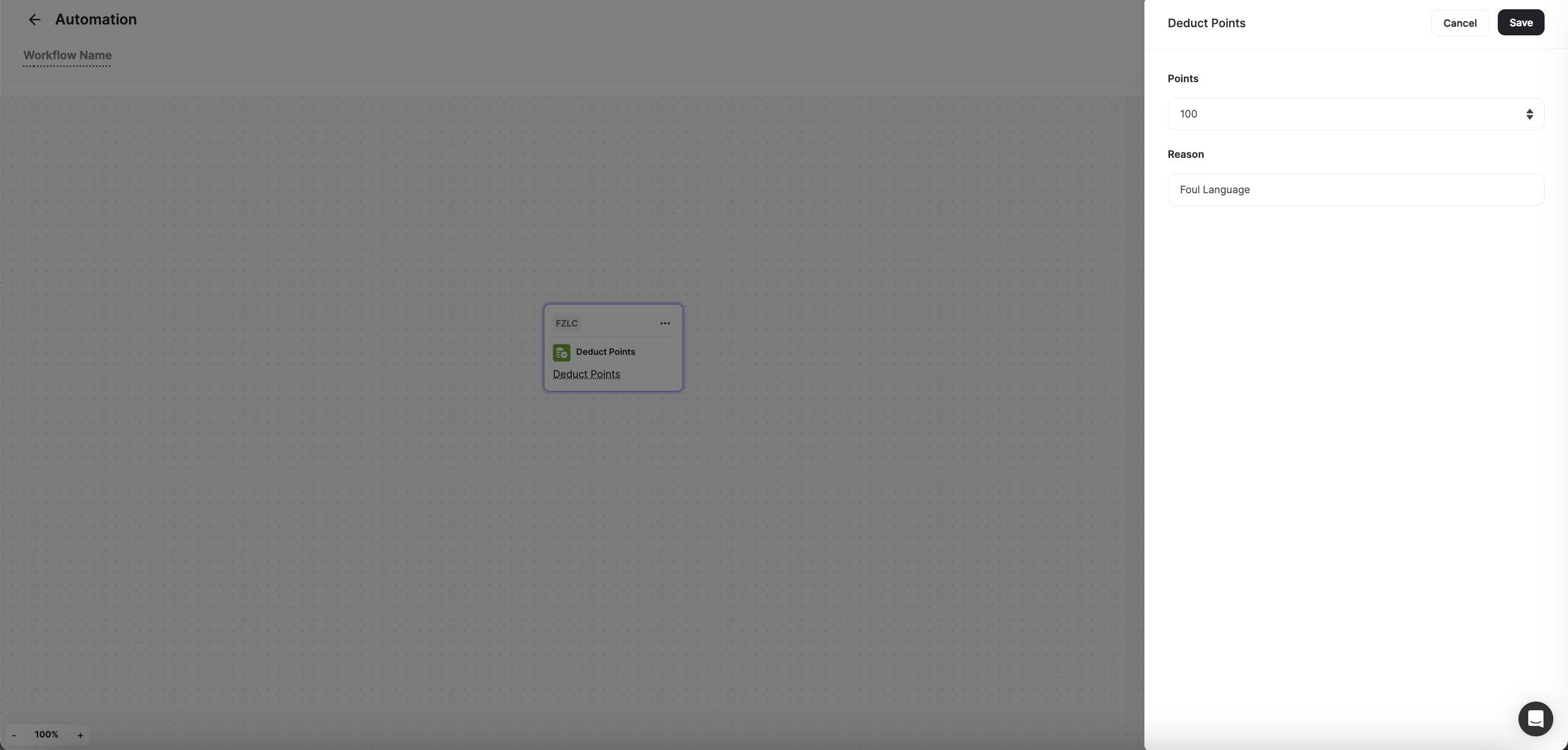
How to set up the Deduct Points action
1
Open Deduct Points
Click on Deduct Points on the card.
2
Set Number of Points
From the side pop-up, set the Number of Points.
3
Add the Reason
Add the Reason for the deduction.
4
Save
Press Save.
Add Tag
Add Tag
Segment customers effectively by applying specific tags once a workflow is triggered or a condition is met. With Gameball, you can choose from a drop-down list of existing tags to categorize customers based on their behavior, preferences, or characteristics.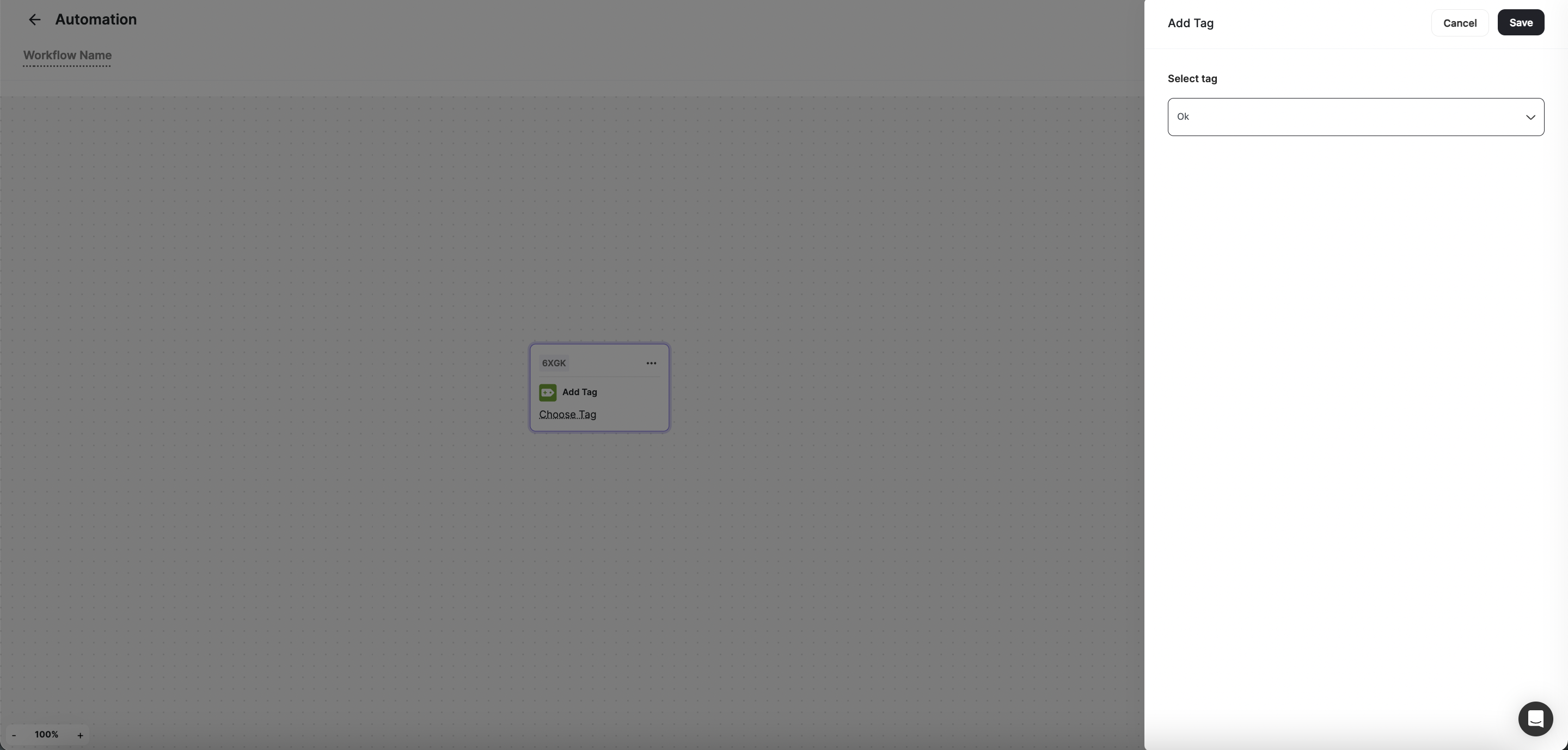
How to set up the Add Tag action
1
Choose Tag
Click on Choose Tag on the card.
2
Select the Tag
From the side pop-up, Select the Tag.
3
Save
Press Save.
Remove Tag
Remove Tag
Refine customer segmentation by removing specific tags once a workflow is triggered or a condition is met. Gameball enables you to choose from a drop-down list of existing tags, ensuring that your customer data remains organized and actionable.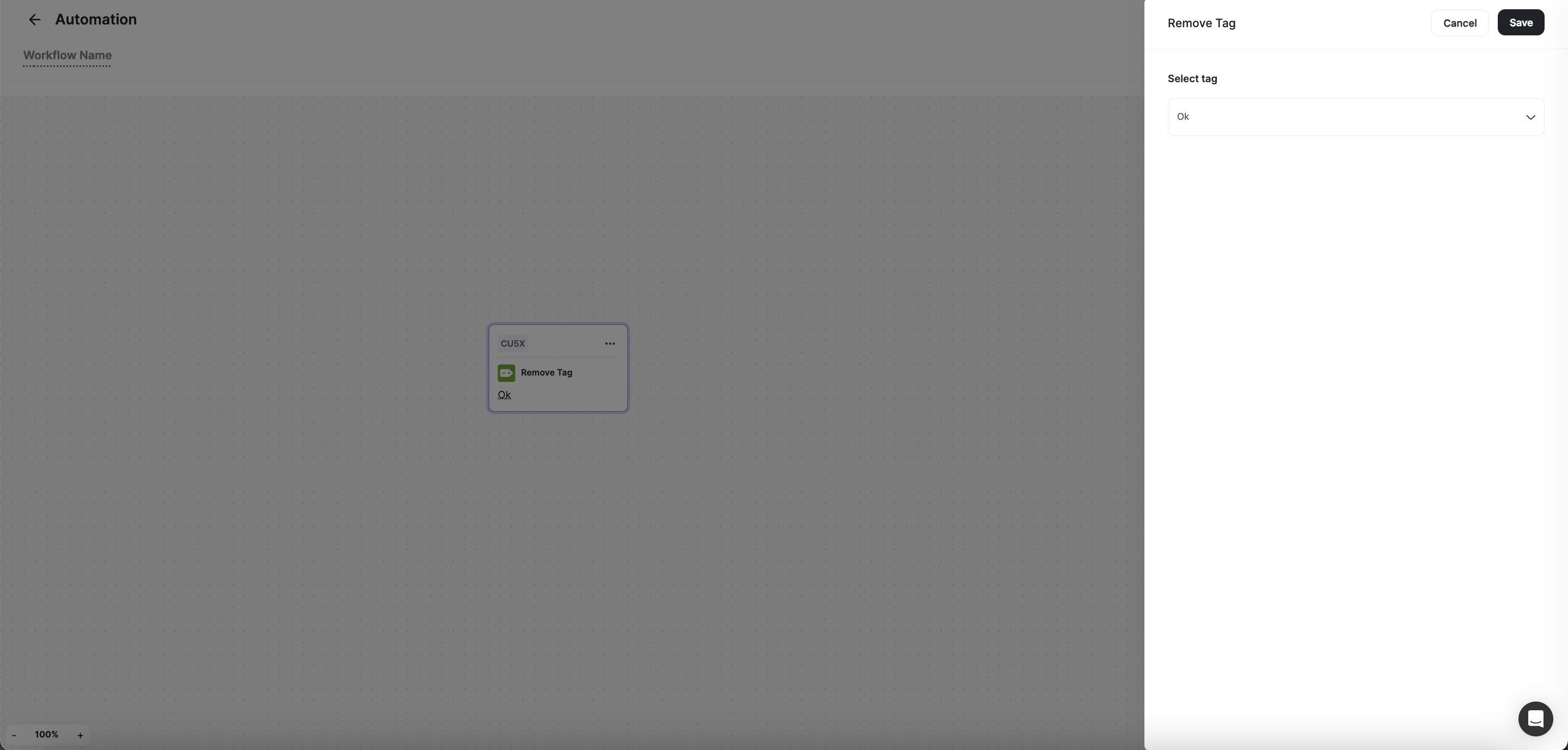
How to set up the Remove Tag action
1
Choose Tag
Click on Choose Tag on the card.
2
Select the Tag
From the side pop-up, Select the Tag.
3
Save
Press Save.
Send Webhook
Send Webhook
Integrate seamlessly with external apps and services by sending customers’ information via webhooks. Gameball allows you to set up webhooks to transfer data securely, enabling real-time communication and synchronization between systems. Learn how to set up the Send Webhook action.
Related Articles
How to Create an Automated Workflow
Step-by-step guide to building your first automation campaign.
Automation Triggers
Learn about all available triggers that can initiate your automation workflows.
Automation Controls
Learn about conditions and branching logic available in automations.