Effective communication with your audience is essential for driving engagement and achieving your business goals. With Gameball’s Push Notifications Campaign Templates, you can effortlessly create targeted messages to boost customer interaction and drive desired actions. Learn more about creating and configuring push notification campaigns.Documentation Index
Fetch the complete documentation index at: https://docs.gameball.co/llms.txt
Use this file to discover all available pages before exploring further.
Available Push Notification Templates
Close to Achieving a New Reward Campaign
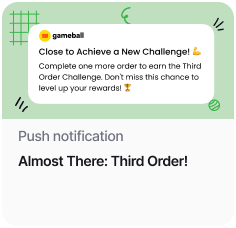
| Field | Value |
|---|---|
| Trigger | Scheduled — One Time — Now |
| Audience | Specific Audience |
| Customer Attribute | Total Orders = 2 |
End-of-Season Offer
End-of-Season Offer
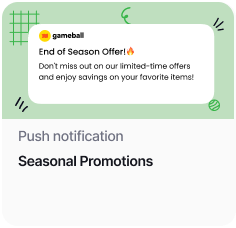
| Field | Value |
|---|---|
| Trigger | Scheduled — One Time — Now |
| Audience | All |
Back in Stock Alert
Back in Stock Alert
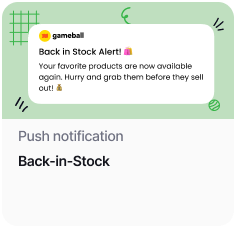
| Field | Value |
|---|---|
| Trigger | Scheduled — One Time — Now |
| Audience | All |
How to Use the Templates
Check this article for a detailed guide on how to create a new push notification or make edits on a template.
Benefits of Using Push Notification Templates
| Benefit | Description |
|---|---|
| Personalization | Tailor messages to specific audience segments based on their behavior or attributes. |
| Automation | Set triggers and targeting criteria to automate message delivery and maximize efficiency. |
| Engagement | Capture users’ attention with timely and relevant messages, encouraging interaction and action. |
| Conversion | Drive desired actions such as achieving new reward campaigns, capitalizing on offers, or purchasing restocked items to increase customer loyalty and sales. |
Related Articles
Web Messages Templates
Explore pre-built web message templates for on-site customer engagement.
Email Templates
Explore email templates to reach customers directly in their inbox.