

Plan Availability
The Normal leaderboard is included with every plan that has the widget leaderboard. The Advanced leaderboard needs the Advanced leaderboard plan feature.
Leaderboards can be a great tool to create a competitive environment and encourage your customers to be more active. However, leaderboards could also be demotivating if deployed within the wrong crowd. Gameball gives you the option to use it or to completely remove it when it is not convenient.
How Does Gameball Leaderboard Work?
The leaderboard lets the customer track their progress and compare it to all your other customers. The customer is ranked based on the levels method that you have configured in the Tier program: amount spent, points, orders, referrals, or score. For example, if you chose “Amount Spent” as the method, the customer is ranked on the amount they spent in comparison to other customers’ spending. Customers with the same result always appear in the same order. To view the leaderboard, the customer needs to click on the Progress bar or the Tier found on the home section of the widget, then switch to the Leaderboard tab. The customer will then see their rank amongst other customers. The widget list shows the top 20 customers.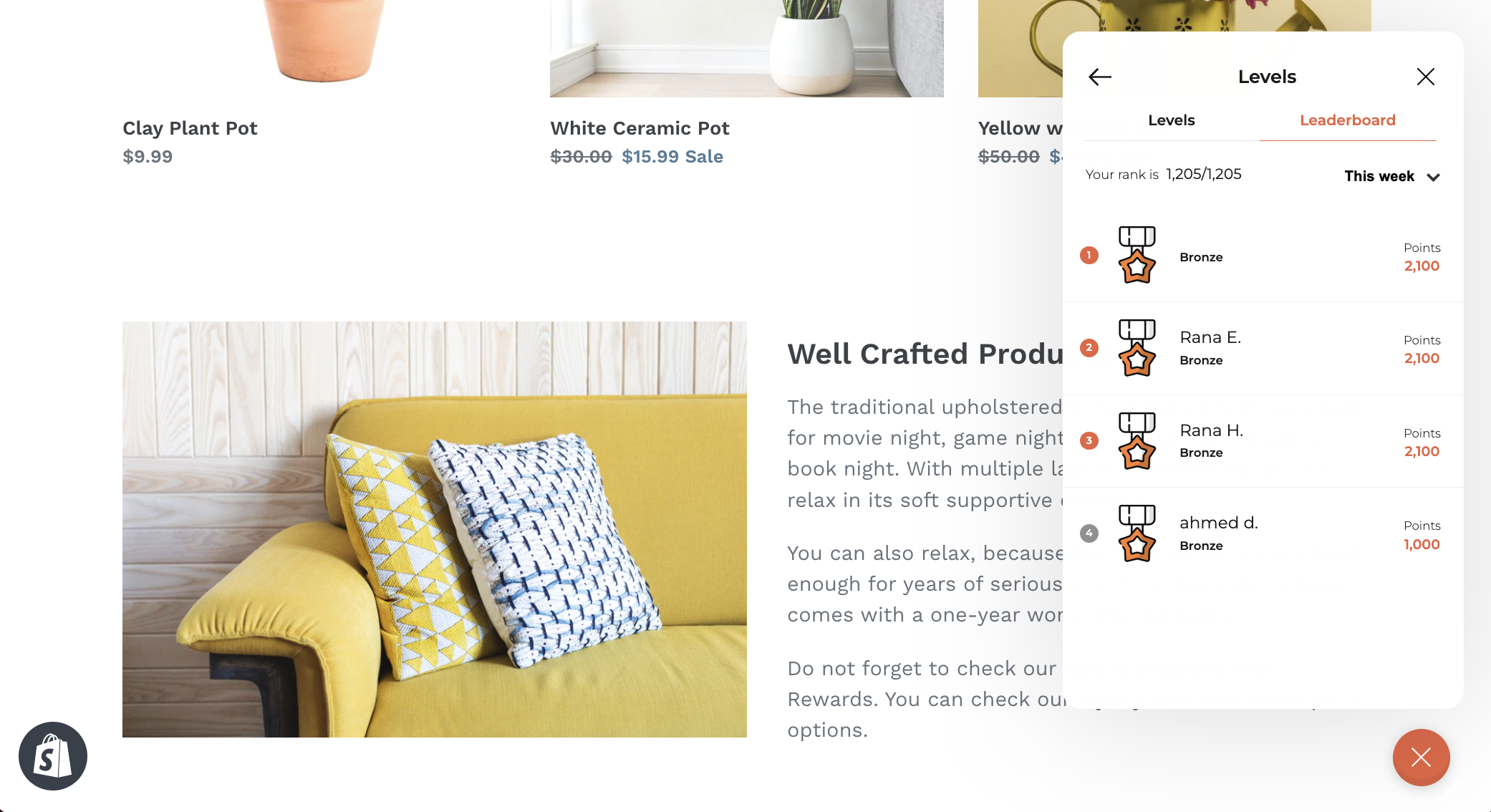
How Are Customers Ranked?
The leaderboard ranks customers on net totals:- When an order is refunded or cancelled, Gameball takes it off the customer’s score in the period of the original purchase, so the leaderboard reflects what customers actually kept.
- Transactions blocked as fraud never count.
What Are the Normal and Advanced Leaderboards?
The leaderboard comes in two tiers. Normal is included with every plan that has the widget leaderboard. Advanced adds more periods, deeper rankings, and the Leaderboard API.Advanced Needs a Plan Feature: The Advanced tier is unlocked only by the Advanced leaderboard plan feature, on your plan or as an add-on, and only with an active subscription. Without it, you stay on Normal. Every merchant using the leaderboard before this release moved to Advanced, so nobody lost anything.
How Can a Customer Know Their Exact Rank?
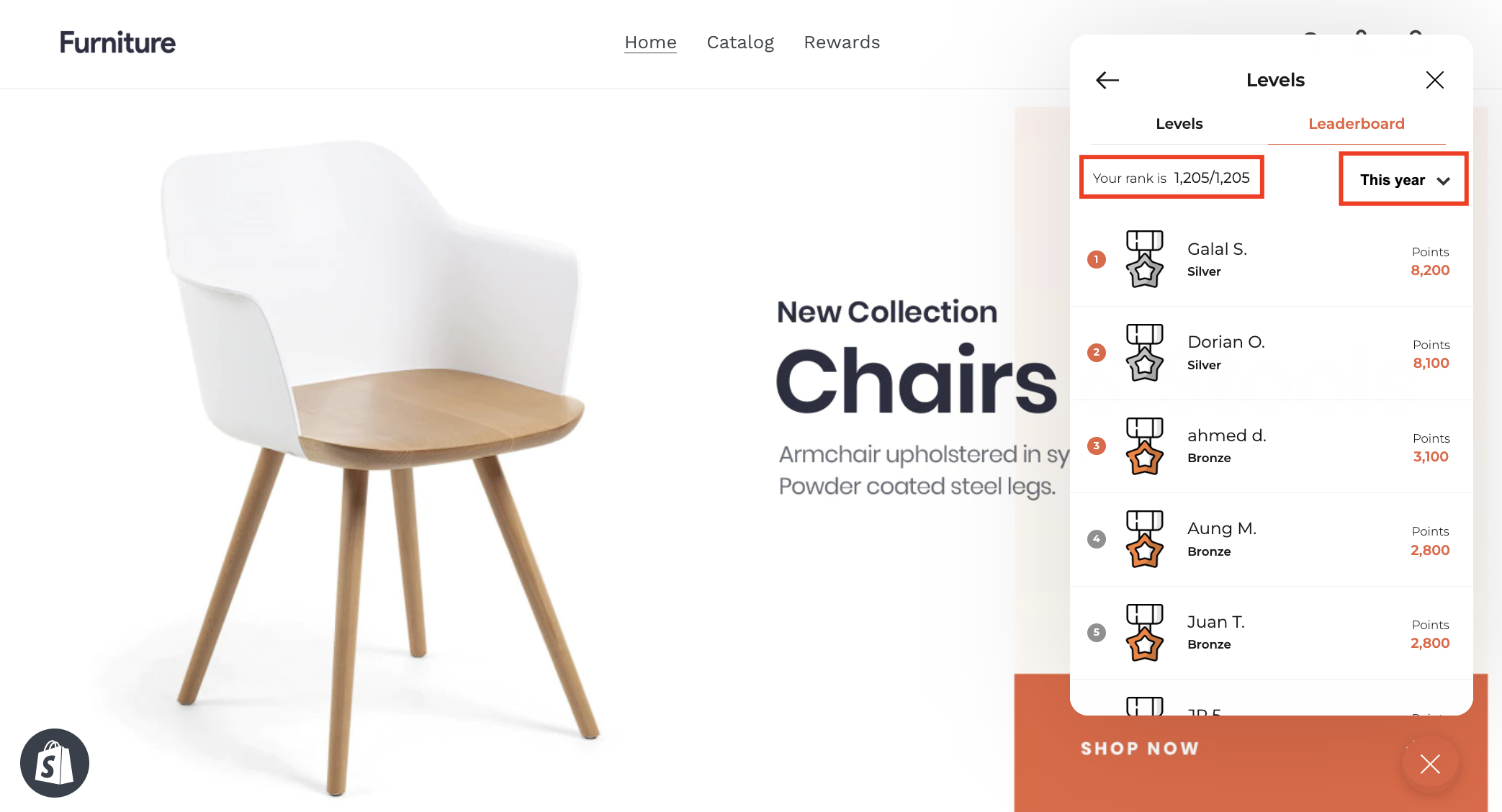
Customers can see their rank in comparison to the rest of the customers in the text above the customer list.- Advanced: every customer sees their exact rank.
- Normal: customers see their exact rank inside the top 100, and “100+” otherwise.
Which Periods Can Customers Filter By?
Customers can filter the rank list by period.How to Show or Hide the Gameball Leaderboard from the Widget
1
Navigate to Visibility Settings
On the Gameball Admin Dashboard, go to Widget > General: Visibility.
2
Toggle Leaderboard Visibility
Under the Leaderboard Tab, check Show or Hide based on your objective.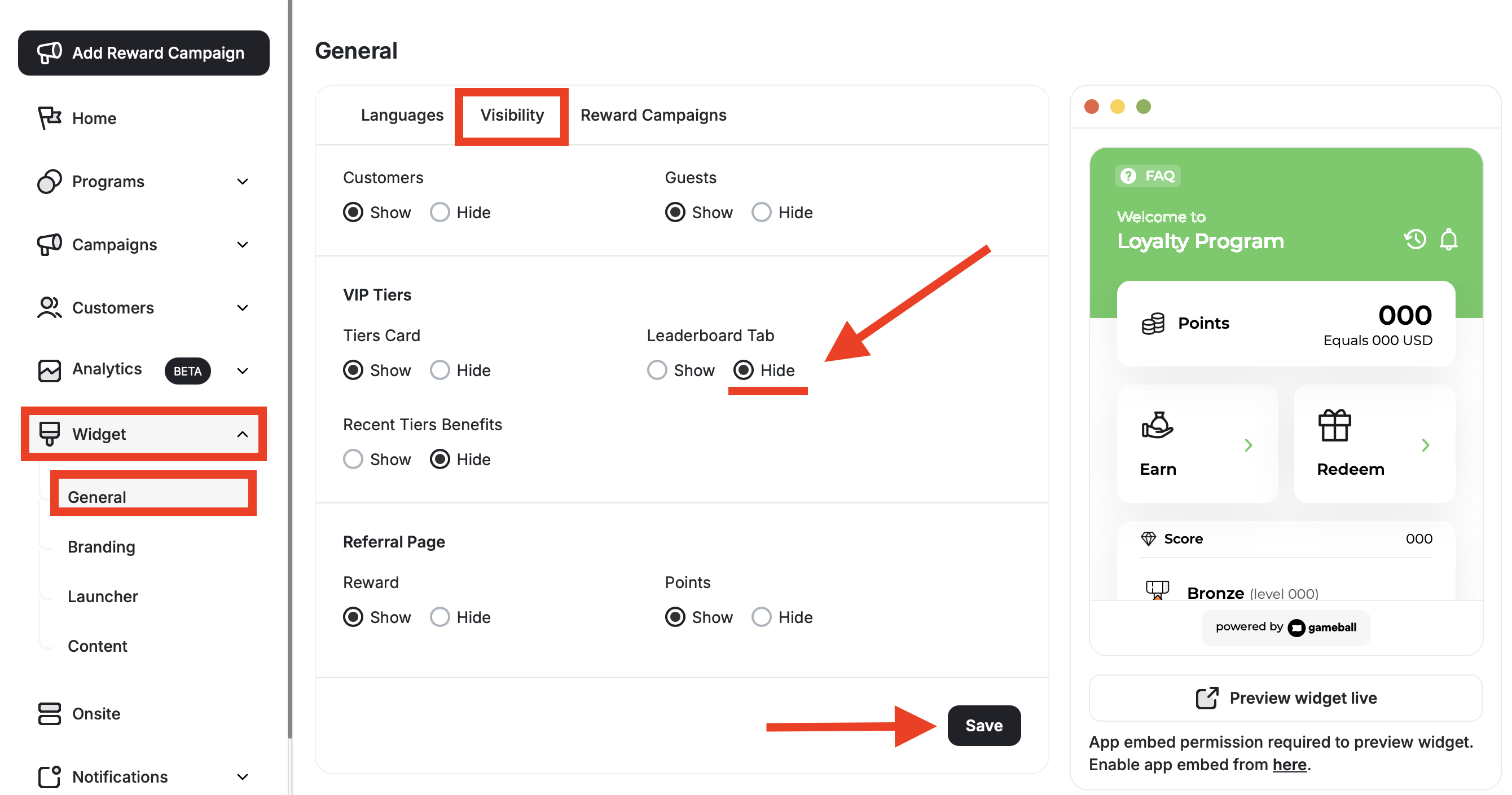
3
Save and Refresh
Click Save, then refresh your website. You will find that the leaderboard tab has been completely removed (or restored).
Common Questions
What happens to a customer's rank when an order is refunded or cancelled?
What happens to a customer's rank when an order is refunded or cancelled?
The refund or cancellation comes off the customer’s score in the period of the original purchase, not the period when the refund happened.
Why don't I see the weekly and daily leaderboards?
Why don't I see the weekly and daily leaderboards?
Weekly and daily periods are part of the Advanced leaderboard. It is unlocked only by the Advanced leaderboard plan feature, on your plan or as an add-on, and only with an active subscription. Without it, you stay on the Normal leaderboard.
Can I get leaderboard rankings through the API?
Can I get leaderboard rankings through the API?
Yes, on the Advanced leaderboard. The Customer Leaderboard API returns up to 50 rows per request, with custom date ranges and filters.
Related Articles
Customize the Widget Launcher
Control the shape, position, icon, and visibility of your loyalty launcher button.
Customize Tabs Visibility and Order
Control which tabs appear in your widget and in what order they are displayed.