

Plan Availability
- Shopify & Salla
- Non-Platform
How to Create a Streak Campaign
1
Navigate to Reward Campaigns
From the left bar, choose Reward under Campaigns. Click Create New Reward Campaign.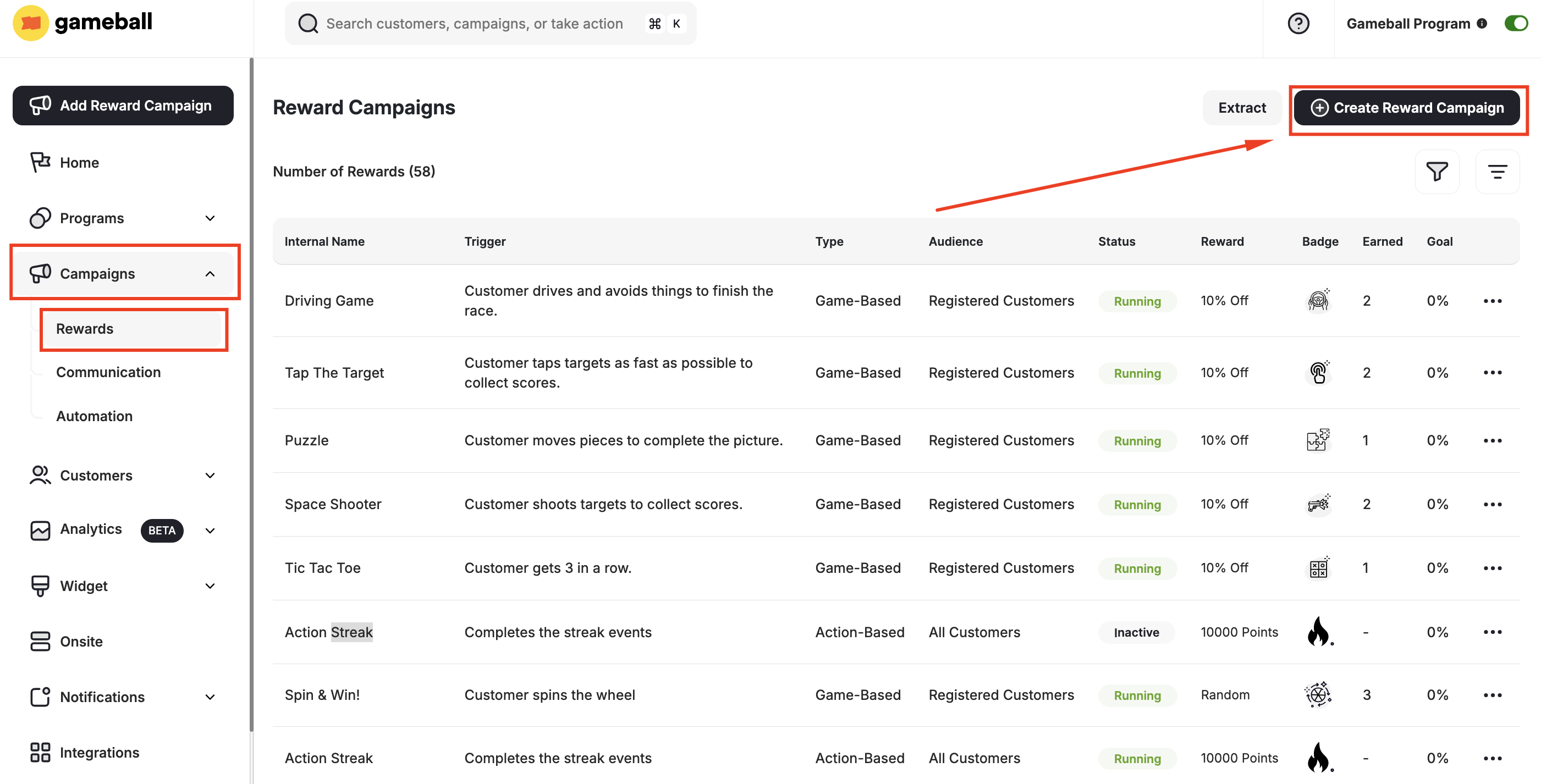
2
Select the Template
Scroll to choose the Streak under Engagement & Gamification.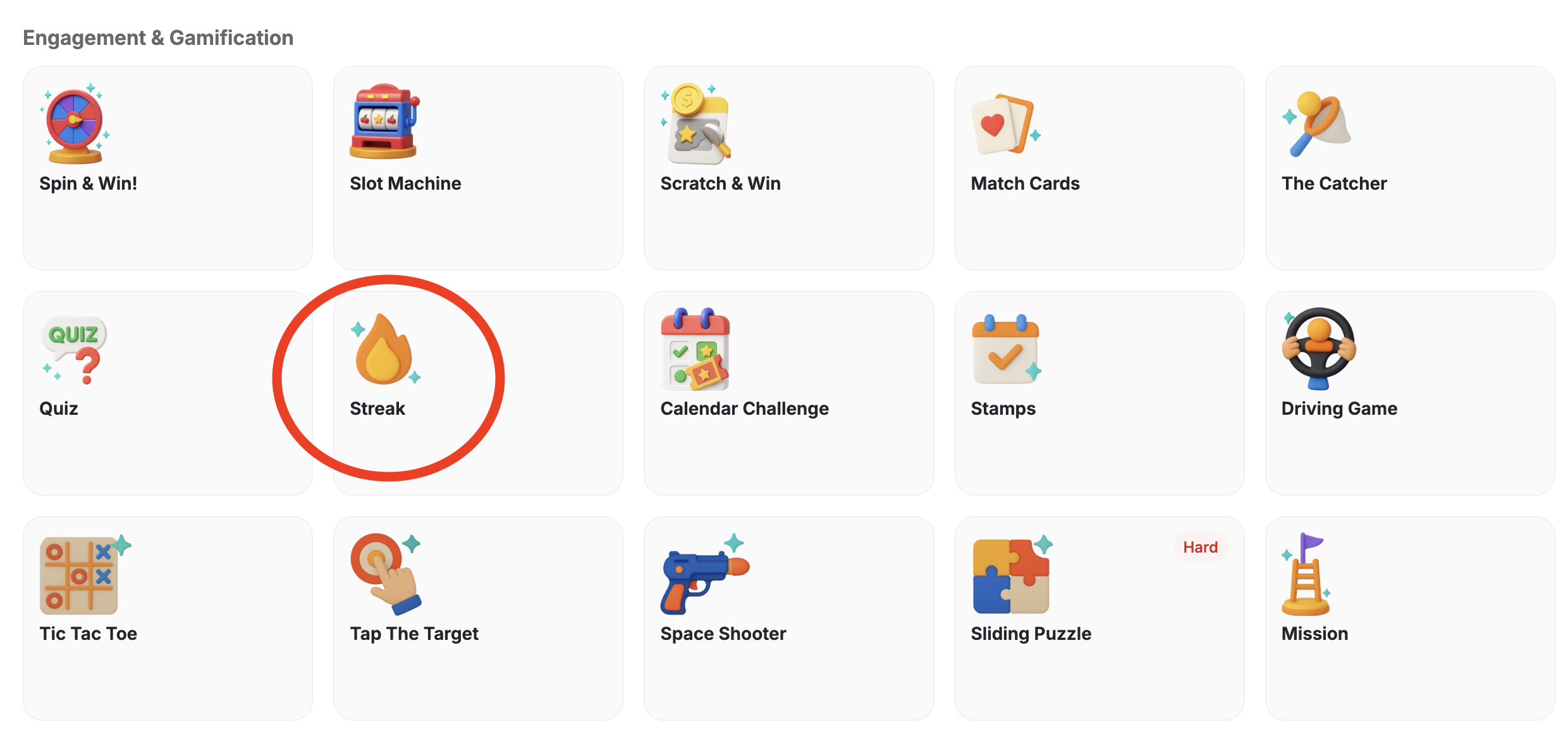
3
Configure General Settings
You may follow the steps in this article to configure the general settings of this campaign. Learn more about setting up a Reward Campaign.
4
Select Streak Actions
Select the actions that will count toward the streak. Examples:
- Purchases
- Reviews
- Website visits
5
Set the Streak Frequency
Choose how often customers need to act to maintain their streak:
- Daily (default) — customers must perform the action each calendar day.
- Weekly — customers must act at least once per week. Choose which day the week starts on; boundaries resolve in your account timezone.
- Monthly — customers must act at least once per month. Milestones count streak steps, not calendar months.
Frequency and week-start day lock once the campaign goes live and cannot be changed.
6
Set Up the Rewards
In the Rewards section, set up the streak rewarding system. For example, you might want customers to get 10 points every day they purchase until the 5th day, then 20 points daily until the 10th day, then 50 points thereafter.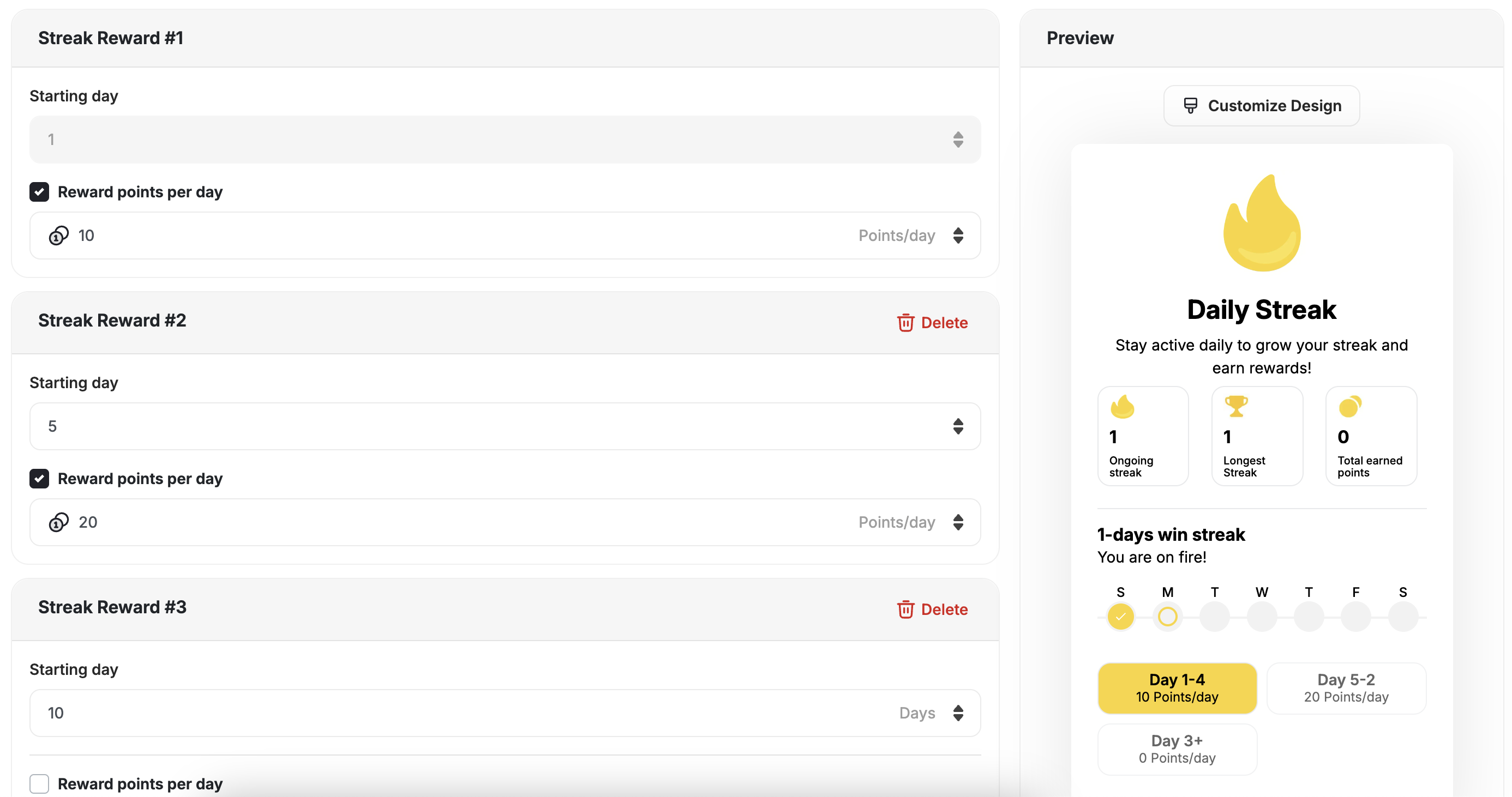
7
Add Rewards and Badges
You can add up to 10 reward tiers. Rewards should increase with longer streaks to encourage continued engagement.Add the Badges of each streak. Badges are awarded when customers reach a milestone and remain permanently, even if the streak resets.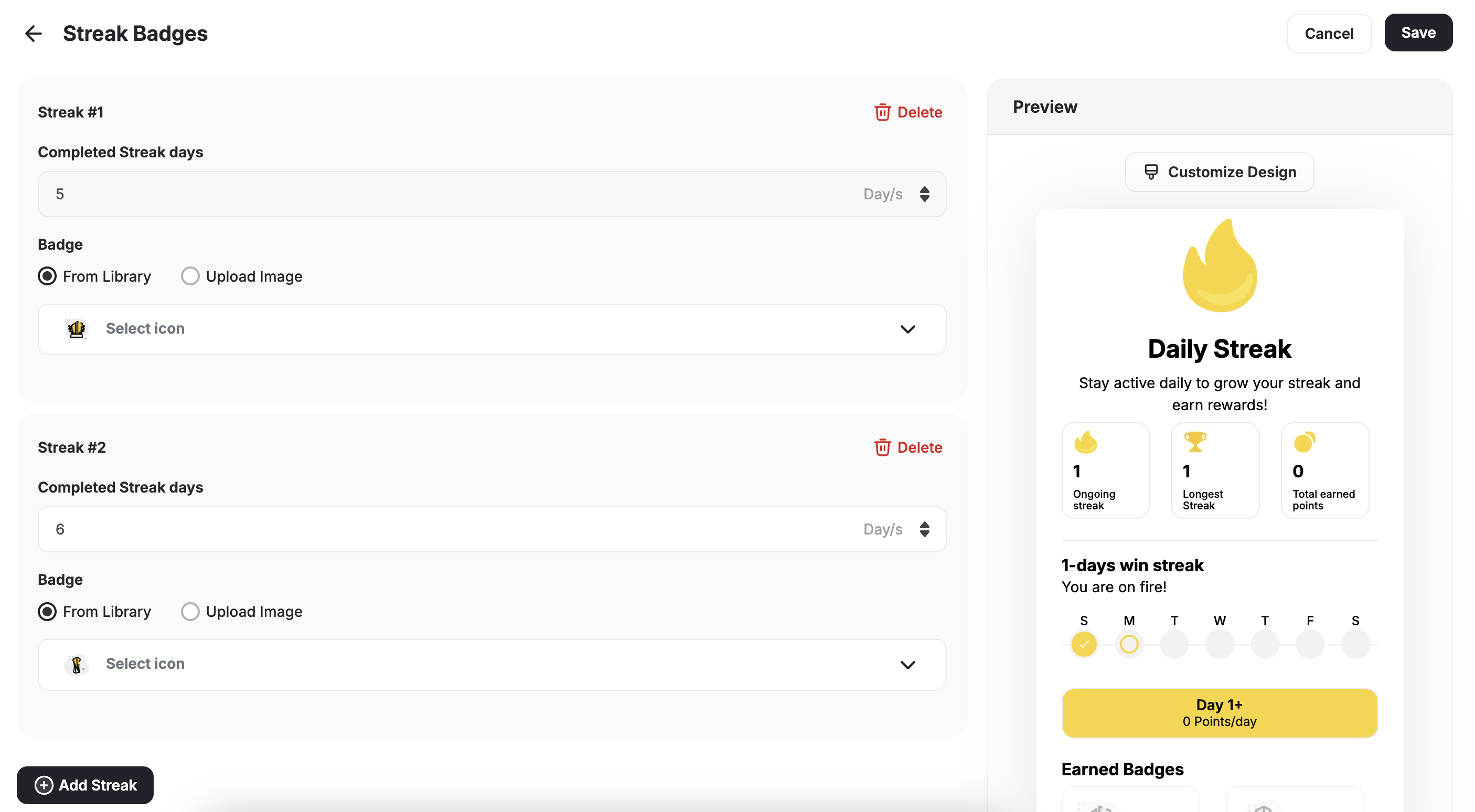
The 10-row limit refers to the maximum number of unique reward tiers (variations) you can configure — not a cap on how long the streak can run. Once the last tier is reached, its reward repeats for every subsequent period as long as the customer maintains their streak. Streaks continue indefinitely.
How Gameball Tracks Daily Visits
If the trigger chosen is Daily Visits, here is how Gameball records customer check-ins: A daily visit (check-in) is recorded when a registered customer interacts with your platform after midnight (00:00 AM) in their local time.- Web Visits
- Mobile App Visits
A customer visit is counted as a daily check-in in any of the following cases:
- The customer is logged in and loads any page that includes the Gameball widget (typically added via a JavaScript snippet).
- If the customer is logged out, they must log in for the visit to count.
- The platform sends any event on behalf of the customer (e.g., a purchase or tier-up event).
- You retrieve customer details via the Gameball API (e.g., calling
Get Customerendpoint).
If you’re not using a built-in Gameball plugin like Shopify or Salla, make sure the widget is integrated using our JavaScript SDK guide to ensure proper tracking.
Streak Achievement Events
Every time a customer progresses in a streak, Gameball fires astreak_progression event. You can use this event to trigger automations, send personalized messages, or build custom segmentation logic.
Event Fired on Every Streak Progression
Thestreak_progression event fires automatically whenever a customer advances their streak — regardless of whether a reward milestone was reached.
Using Streak Events for Automation and Personalization
You can reference this event in:- Automation campaigns — trigger a flow when a customer reaches a specific streak length
- Communication campaigns — send a congratulatory message at key milestones
- Segmentation — group customers based on their current or longest streak
Event Metadata
- The
streak_progressionevent fires on every progression, not just on reward milestones. - If the streak resets,
current_streak_durationresets to 0, butlongest_streak_durationretains the historical maximum. - Milestone badges earned remain with the customer even after a reset.
Streak Protection
Streak protection lets customers who have built a long streak recover from a single missed period — without losing all their progress. Available on Pro and Guru plans. Enable it in the campaign setup, below the Streak Frequency setting, and choose a mode:- Restore — when a customer breaks their streak, they can restore it within a set number of days. Their streak counter goes back to where it was before the miss.
- Freeze — customers can freeze their streak before it breaks, pausing the counter for a set number of days (or indefinitely). The streak resumes from the same count once the freeze ends.
- Toggle Streak Protection on in the campaign settings.
- Choose Restore or Freeze.
- Set how many completed intervals a customer needs before protection becomes available to them.
- For Restore: set an optional restore window (number of days to restore after a miss).
- For Freeze: set a freeze duration in days, or leave it unlimited.
Streak protection settings lock once the campaign goes live and cannot be changed.
Related Articles
Set Up a Reward Campaign
Learn the full setup process for creating and activating reward campaigns.
Reward Types in Gameball
Explore all reward types available and how to configure each one.
Notification After Earning a Reward
Configure in-app and email notifications triggered when customers earn rewards.