

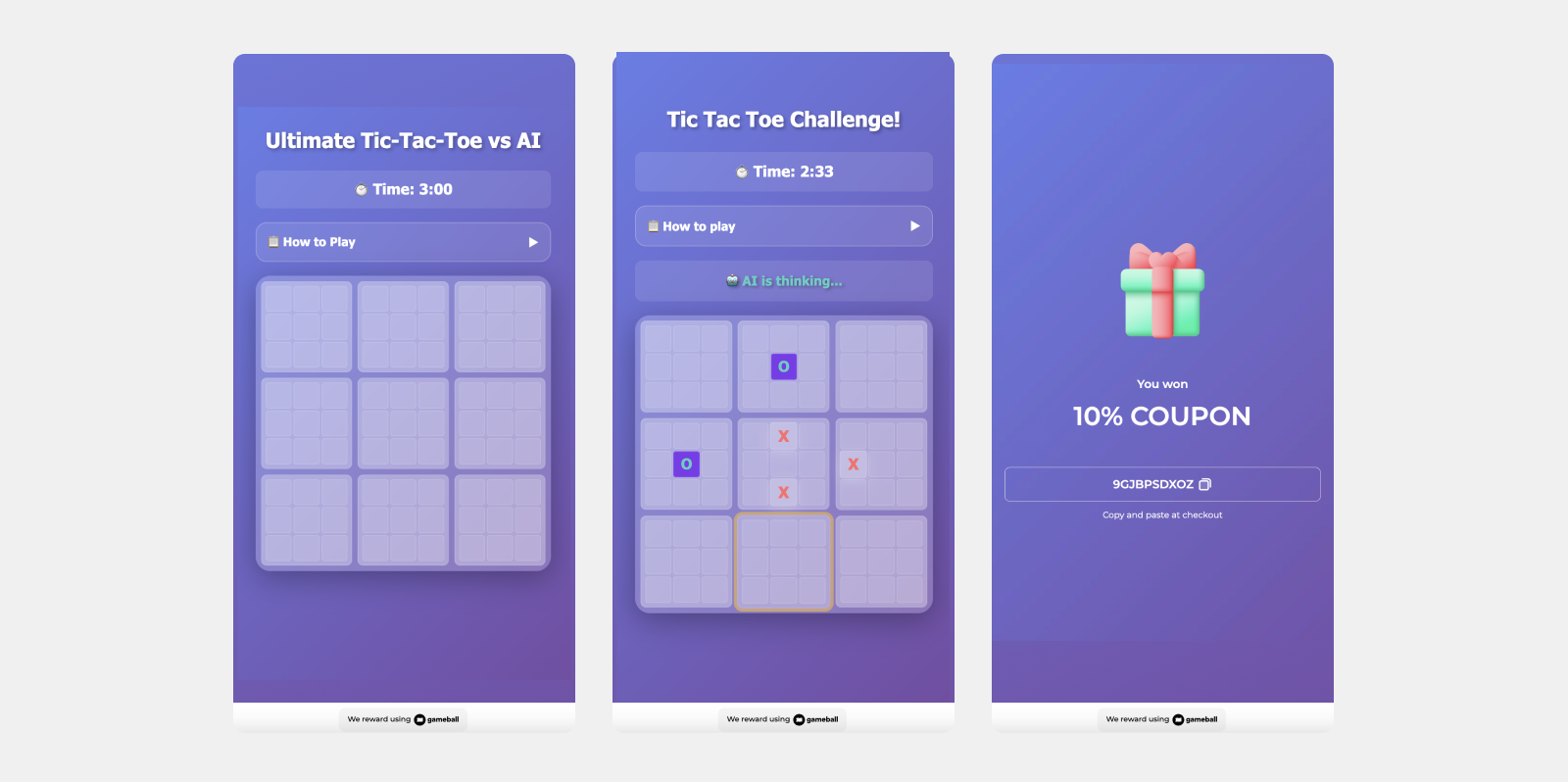
An interactive gamification tool that boosts engagement and brand awareness. Customers play Tic Tac Toe to win and unlock rewards, driving interaction, visibility, and new revenue opportunities.
How to Set Up
1
Open Gameball
Log in to your Gameball Admin Dashboard.
2
Add a New Reward Campaign
Click Add Reward Campaign.
3
Select the Template
Select the Tic Tac Toe template.
4
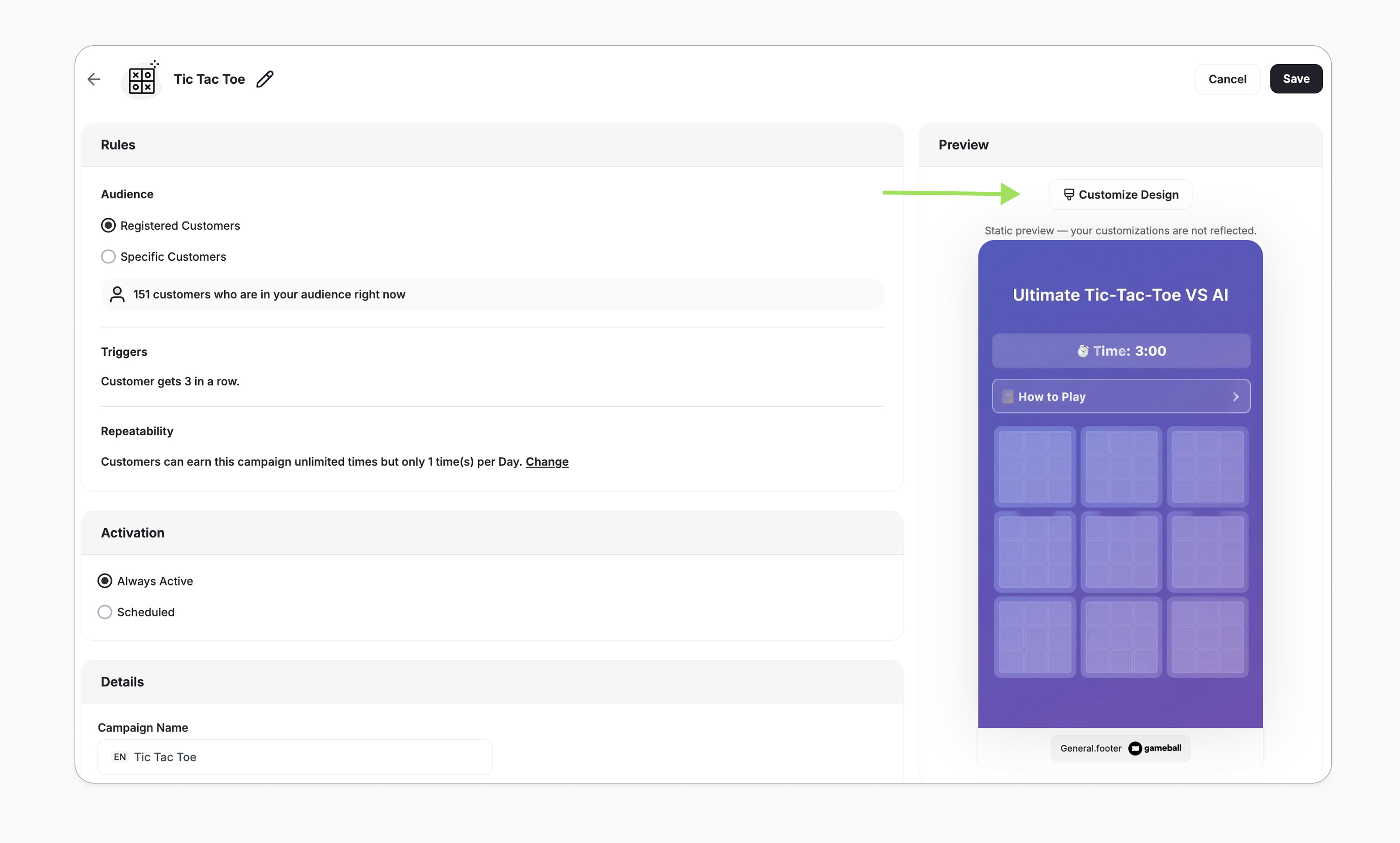
Edit the Campaign Setup
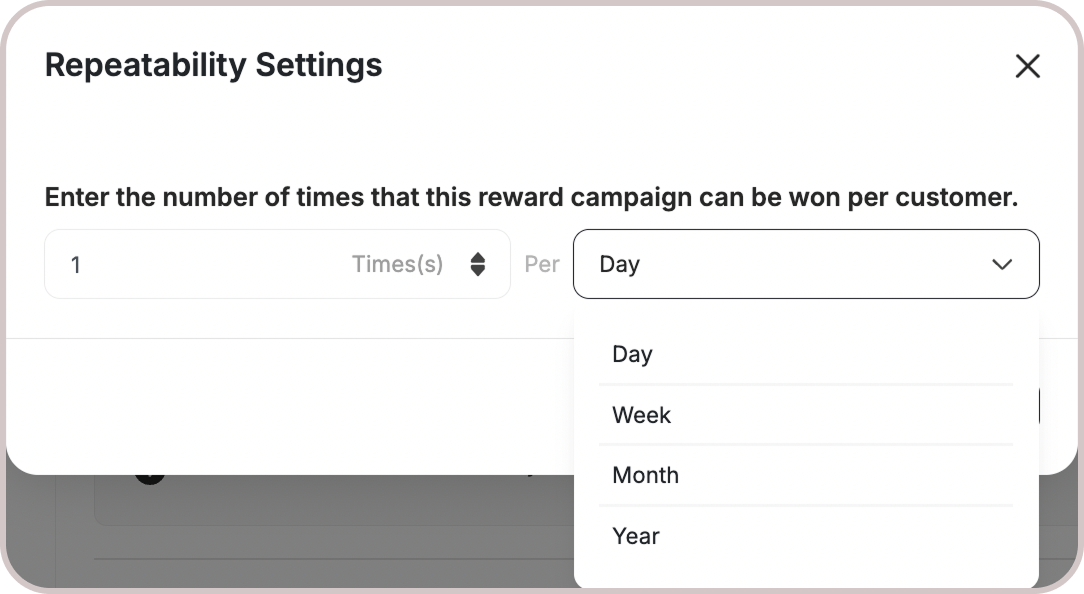
Configure your campaign’s audience, rewards, repeatability, and platform visibility.
5
Set Live
Click Set Live to activate your campaign.
Campaign Trigger
Customers can access the game through the Badges section in the widget. Tapping the badge redirects them to a screen where they can start playing and trigger the campaign to begin playing. Audience Options:- Registered Customers: Customers who have an account on your platform (signed up).
-
Anonymous Customers: Visitors browsing anonymously without providing any contact information or identifiable details (not signed up).
Visitors can open the game, submit basic information through the lead form, play, and receive rewards, matching the standalone game URL experience. Widget deep links that open a specific game work for guests as well — the widget opens directly into the game screen and allows participation without login.
- Specific Customers: You can choose a specific selection of customers to participate in this campaign by filtering using segments, tags, or customer attributes.

How It Works for Customers
1
Choose a Block
Customers start by choosing a block to play X on.
2
Win Condition
Three Xs on the same row, column, or diagonal means a win.
3
Game Ends
The game ends when all 3 boxes on the line are won by the customer or the AI, or the time ends.
4
Reward Notification
The customer is notified via the widget or email, depending on your configuration, when they earn a reward. Learn more.
Customization
You can fully customize each stage of the campaign through dedicated tabs representing the different screens in the flow:- Banner
- Intro / Main Screen
- Game General Rule:
- Time Duration: Set how long each game lasts (e.g., 10s, 20s, 60s).
- Tooltips: Added help text explaining how time and lives impact gameplay.
- Lead Form (if audience set to Anonymous Customers - Not logged in)
- Success Screen
- No Luck Screen
- Content: Edit the headlines, descriptions, and call-to-action messages to match your tone and messaging.
Important Notes
Customer EligibilityGames in the widget update dynamically based on customer eligibility, ensuring customers only see games they can still participate in.Games are hidden when customers become ineligible.If a customer no longer belongs to the game’s target segment, the game is automatically removed from the widget and won’t reappear unless eligibility is restored.
Related Articles
Set Up a Reward Campaign
Learn the full setup process for creating and launching reward campaigns.
Reward Types in Gameball
Explore the different reward types available in Gameball campaigns.
Notification After Earning a Reward
Configure how customers are notified when they earn a reward.