

Plan Availability
- Non-platform
- Shopify
- Salla
Overview
The Data Warehouse Ingestion Module allows you to push selected loyalty data directly into your own data warehouse. This enables you to combine Gameball data with data from other business systems and analyze everything in one centralized analytics environment. This feature was designed primarily for you if you already rely on internal dashboards and BI tools (such as PowerBI, Metabase, or similar) for daily reporting and decision-making. Instead of building and maintaining analytics separately inside each tool, businesses can centralize their data in a data warehouse and build unified dashboards across all systems.Why This Feature Exists
Most large organizations already store their operational data in a data warehouse, which acts as a single source of truth. Data from multiple systems—such as order management, inventory, CRM, and communication tools—is pushed into the warehouse and then consumed by analytics tools. With the Data Warehouse Ingestion Module, Gameball becomes part of this ecosystem. You can now:- Combine loyalty data with revenue, inventory, and customer communication data
- Build cross-system dashboards in one place
- Run advanced analysis without relying solely on Gameball’s in-dashboard reports
How You Typically Use It
A common setup looks like this:
All of this data is stored in the data warehouse, and an analytics tool (such as PowerBI or Metabase) reads from it to create dashboards.
This allows you to answer questions like:
- How does revenue trend by loyalty tier?
- How many points were earned from completed orders?
- What is the distribution of customers across tiers?
- How do loyalty actions correlate with repeat purchases?
Available Gameball Data Models
Gameball currently provides four built-in data models that can be pushed to a data warehouse. You can choose which models to enable during setup.Members
Members
Contains customer-level loyalty data. Useful for segmentation, tier analysis, and customer-level reporting.
Transactions
Transactions
Represents all points and order-related movements. Use this model to analyze how points are earned and spent over time.
Achievements
Achievements
Includes all loyalty events and campaign-related actions such as reward campaigns, referrals, and tier progressions. This data closely matches what is available in Gameball’s activity logs and reports.
Coupons
Coupons
Contains coupon assignment data with lifecycle status, discount amounts, and usage metrics. Supports reporting on reward redemption and coupon usage.
Example Use Case
You may want to build a dashboard showing:- Revenue from your order management system
- Points earned from those same orders (from Gameball)
How to Set Up the Integration
1
Open Data Warehouse Integration
Go to Admin Settings in the Gameball dashboard, then navigate to Data Warehouse Integration and click Set Up Connection.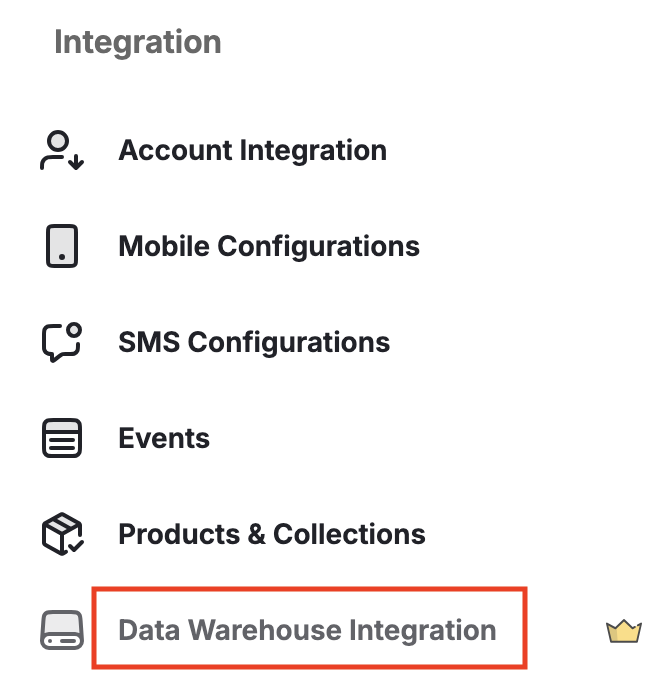
2
Select Data Warehouse Provider
Choose your data warehouse provider (for example, Amazon Redshift), then click Next.
3
Add Connection Details
Enter the required account and connection details, then click Next.
4
Define Data Push Frequency
Choose how often Gameball should push data:
- Daily
- Weekly
- Monthly
5
Select Data Models
Choose which Gameball data models you want to push: Members, Transactions, Achievements, or Coupons.
6
Submit Request
Once submitted, the request is sent to Gameball’s technical team.
What Happens After Submission
The connection is not established automatically.After the connection is live, each scheduled data push (daily, weekly, or monthly) will appear in the dashboard with its status and details.
Availability & Enablement
The Data Warehouse Ingestion Module is offered as an add-on.1
Enable the Feature
The feature must be enabled on your account before use.
2
Coordinate with Your CSM
You should coordinate with your Customer Success Manager to start the implementation process.