

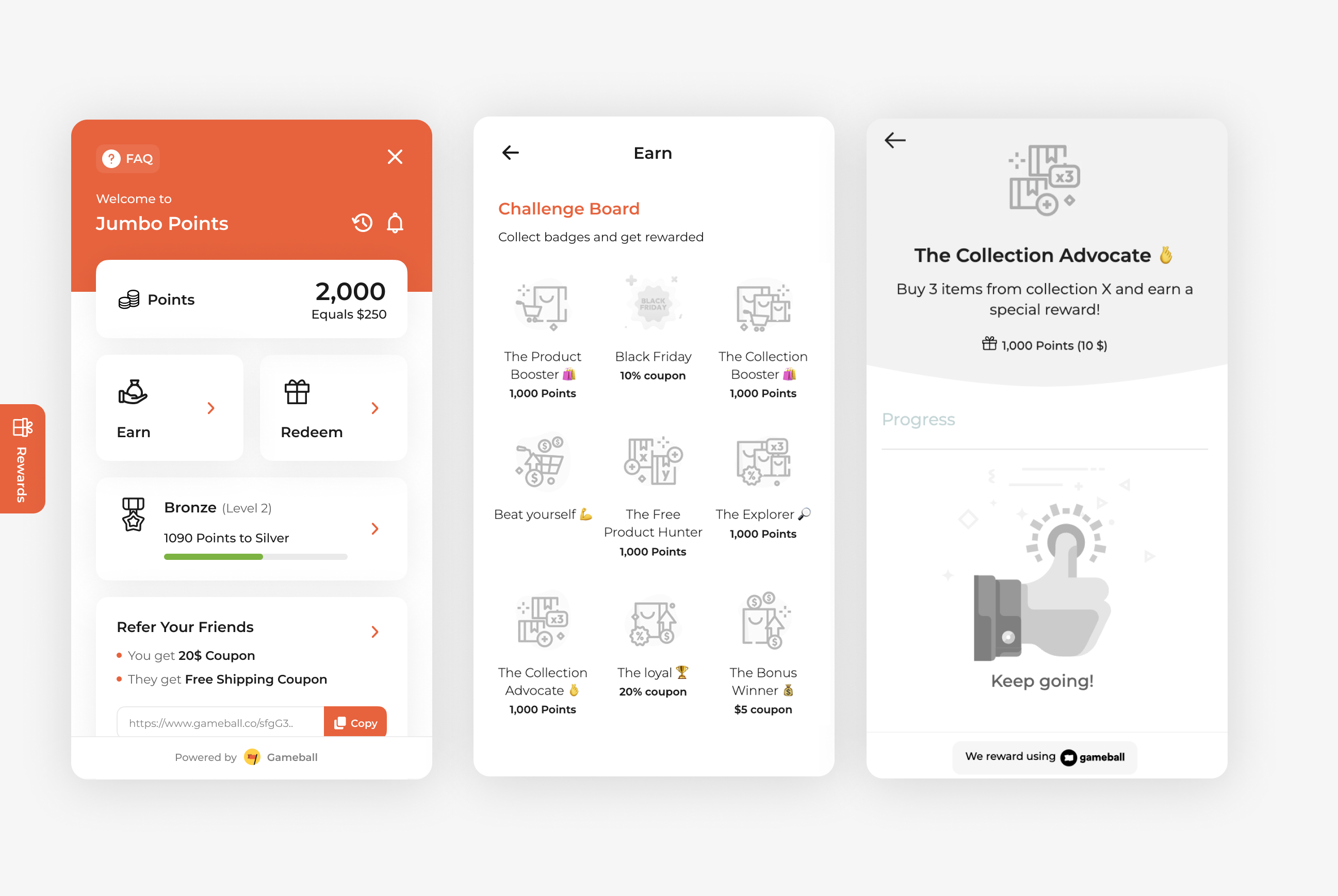
Drive deeper engagement with your product collections by rewarding customers who buy multiple items from a specific collection. The Buy 3 Items from a Specific Collection campaign is ideal for promoting seasonal ranges, product bundles, or themed collections, encouraging customers to add more items to their cart and increase their order value.
How to Set Up
1
Open Gameball
Log in to your Gameball Admin Dashboard.
2
Add a New Reward Campaign
Click Add Reward Campaign.
3
Select the Template
Select the Buy 3 Items from a Specific Collection template.
4
Edit the Campaign Setup
Configure your campaign’s audience, rewards, and other settings.
5
Set Live
Click Set Live to activate your campaign.
Campaign Trigger
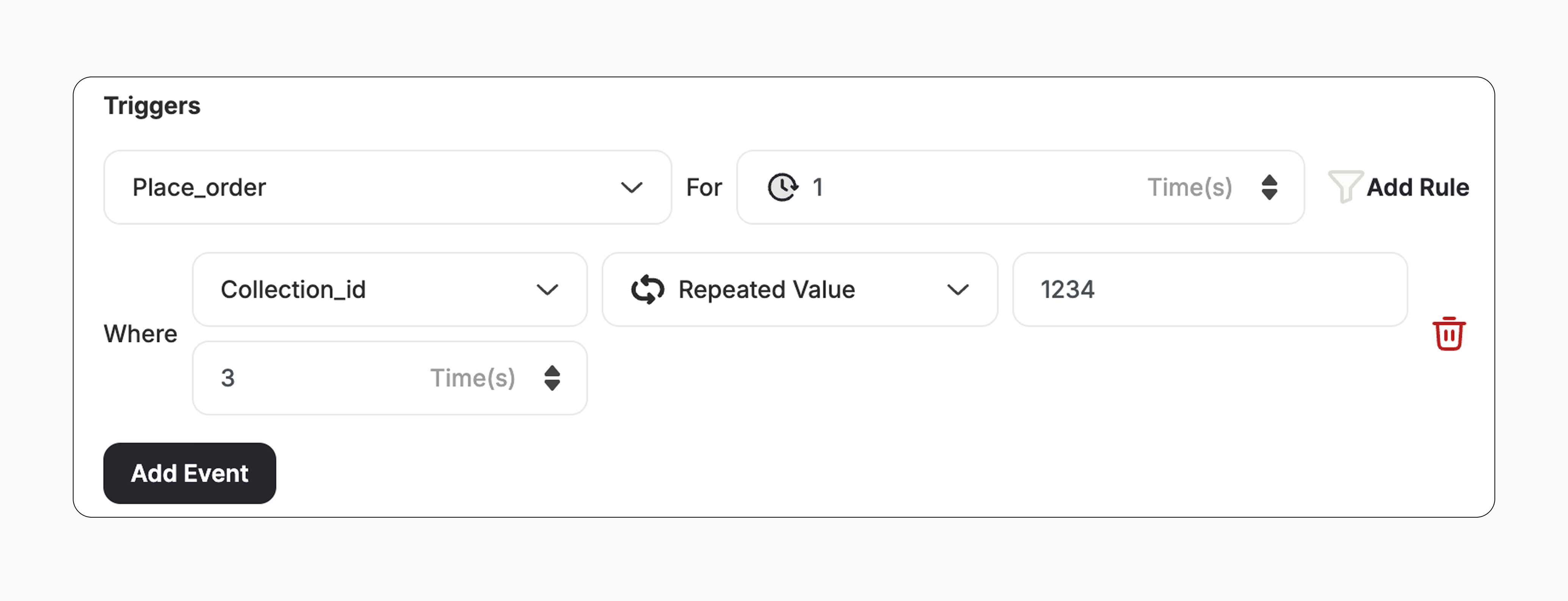
The campaign trigger is configured as follows:- Action: Place Order
- Times: 1 (Number of orders required with this condition)
- Rule:
- Field: Collection ID
- Operator: Repeated Value
- Collection ID: Enter the target Collection ID
- Repeated Value Times: 3 (Customer must purchase 3 items from this collection)
How It Works for Customers
1
Customer Places an Order
A customer places an order that includes three items from the same collection.
2
Reward is Triggered
Gameball automatically triggers the reward.
3
Customer Receives the Reward
The customer receives the reward immediately (points, discount, badge — based on your setup).
4
Reward Notification
The customer is notified via the widget or email, depending on your configuration. Learn more
Important Notes
Same Collection RequirementAll three items must belong to the same configured collection to trigger the reward.
Related Articles
Set Up a Reward Campaign
Learn the full setup process for creating and launching reward campaigns.
Reward Types in Gameball
Explore the different reward types available in Gameball campaigns.
Notification After Earning a Reward
Configure how customers are notified when they earn a reward.