

How to Enable Guests to Join Your Rewards Program
1
Navigate to Programs Participation
On Gameball Admin Dashboard, go to Settings > Admin Settings > Programs Participation, under Customers, click Programs Participation.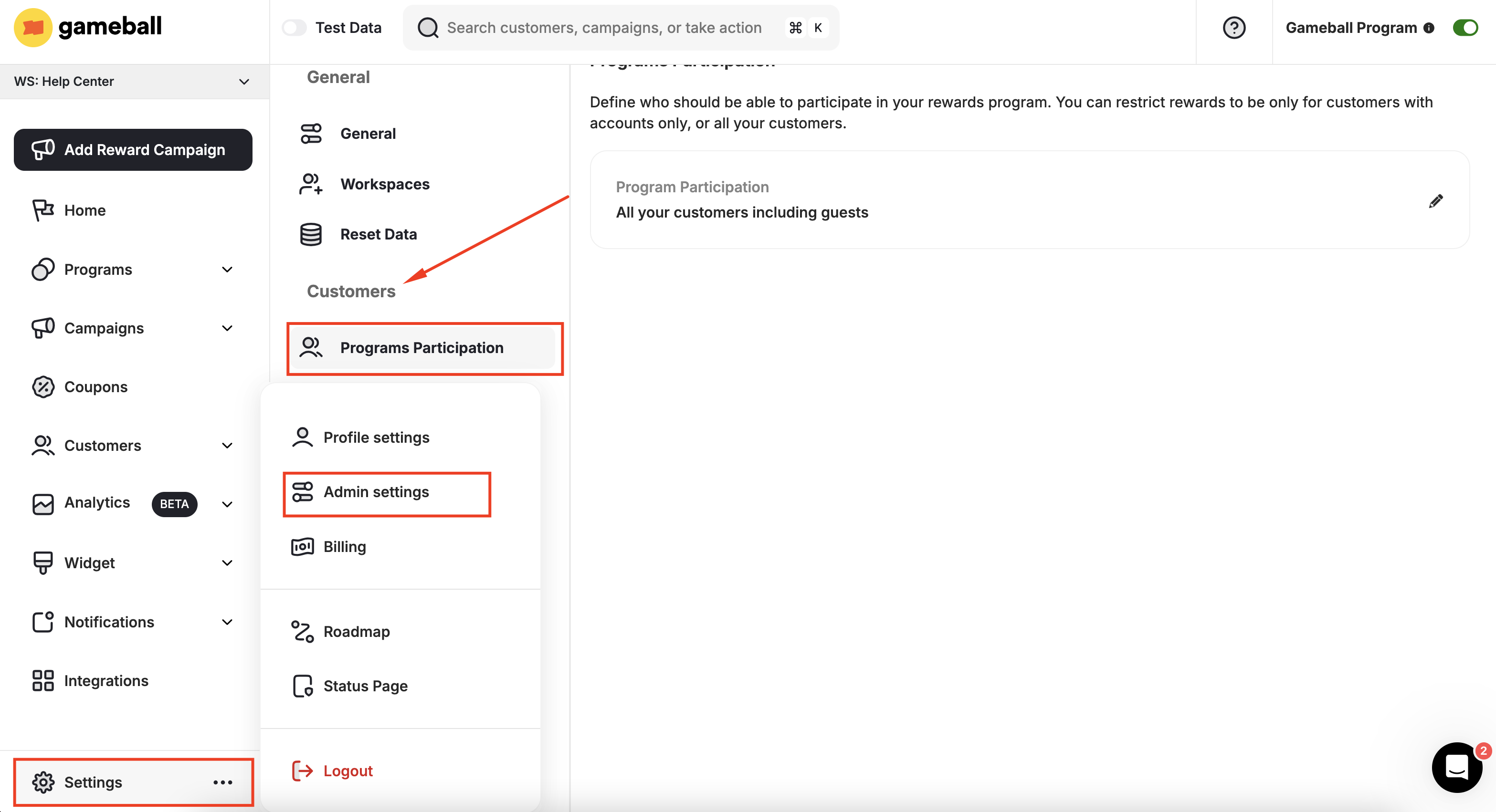
2
Edit the Participation Setting
Click the Edit Icon.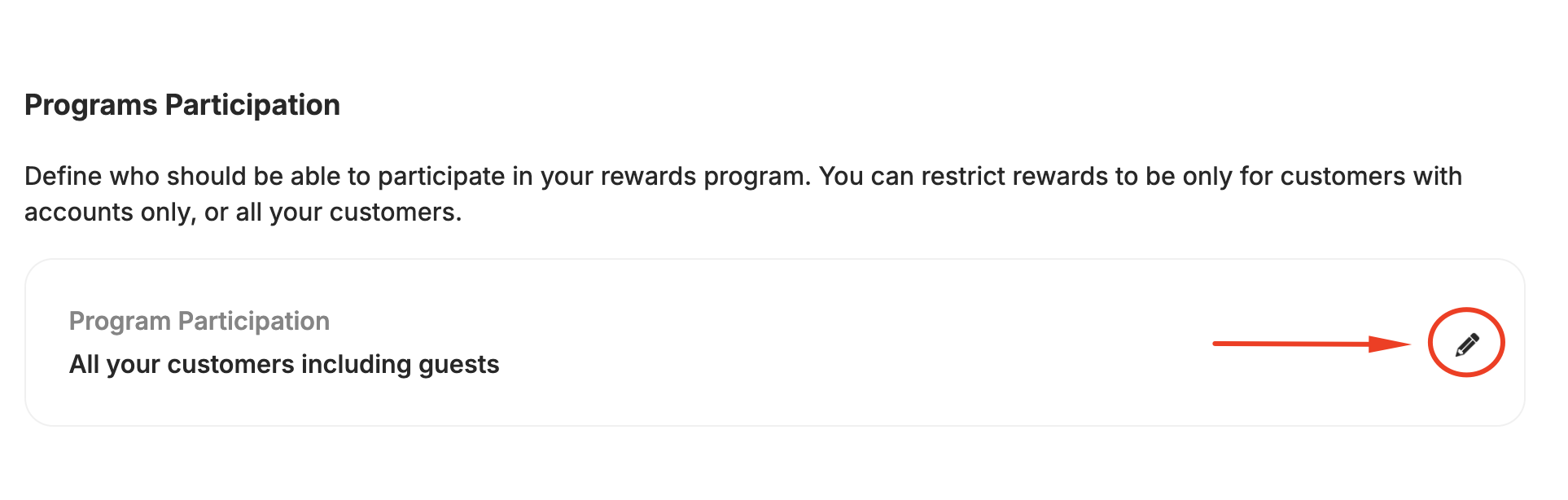
3
Include Guest Customers
Choose All your customers including guests, and click Save.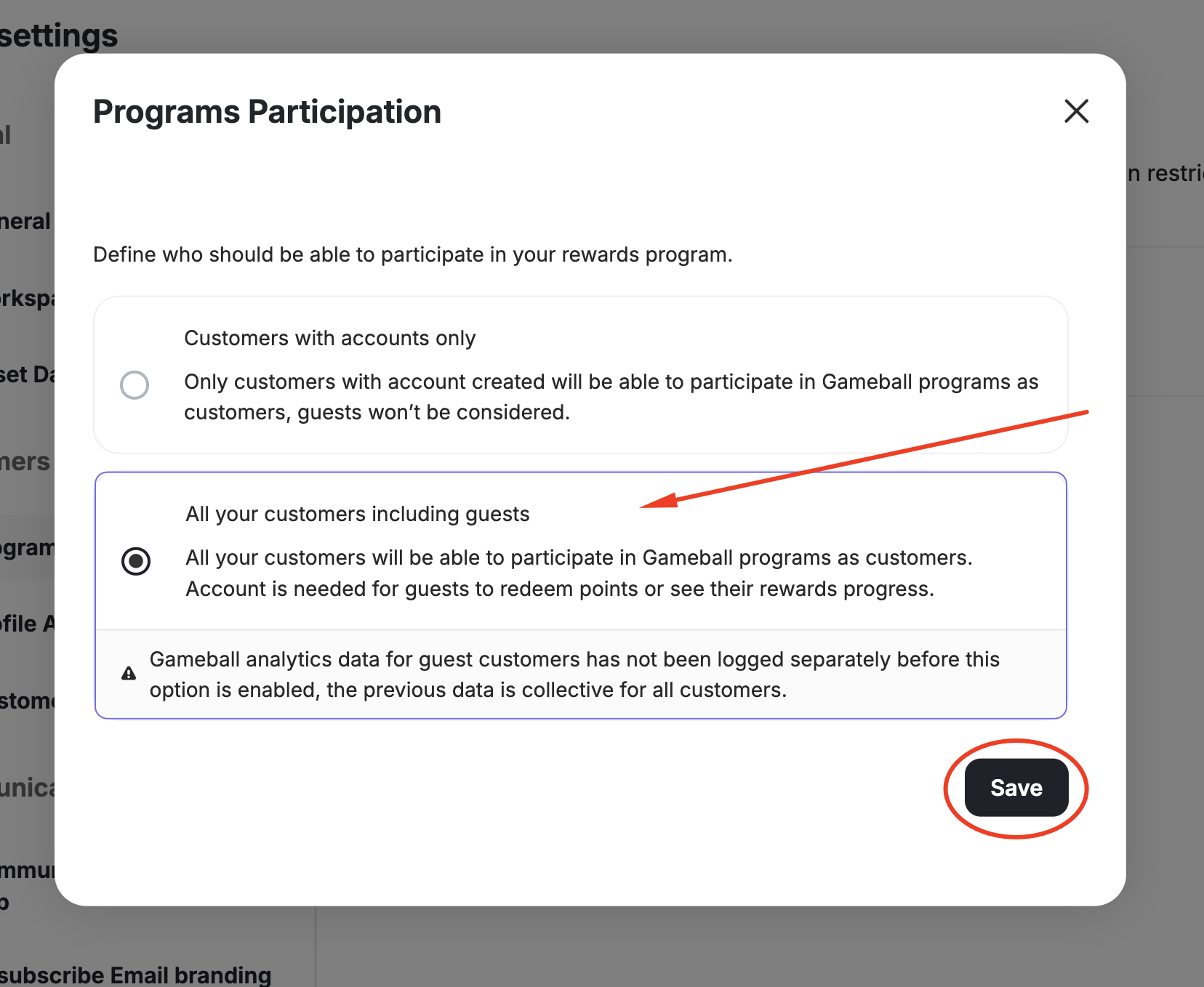
Gameball analytics data for guest customers has not been logged separately before this option is enabled; the previous data is collective for all customers.
What Changes After Enabling Guest Customers?
Once you have enabled all types of customers to be part of your rewards program, two significant changes will apply:- Guest customers will be able to actively engage in most of your configured loyalty programs.
- Data about your guest customers will appear on your dashboard in the Customer Section and the Customers Activities page, along with registered customers’ data.
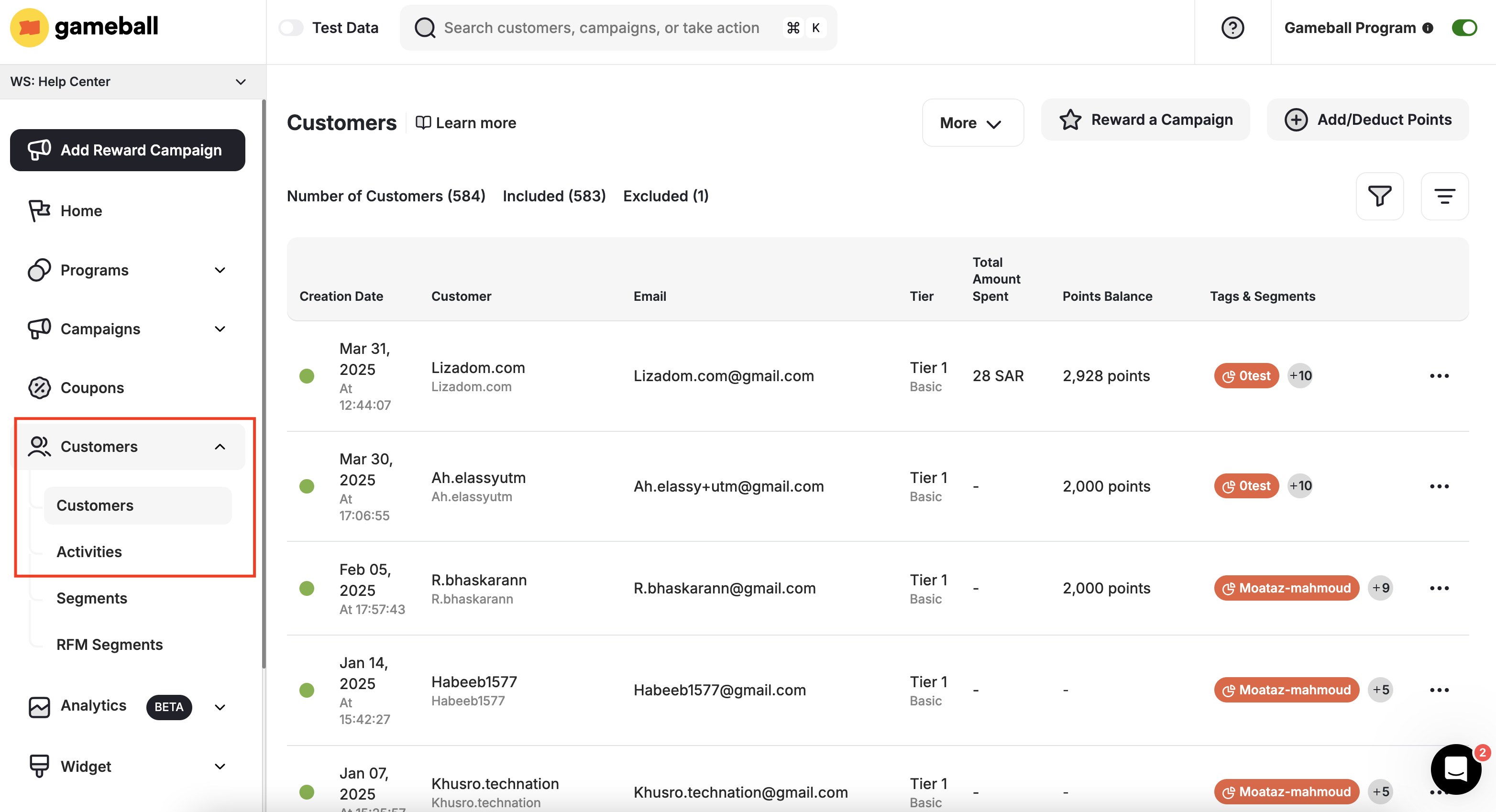
- Creation date
- ID
- Level
- Leveling up method
- Points Balance
Filtering to View Guests-Only Data
If you want to view only registered customers or only guests, you can filter the customer list: Choose “Customer Type” as your filter, then choose “Customer with Account” or “Guest”.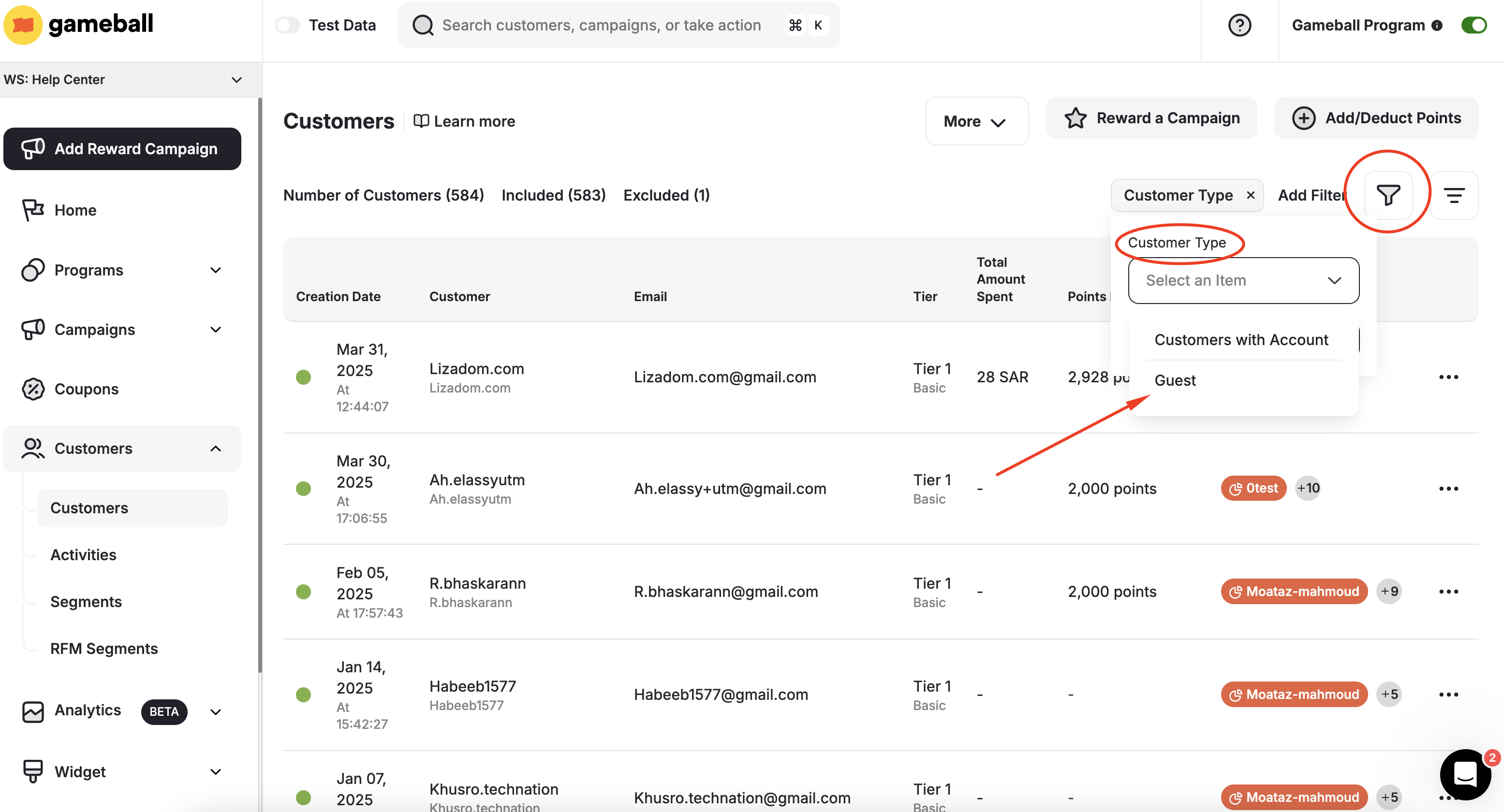
All the current actions in the customer profile apply normally to guests: Include/Exclude, Adjust Balance, Adjust Level, Reward Campaigns, and Assign Tag.
What Actions Can Be Applied to Guests?
Guest customers can have the following actions applied:- Add Achievement Manually
- Tag Filtered Customers
- Include/Exclude Customers
- Update/Migrate Customers
- Reward a Campaign
- Add/Deduct Points
Which Programs and Rewards Are Guests Included In?
- Included
- Excluded
Guests have to register their email during the checkout process when placing an order to start receiving the configured email notifications.
Related Articles
Include or Exclude Customers from Your Rewards Program
Control which customers participate in your entire loyalty program.
Import Customers via CSV
Import guest and registered customers into Gameball using a CSV file.